Features

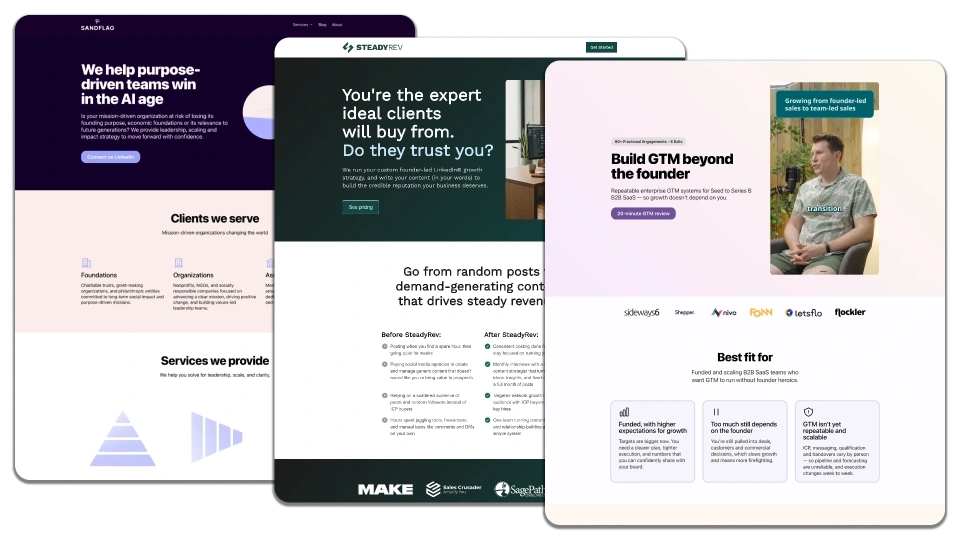
LandingRabbit powers the website you are viewing right now.

You can use LandingRabbit to plan the best possible content, host landing pages in a subdomain, or publish a full website like this with landing pages, blog posts, help docs, and more.

Our 14-day free trial makes it easy to get started and test all the features below. No commitment, no credit card needed.
Core Features

Turn ideas and existing sales materials into pages

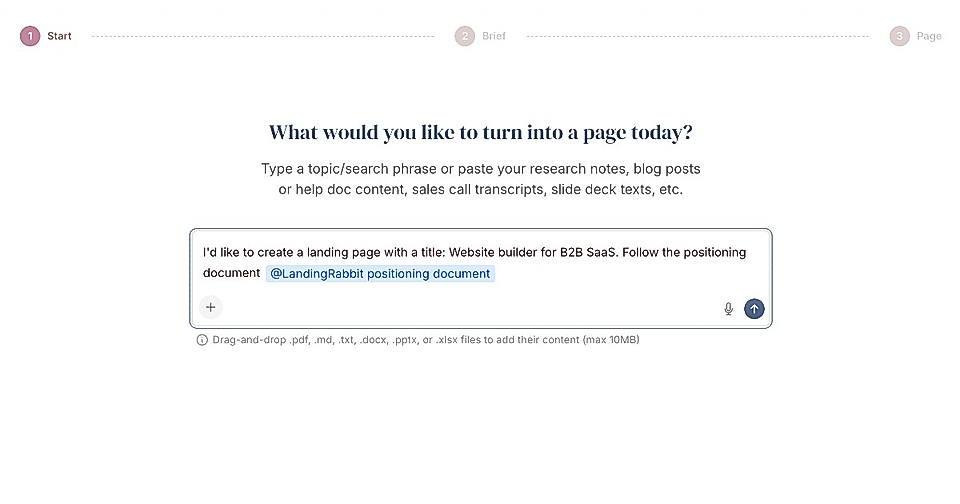
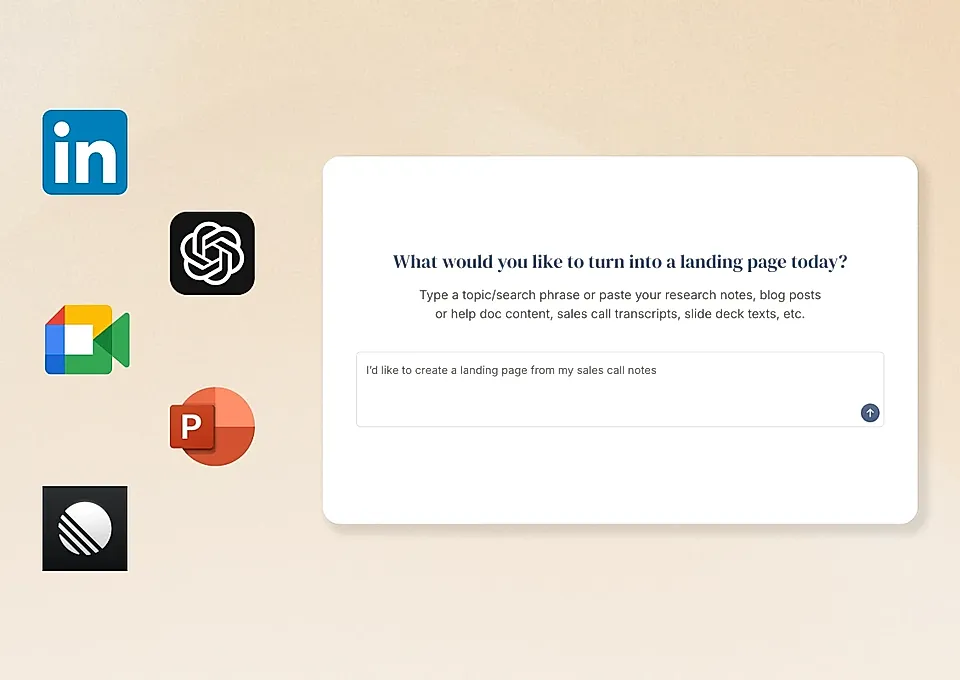
Screenshot of a webpage asking for topic input to create a landing page, highlighting Google Ads campaigns.

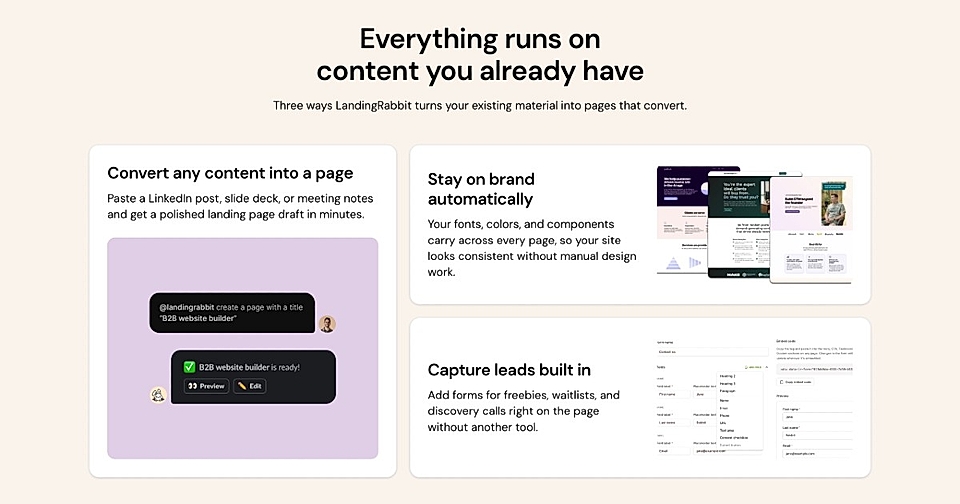
Type your ideas and keywords, record a voice note, or paste slide decks, call notes, blog drafts, or product specs into the chat. LandingRabbit analyzes your inputs and turns them into branded landing pages and blog posts.

Get a page plan before AI writes the page draft

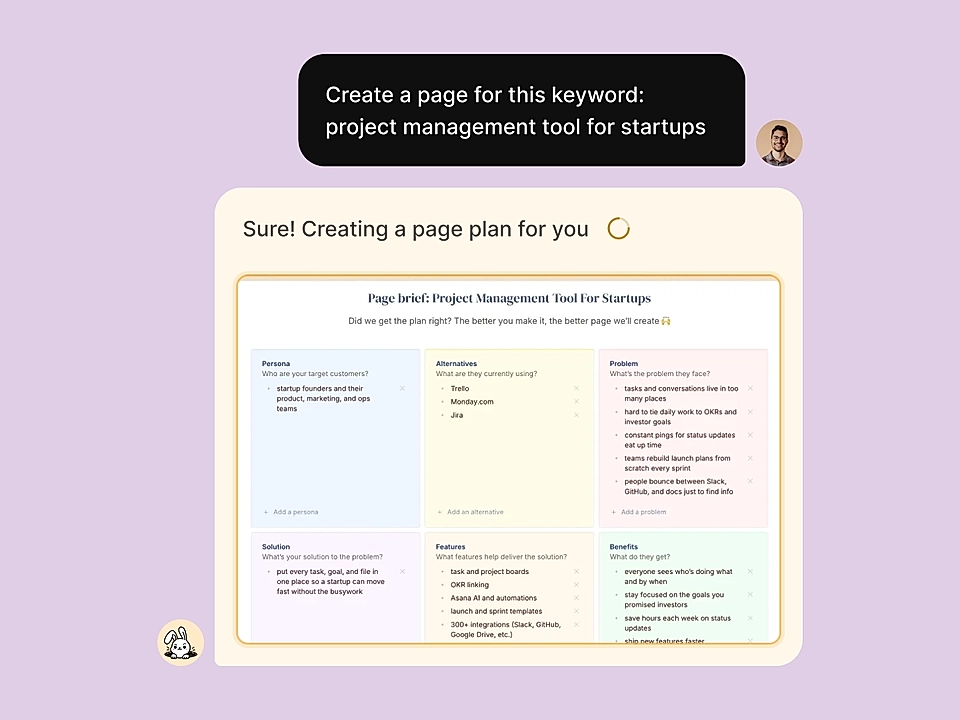
A page plan for a landing page

Give LandingRabbit a page idea and any materials and you get an instant page plan covering your audience, their alternatives, the problem they’re trying to solve, and how your solution, features, and benefits help prospects solve the problem and succeed.

The page plan helps you make sure AI has all the relevant information to write the best possible page.
Google Docs-style editing with live preview

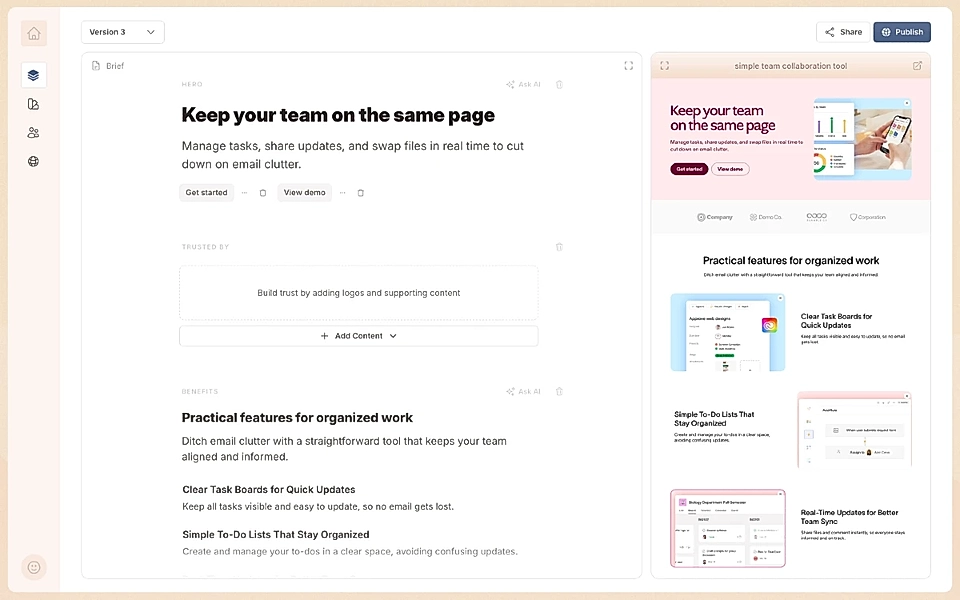
LandingRabbit page editor with a live preview

After LandingRabbit generates a page based on your idea, you can edit the content in a Google Docs-style editor while seeing a live preview update instantly. Your brand’s fonts, colors, and styles are applied automatically and you can focus on editing the best possible content.

Publish pages

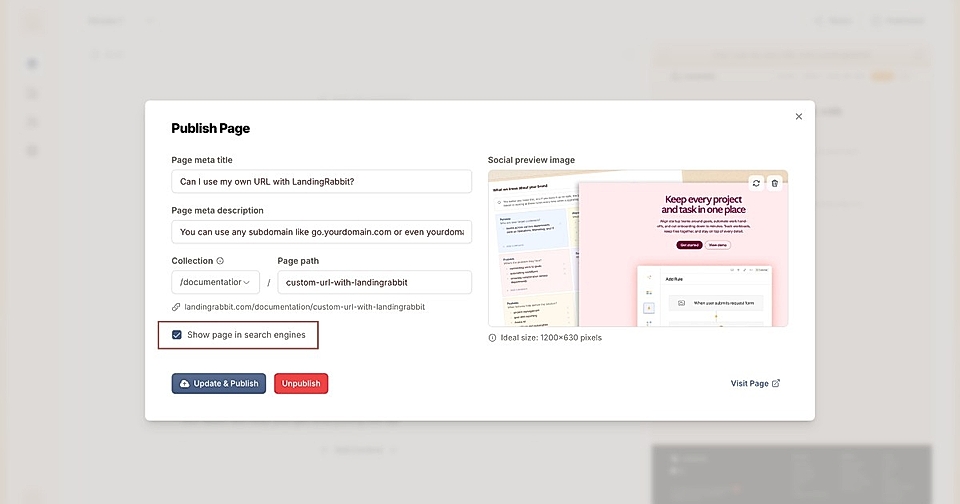
Screenshot of a page publishing interface, showcasing meta title, description, and social preview image settings.

You can publish pages in a custom URL – landing pages or even the full website with us.

When publishing pages, you can decide if pages are available in Google search and AI services.

You can also export your work and import it into Figma, Webflow, WordPress, custom-built websites, and more.

Page Design & Layouts

Edit colours and design using plain English

A chat to edit website styles with AI

In LandingRabbit, all generated pages automatically have your brand’s look and feel. Editing page styles goes through a chat where you can ask for changes like "Change the background color to light pink”.

Changing the page colors and styles could not be easier 👍

Multiple section types and layouts

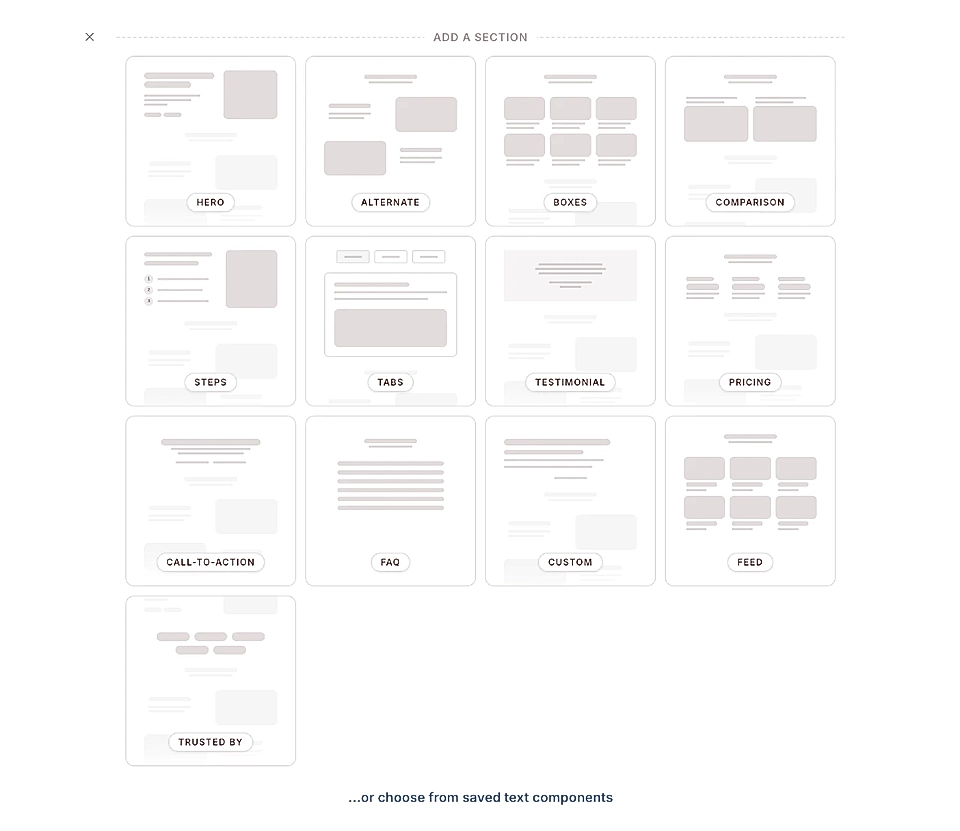
LandingRabbit user interface showcasing various sections for a SaaS landing page, including hero, pricing, and FAQ.

LandingRabbit automatically generates the initial layout to fit the page idea, purpose, and content, but you can edit the page and add and remove sections.

Currently, the app supports the following section types:

The navigation and footer have their dedicated editors.

All sections come with various layouts and settings to customize them.

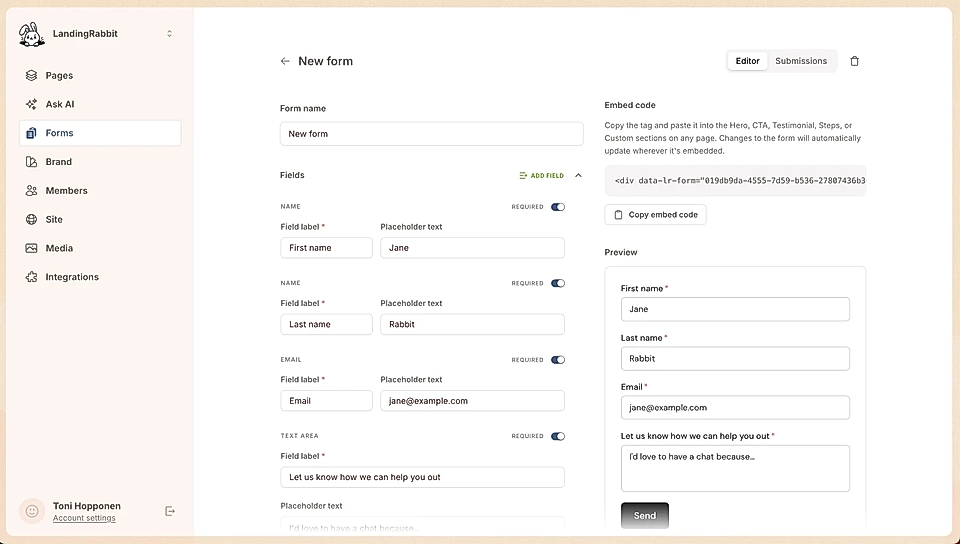
The Custom layout allows you to create a mix of content items and also paste in any custom HTML and embed codes. So, if there isn’t the right section layout available in the app, you can add tailored code.

Saved layout templates

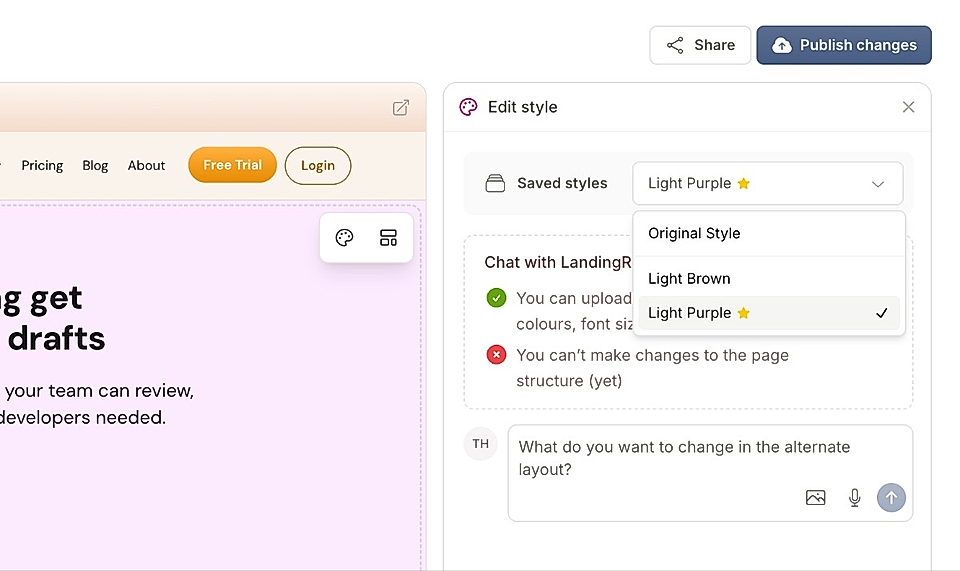
Screenshot of the LandingRabbit page editor showing styling options and chat features for user feedback.

When you create a page with LandingRabbit, the layout will be fully predictable, using your brand colors and styles every time.

When you customize any section of the page, for example, the hero, you can make changes to the brand look & feel directly and share it across all pages.

But sometimes, we all need a slightly different layout, colors, and styles on a specific page. When making changes to the design, you can decide to save them as templates.

You can use the template on a single page or multiple pages.

Also, you can decide what template is used when new pages are created and change your mind at any time.

Image and embed display options

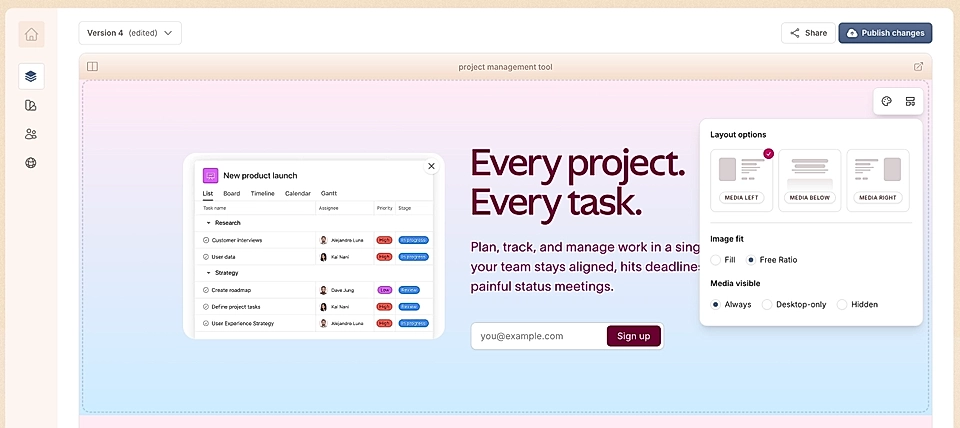
Screenshot of a website and image editing tool in LandingRabbit

In most content sections, you can add images and embed codes such as YouTube videos. If you click the layout options, you can choose how images and embeds appear on the page:

  • Fill adapts the image to surrounding content
  • Free ratio preserves the original image dimensions

Marketers often struggle with image sizes and cropping. In many scenarios, the free ratio can make the team’s life easier. As long as the images are the same ratio in your favourite image editing tool, they will show up really nicely on the published page.

Optimized for desktop and mobile automatically

Page Types and Content Editing

Create any page your company needs

When you share a page idea or full, ready page content in the LandingRabbit page chat, the app automatically generates the most suitable structure for the page.

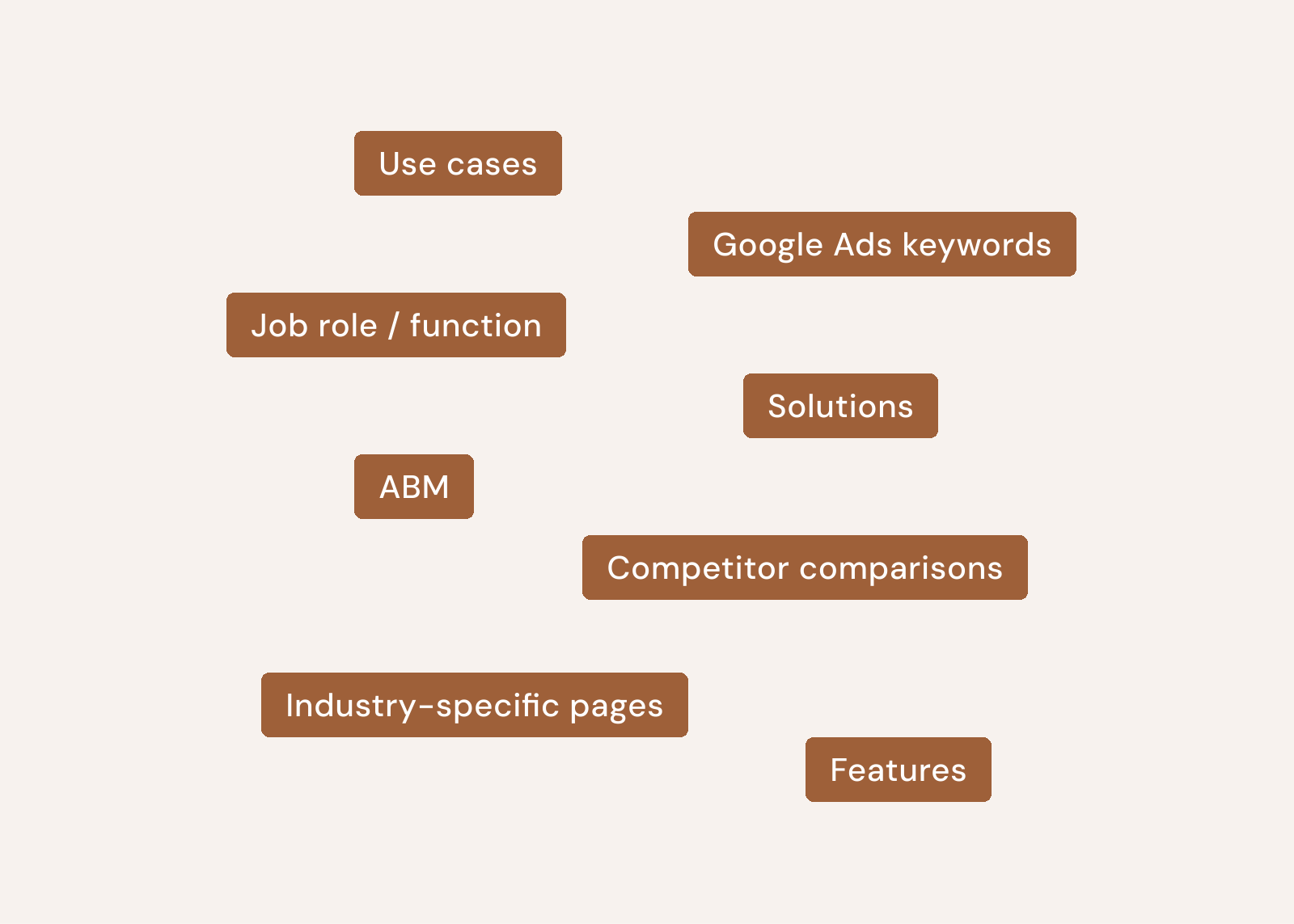
You can create, for example:

In short, every page your SaaS needs.

The LandingRabbit website is a live example of some of the pages you can create and publish.

Structured content editing experience

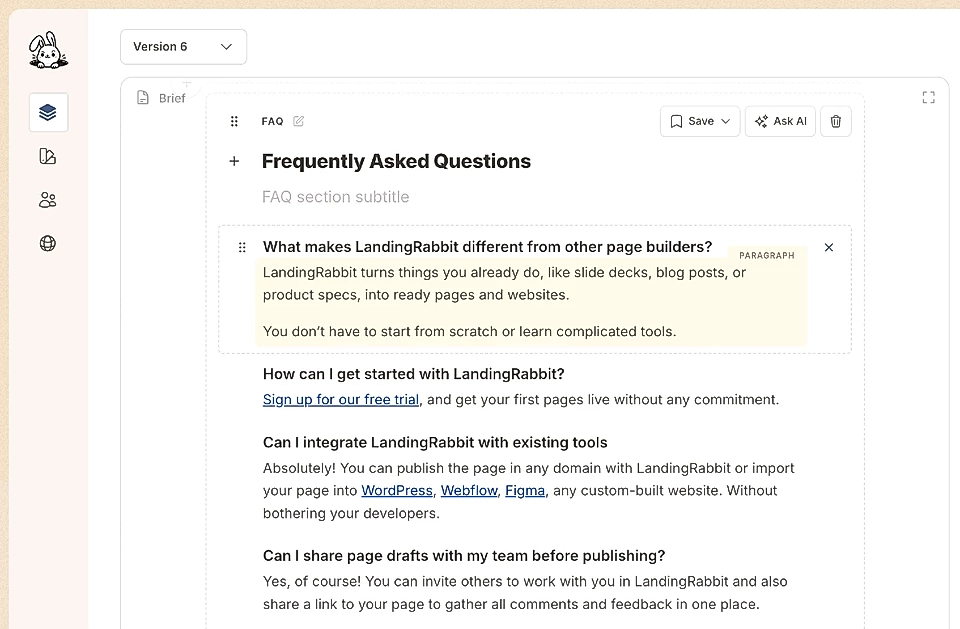
Screenshot of a FAQ section editor in LandingRabbit, showing header editing and listing four questions and answers

You can create fully custom sections, but the core idea of the LandingRabbit app is to provide content writers and teams a Google Docs -style editing experience with some more structure.

The built-in format and predictability when new pages are generated make large volumes of pages easier to maintain over time.

For example, the FAQ section content is very predictable, and LandingRabbit’s editor makes it easy for teams to add and remove items and change item orders.

Structured content in sections and the ability to drag n drop the order of content items and sections is a massive time-saver for marketers.

Bulleted and numbered lists

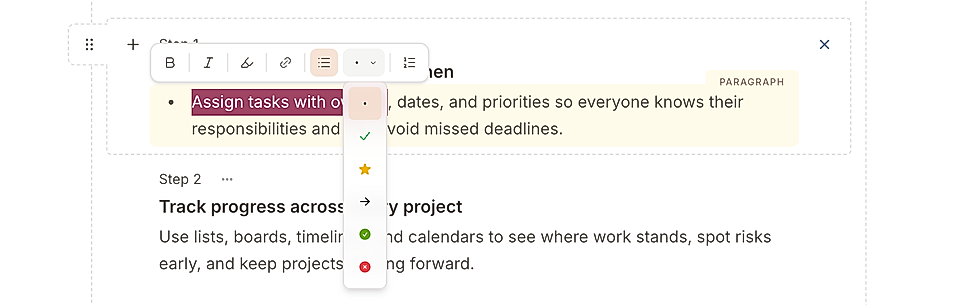
A screenshot of text editing tools for a landing page

Add bulleted or numbered lists inside any paragraphs and descriptions.

LandingRabbit’s bulleted lists come with custom icons like success and reject. You can find custom icons in use on this page, too.

Bold, italics, and text highlighting

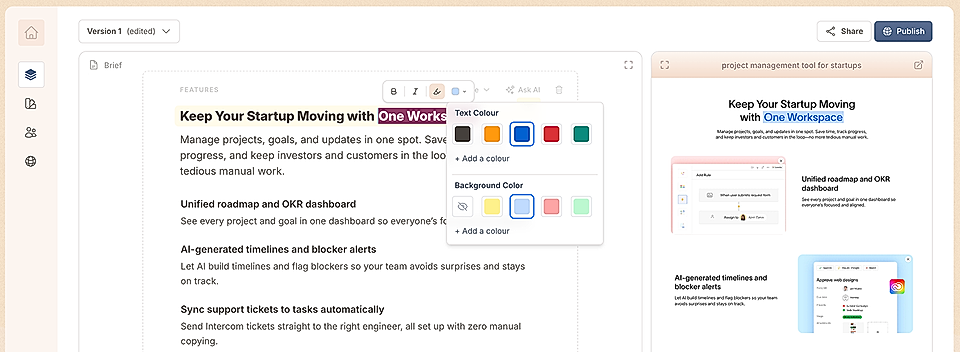
Screenshot of a text highlight editing tool in the LandingRabbit page editor

Highlight any text like this in headlines or body copy using predefined colors, your custom colors, or gradients to draw attention where it matters.

Saved text components

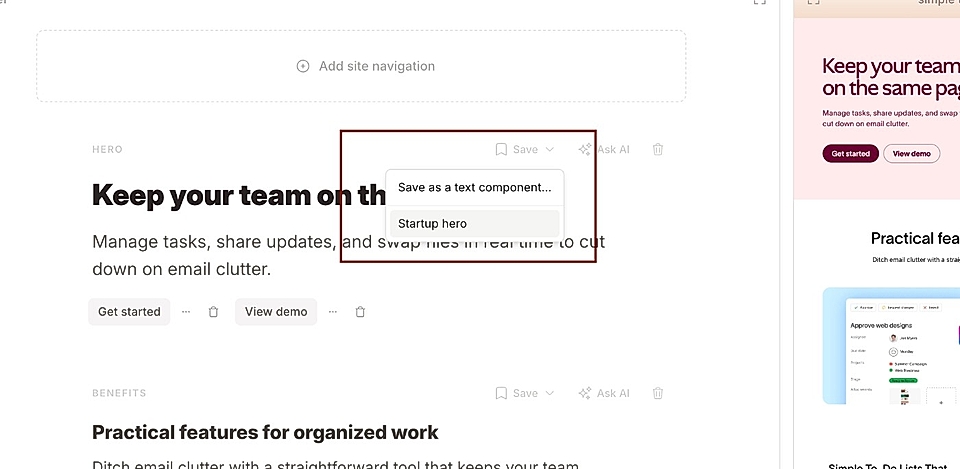
Screenshot from LandingRabbit and a Save button to store section-specific content for reuse and choose from previously stored

Saved text components make it easy to copy content from one page to another and are a massive time-saver.

Essentially, they allow you to save, for example, a certain section copy and reuse it across pages. When you make changes to the component, the content updates across the pages that share it.

Page versions and drafts

Screenshot of a SaaS dashboard displaying version control with versions and drafts, including recent edits.

In LandingRabbit, you’ll never lose a piece of content.

That’s taken care of by the page versions and drafts.

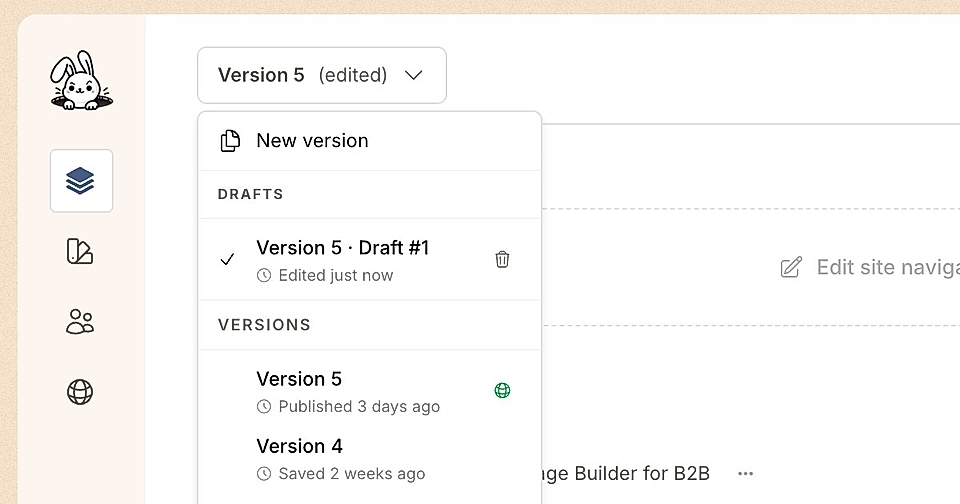
When you edit a version, a draft is automatically created.

When you publish a draft, a new version is created.

If you change your mind, you can publish any of the previous at any time.

This way, you can keep all previous page versions saved and work on one or multiple page ideas at the same time.

Navigation and footer editors

Screenshot of a website navigation editor featuring links, CTAs, and sections for logo, solutions, and pricing.

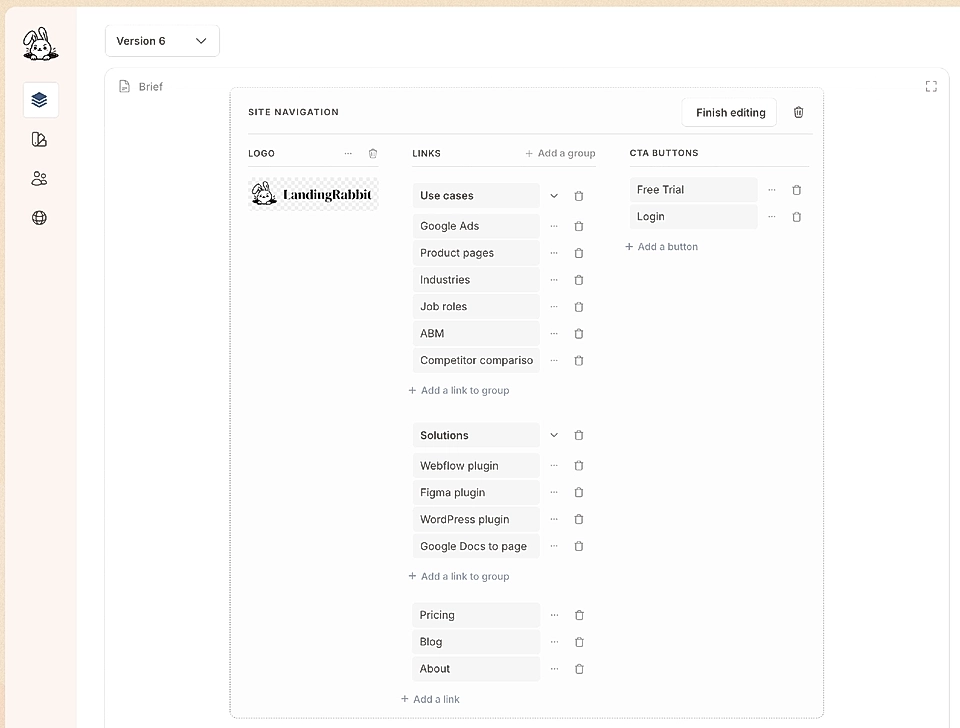
If you’ve ever built a navigation and footer for a website, you’ll certainly know how troublesome it can be to manage them.

In LandingRabbit, you get dedicated navigation editors to build anything from very simple to relatively complex layouts.

See the navigation and footer on this website for reference.

Collaboration & Feedback

Share and export pages for review

Share and export options in LandingRabbit

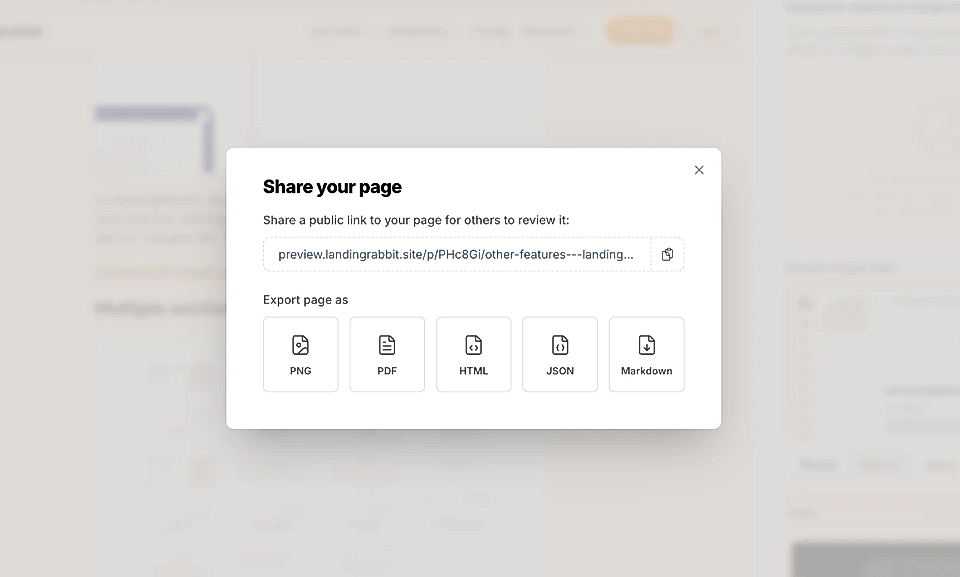
Share preview links and export pages as images, PDFs, markdown or HTML.

Real-time commenting for teams

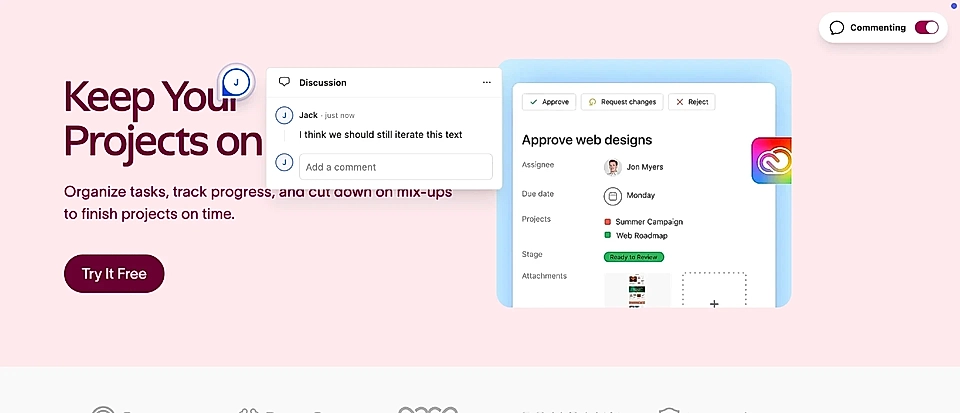
An example page with comments and feedback on design and text and continuing the chat

Share a page and ask teammates and stakeholders to leave comments directly on the page in "Figma’s style" and keep feedback tied to the actual content.

Multiple user accounts

Invite your colleagues to LandingRabbit as owners or members. Owners can invite others to join and manage everything in the app, including your subscription and billing. Members can create, edit, and delete pages.

Publishing, Hosting & SEO

Full hosting and custom domains

If you like, LandingRabbit can host pages in any custom domain – a subdomain or even in your main domain.

We use AWS and Google Cloud to ensure pages published with LandingRabbit load lightning-fast and are as SEO-friendly as possible.

When you move your site to LandingRabbit, you don’t need to pay for separate hosting services.

Content collections

Screenshot of a SaaS platform showcasing pages for blog, landing page examples, and documentation with interaction stats.

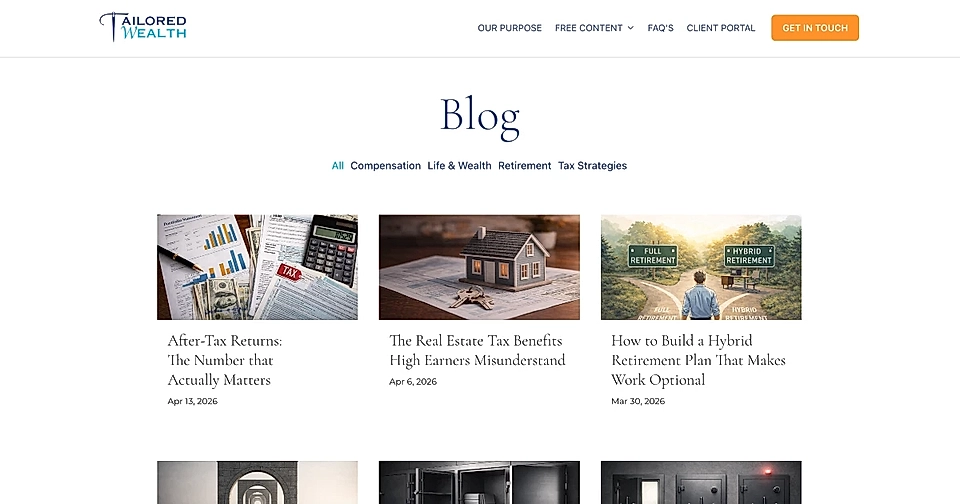
You can create collections and group related content like blog posts, case studies, or resources under structured URLs such as /blog or /documentation.

Localization

LandingRabbit’s content generation supports English and Finnish at the moment, but we support URLs with localizations like /en, /de, /fr, etc.

You can manage each localized site version in a separate workspace.

While the content generation with AI is limited for now, you can publish pages from ready-made content under localized pages.

Automated meta title and description generation

LandingRabbit automatically generates meta title and meta description for your page. You can edit them at any time, of course.

Automated image alt text generation

Screenshot of a website and image editing tool in LandingRabbit

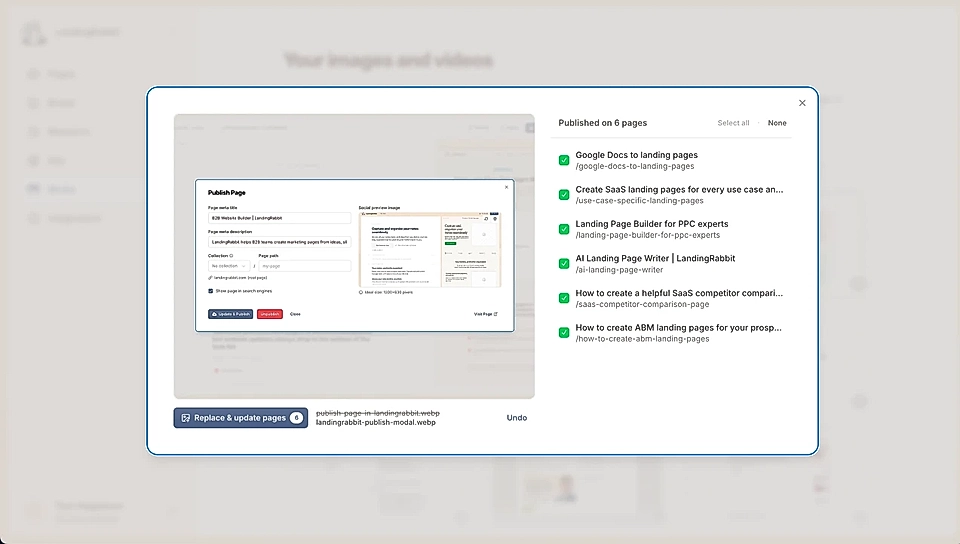
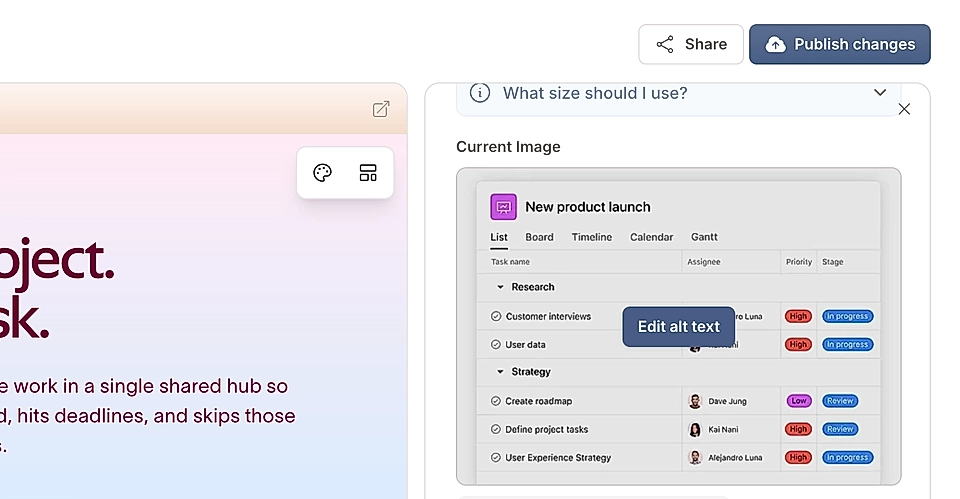
LandingRabbit automatically generates alt text for uploaded images to improve accessibility and SEO, with the option to edit it manually.

Image alt texts are shared between all pages on your LandingRabbit site.

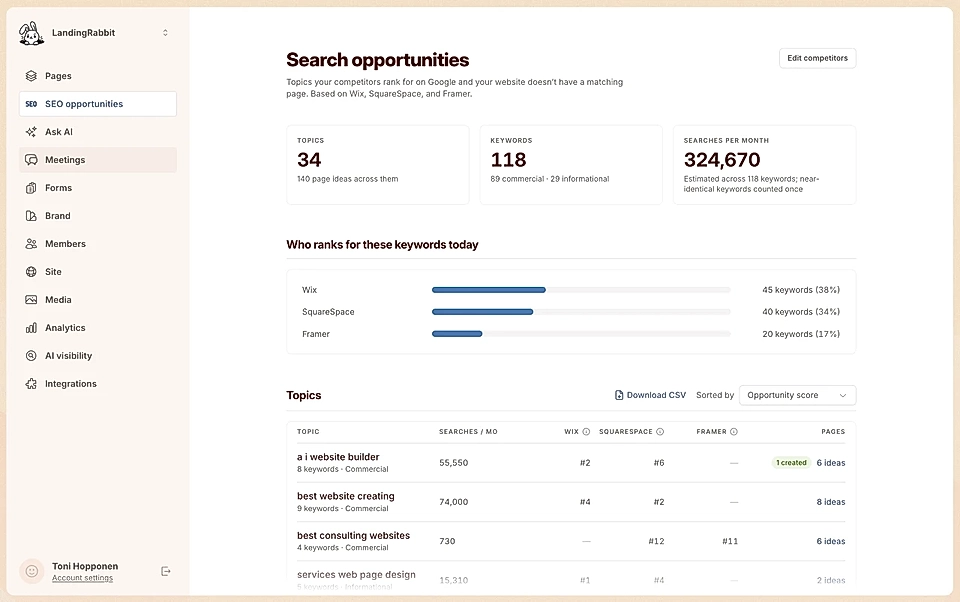
Search engine optimisation and indexing controls

Screenshot of a web interface for publishing a page with fields for title, meta description, and SEO settings.

Choose whether each page should be indexed by search engines directly from the publish flow.

All published pages with search engine visibility enabled are SEO-friendly, and the HTML includes, for example, meta title, meta description, social share image, and other SEO-related tags for best possible search engine visibility.

Automatic sitemaps

Every site published on a custom domain with LandingRabbit includes a sitemap automatically.

Sitemap lists all pages you’ve set to be indexed.

Analytics and tracking

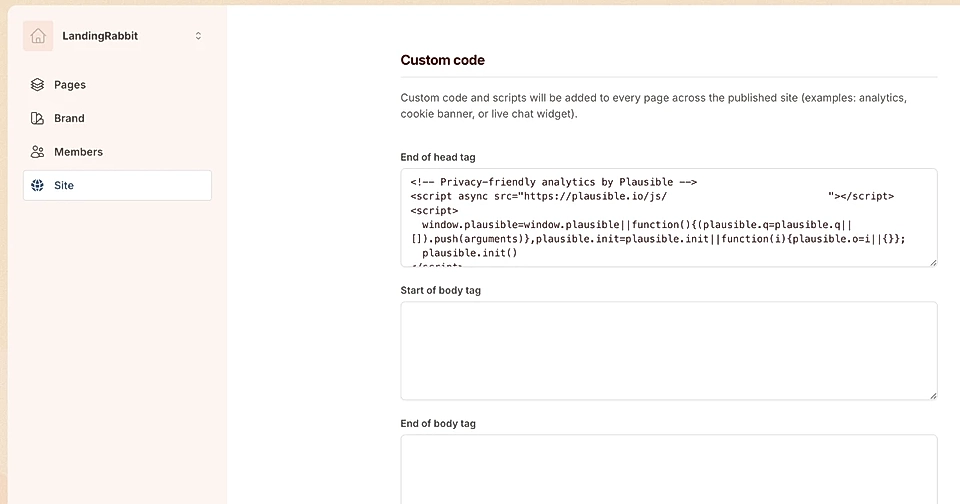
Screenshot of a website builder interface showing custom code settings for analytics integration.

Add any analytics and third-party code to your pages and track performance using the tools you already use.

Plugins

Figma plugin

Import LandingRabbit pages into Figma as layered design files so designers can continue your work efficiently.

Webflow plugin

Import your pages into Webflow and continue working there without recreating layouts or content.

WordPress plugin

Publish LandingRabbit pages to WordPress in one click using the official plugin.

Support & Plans

Dedicated support access

We are always happy to help via Slack and email and organize calls when needed.

Pricing and agency plans

Our pricing starts from $39/month.

For agencies purchasing multiple workspaces, we offer discounts and group discounts tailored to each agency’s use case.

Want to try LandingRabbit for your business? Sign up for our 14-day free trial and get any page you need created in minutes.