How can I customize the tone of voice in LandingRabbit?
By default, LandingRabbit writes like top-performing B2B marketers. It’s trained on high-quality copy examples and focuses on writing conversion-friendly content for B2B businesses.
That said, you might want your pages to sound more like your brand, and that's when the tone of voice setting can be useful.
Using the tone of voice setting
To customize how LandingRabbit writes:
Click Brand in the left-hand panel
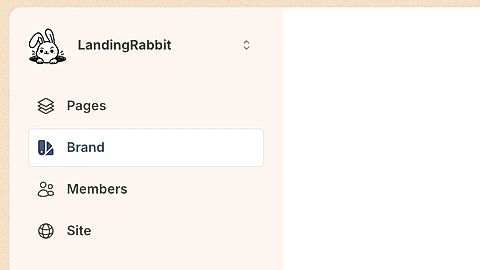
Scroll to the bottom
Find the tone of voice field
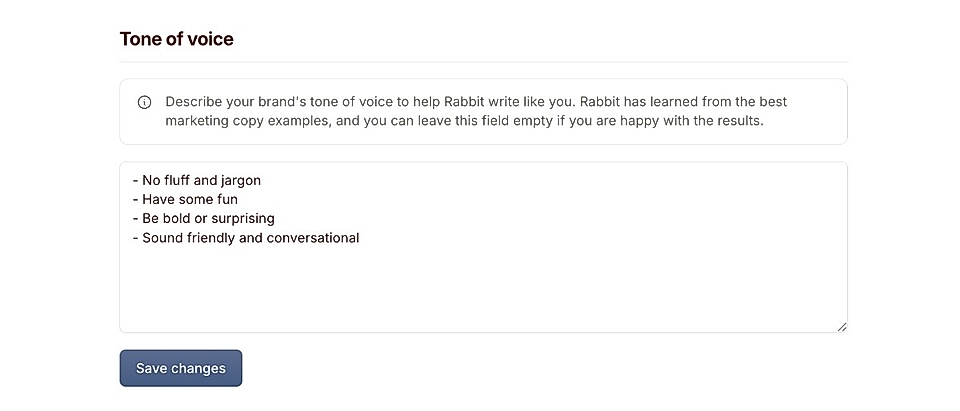
In this field, you can describe how you want LandingRabbit to write.
What to include in your tone of voice
You can add simple instructions such as:
- Be more professional
- Have some fun
- Be bold or surprising
- Sound friendly and conversational
You can even ask it to write in a specific style, like “write like Gary V,” if that fits your brand.
LandingRabbit will still write clear, B2B-appropriate content, but your instructions help shape the personality and voice of the copy.
Is this required?
No. The tone of voice field is completely optional. You don’t need it to create strong landing pages.
But if you want your pages to sound more like you and reflect your brand’s personality, adding a tone of voice description is the best way to do it.