Can I export my content from LandingRabbit?
Most LandingRabbit customers publish pages with us using a custom domain, but you can also export your page in various ways and publish it elsewhere.
Click the 'Export' button on the top right, and a modal with options opens.
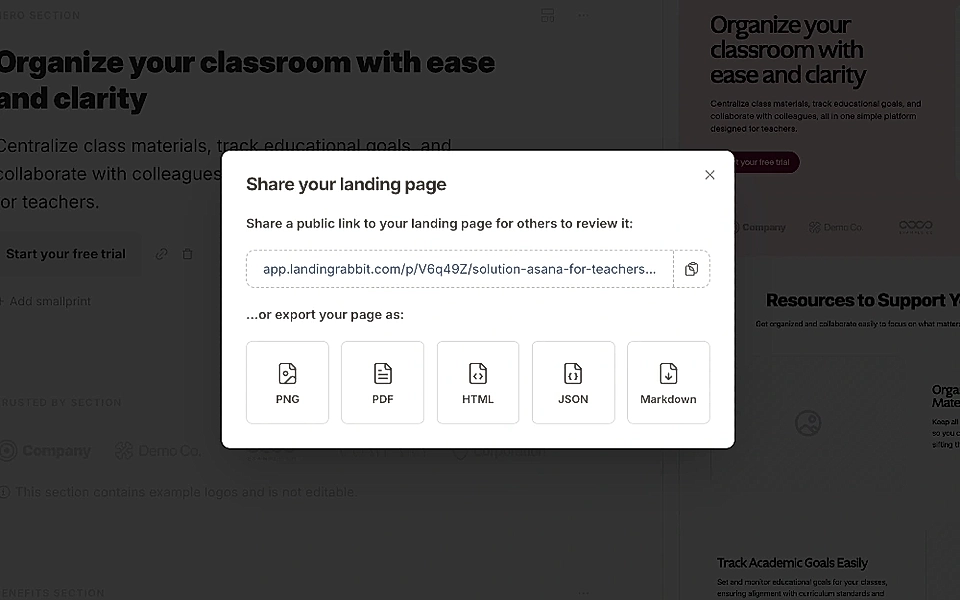
LandingRabbit gives you several ways to export or share your content, depending on where you want to use it next.
Share a page preview with your team
You can also share a link to your page with colleagues. They can leave comments directly on a LandingRabbit page, just like commenting in a Figma file.
File export options
You can export your page as:
PNG / image file
PDF document
HTML file
JSON file
Markdown file
You can host HTML files anywhere on the web and on custom-built websites.
Markdown files can be helpful if you want to repurpose or edit the content later using AI tools.