Can I publish blog posts with LandingRabbit?
Yes, you can.
There are two ways to publish blog posts with LandingRabbit.
Option 1: Create a blog post with the chat box
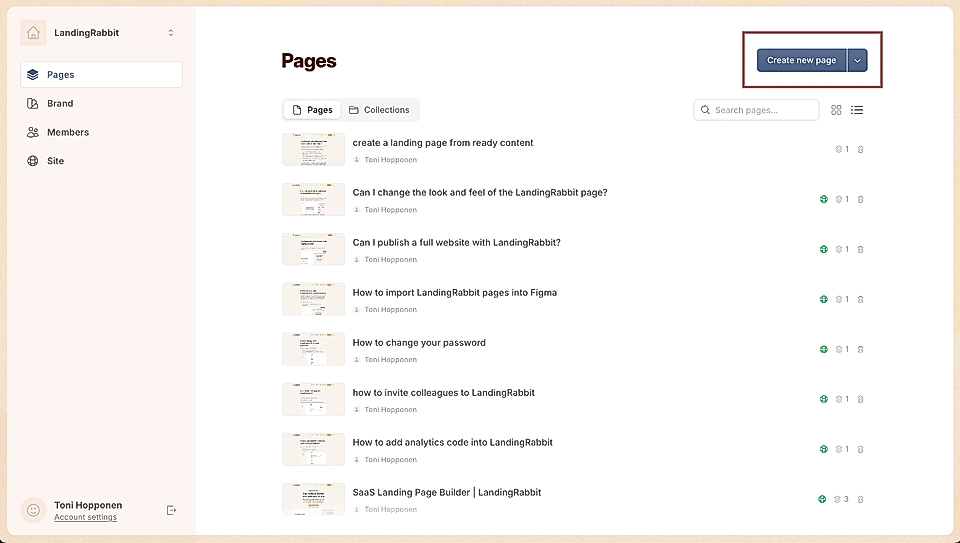
Go to the Pages list view and click the Create new page button
In the chat box, type 'Create a blog post' or click the + icon and choose 'Write a blog post'.
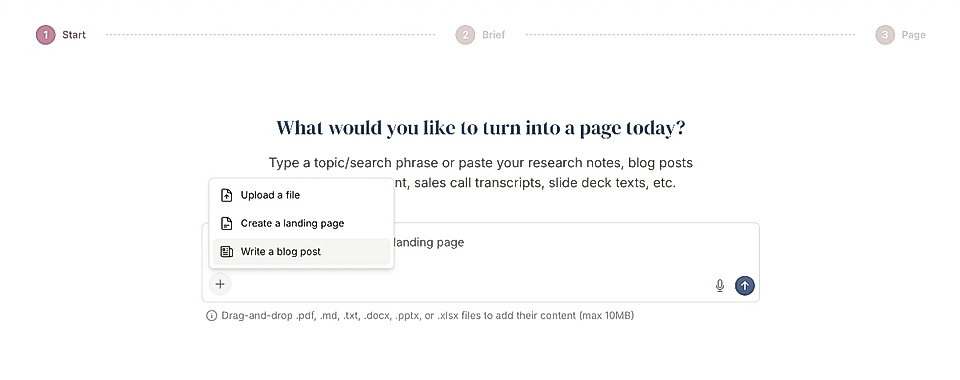
Give LandingRabbit a blog post idea or paste your existing blog content, for example, something written in Claude, ChatGPT, or stored in Google Docs.
LandingRabbit will turn your content into a blog post page.
Option 2: Create a blog post from a blank page
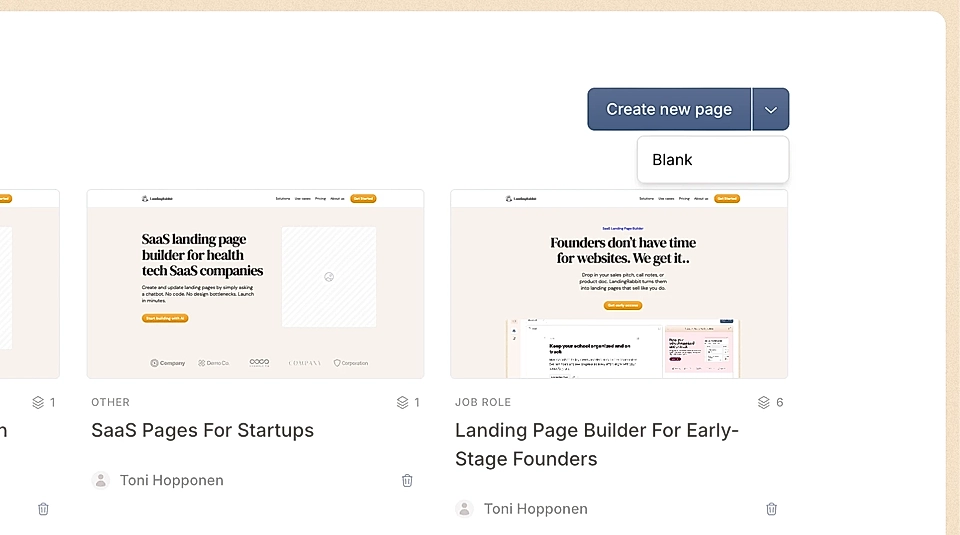
In the Pages list view, find the dropdown next to the Create new page button and select Blank
Give your page a title
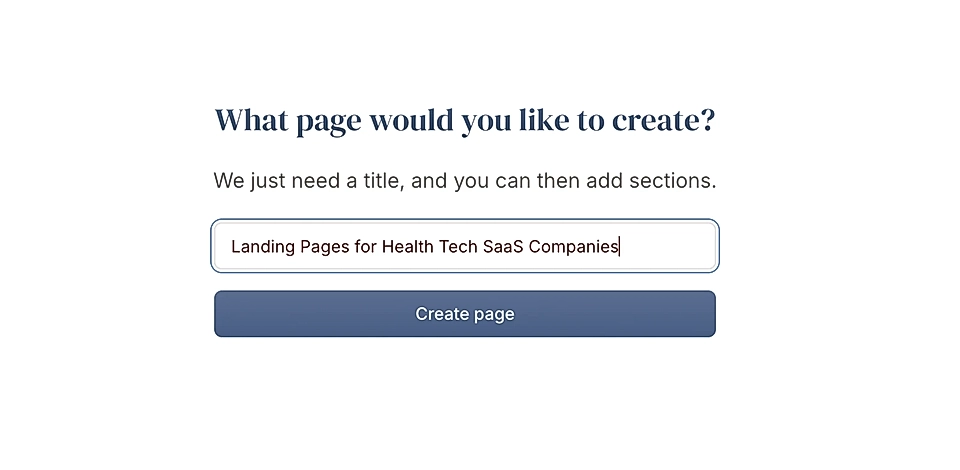
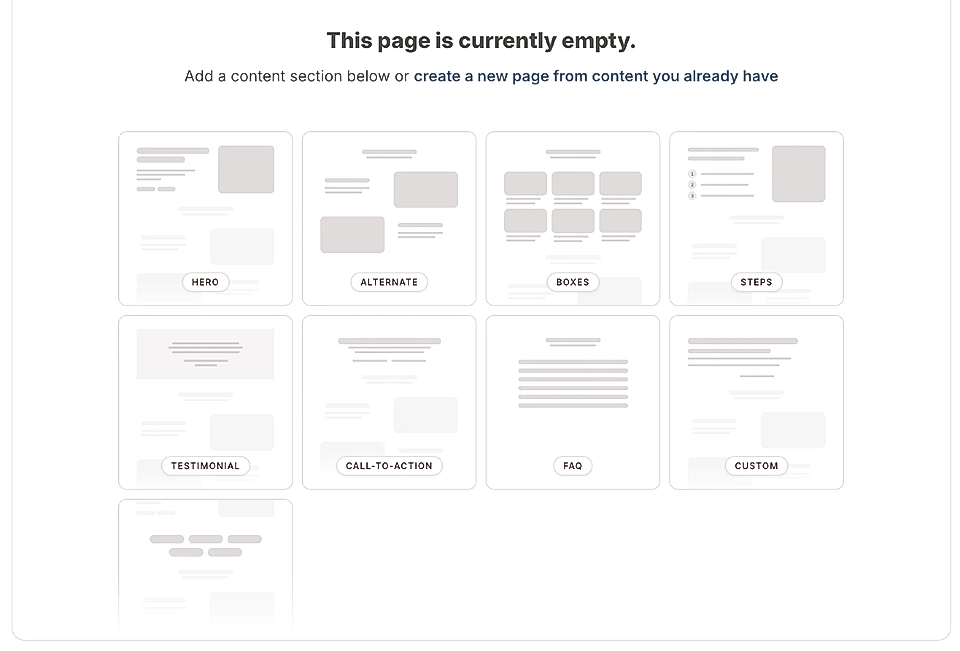
Add a custom section element to build your post.
What content items can I add to a blog post in LandingRabbit?
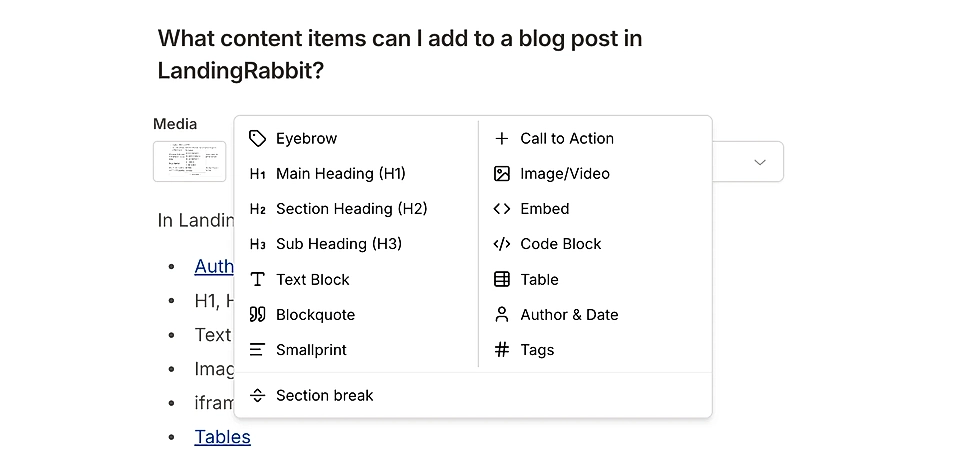
In LandingRabbit, you can add these content items:
H1, H2, and H3 headings
Text paragraphs
Images and videos
iframes for YouTube videos and other embed codes
Quotes
Codeblocks
Smallprints
Call-to-action buttons
Eyebrows
In addition, you can hit the 'Section break', and add, for example, the FAQ or CTA sections in the middle of the blog post.
Once you’re happy with the result, click Publish at the top right corner to publish your blog post.
If you need help, contact us at [email protected].