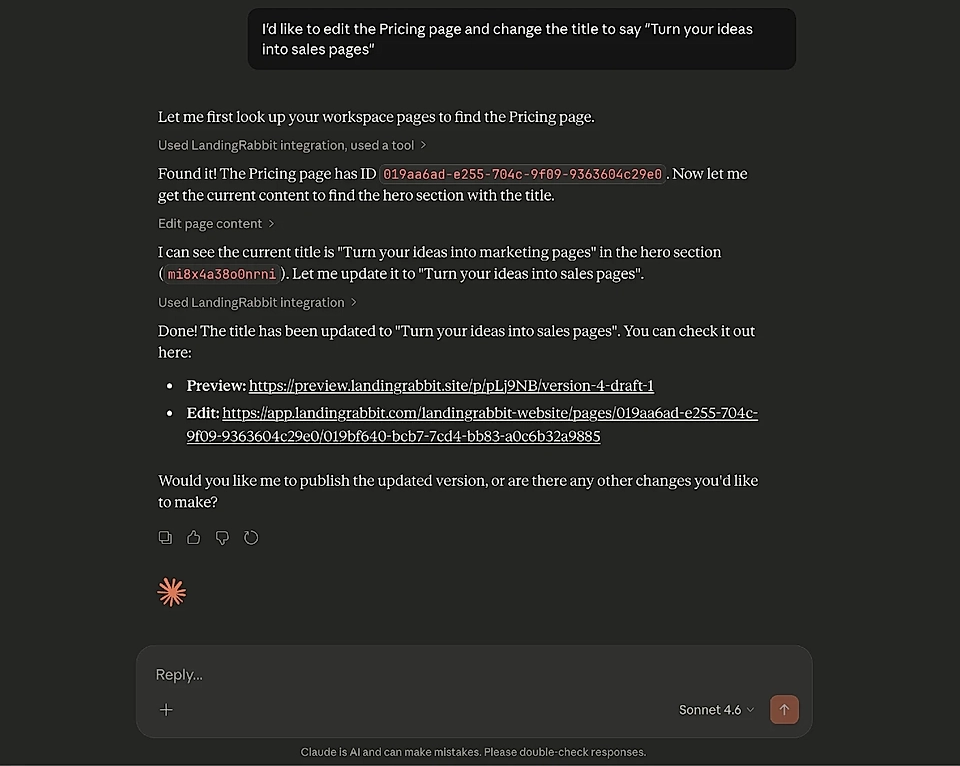
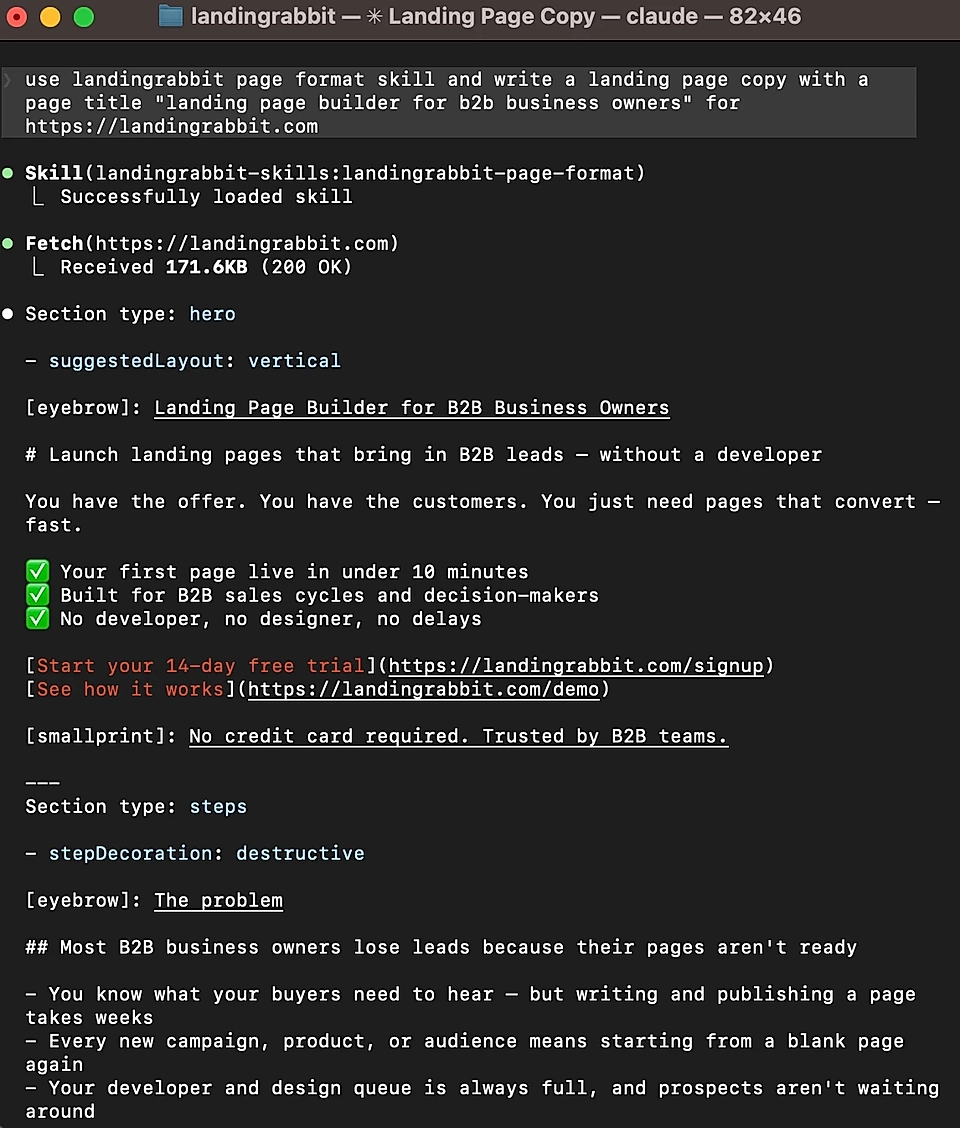
Linear, Google Ads, Clay, Attio, and more. Claude and LandingRabbit connect your tools and data to create marketing pages
STEP 1
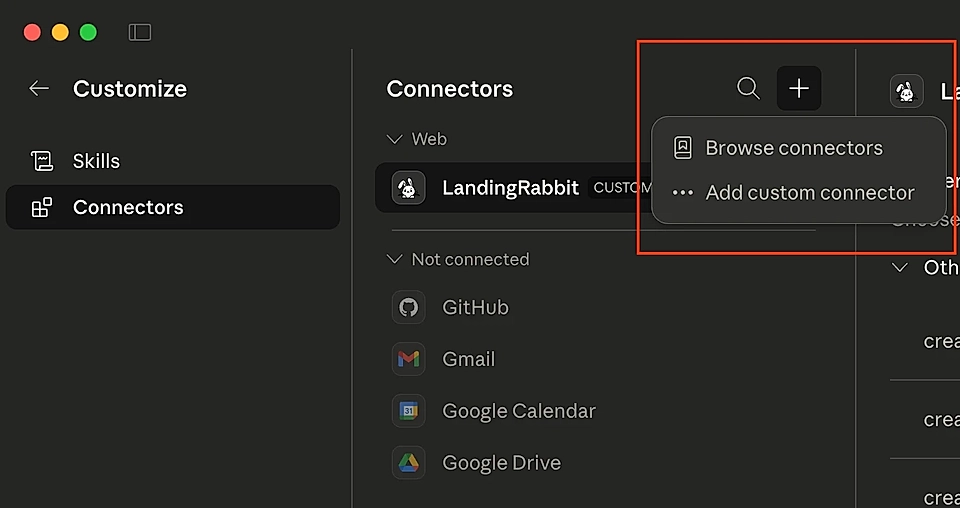
Connect LandingRabbit and Claude once
Add LandingRabbit as a connector in Claude for Desktop or install the LandingRabbit plugin in Claude Code. After that, Claude can read, create, and publish pages in LandingRabbit when you ask.
STEP 2
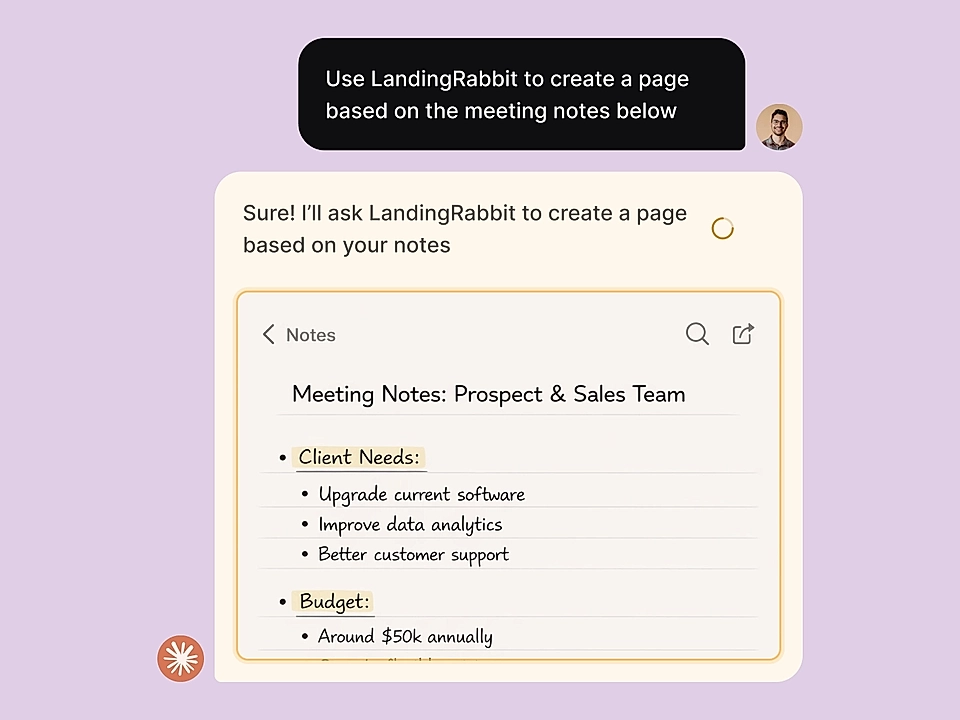
Pull in insights from services you use before you create a page
Use Claude’s plugins and connectors to bring in Google Ads data, Clay signals, CRM notes, call transcripts, and any other materials. Chat through ideas in Claude, then ask LandingRabbit to draft a page that uses all of that context.

STEP 3
Edit, review, and publish in LandingRabbit
Use the Notion-like editor for tweaks and ask colleagues to leave comments just like in Figma. Keep everything on brand and hit publish when you are ready.