Can I upload my brand and product documentation to LandingRabbit?
Yes, you can.
You can upload and reuse brand and product materials to inspire LandingRabbit to write better pages.
Uploading documents to your workspace
Go to the Brand tab and scroll to the bottom. There, you can upload documents such as:
- Positioning and messaging docs
- Product documentation
- Campaign-specific materials
- Any other reference content you want LandingRabbit to use
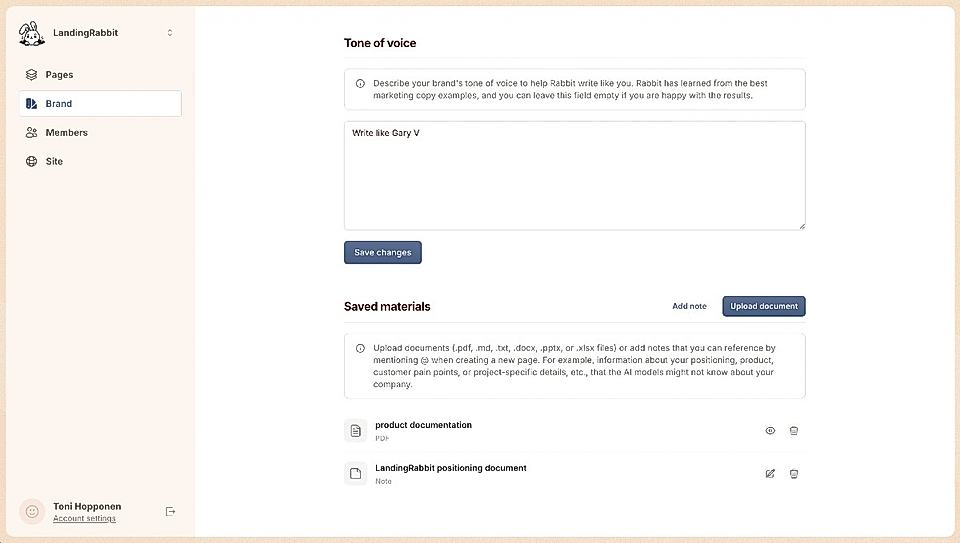
You can also add notes with a title and text. Those can be, for example, ChatGPT or Claude-generated content that doesn't yet live as a document.
Using 'Saved materials' when creating a page
When creating a page, anyone in your team can reference the saved documents in two ways:
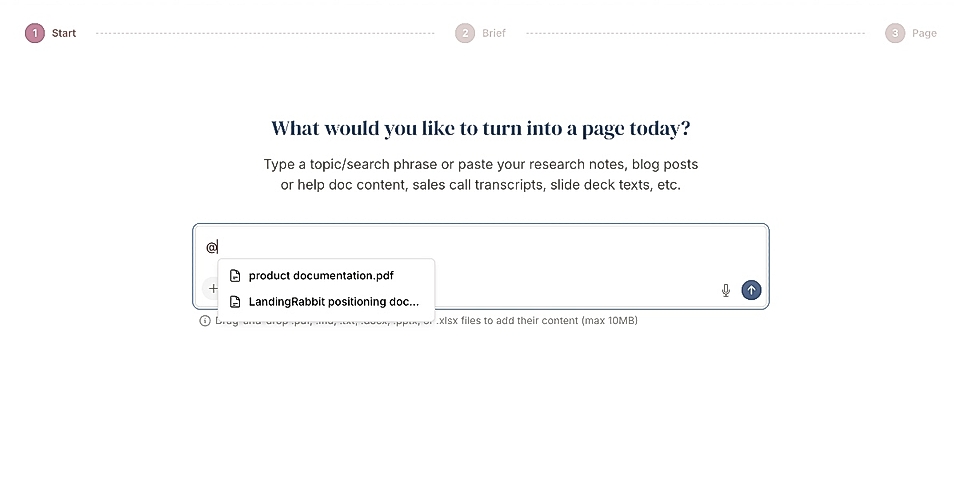
Type @ to mention a document directly in the prompt OR
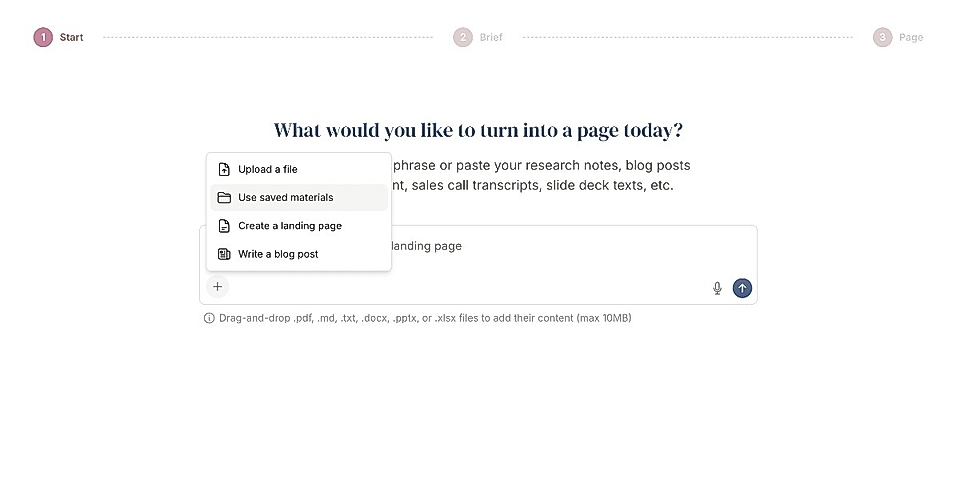
Click the plus icon and choose 'Saved materials'
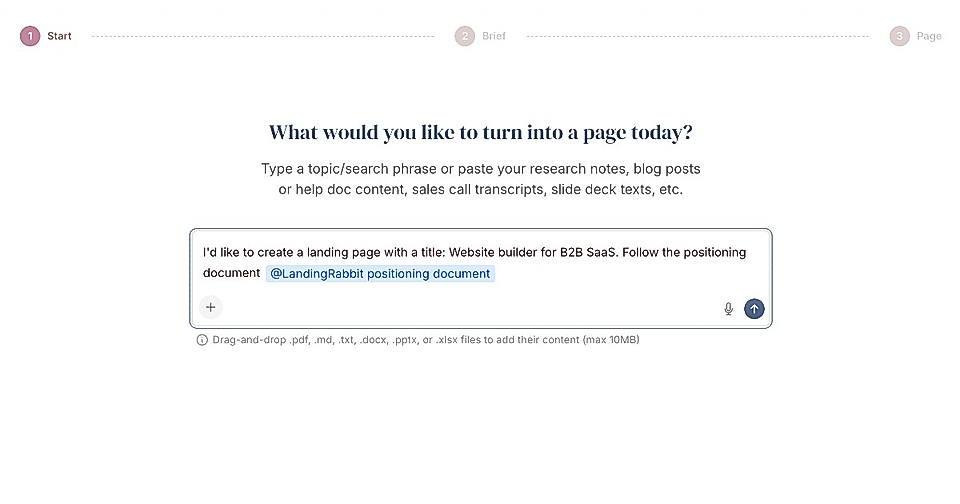
When a document is added to the prompt, its content is included behind the scenes. To keep the editor clean, you’ll only see a small badge instead of the full document text.
Any documents, notes, or information you share are used as inspiration when LandingRabbit generates content for you.
The more context you provide, the better LandingRabbit can understand your product, your messaging, and the customer problems you solve.