Can I highlight text in LandingRabbit?
Yes, you can.
Select any text in a headline or body copy and bold, italic, and the highlight tool for headlines (more options for body texts).
Click the highlight icon and choose:
- A text highlight color
- A background highlight color
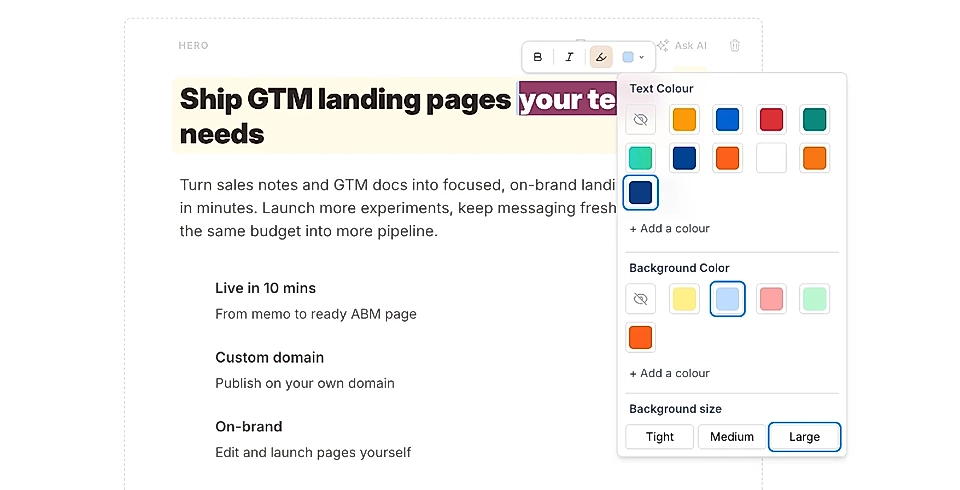
LandingRabbit comes with a set of predefined colors. If you want to use your own brand colors, click 'Add a colour' and define a custom text or background color.
By default, the highlight background is quite large and it might cover text above or below, but you can choose the size: tight, medium, and large.
You can even choose a gradient as a text colour and background.
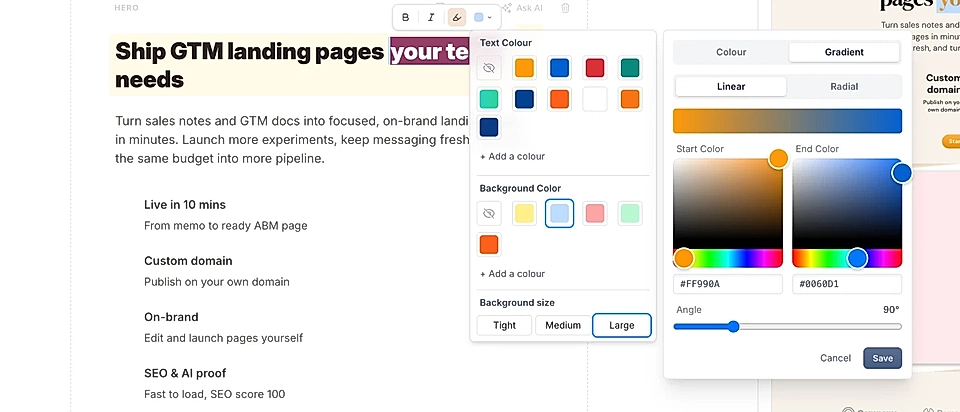
Text highlights help individual words or phrases stand out from the rest of the content. They’re especially useful in sections where you want to draw attention to important points or key messages.
