What are Collections in LandingRabbit?
In LandingRabbit, Collections allow you to group related content such as blog posts, case studies, resources, or anything you want to appear under a structured URL like yourdomain.com/blog/your-post and in a list view like yourdomain.com/blog/.
Inside every Collection, you can create categories.
Before creating categories, see if tags are a better option.
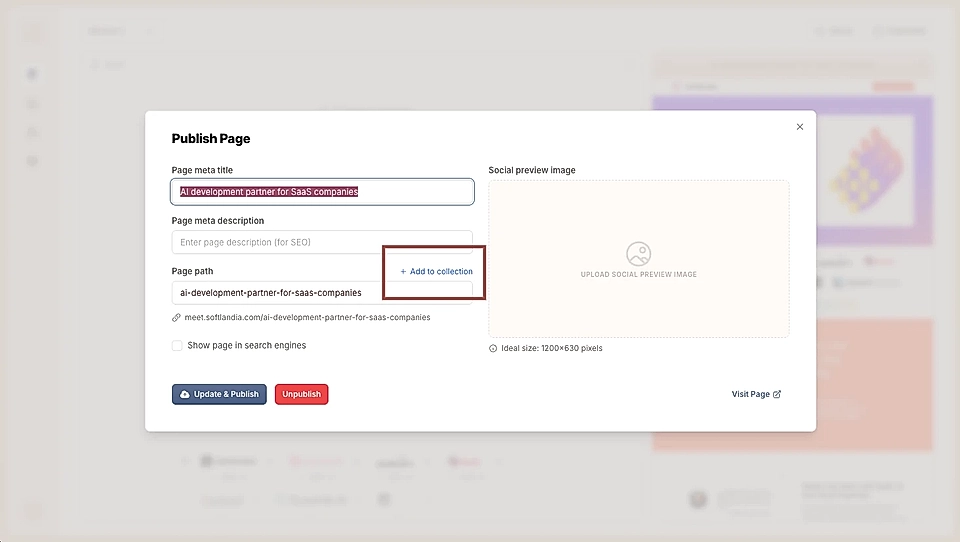
Creating a Collection is simple. When you publish a page, you’ll see an 'Add to collection' link in the modal that opens.
Click 'Add to collection' to create your first collection
Choose if you'd like to use the default Collection list view page (recommended) or another landing page as the Collection page.
Give the Collection a name
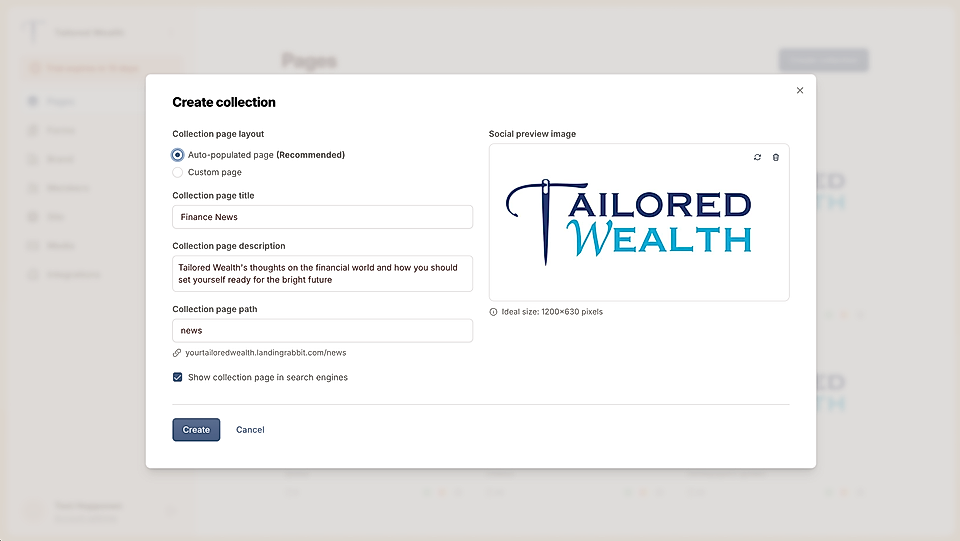
Optionally add a description and a social share image and choose the visibility for search engines
Set the Collection slug, such as blog or case-studies
Once the Collection is created, you can add any future pages to it. You’ll also find your Collections in the Pages list view alongside all your pages.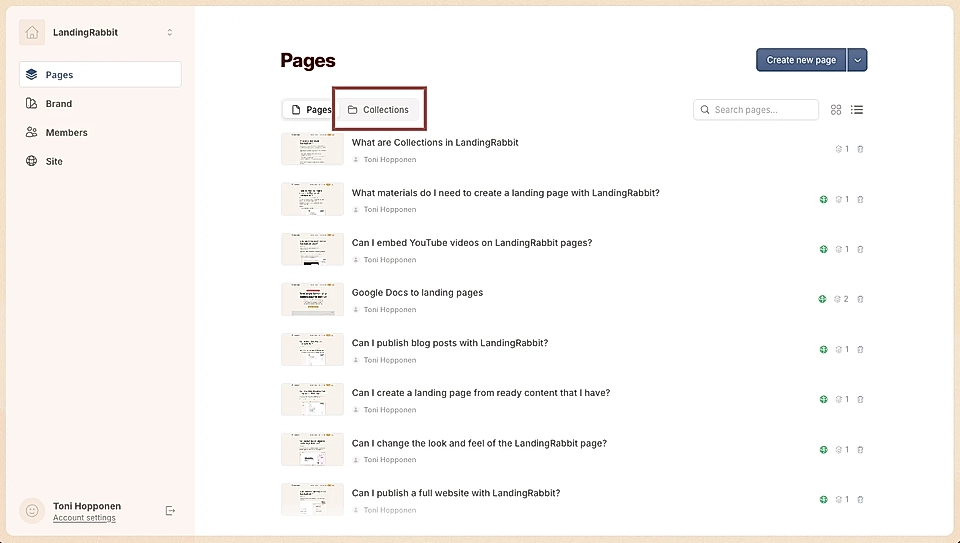
On your LandingRabbit site, Collections will automatically get a list view you can add to your navigation and footer. 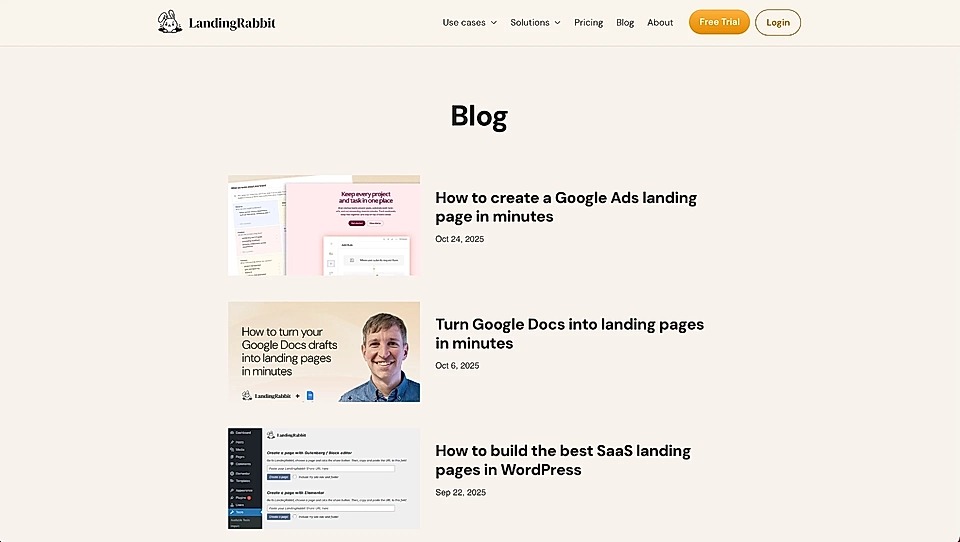
You can also edit the look and feel of each Collection.
Edit the Collection list view page title and description
By default, the Collection list view shows the page meta title and description that you've set in the Publish page popover.
But sometimes you might want to use a different meta title for SEO and something else for the collection list views.
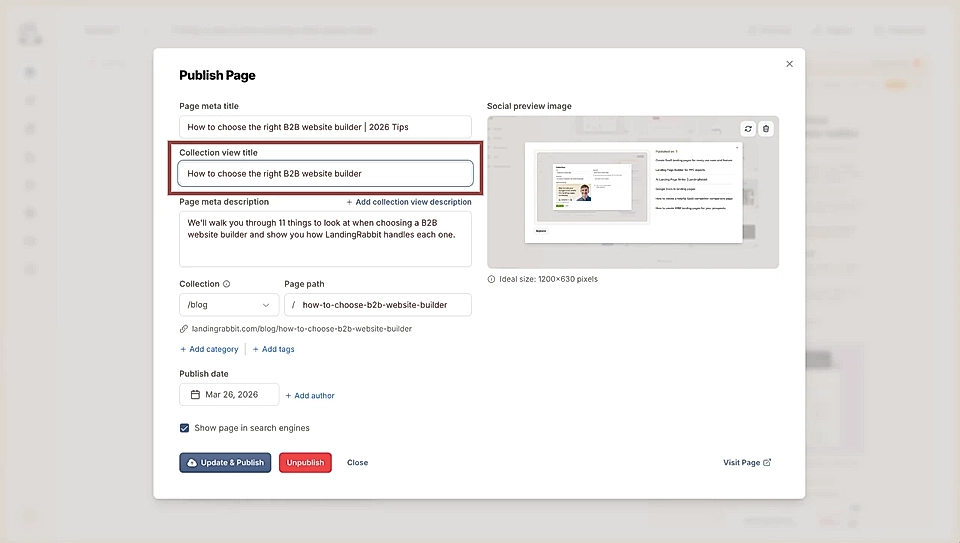
However, in the Publish page popover, you can edit the title and description that show in the Collection page list view and in the Feeds section.
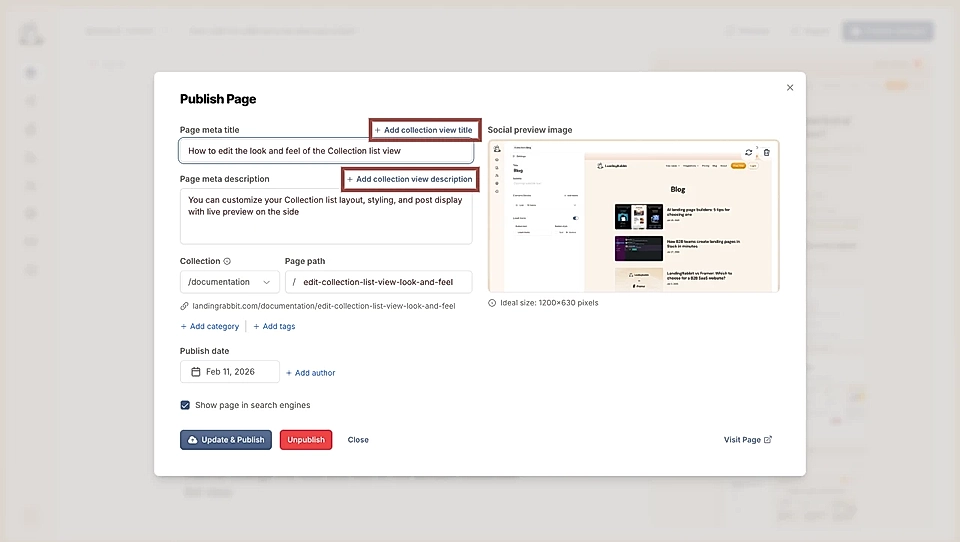
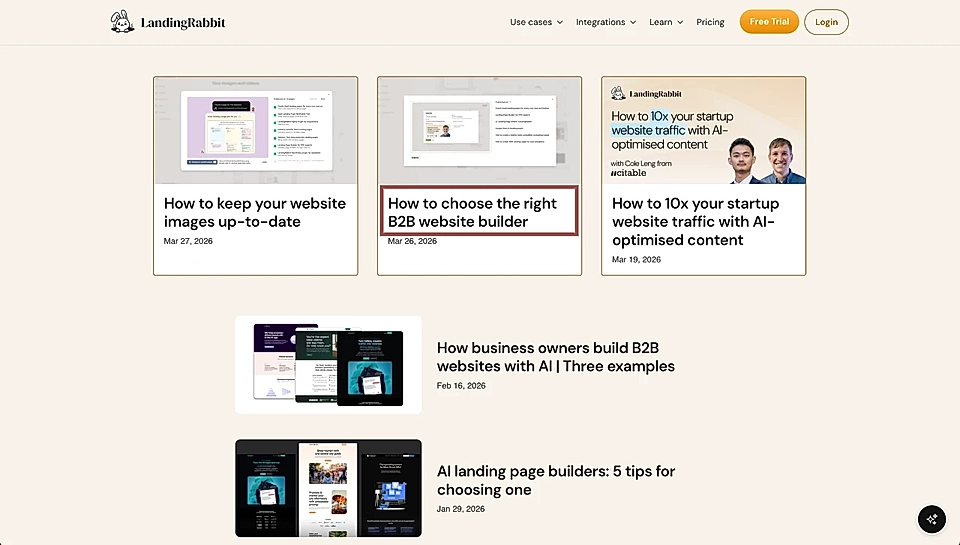
For example, one of the LandingRabbit website blog post meta titles is optimised for SEO and includes | 2026 Tips. In the Publish page popover, we've added a secondary title without the SEO optimised part, and the blog post list view shows a different version.