Can I add a sitemap to my LandingRabbit site?
Yes, you can. And the best part is that you don’t have to do any work to set it up.
Sitemaps are automatically included for every LandingRabbit site published under a custom URL.
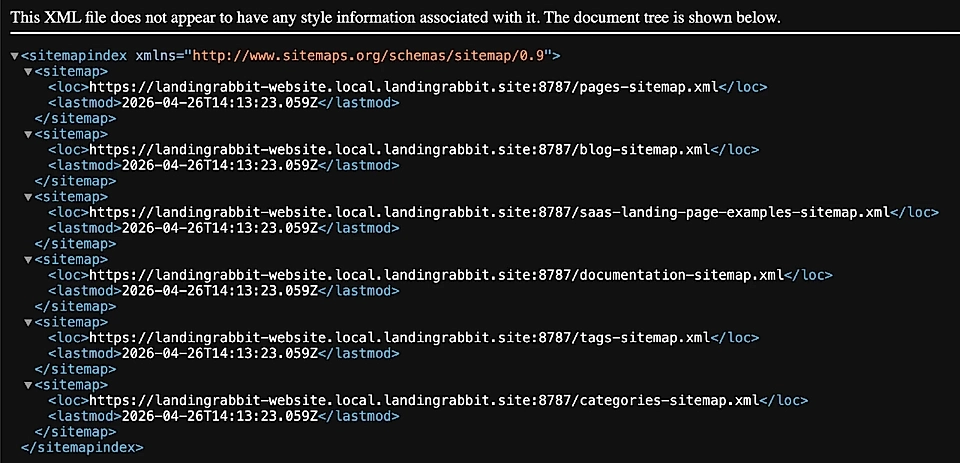
Sitemaps help search engines and AI services to discover your content. Here’s an example of a sitemap.
How it works
Once your custom domain is set up and you publish pages with 'Show pages in search engines' enabled, LandingRabbit automatically generates a sitemap that includes those pages.
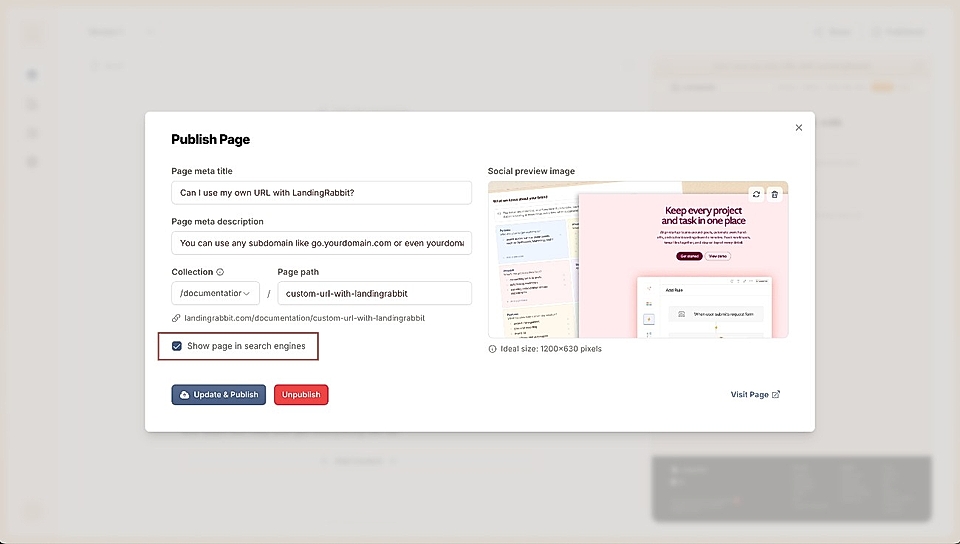
There’s nothing you need to configure. The sitemap is created and updated for you.
Can I add multiple sitemaps to my LandingRabbit site?
Totally.
Navigate to the Site tab, and scroll to the Sitemaps section.
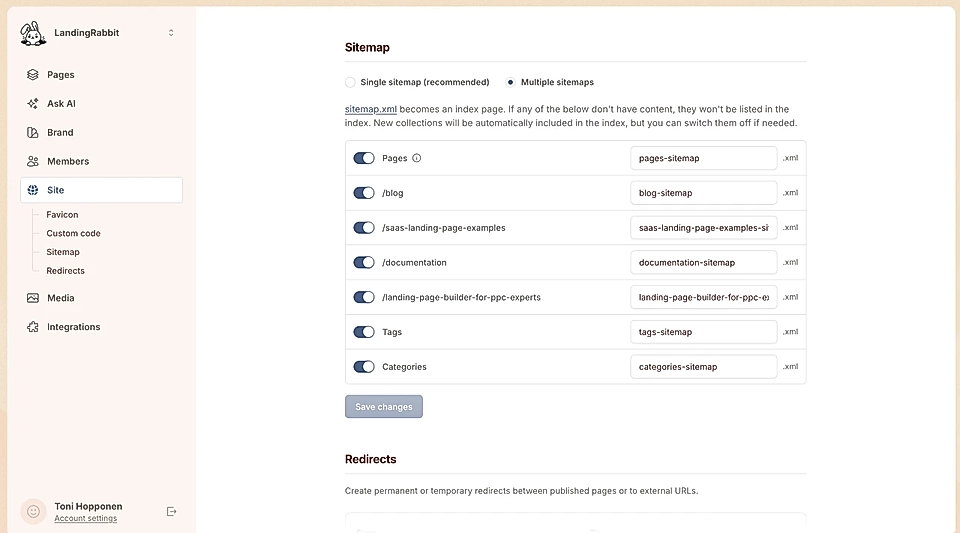
By default, your site has one sitemap. This is recommended for most sites.
However, if you have a lot of content (e.g., 100+) and especially if you are using Collections, Categories, or Tags, having multiple sitemaps can be helpful for SEO.
When you choose multiple sitemaps, you can choose what Collections are included and if Category and Tags lists are added. Root-level pages like /features or /case-studies that are not Collection list pages are included in Pages. You can edit the sitemap URLs.
New Collections will automatically appear in the sitemap index, but you can disable them from here.
Here's an example of a sitemap index with Collections, Tags, and Categories.