Can I create a landing page from ready content that I have?
Sometimes you might have a ready landing page content you’ve written in Google Docs or using AI tools like Claude and ChatGPT.
You can import that content into LandingRabbit in a few steps:
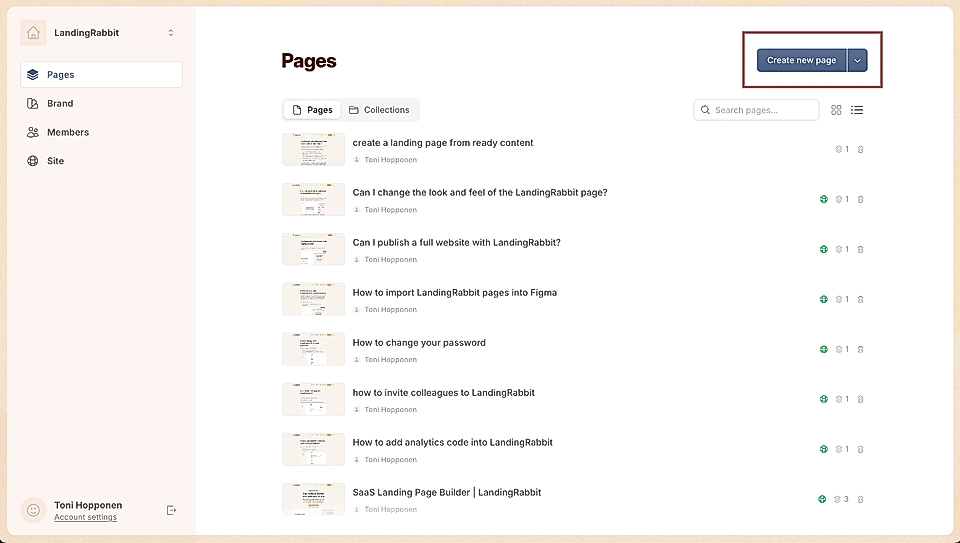
Click the Create new page button in the Pages list view
In the chat box, type 'Create a landing page from this exact content:'
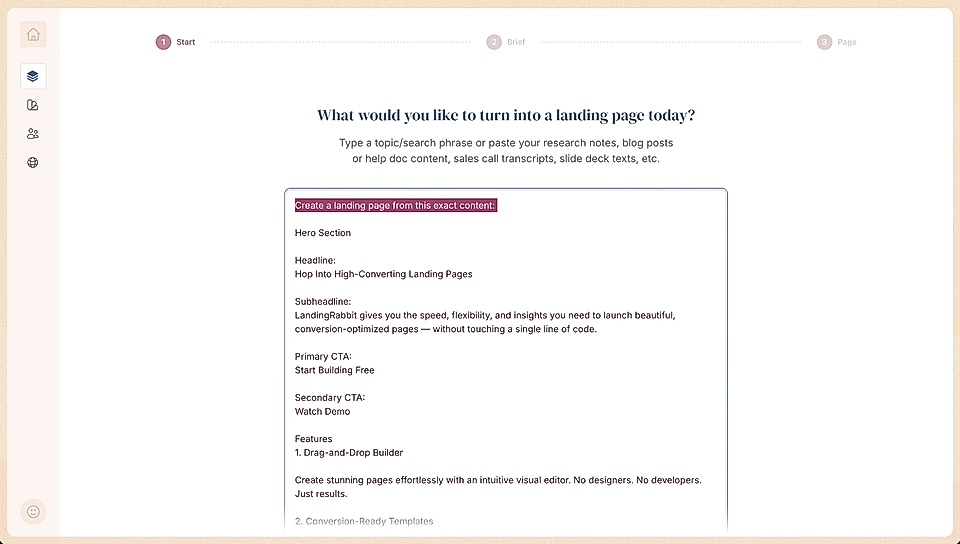
Paste your landing page content. A typical structure might include sections like hero, benefits, features, testimonials, and a CTA
LandingRabbit will review your content and match it to the available components for page generation. As a result, you’ll get a ready landing page in your brand colours.
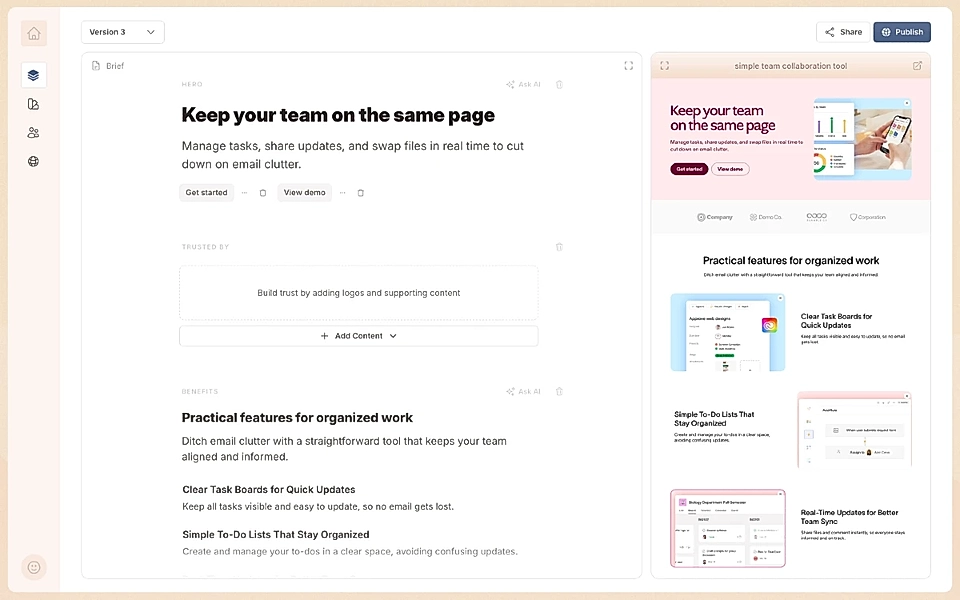
LandingRabbit may not support every possible layout or structure, but it will do its best to convert your content into a well-designed landing page. You can then publish it in your URL with us.
If you run into issues with ready landing page content import, contact us at mailto:[email protected]. Your feedback helps us improve the import feature for everyone.