What’s the difference between drafts and versions?
In LandingRabbit, drafts and versions help you experiment with changes without losing previous work.
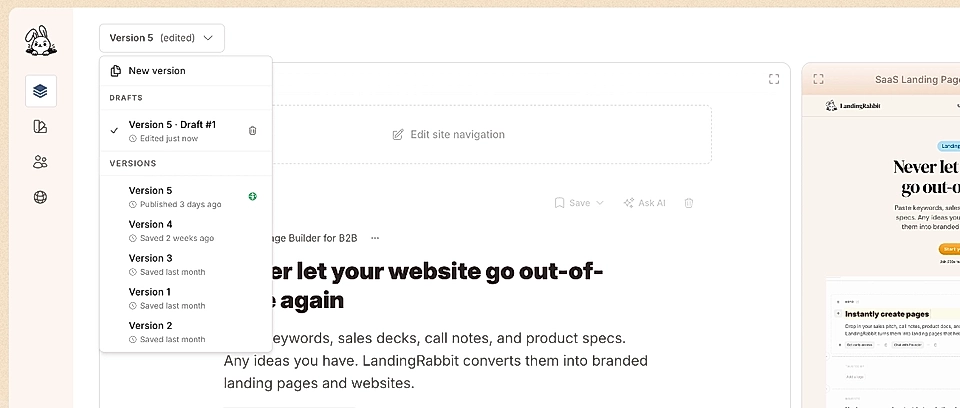
Versions
When you create a new page, LandingRabbit automatically creates version 1. You can add multiple versions to the same page and treat each version as a separate saved state.
Versions are useful when you want to:
- Try small changes, like different headlines or messaging
- Share alternative versions with teammates for feedback
- Compare options before deciding what goes live
Each version is stored separately, so nothing gets overwritten.
Drafts
When you start editing any version, a draft is created automatically. Drafts make sure your changes are saved while you work and prevent you from accidentally losing progress.
If you go back to a version, you’ll see its previous state and can start editing it again, which creates a new draft.
Publishing
When you publish a draft, LandingRabbit creates a new version automatically.
Versions are numbered in order, such as version 2, version 3, version 4, and so on.
This way, you always have a clear history of what was published and when.