LandingRabbit app for ChatGPT

Create landing pages and blog posts directly from ChatGPT

Your best marketing insights already live in ChatGPT. The LandingRabbit ChatGPT app lets you turn chats into landing pages, blog posts, and help docs

Google Ads, Clay, Ahrefs, Linear, and more. Bring your data into ChatGPT and let LandingRabbit turn it into pages that convert

Interface for creating a new app, displaying fields for name, description, server URL, and OAuth authentication.
STEP 1

Connect ChatGPT and LandingRabbit

Add LandingRabbit as a custom app to your account and let ChatGPT read and write content to your LandingRabbit site.

A conversation interface showing meeting notes for a Prospect & Sales Team, highlighting client needs and budget.
STEP 2

Get insights from apps you've connected with ChatGPT

Connect Google Ads, Clay, CRM notes, call transcripts, and any other sources through ChatGPT. Work through your ideas in the chat, then hand everything over to LandingRabbit to turn that context into a ready page draft.

Refine and publish your page in LandingRabbit
STEP 3

Refine and publish your page in LandingRabbit

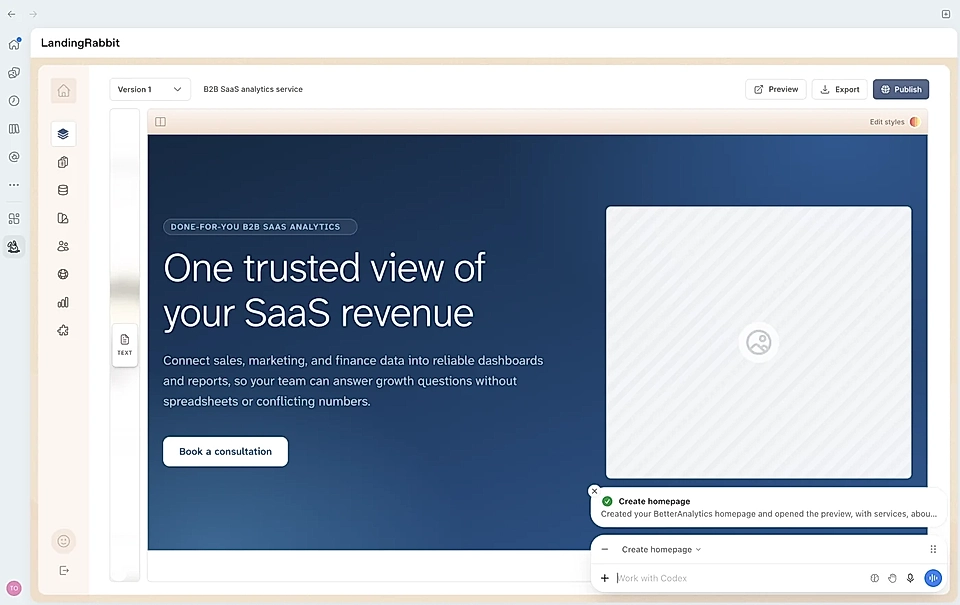
Jump into the Notion-style editor to fine-tune copy, invite teammates to leave comments, and keep every page on brand. When everything looks right, hit publish.

Frequently Asked Questions

Do I need to pick up a new tool to get started with LandingRabbit and ChatGPT?

Not at all. The workflow lives inside ChatGPT. Connect your workspace once and you're ready. Use ChatGPT to think through ideas, then hand off to LandingRabbit when you're ready to build.

What's the process for creating a page with ChatGPT and LandingRabbit?

Here are simple three steps to follow:

  1. Turn on Developer Mode in ChatGPT

  2. Add LandingRabbit as a custom app

  3. Open a new chat. With LandingRabbit selected, describe the page you want and drop in any supporting materials, call notes, product specs, ad copy, whatever you have.

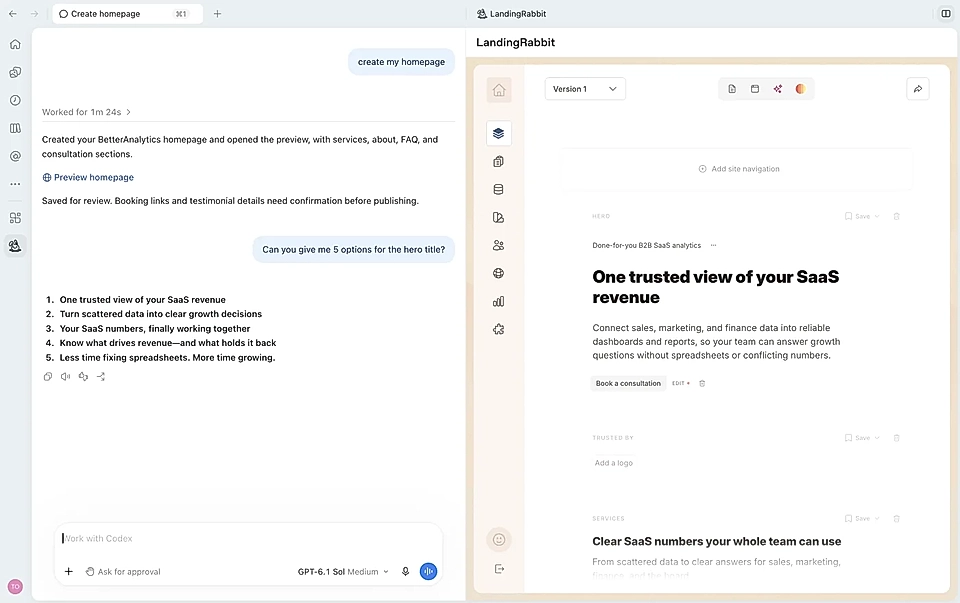
LandingRabbit drafts the page, gives you a preview, and opens a link straight to the editor so you can polish and publish.

What types of pages can I create through the ChatGPT integration?

Landing pages, blog posts, and help documentation are all supported. You can kick things off from a single sentence, a detailed brief, or content you paste in directly.

CRM notes, competitor research, Google Ads data, anything you've already worked through in ChatGPT are perfect materials for LandingRabbit to generate pages.

Can I update pages I've already published, or only create new ones?

Both. Ask ChatGPT to rewrite sections, reorder the page, add or remove content, tweak the design, or change the publish status whenever you need to. Every change is saved as a draft by default, so nothing goes live until you decide it's ready.

Is there an extra charge for using the LandingRabbit ChatGPT app?

No. Access is included with every LandingRabbit plan at no additional cost.

Start shipping pages from your ChatGPT workflow

Bring your tools, data, and ideas together in ChatGPT and let LandingRabbit handle the rest: landing pages, blog posts, help docs, and every other page your marketing needs.