How to add analytics code into your LandingRabbit site
LandingRabbit comes with a built-in page analytics.
But you can add Google Analytics, Google Tag Manager, and similar analytics tools through your site settings.
Click the home icon at the top left corner.
Then click the Site icon on the left.
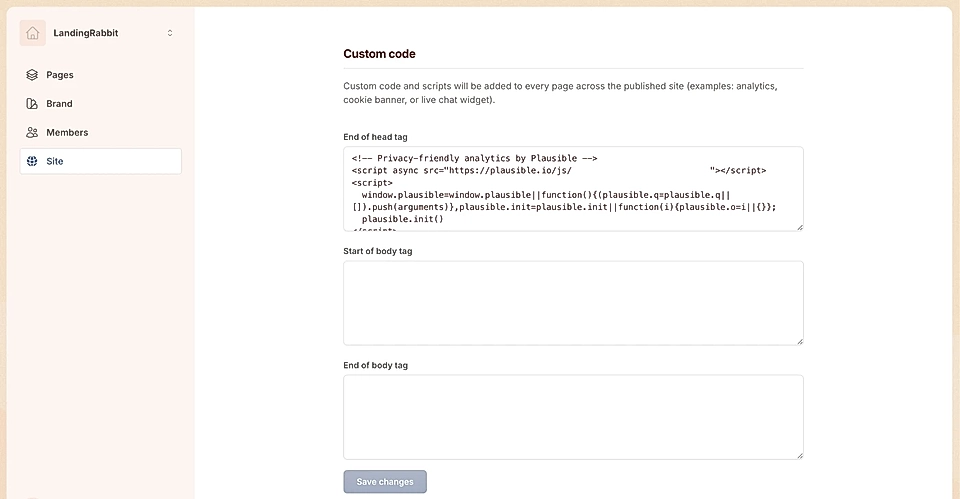
In the fields (end of head tag, start of body tag, and end of body tag) paste the code as instructed by your analytics tool.
Click Save changes.
When you add an analytics code, all published pages will be republished automatically. This means any recent changes on your pages will go live, so make sure your content is ready before saving.