11 things to look at when choosing a B2B website builder
If you're looking for a new B2B website builder, you've probably seen quite a few options by now.
Some are great for designers. Some need developers. Most of them promise to make your life easier, but then leave you copying old pages and fighting with layouts when you need a page for a prospect.
The truth is: there's not a single tool that is best for all use cases.
And there definitely ain't many that are built for B2B founders and GTM teams who need to ship pages fast and keep sites up-to-date when products and services evolve.
In this post, I'll walk you through 11 things to look at when choosing a B2B website builder and show you how LandingRabbit handles each one.
How easy is it to create content?
Most website builders expect you to write the content first in Google Docs or AI-powered tools, then figure out where to put it in an old page template.
In Webflow, WordPress, Framer, and others, the practical solution is to duplicate an old page and then edit it to match the new page.
The process is slow. But it works.
In LandingRabbit, we've taken a different approach.
It all starts with your page idea.
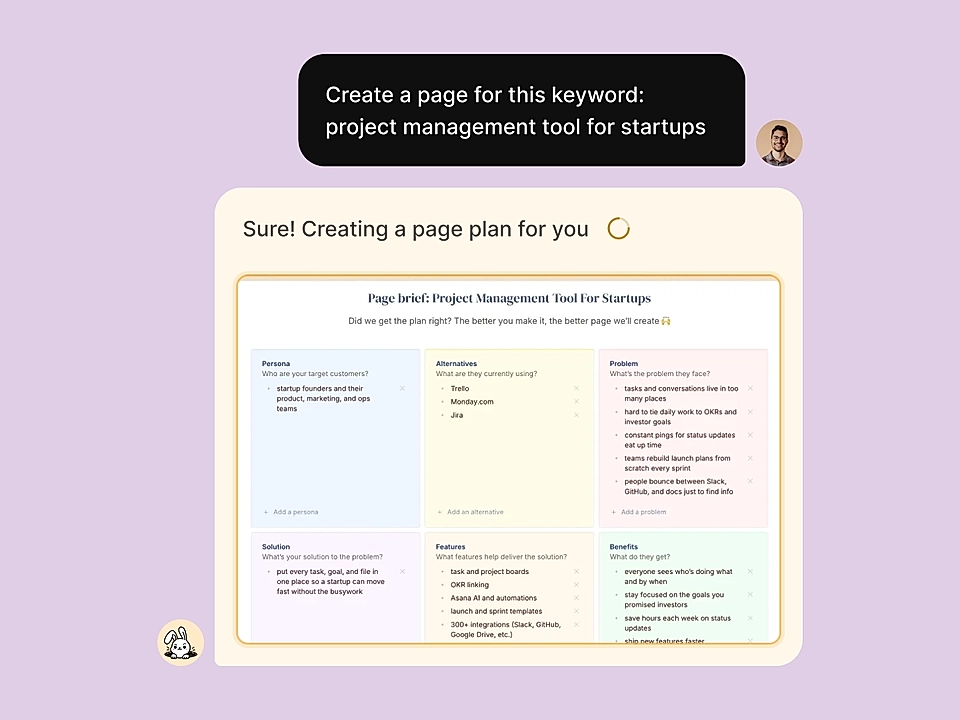
Meeting notes, sales texts, product specs, anything you already have. Just paste them in.
That's then turned into a page draft for your team to edit.
You get a page draft for your team to edit before publishing.
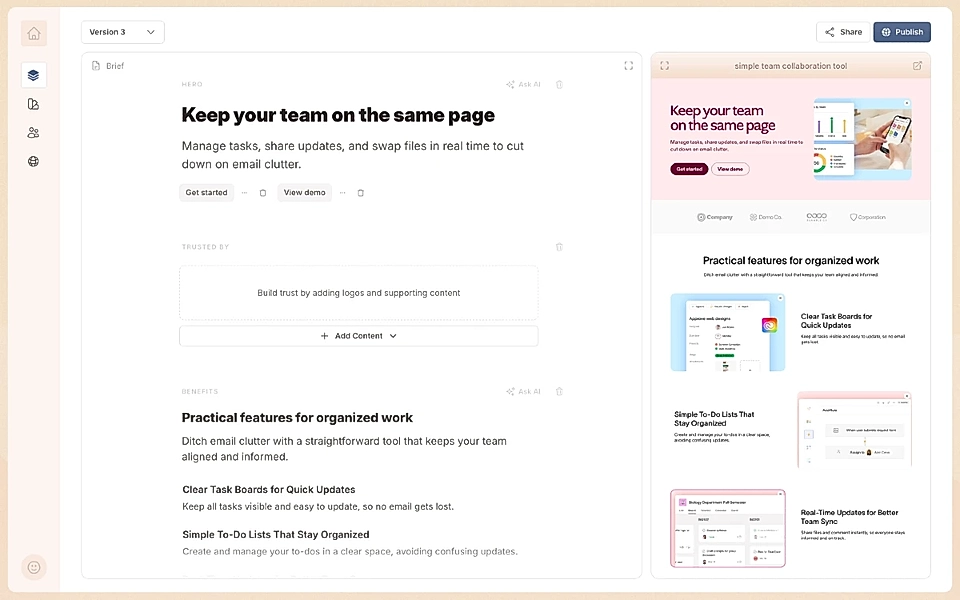
Landing pages, blog posts, help docs, and more. No duplicating pages and fighting templates. Edit the page that is 90% ready from the get-go.
And if there's anything you'd like to copy from one page to another, you can save it as a reusable, saved component.
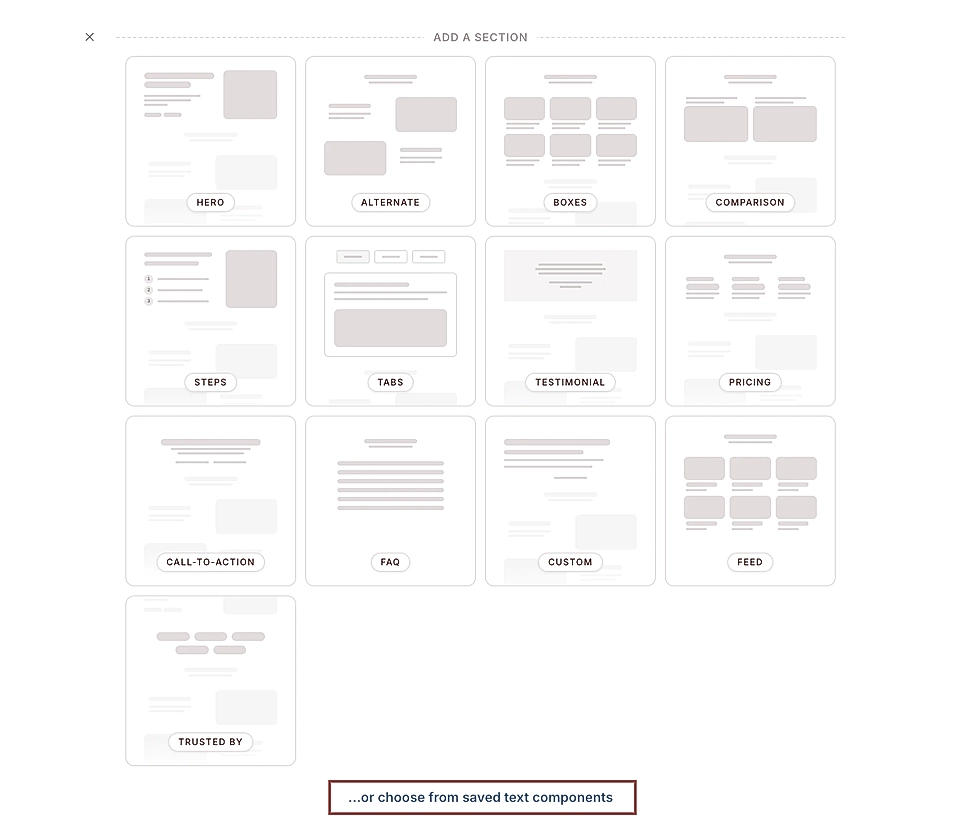
Are you looking for easier tools to write content that helps you sell? Sign up for our 14-day free trial and turn your ideas into landing pages, blog posts, and help docs.
Is the website builder SEO friendly?
SEO tools in most website builders are either hidden or require technical knowledge to use properly.
All sites built with LandingRabbit score 100 for SEO in Google's PageSpeed Insights tool.
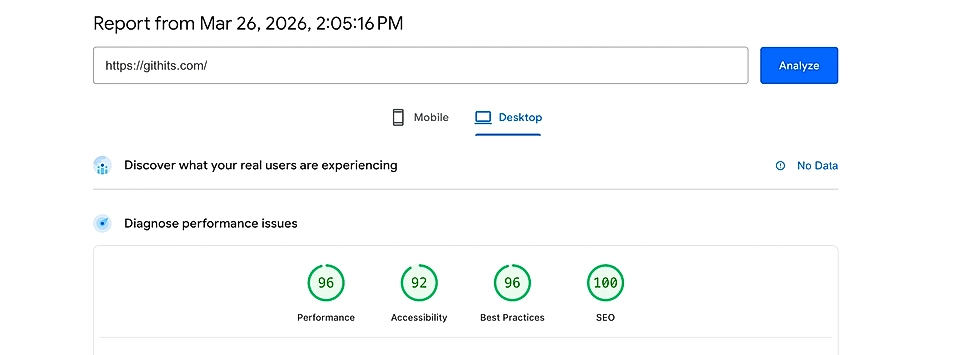
When publishing a new page, choose whether to make it available for Google and AI search bots. LandingRabbit handles the rest.
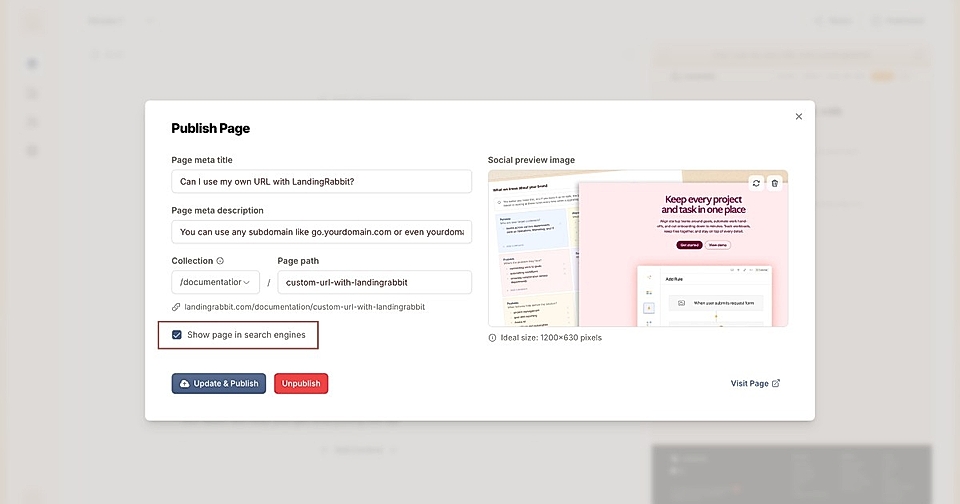
When you create a new page, it suggests a meta title and description and the page slug (the URL). Once the page is set available for Google and AI bots, a sitemap is automatically included and updated as you publish new content.
The Notion-like editor for content automatically ensures you are using the right tags (e.g., h1, h2, h3, etc.).
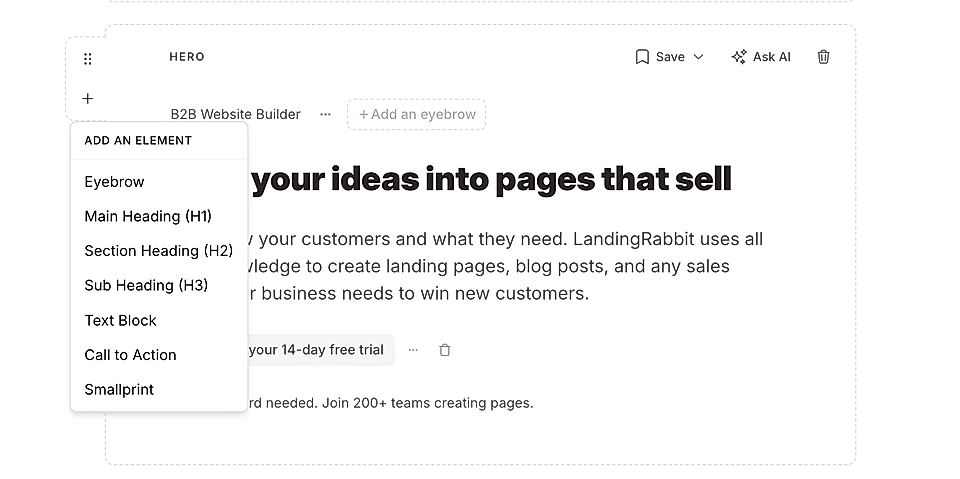
For SEO optimization, you can also create collections like blogs and documentation to better structure your content on the site.
Does the website builder allow you to have dynamic design templates?
Most publishing tools come with templates, but those templates are static. When you create a new page, you need to copy the old page and then start fitting the content in.
With LandingRabbit, the page content is dynamically inserted into your design template based on your plan.
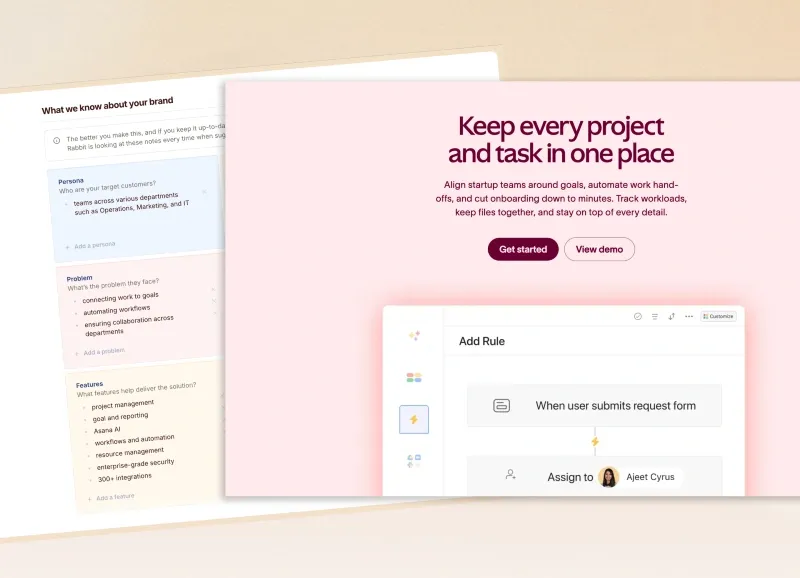
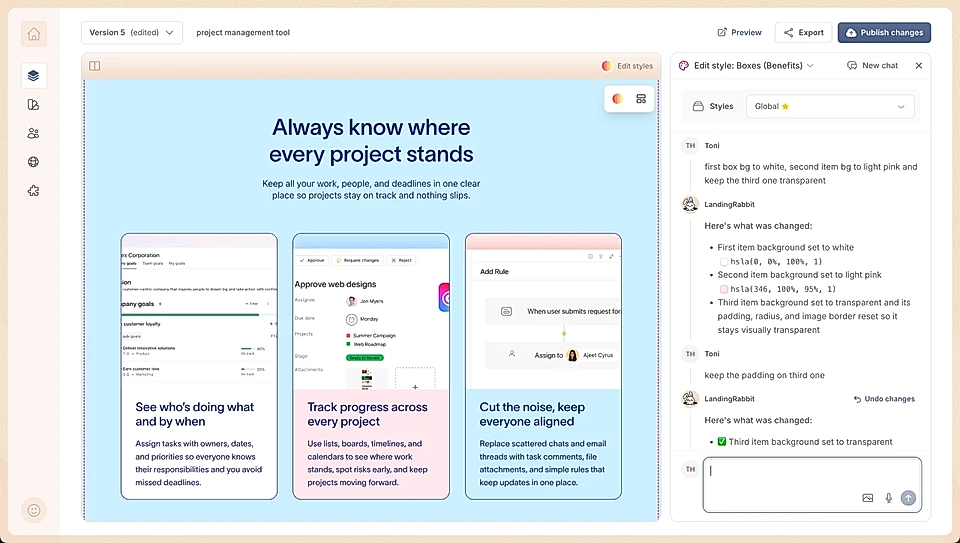
The tool chooses the best page components based on your content idea and the page type (for example, landing page, blog post, or help doc), and then it fits in the content dynamically and automatically for you.
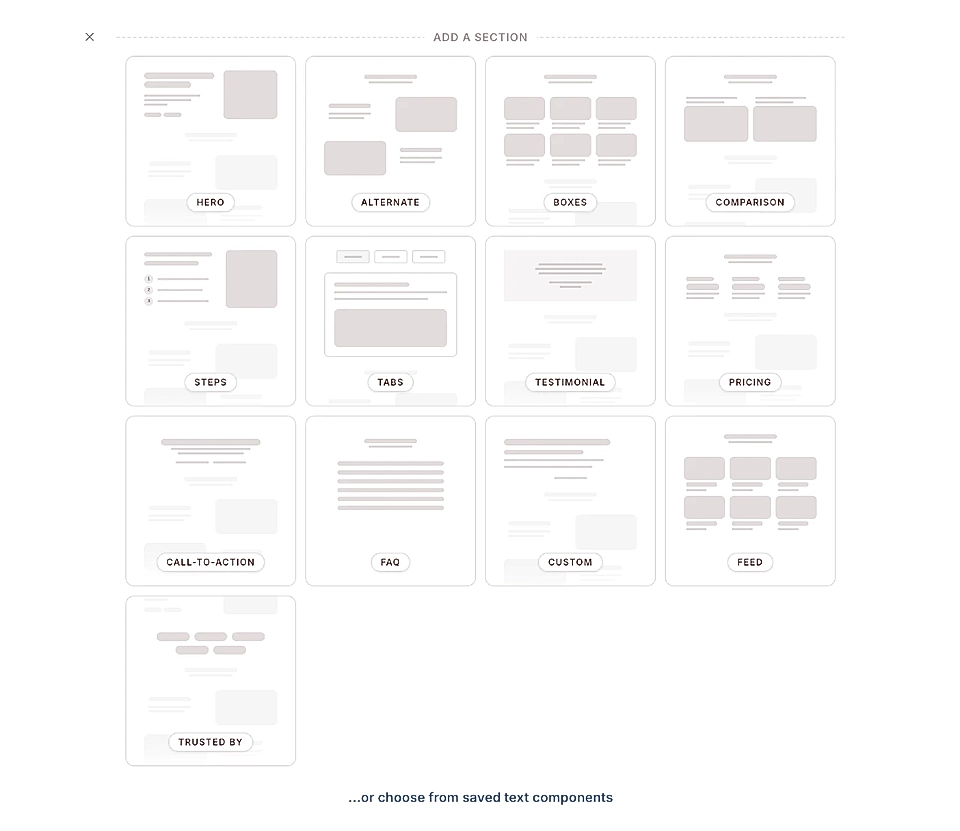
You can then change the look and feel and the content through a Notion-like editor, but you don't need to start the project by copying an old page and then trying to fit in something very different content.
Is it easy to keep the site up-to-date?
When your products and services evolve, updating content across multiple pages is painful in most website builders.
With Webflow, WordPress, Framer, and similar website builders I've been using in the past, just finding the right pages to update is a painful task.
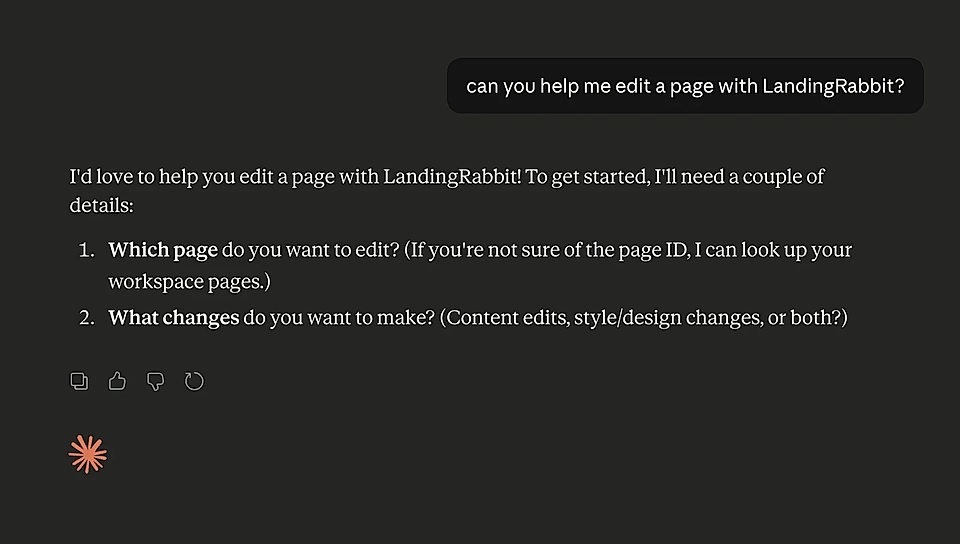
With LandingRabbit, you can use Claude or ChatGPT to find things to update and make mass updates to your pages.
When updating images, you can simply click an image in the media gallery and replace it straight away on all pages that have published it so far.
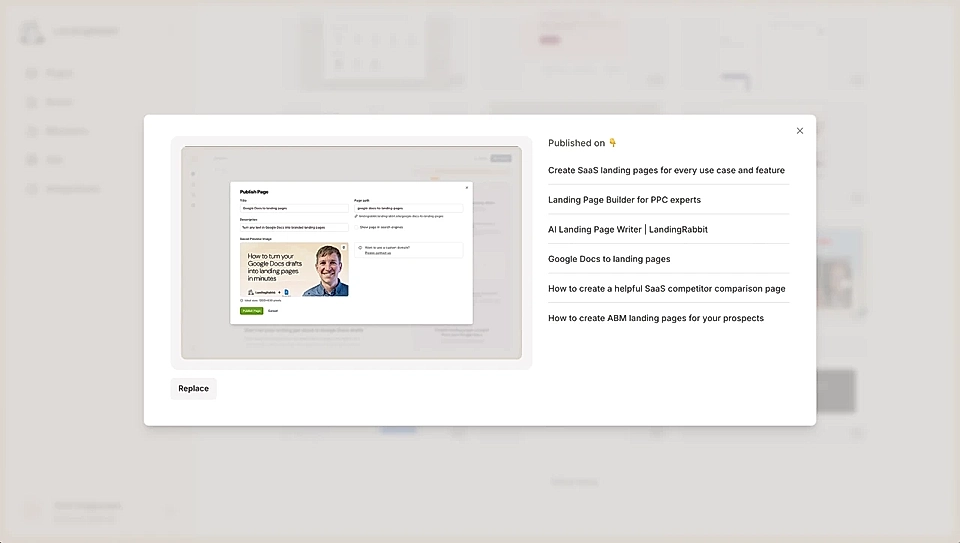
This feature alone saves you hours every month when your products and services evolve and screenshots get out of date.
With the Claude and ChatGPT apps, you can also mass edit meta titles and descriptions and replace marketing URLs.
Are you struggling to keep your site up-to-date? Sign up for our 14-day free trial to see how easy website updates can be.
Can I add custom code easily?
Most website builders either don't support custom code or require a developer to add it.
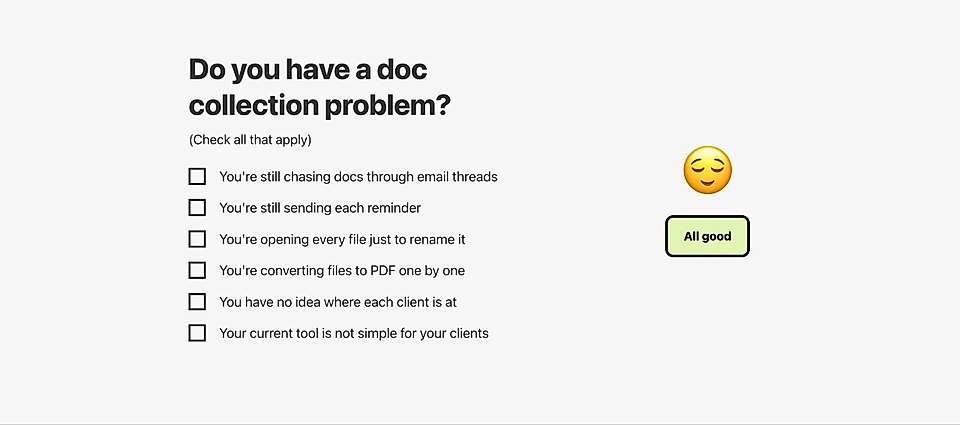
In LandingRabbit, you can add any custom code, HTML and CSS to your page to show anything custom.
You can, for example, write code with Claude or ChatGPT and then add a custom component on your site.
The interactive "Do you have a doc collection problem?" element on Kaddim's website is a fantastic example of a custom element on the page.
And if you need help, LandingRabbit founders are always just one chat message away.
Is the page speed and performance optimized?
Slow page speed hurts conversions and SEO rankings. Many website builders add bloat that slows everything down.
LandingRabbit scores anything between 90 and 100 from PageSpeed Insight's various metrics.
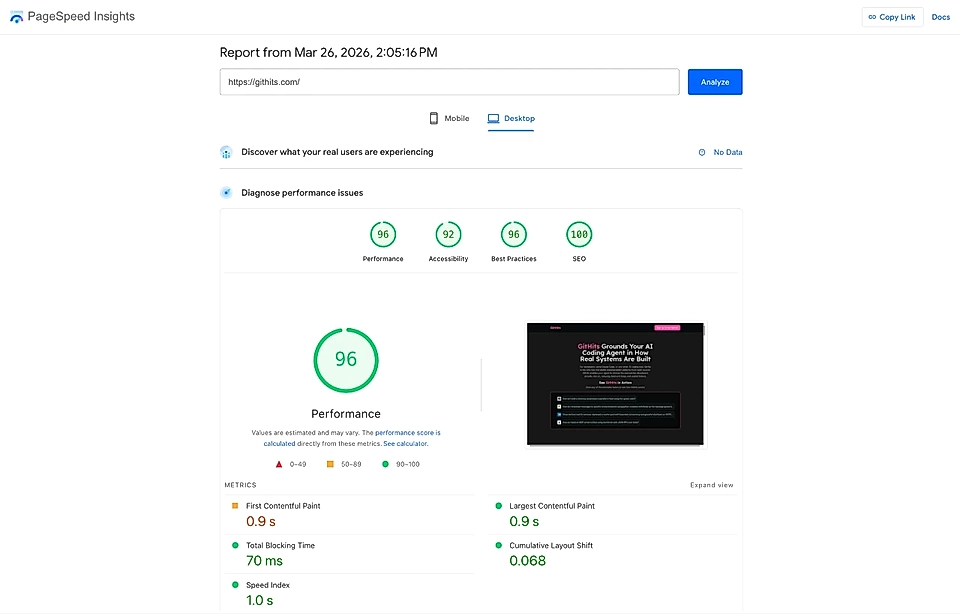
The secret is that your pages are lightweight files that aren't created dynamically. Pages are static files served by Google and AWS.
Even if LandingRabbit's page editing tools had temporary issues, Google and AWS continue to serve the static page files without a hiccup.
Some of the marketing tool script codes, like Google Analytics, might lower your score a bit, of course. But by default, LandingRabbit pages score very high in PageSpeed Insights, the industry standard for looking at page performance.
Is the website builder secure and GDPR compliant?
Security and compliance aren't optional for B2B companies. But many website builders are vague about where data is hosted and how it's protected.
LandingRabbit is built in Europe. It's hosted by AWS and Google Cloud. Everything we do is GDPR compliant by default.
Can you have multiple sites and multi-language websites in one account?
If you need multiple sites or languages, most website builders charge extra or make it complicated.
With LandingRabbit, you can add multiple sites and companies under one account and also multiple languages like /en, /de, /es, and so forth within your LandingRabbit account.
Is it easy to add analytics and custom script codes?
Adding analytics, chatbots, or tracking scripts shouldn't require a developer.
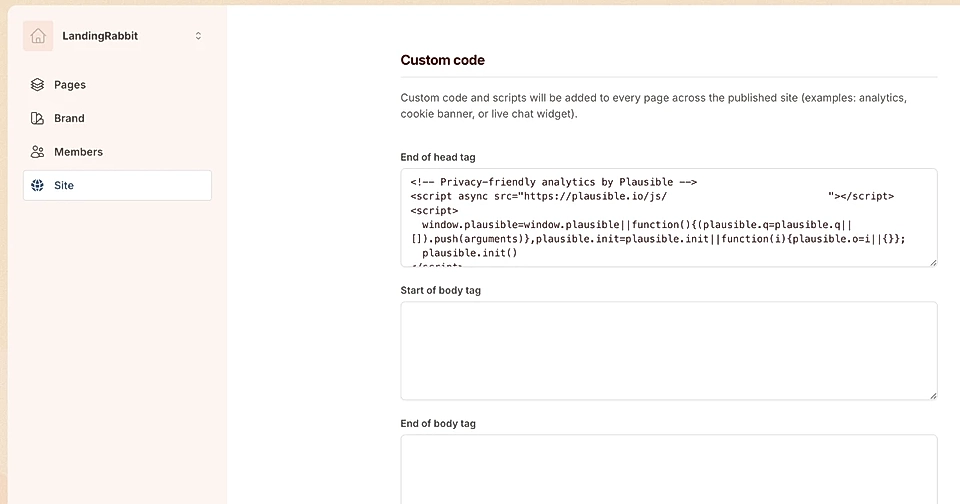
In LandingRabbit, you can add any analytics codes or chatbots, anything you would like to have in your page HTML and show to your audience.
Navigate to the Site settings tab and paste your code there.
Does the page builder come with MCP or API for easy integrations?
Most website builders are closed systems. You can't connect them to other tools or AI assistants.
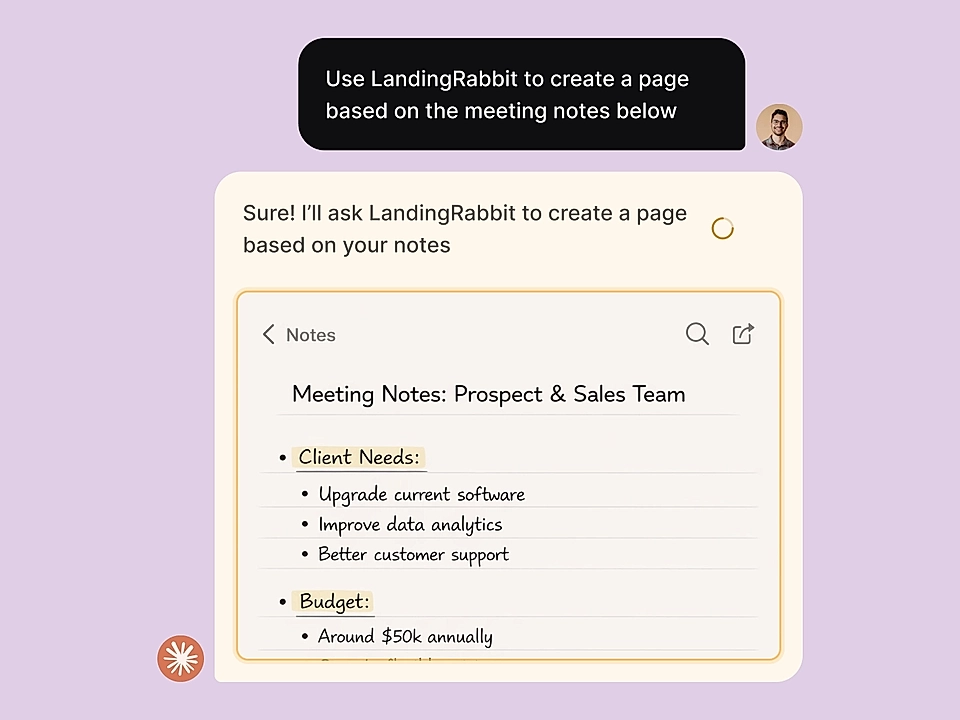
Integrations make it super easy for you to pull in data and assets from other services you use and push them as page ideas to LandingRabbit.
How much does it cost to build and manage with the page builder?
The real cost of a website builder isn't just the monthly fee. It's the setup cost, the designer and developer hours, and the ongoing maintenance.
With LandingRabbit, it doesn't cost a penny to create a page. AI helps you create it. You can change the look and feel and the layout with AI. You don't need to pay anything to build one.
Typically, you would pay something between $5,000 to $50,000 just for the setup.
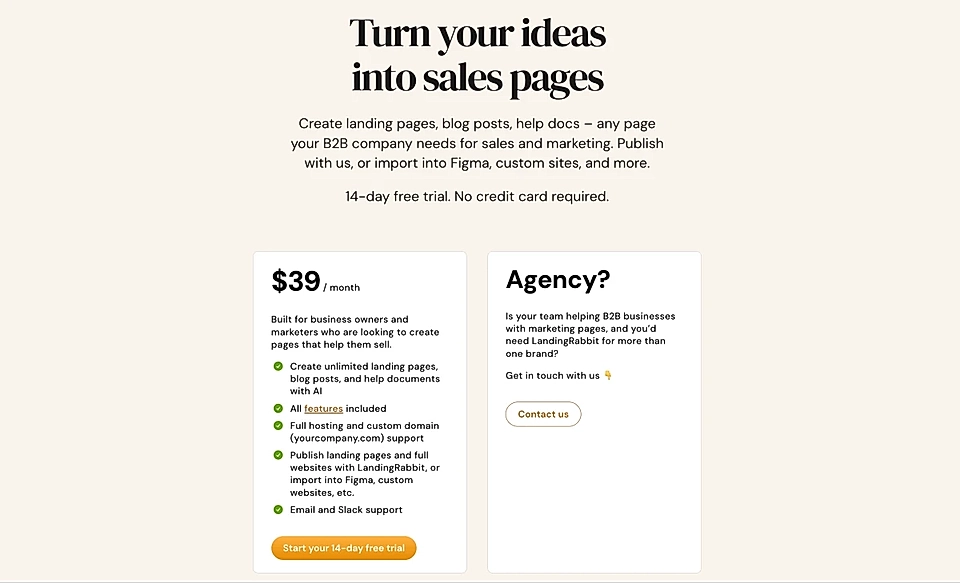
The monthly fee for LandingRabbit, including hosting, unlimited user accounts, and unlimited pages, is $39 per month. And $29 per month if you purchase yearly.
Choosing a B2B website builder isn't just about features. It's about whether the tool fits the way you actually work.
Most website builders are built for designers and developers. They expect you to have templates ready, content written, and time to fit everything together.
LandingRabbit is built for B2B founders and GTM teams who need to ship pages fast, keep sites up-to-date when products evolve, and stop waiting for designers and developers to be available.
If that sounds like your team, give it a try.
Start your 14-day free trial. No credit card required, and we'll help you get started.