How to use the LandingRabbit Claude app to create landing pages and blog posts
If you use Claude for Desktop, you can now connect LandingRabbit directly to it.
You can chat with Claude about your page ideas, paste in research notes or call transcripts, and instantly create branded landing pages without switching tools.
No more copying and pasting between apps. No more lost context when you move from planning to building.
In this guide, I'll show you how to set up the LandingRabbit Claude connector and use it to create pages.
Install and connect LandingRabbit to Claude for Desktop
First, make sure you have Claude for Desktop installed. If you don't have it yet, download it from Anthropic's website.
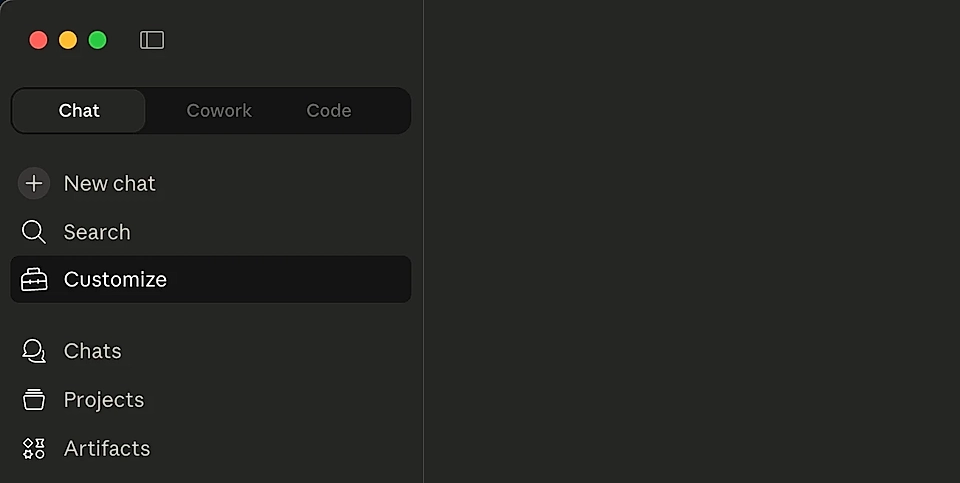
One it's installed, open Claude and click "Customize" on the side panel.
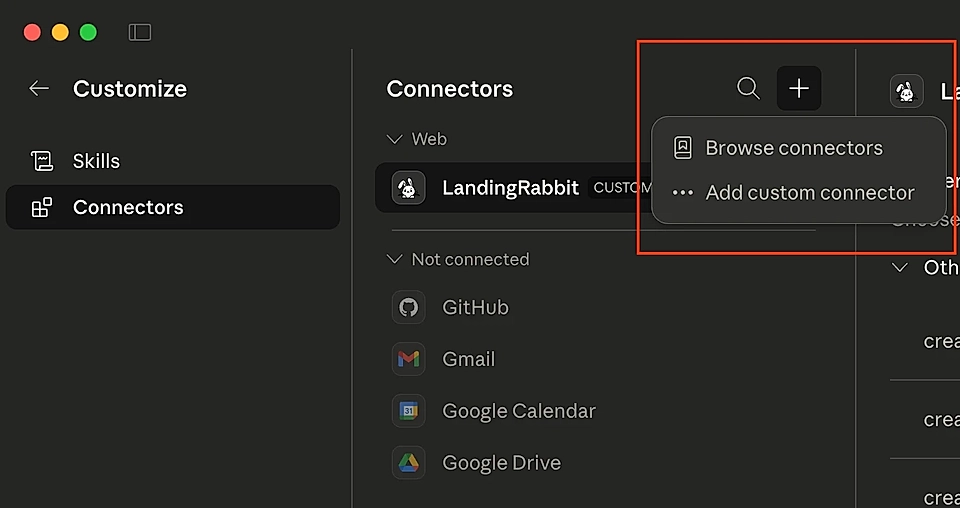
From there, choose Connectors and click the + button to 'Add custom connector'.
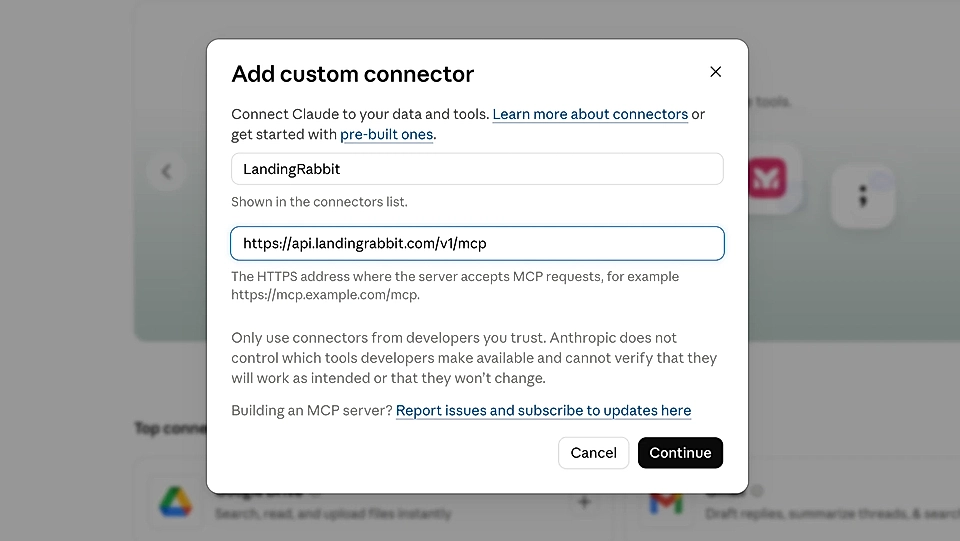
Type LandingRabbit as the name and paste this URL:
https://api.landingrabbit.com/v1/mcp
Click 'Add', then click 'Connect'.
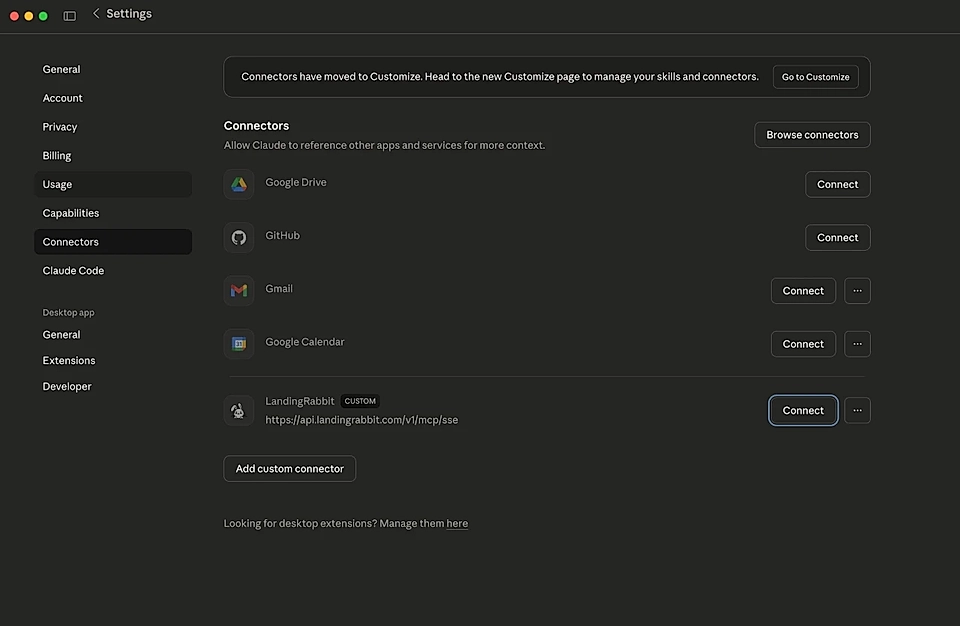
A new window opens, and Claude will ask you to connect your LandingRabbit account and choose a workspace. Authorize Claude to read and publish to your workspace.
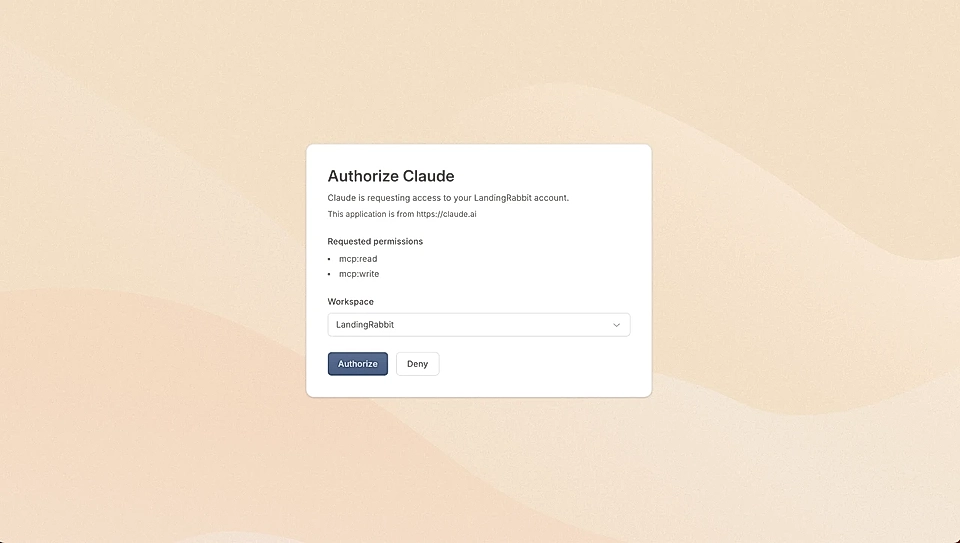
That's it. The connection is ready.
Create a page with Claude
Go back to Claude. You'll see a plus icon in the chat. Click it, then look for Connectors. You should see LandingRabbit listed there.
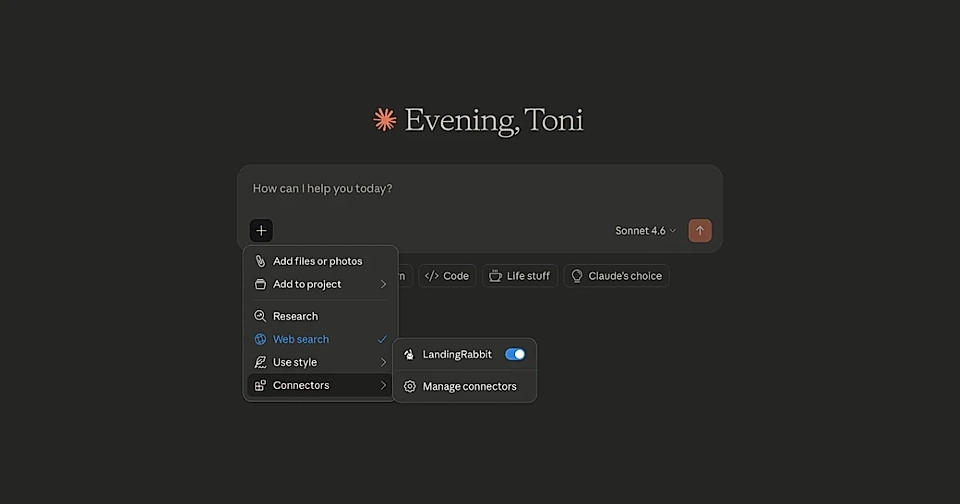
Now you can start creating pages.
Type something like: "Use LandingRabbit to create a page with a title: project management tool for startups."
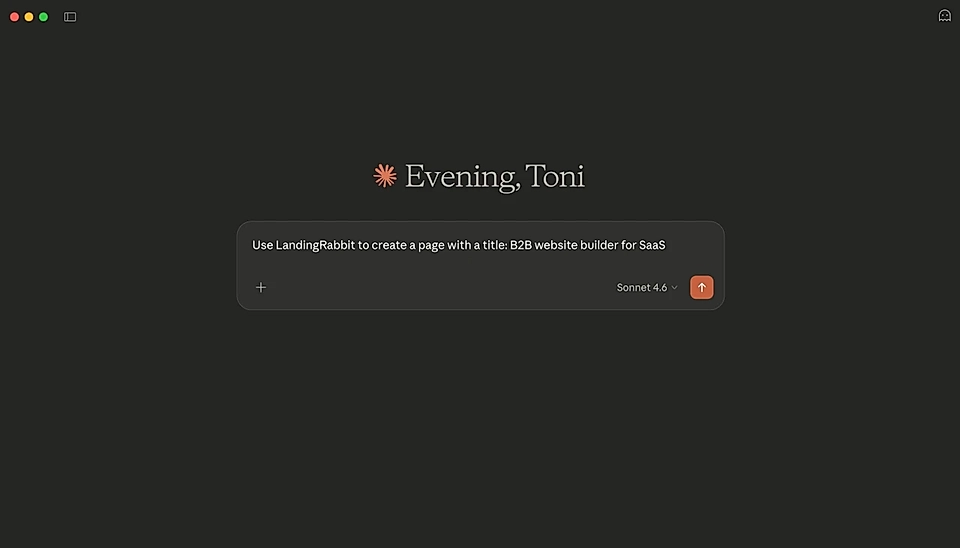
You can add as much detail as you want. Paste in sales call notes, product specs, blog drafts, anything. Claude will use that context to build the page.
After a moment, Claude will respond with a live preview of your page and a link to edit it in LandingRabbit.
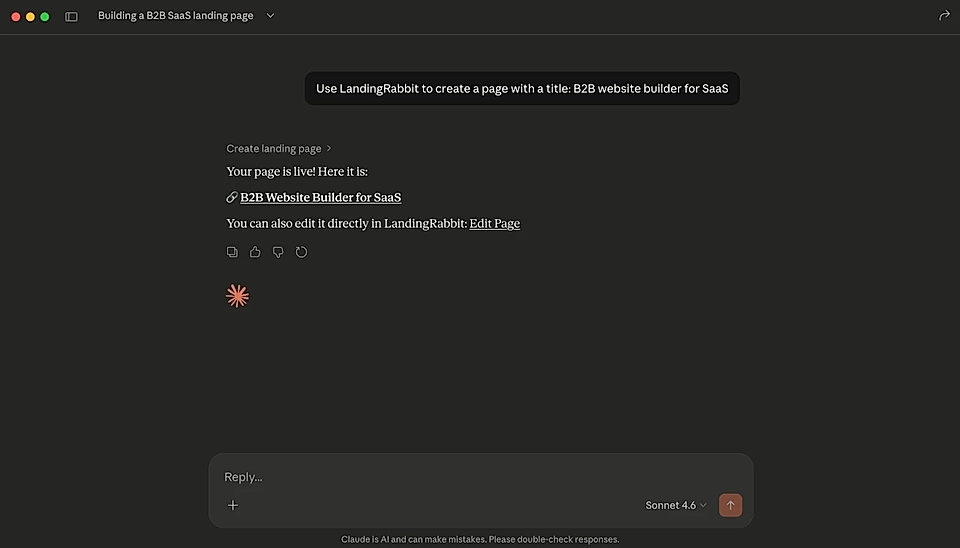
Click the edit link, make any final tweaks, and publish.
Other things you can do with the LandingRabbit Claude connector and app
Creating a page isn't the only thing you can do.
You can also ask Claude to edit an existing page, change the order, add, or remove sections, edit the look & feel, or publish a page you just created.
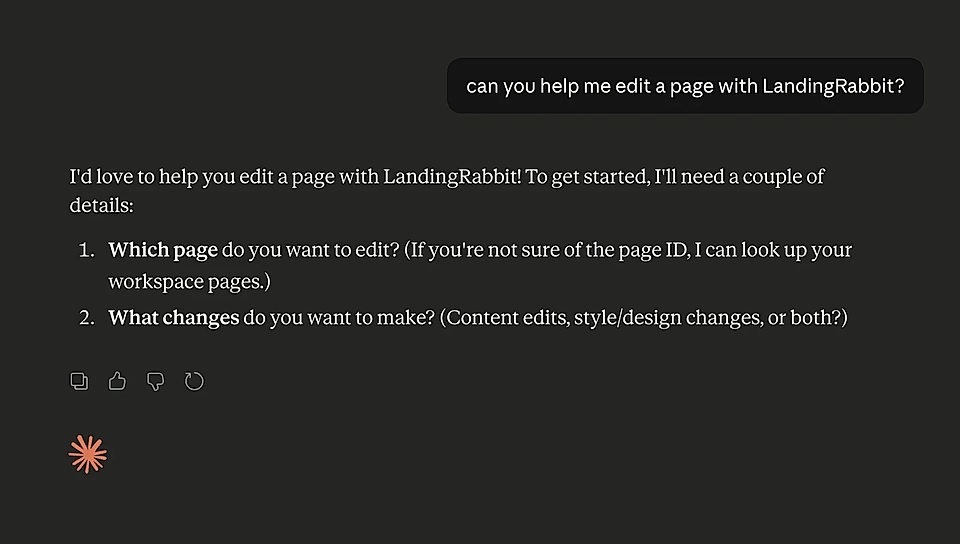
Here's an example where a user is editing the Pricing page title:
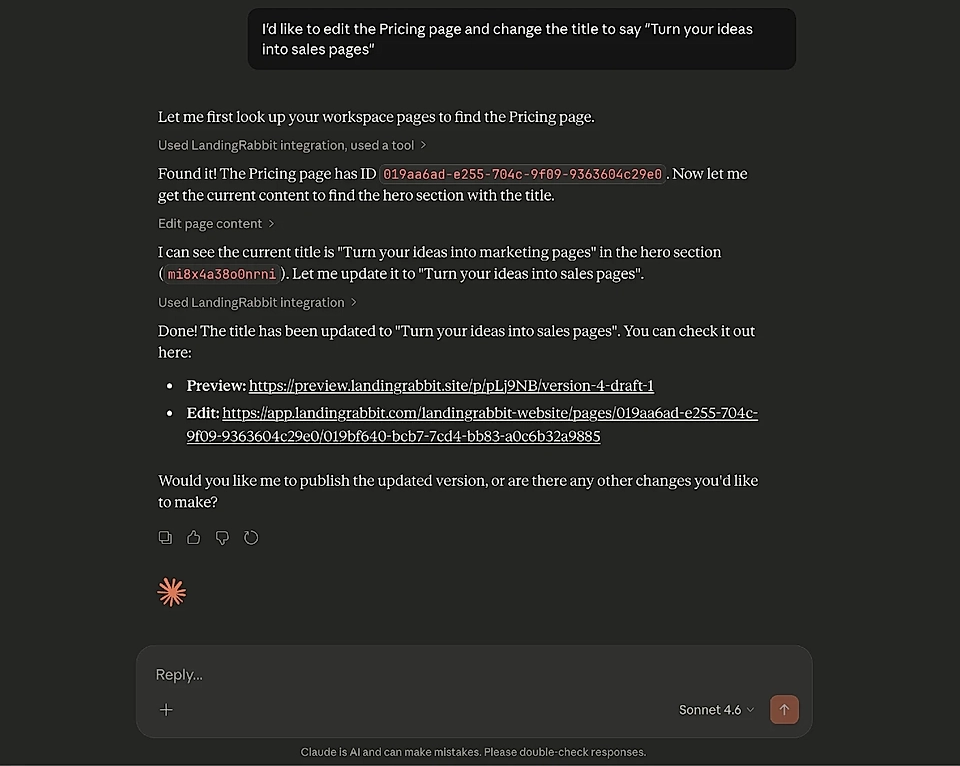
The edits are saved as drafts first unless you specifically ask Claude to publish.
You can also create a fully custom design via Claude.
Currently, the LandingRabbit Claude app and connector comes with tools for:
Creating new pages (landing pages, blog posts, help docs, etc.)
Creating pages from content you already have (e.g., Word doc)
Editing page content
Uploading and editing page images
Editing page styles and templates
Creating a custom design for a layout
Get SEO recommendations data from LandingRabbit to Claude
Editing page meta title and description
Publishing and unpublishing pages
Listing all drafts and published pages
Migrating blog posts from other websites
Bulk replacing links (e.g., changing marketing URLs)
If you already use Claude for thinking through marketing ideas, this connector makes it simple to turn those ideas into actual pages.
Want to try it? Sign up for LandingRabbit's 14-day free trial and connect it to Claude for Desktop today.