LandingRabbit vs Framer: Which is better for a growing B2B website?
Framer is a fantastic website builder.
I have used it for years and love the Figma-style page-building experience. If you want to bring your Figma design to life on a website, Framer is hard to beat.
But if you are a founder or run a service business with a content-driven site of tens or hundreds of pages, Framer can start to slow you down.
You spend more time tweaking and updating existing ones than publishing new pages.
That is why we are building LandingRabbit: a content-first website builder for small businesses and founder-led teams who want their website to explain what they do.
In this post, I will walk you through when to pick Framer and when LandingRabbit is the better fit.
When Framer is a great choice
You want full visual control
Framer feels like Figma in the browser.

Framer shines when design is your main priority, and you want to replicate your Figma design one-to-one.
You can move things pixel by pixel, test bold layouts, and build something that looks different from most websites.
If your top goal is to have a design that stands out from the crowd, Framer is a strong fit.
You do not expect to manage tens of pages
Framer works well when you only have a homepage and a handful of landing pages.
You can afford to jump between files, tweak layouts, and update each page separately.
But once you cross into tens or hundreds of pages, that workflow starts to hurt.
You have design and dev capacity
Framer is ideal when you have in-house designers and front-end developers.
They enjoy the creative freedom and are happy to maintain the page for you.
If that is your setup, and you are not planning to update your site and ship new pages every week, Framer can be the right tool.
Where Framer gets painful for founders and small teams
Making changes gets heavy
The best B2B websites are not portfolio sites.
Those are content machines.
Landing pages for different industries and job roles. Feature pages. Use-case pages. Competitor comparisons. Blog posts. Documentation.
Suddenly, you have hundreds of URLs.
Framer’s Figma-style design canvas for each page is powerful at the start, but it slows you down when the number of pages grows.
You jump from page to page to make the same changes.
Small updates take far longer than they should.
Copy is squeezed into old layouts
In Framer, the default workflow is to duplicate an existing page and fit new copy into that template.
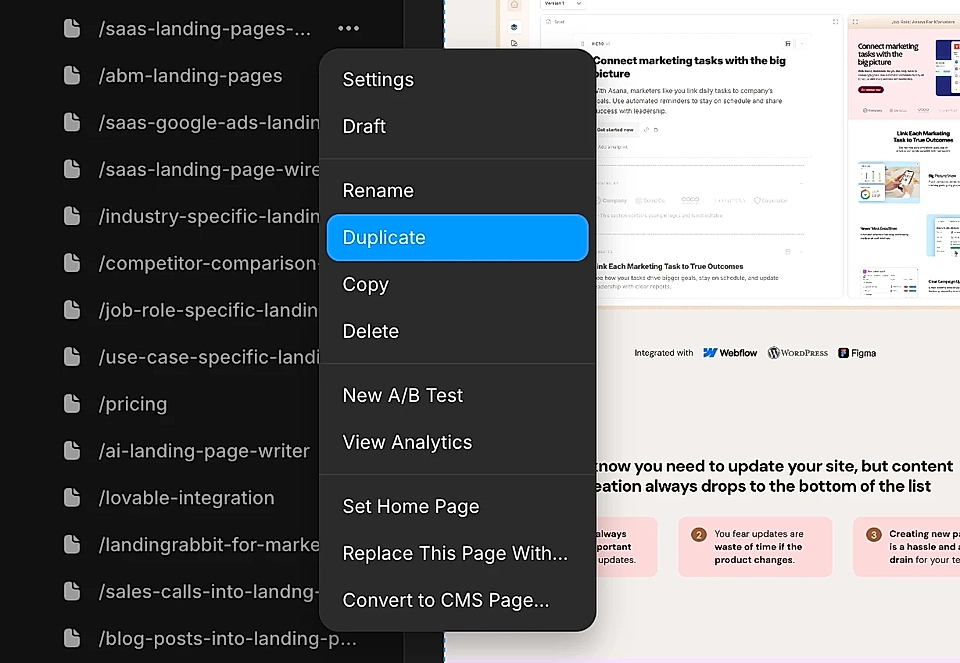
You write in Google Docs, ChatGPT, and Claude, and then paste your work into an old page, tweak, and fix.
If sentences for a new page are a bit longer, something often breaks on mobile. You go back to tweak layouts, not writing the best copy.
Instead of starting from the message and what you want to say, you start from the old layout and try to make the best out of it.
Are you looking for a tool that can turn your content ideas into ready-made landing pages and blog posts? Sign up for our 14-day free trial, and see how LandingRabbit converts the content you already have into new pages.
The site drifts away from the product
Your product moves fast.
New features, new use cases, and a different ICP focus.
But updating all those Framer pages feels like a big project. So the website quietly falls out of sync.
Pages keep “kind of” describing what you do, but not quite.
That gap costs you leads every day.
How LandingRabbit is different from Framer
LandingRabbit is built for a different persona.
Framer is a design-led site builder.
LandingRabbit is a content-first website builder for service businesses, consultants, coaches, and founders.
Instead of asking you to design and then write, LandingRabbit starts from the words and materials you already have.
Content comes first, layout follows
Instead of duplicating an old page, you start with an idea.
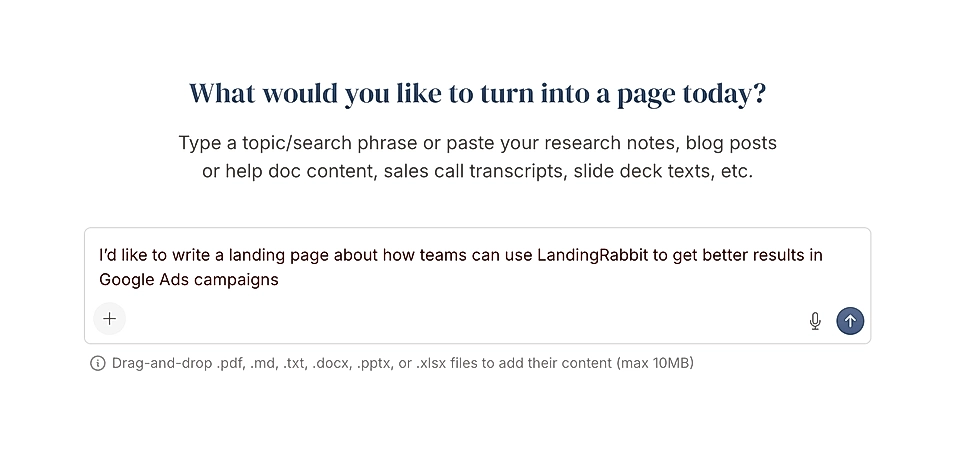
You give LandingRabbit a keyword, a slide deck, product specs, a blog post draft, or notes from a sales call.
LandingRabbit turns that input into a page plan.
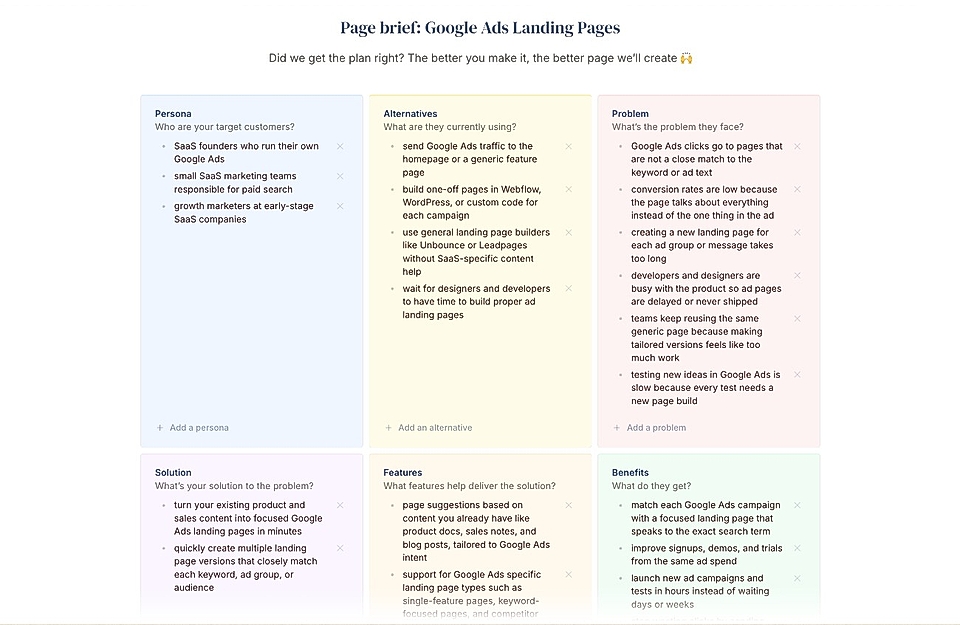
And then into a full landing page in your brand style.
You get the copy and layout together, ready to edit.
You stay in a simple Google Docs-style editor while the page preview updates in real time.
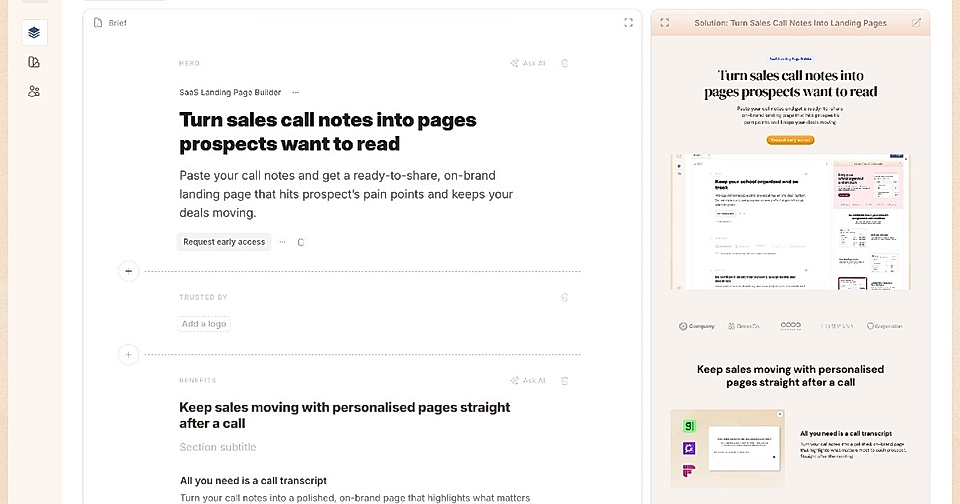
No trying to squeeze new copy into an old page design.
One shared design system across all pages
In LandingRabbit, every page shares the same design template by default.
Your hero, typography, buttons, and spacing come from one brand system.
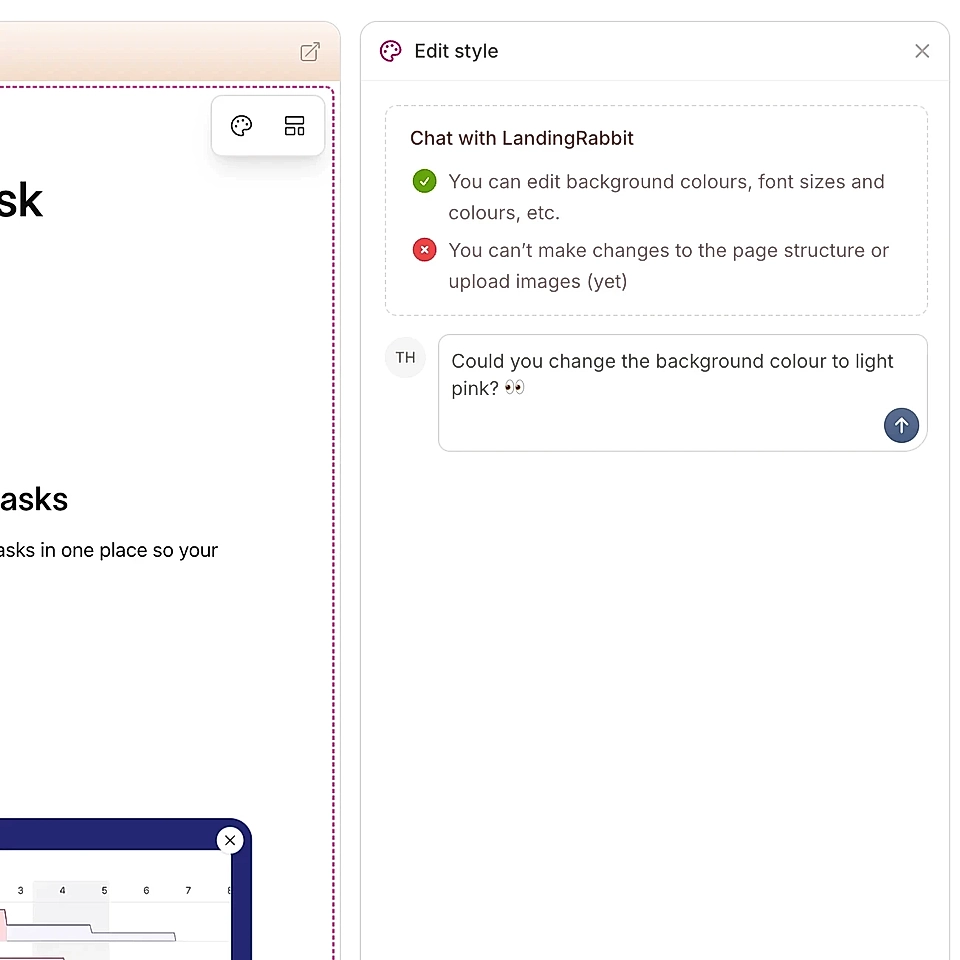
When you tweak the hero layout or adjust a font size, that change can apply across the whole site.
You do not need to open tens of pages and fix them one by one.
You still can create special templates when you need them on a certain page, but your baseline is consistent and fast to maintain.
And by the way, you can ask changes in plain English.
Shared text components for everything you repeat
Most business websites repeat some of the copy.
Pricing explanations. Security notes. FAQs. Integrations text. Trust statements.
In Framer, you often end up rewriting or copying those manually from one page to another.
In LandingRabbit, you can keep these as saved text components.
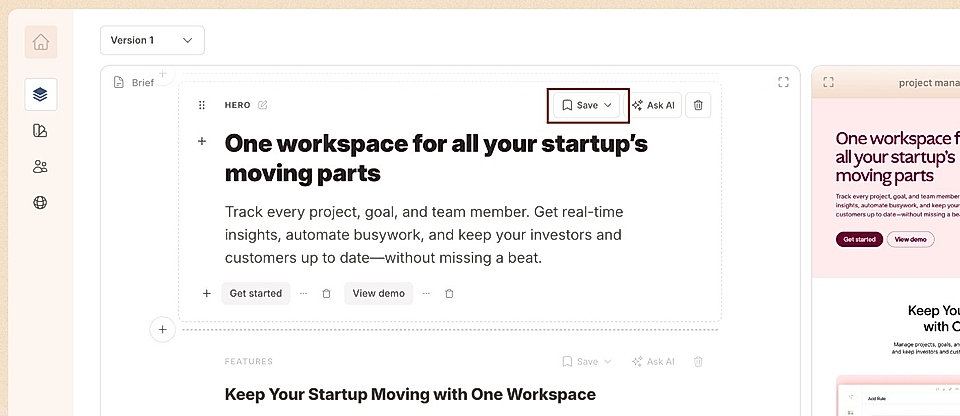
When you drop a saved component onto any page, it stays in sync.
Update it once and the change is made across all pages using it.
That is a big difference when you manage a lot of content and want to keep your site up-to-date.
So, LandingRabbit or Framer?
Both tools are good. They just serve different priorities.
If you want to craft a unique design, have a homepage and few other key pages, and you are not planning to update and publish new pages every week, Framer is a great pick.
If you rely on content marketing for signups, you need a site that can keep up with your evolving product.
Our own site has hundreds of pages. Almost all signups come from content.
We built LandingRabbit for that reality.
LandingRabbit gives you:
- Content-first workflows powered by AI
- One shared design system for all your pages
- Saved text components for repeated copy
With LandingRabbit, you spend your time on better copy and better offers, not on layout fixes.
Want to see the difference yourself? Sign up for our 14-day free trial and turn your existing notes, decks, and specs into live, on-brand landing pages and websites in minutes.