Page recommendations based on SEO data
After you publish your first pages and subscribe to LandingRabbit, you’ll get access to SEO dashboard, showing page recommendations based on SEO data.
LandingRabbit runs a search against your top three competitors and your own site every week. It then recommends keywords that your site does not fully address yet, giving you an opportunity to pick up more search traffic.
You can add and edit your top competitors via the Brand tab.
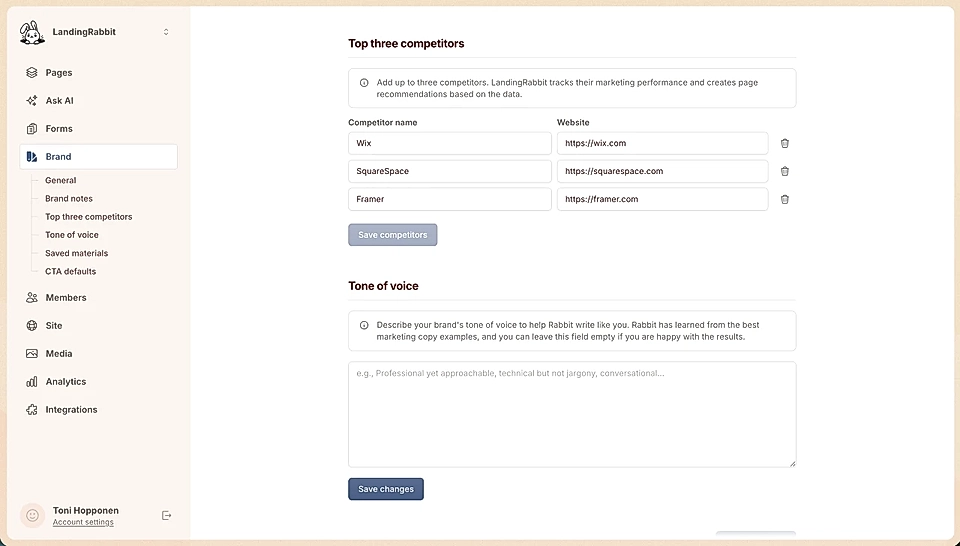
Find topic and page ideas via SEO dashboard
In the left-hand navigation, click the SEO icon to open your recommendations dashboard. There, you’ll find topics LandingRabbit suggests you write about.
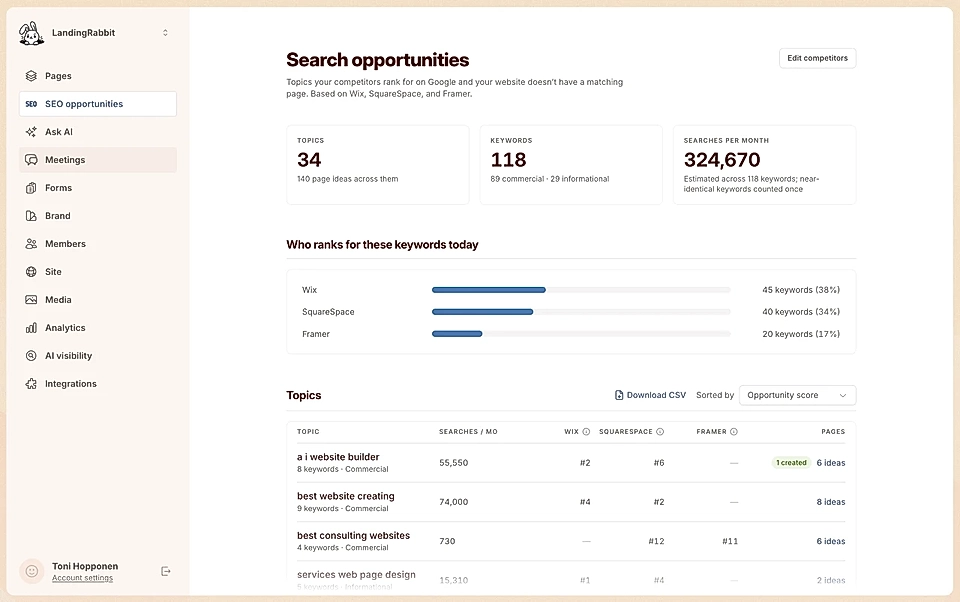
Those ideas are based on search engine (SEO) data we gather about your website and your top competitors.
Click any topic to see:
The keywords connected to that topic
More detail about each keyword
Page ideas, including blog posts and landing pages
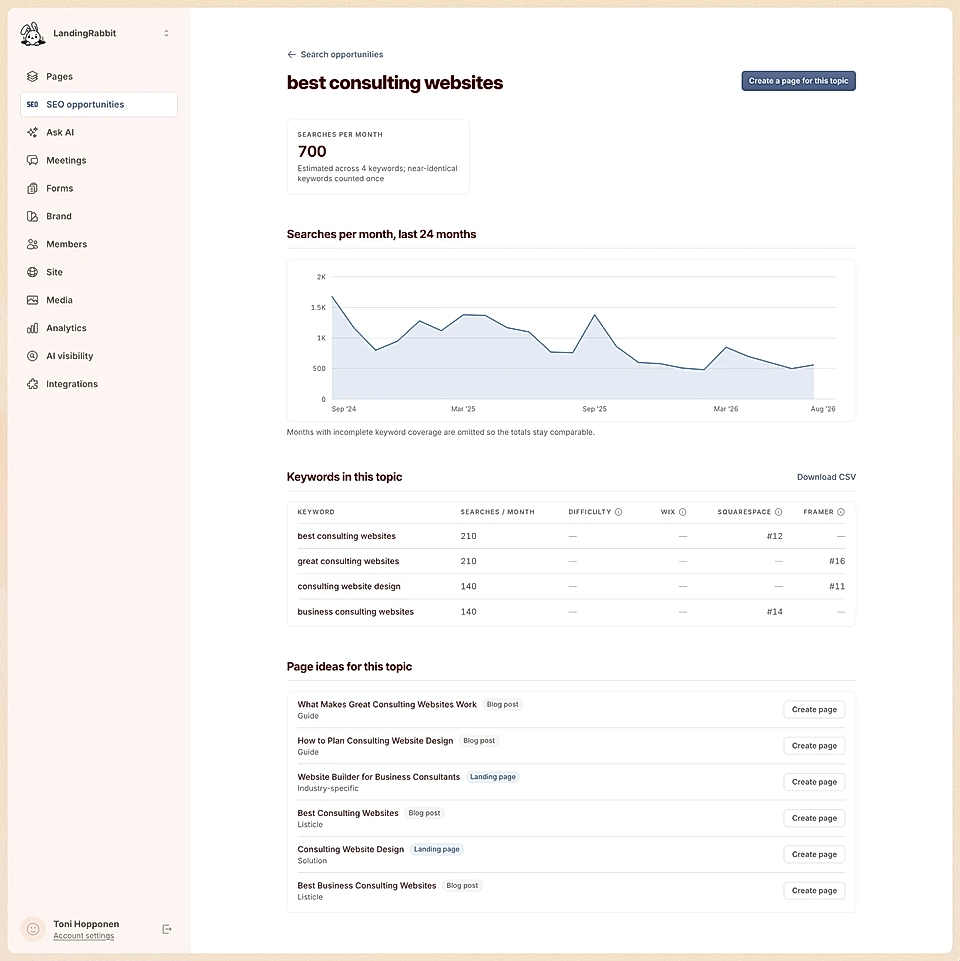
Choose an idea and LandingRabbit will help you create a new page from it.
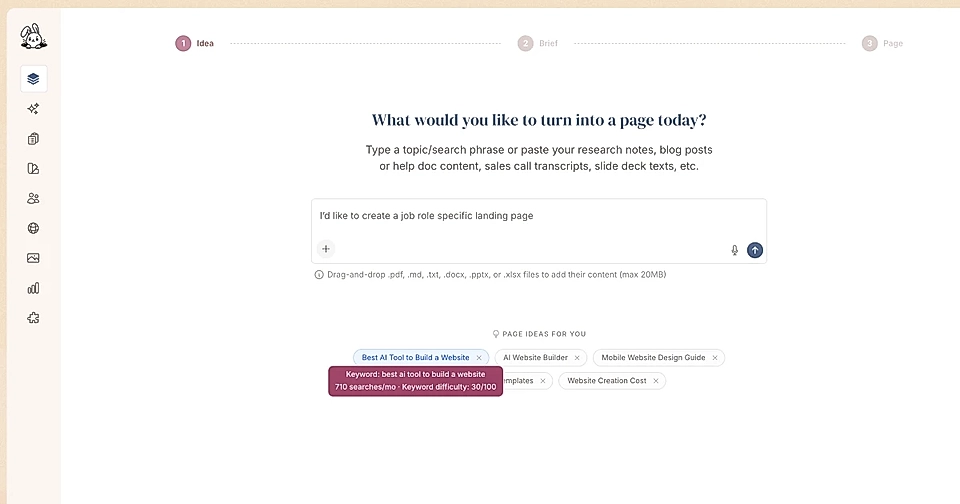
You can also find page ideas when clicking Create new page.
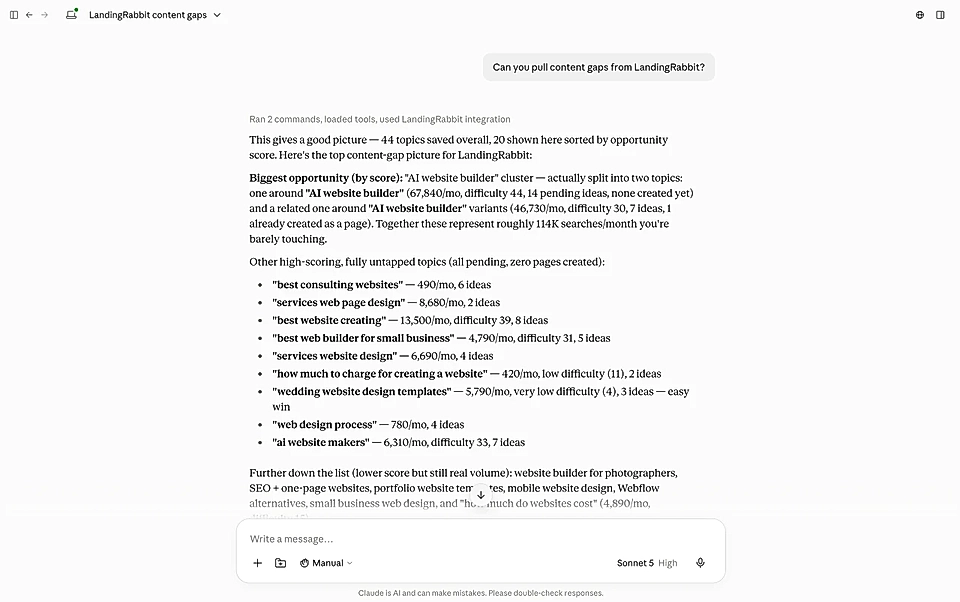
Get SEO opportunities and content gaps to ChatGPT and Claude
Export SEO data as CSV
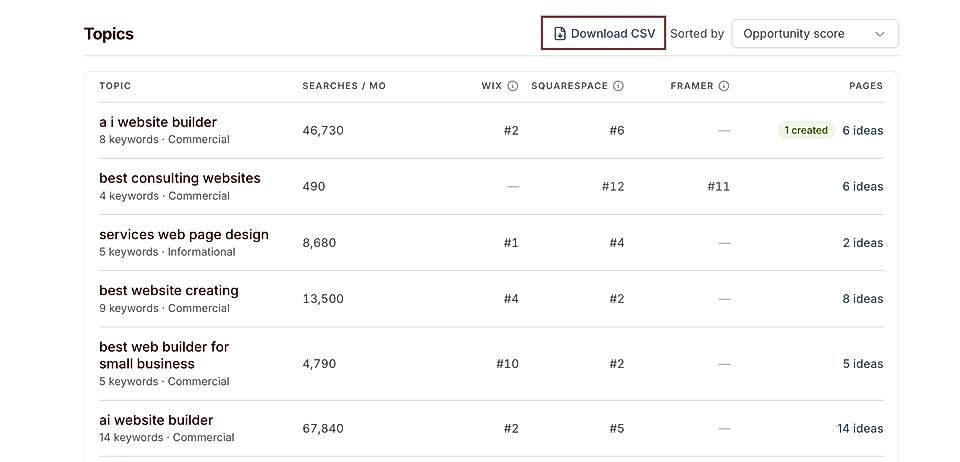
From the SEO dashboard, you can export the data as a CSV file and take it elsewhere for further analysis.