5 tips on how to make a great consulting website
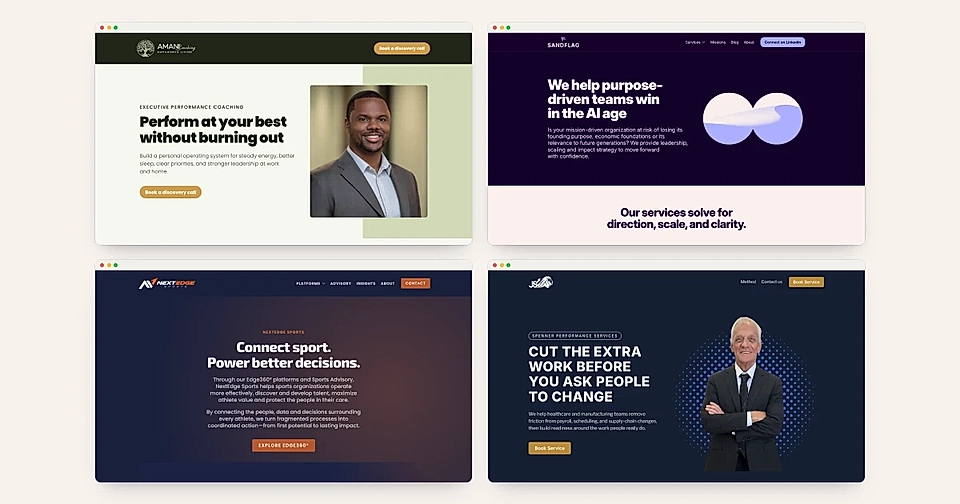
You are most likely sending cold emails or reaching out to people via LinkedIn.
You might even post content and videos on social channels.
But when a prospect opens your website, your pages say less than you do.
Maybe it's only a single page trying to say too much.
Maybe the page describes what you sold a year ago.
As a result, your marketing efforts just don't seem to bring leads.
In contrast, great consulting websites share a few patterns.
In this post, I'll walk you through 5 tips on how to make a great consulting website, each shown through a real LandingRabbit customer story.
1. Say what you sell the way you say it in sales meetings
A great consulting website sounds like you do in a meeting: clear about your specialty, who it's for and why it works.
Saleem Shafi from Money Beam is one of the UK's best-known voices on financial wellbeing. BBC News, ITV and Sky News ask him for comment.
But his old Wix site was a single page with a few paragraphs, a photo and some TV clips. It never explained his Financial Wellbeing First Aider model or who it was for.
Proof without a clear offer doesn't convert. Visitors see you're credible, but they can't tell what to buy.
Now his site explains the offer and speaks to each buyer: CEOs, HR and People leaders, operations managers and wellbeing leads.
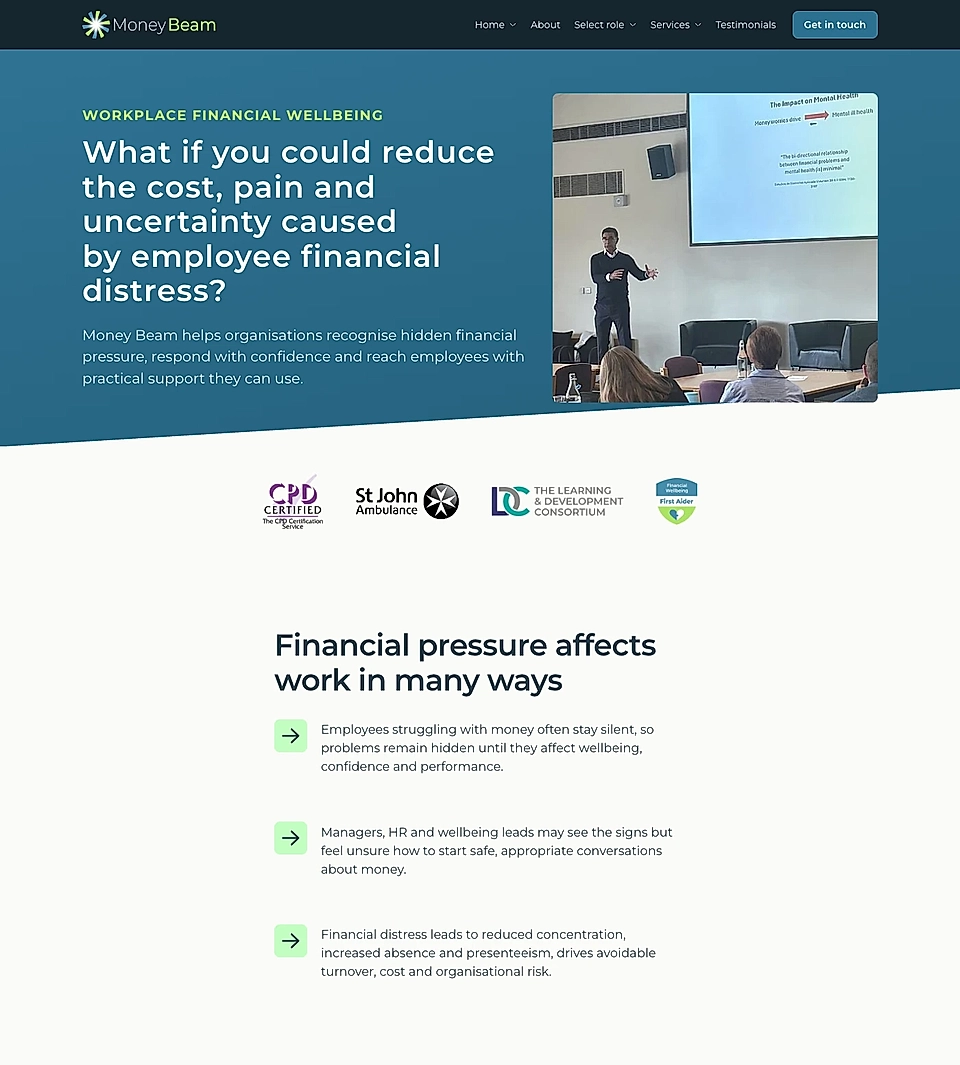
Tip 1: Name your specialty, say who it's for and put your proof right next to the explanation.
2. Give every service and audience its own page
One services page rarely answers a specific question, and long pages can get overwhelming. Visitors, search engines and AI bots want the exact answer.
Katie's team at Elm Financial, an accountancy firm in the UK, used to send every change through an agency. Replies were slow, every change cost money, and the site went out of date.
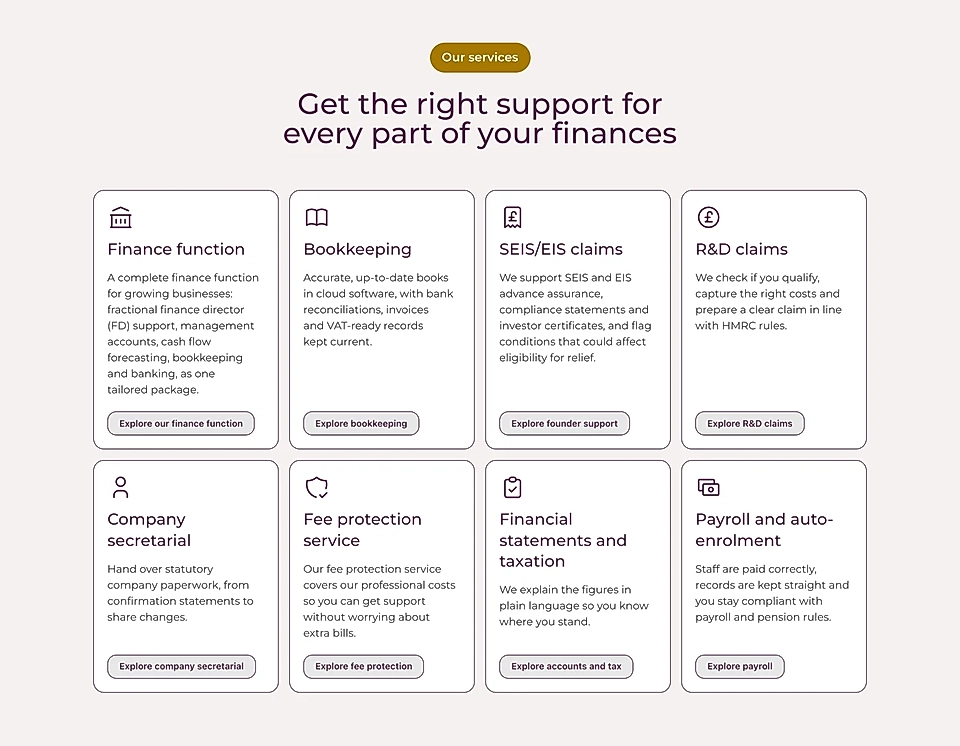
Now each service has its own page: accounts and tax, R&D tax relief, VAT, payroll and more. Audiences such as founders have theirs too.
When a prospect asks about a service, the answer is already on the website and ready for Katie to share with the prospect.
Tip 2: A good service page answers three things: what it is, who it's for and how to get started.
3. Make the homepage a router that sends people to the right page
If you sell more than one thing, your homepage has one job: get people to the right page fast.
Michael's team at NextEdge Sports went from a one-page WordPress site to a website that explains its whole Edge360° suite: League, Athlete Intelligence, Academy and Guardian. The Sports Advisory practice has its own page too. Each page speaks to its own audience, from leagues and federations to medical and safety teams.
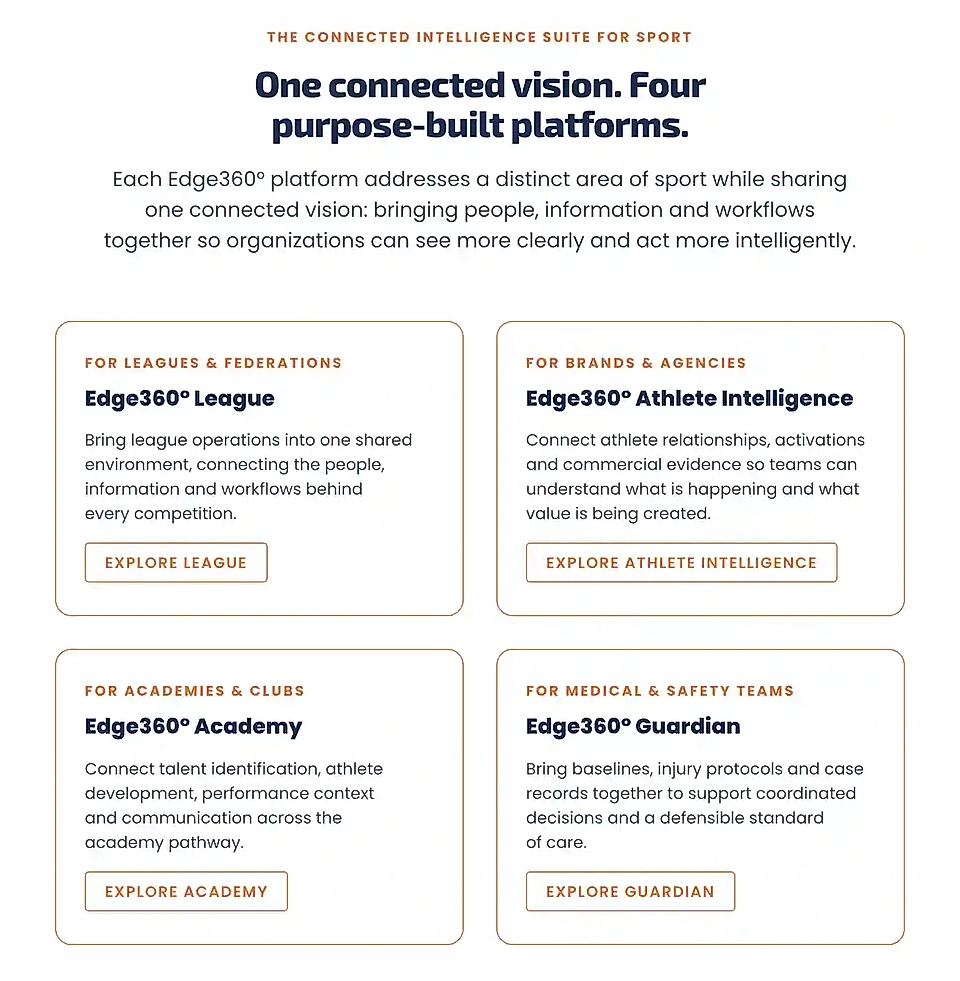
Before, the team had no page to point clients to in conversations. Now they do.
Tip 3: When you are trying to reach multiple audiences, design a clear path from a relatively simple homepage to audience-specific pages.
4. Turn the content you already create into pages that get found
If you already post on LinkedIn or record videos, you've got all you need to keep your site up to date.
Dan from Tailored Wealth has more than a hundred YouTube videos full of advice on investments and retirement. His old flow had ChatGPT generate an HTML page, and then the team rebuilt it by hand in WordPress. It worked, but it took a lot of manual steps.
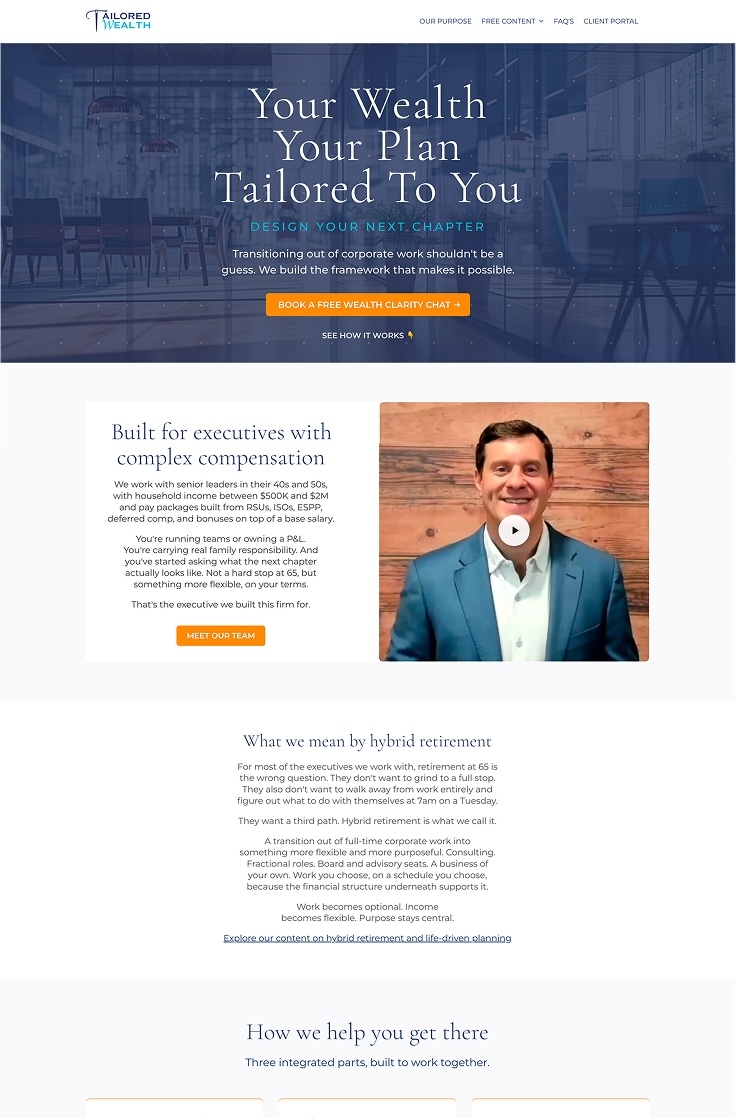
Now Dan takes notes from a video and turns them into blog posts and landing pages that go live fast.
Every video answers questions his buyers are searching for.
Tip 4: When buyer questions are answered on search-friendly pages, the right visitors feel like they already know you before the first conversation.
5. Keep the website current as your offer evolves
Your positioning is not evergreen. It changes when the market changes and your offer evolves.
Your website should change with it.
Austin from SteadyRev, a LinkedIn ghostwriting service, felt his agency-run site was always a step behind. New offer? Ask the agency. New message to test? Ask the agency.
Now he updates his homepage based on what he hears from clients and prospects. He also creates sales pages built around a specific prospect, and sends them before or after a meeting.

Tip 5: Treat your website as a living document fed by your sales conversations, so that you reach the right prospects and AI tools don't recommend you to the wrong audience.
Keep your consulting website great with LandingRabbit
All 5 tips come down to one thing: a website that keeps up with what you know and sell today.
LandingRabbit makes that easy.
It generates pages from the materials you already have: keywords, sales decks, call transcripts, voice notes and video transcripts.
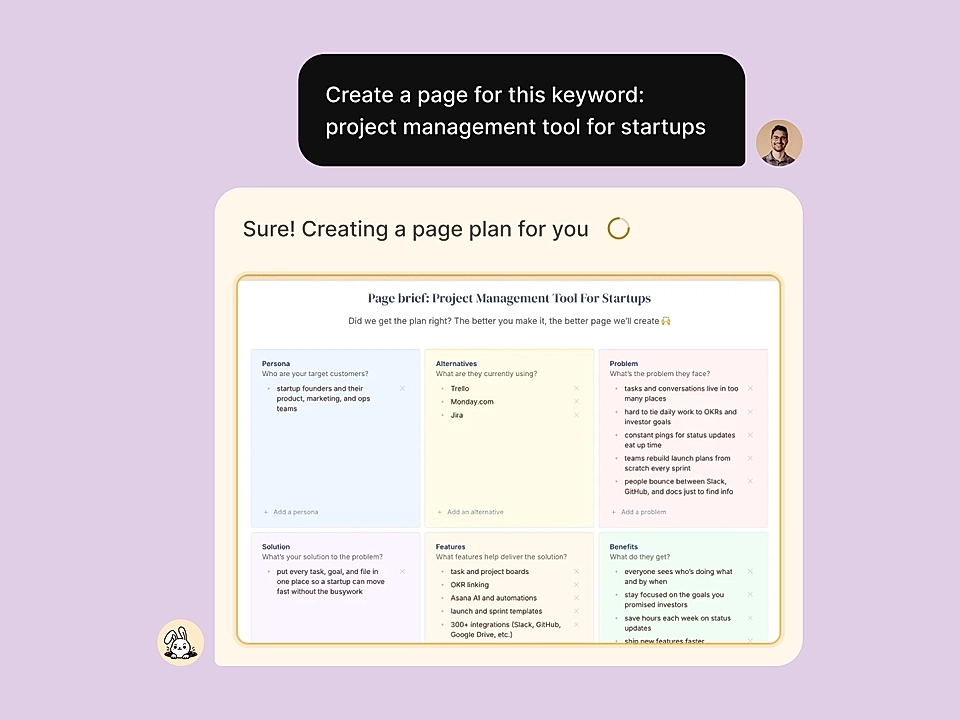
When you sign up, the app generates 70+ page components in your brand look, and every page uses them.
And you update pages in a Notion-like editor, so you don't wait on an agency.
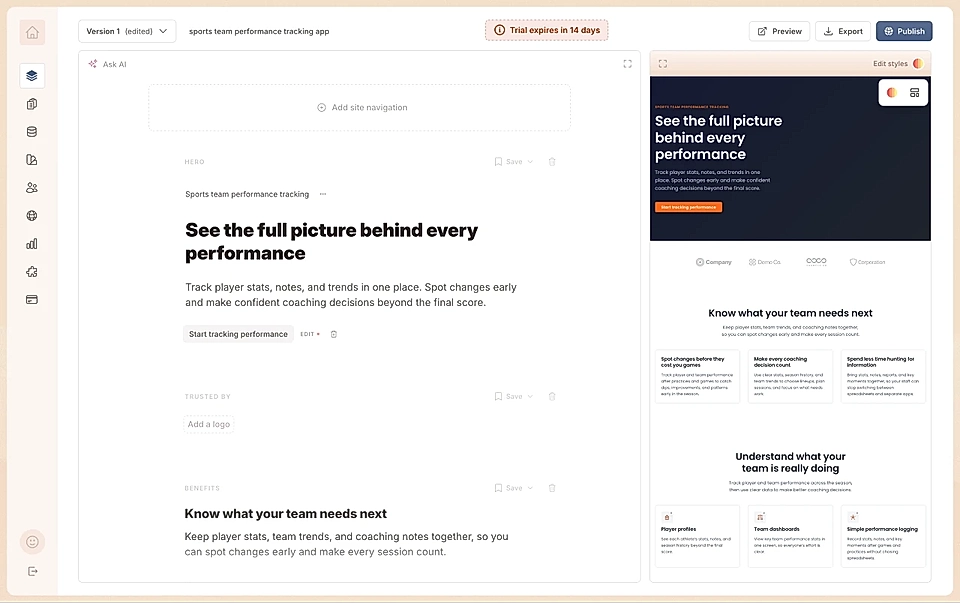
When we met Saleem, Katie, Michael, Dan and Austin, they didn't need a redesign project. They needed a way to publish what they already know.
Start your 14-day free trial and turn your existing sales materials into pages that reflect what you sell today.
If you are unsure, we offer a free 60-minute homepage workshop, where we interview you, and you get a ready homepage as a result.