10 Benefits Section Examples (and Why They Work)
Your hero section tells visitors what you do. The benefits section tells them why it matters to them.
It’s often the first section people see after the hero, and it decides whether they keep scrolling. Get it wrong, and you end up with a list of features nobody cares about. Get it right, and visitors start picturing what their work or life looks like with your product or service.
In this article, I’ve collected 10 benefits section examples. Each one makes a different copywriting choice, so you can pick the approach that fits your audience best.
What a great benefits section does
A strong benefits section usually:
- Talks about outcomes, not just features
- Explains how the visitor gets those outcomes
- Uses words your customers would use
- Is specific enough to be believable
Let’s look at how the examples below do it.
10 benefits section examples
1. OpusClip: Lead with one big promise
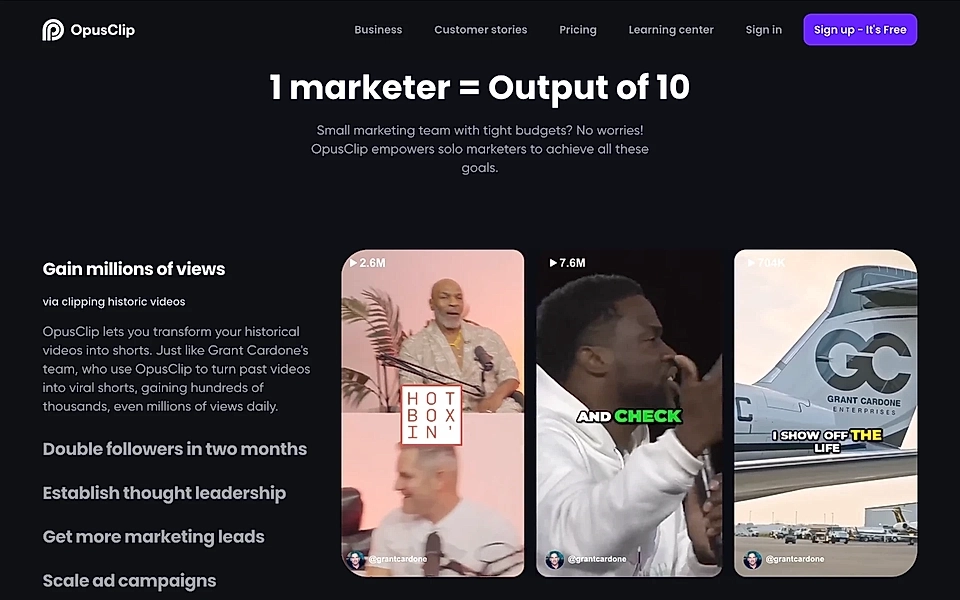
OpusClip’s landing page, tailored for marketers, is really heavy on the benefits you get.
The title, ‘1 marketer = Output of 10’, immediately tells you that you can expect your productivity to improve if you decide to sign up for OpusClip.
All five benefits on the left follow the same copywriting pattern:
- A title conveying the benefit.
- A short sentence on what OpusClip does.
- A real use case with, of course, video clips on the right.
2. Loom: Put a number on it
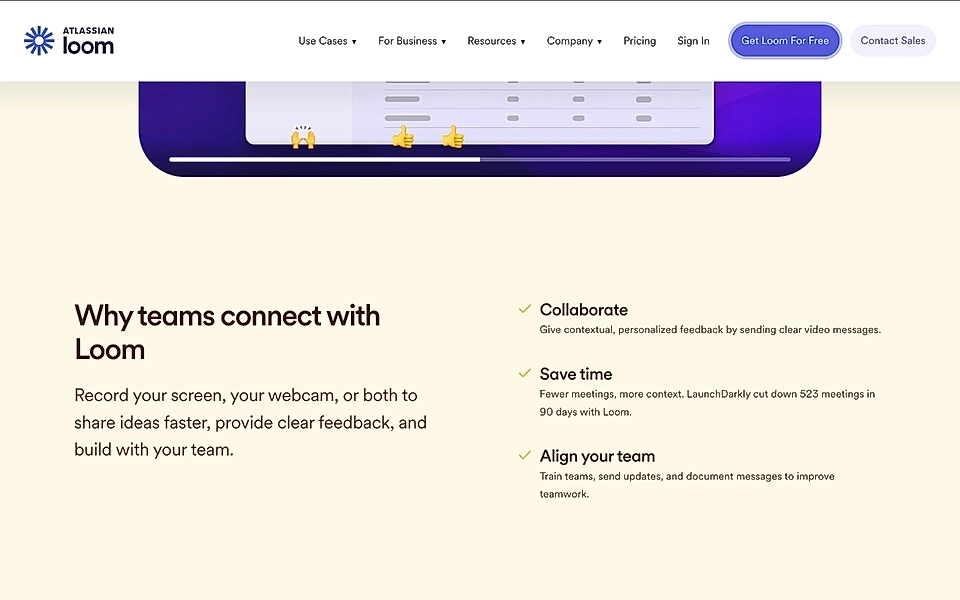
The benefits section straight beneath the hero section is a great start for your landing page design.
On Loom’s product landing page, the benefits section uses common and straightforward language and talks directly to the page visitor. Quantifying the value (’LaunchDarkly cut down 523 meetings…’) is a nice additional touch.
3. Puck: Pair the benefit with how you get it
Homepages get traffic from multiple sources and attract page visitors with various user intents.
For example, someone might be asked to review a solution for a budget decision. Visitors might come through a mention on social media, Reddit, or Slack channel. And many more reasons.
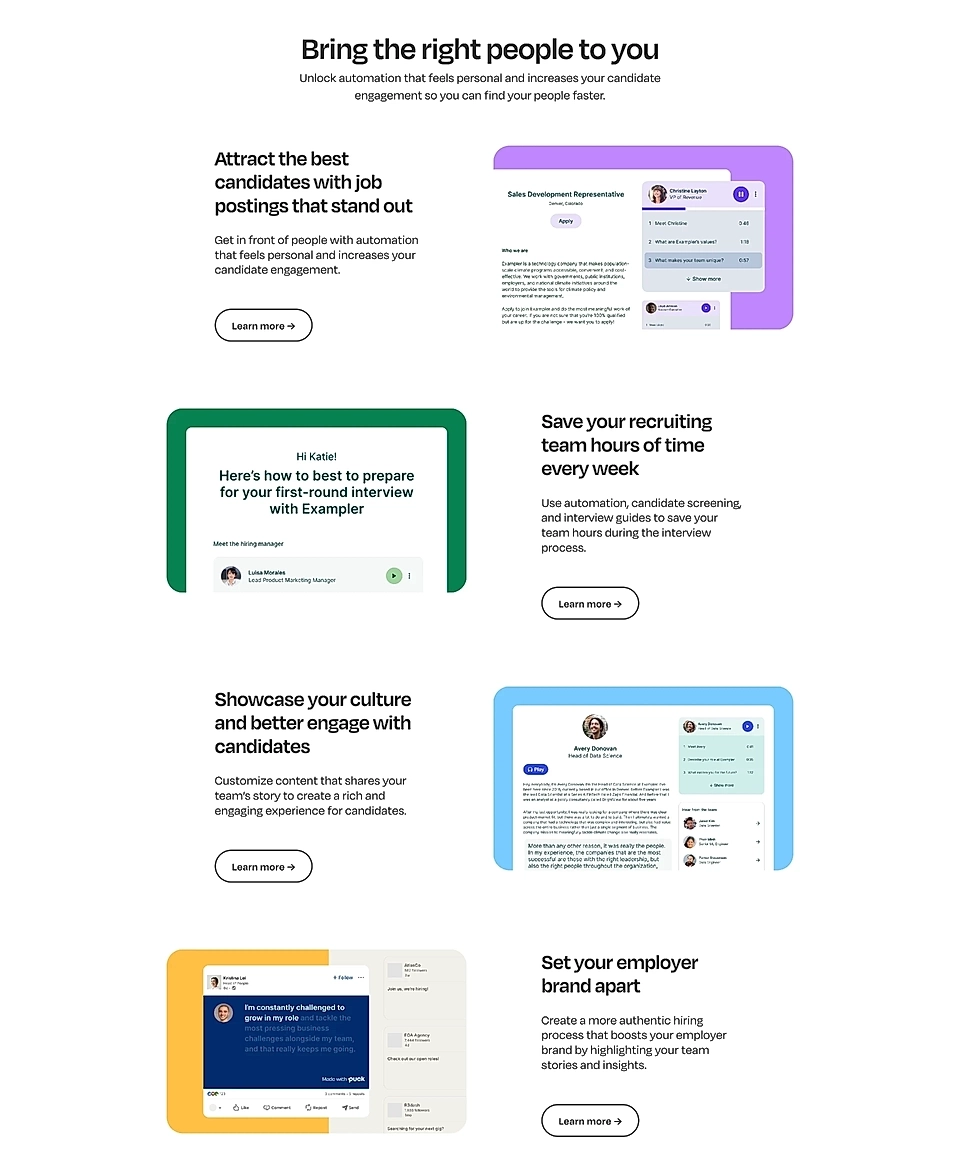
Therefore, many companies place key benefits right after the hero section – just like Puck.
The copywriting of Puck’s benefits section is nearly spot-on. It’s a mix of concrete benefits like ‘Save your recruiting team hours of time every week’, crucially mentioning the amount of time saved.
At the same time, phrases like ‘Use automation, candidate screening, and interview guides’ make it clear how Puck’s users achieve those benefits.
4. Hoppy Copy: Fit the what and the why into one sentence
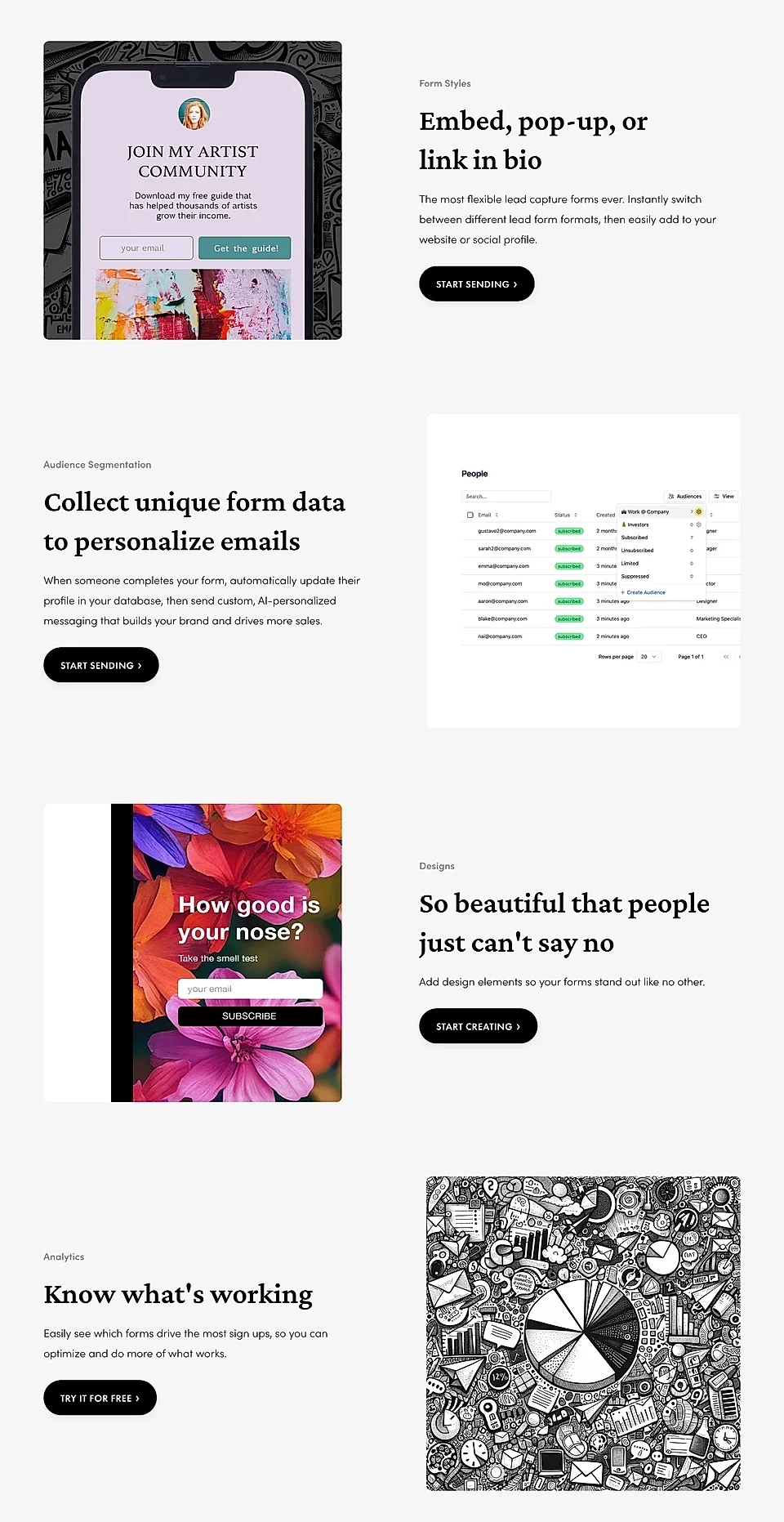
Hoppy Copy’s website is packed with fantastic copywriting examples.
You know you’ve found a great product landing page and benefits section when you notice that it’s mixing the outcome and how you achieve it.
For example, a description saying ‘then send custom, AI-personalized messaging that builds your brand and drives sales’ includes the what and why in a short sentence.
5. Lyne: Open with the problem as a question
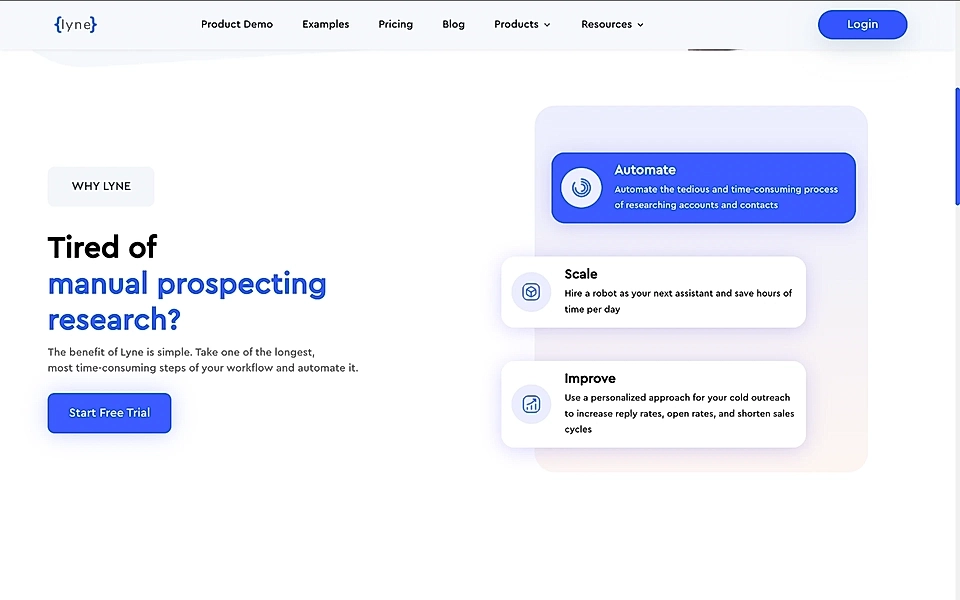
When planning a benefits section for your website, consider a title like ‘Tired of manual prospecting research?’, stating the problem your customer is facing and following up with benefits.
In particular, homepage traffic comes from various sources, and the page visitor might not be looking for a solution to a problem just yet. That’s why using a question and referring to the most common pain point might work really well and encourage the page visitor to continue scrolling the landing page.
With the context set out, Lyne’s benefits are easy to understand, and they talk to the page visitor directly.
6. Astra: Speak to people who’ve been searching
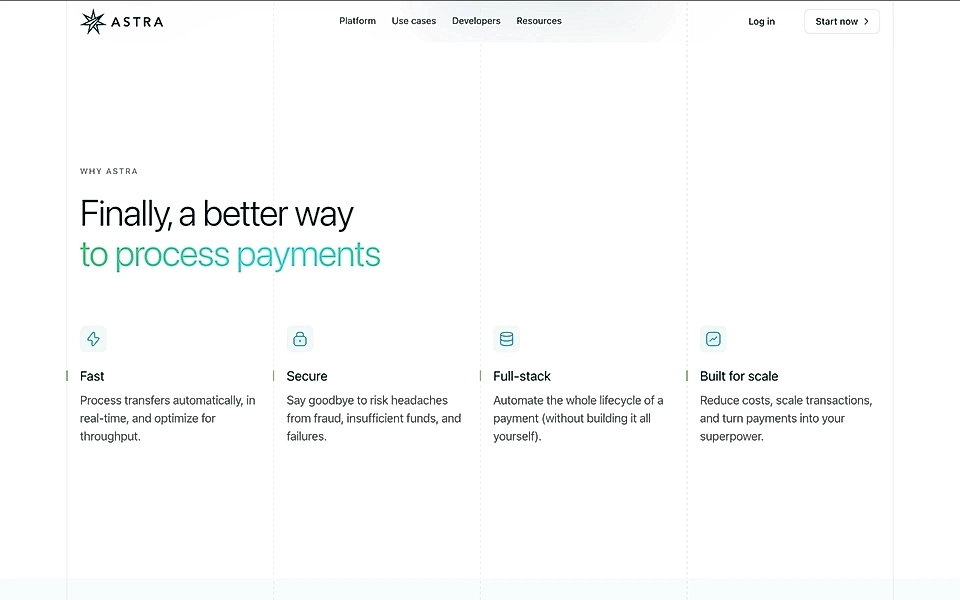
Astra is a developer solution for companies looking to integrate payments in their applications with less hassle.
While their website is targeting developers, it doesn’t mean that the copy texts would be full of tech jargon.
The benefits section is a great example, starting with the title, ‘Finally, a better way to process payments’. Astra’s marketing team knows that their customers have likely been searching for a tool like this or they are using a competitor today, and that’s probably why the title starts with ‘Finally’ and appeals to the page visitors’ emotions.
The benefits and their description are actionable and straightforward – a great benefits section example for any developer tool marketing team to follow.
7. Twist: Say what you don’t do
Your landing pages need to tell what features you have.
But at the same time, you must convey what you don’t offer.
There’s no benefit to getting free trials or calls booked with leads who are not the right fit – your sales team certainly agrees.
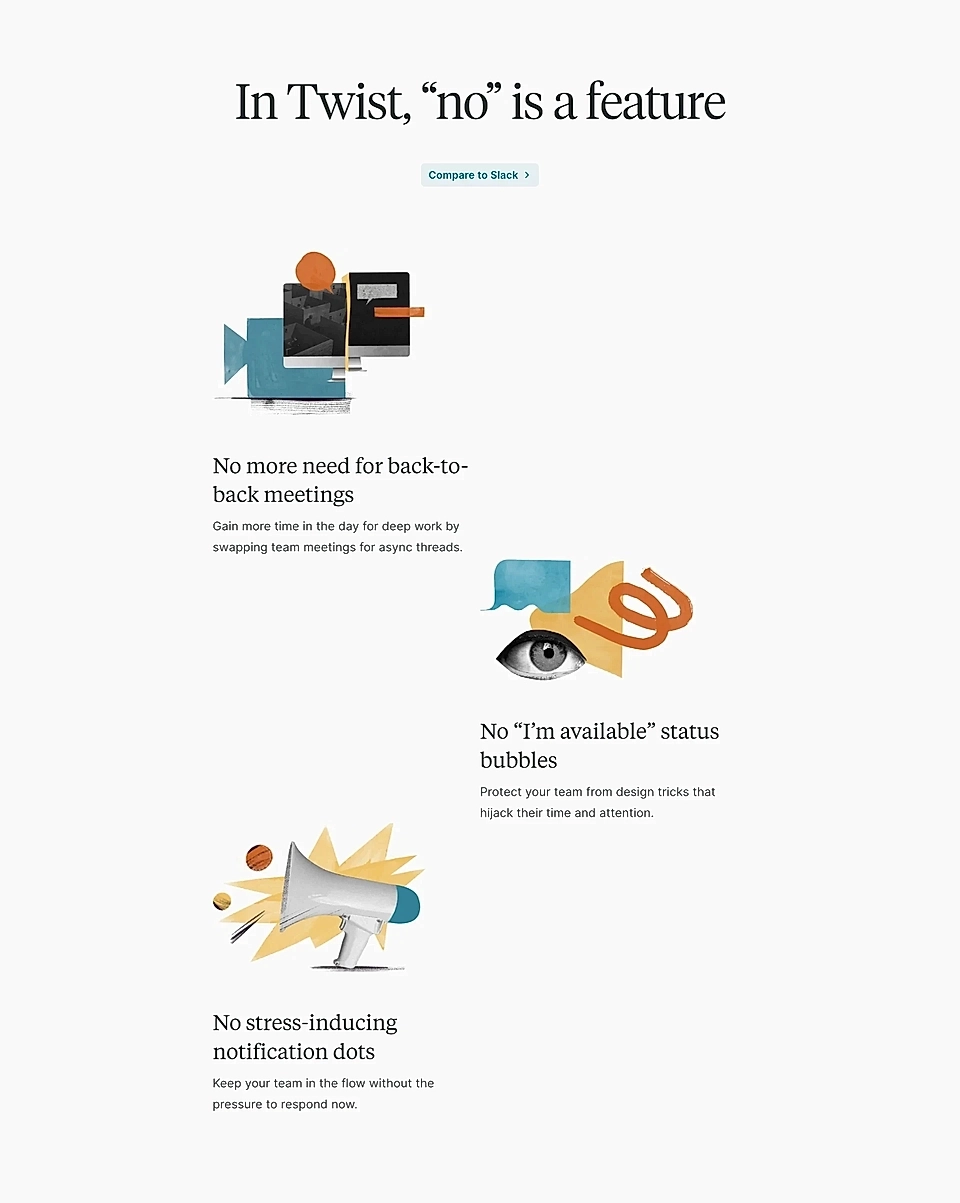
Twist has taken this approach to the next level by literally telling what features they don’t have.
Well, to be honest, they are benefits and key differentiators against typical competitors like Slack.
In this fantastic copywriting example, description texts like ‘Protect your team from design tricks that hijack their time and attention’ really appeal to the emotions and pain points the website visitor’s team might experience.
8. Fathom Analytics: Let your values show
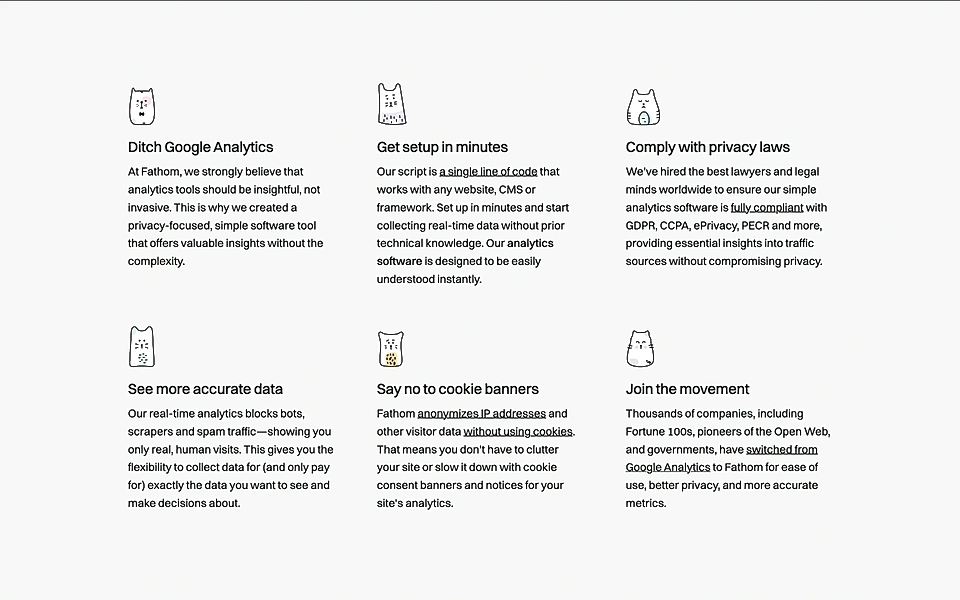
Fathom’s hero text, ‘A Google Analytics alternative that’s simple & privacy-first’, gives you context as to why the first benefit on the top left says ‘Ditch Google Analytics’.
The benefits section displayed straight after the hero section is cleverly built, combining titles that appeal to emotions (e.g., ‘Say no to cookie banners’) and actual product features and details.
Sentences like ‘we strongly believe that analytics tools should be insightful, not invasive’ reveal the vision and purpose of the company – their goal is not to please everyone but to make sure the right leads continue scrolling.
9. ModernLoop: Pick reasons only your customers would think of
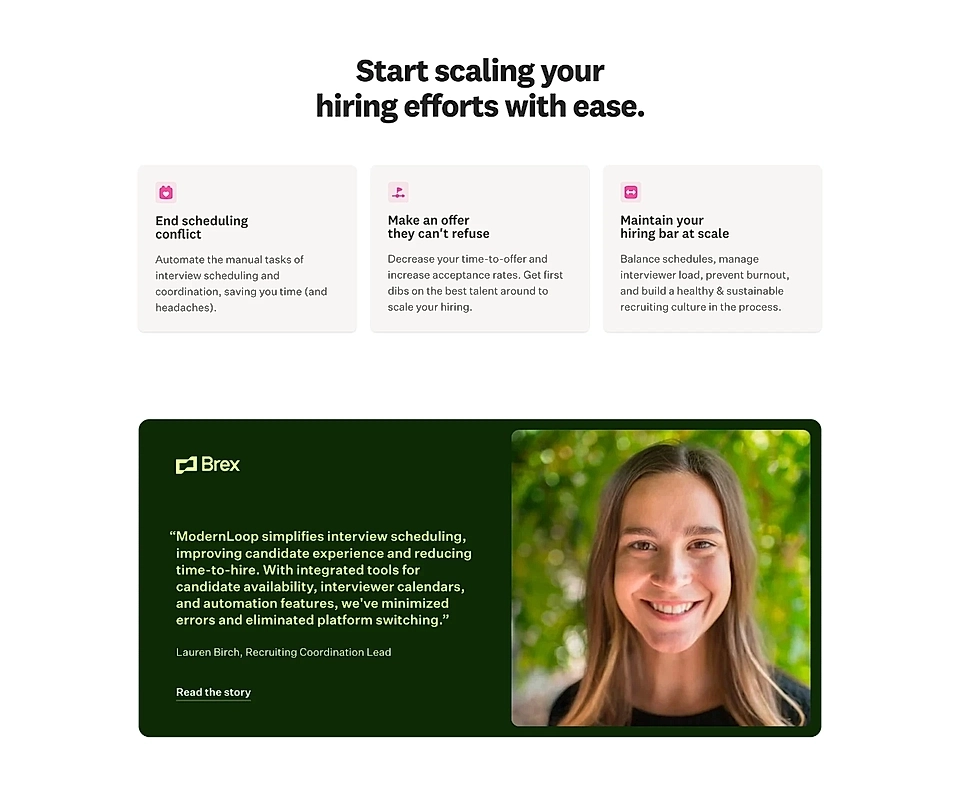
What makes the benefits section copy text convincing on a landing page?
An actionable and approachable language takes you a long way, but everything in ModernLoop’s copy text makes you think they must know their customers. Instead of the obvious ones, the page lists reasons that resonate with recruiters.
The social proof section, just after benefits, intuitively feels like a logical choice and supports the element above.
10. Aircall: Keep it high-level on a homepage
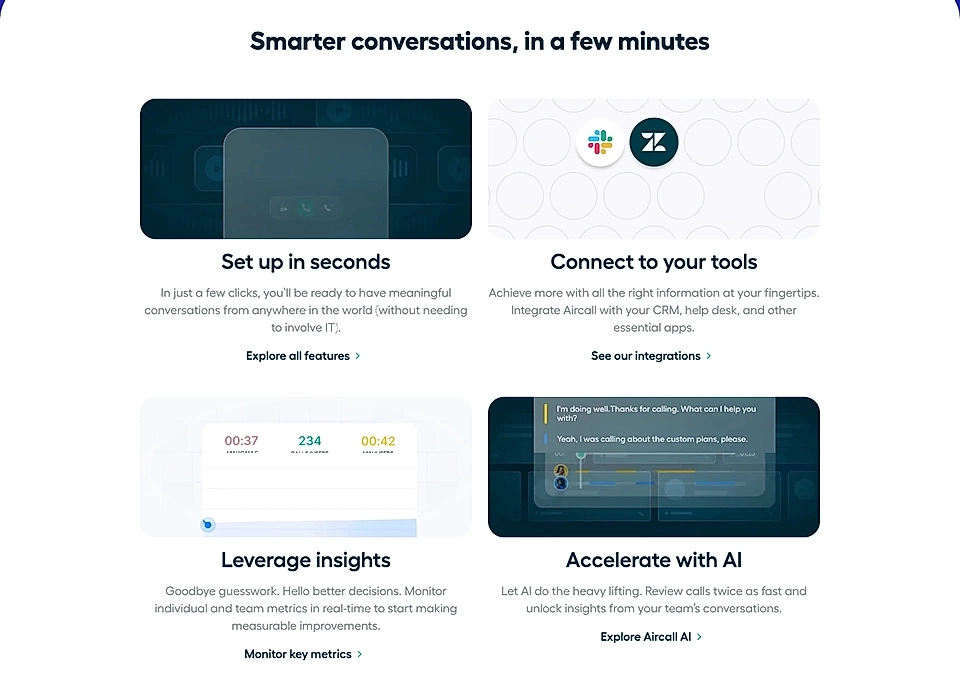
Aircall’s homepage is a great example for any business that already covers multiple use cases and serves different business functions.
Straight after the hero section and just before the use cases, Aircall’s benefits sections cover the most important, high-level content page visitors would benefit from if they arrived at this page via recommendation or after seeing something in social media.
The benefits titles are actionable and feature-like, but the description texts focus on why and what you get. While marketing teams often have a bit better control over landing pages, the homepage’s role is to serve multiple use cases and guide visitors towards the right page.
How to write your own benefits section
None of these examples try every trick at once. Each picks the approach that fits its audience.
When you write yours, ask:
- What outcome do your customers care about most?
- How exactly does your product or service deliver it?
- Can you prove it with a number or a customer example?
- Is there something you deliberately don’t do that your customers will appreciate?
Answer those, and your benefits section will give visitors a reason to keep reading. Looking for more inspiration? See these website hero examples, and when you’re ready, build your next page with LandingRabbit.