Can I use any landing page as Collection list view page?
Yes, you can.
By default, LandingRabbit creates a collection list view page and you can edit its look and feel. The default collection page lists new posts automatically and has a predefined structure typical to blog posts, documentation, and similar pages.
However, you can change the collection page to any other landing page on your LandingRabbit site.
When to use a custom collection page
A custom collection page is useful when you want more control over the layout.
For example, you might want to create a custom layout for "Our team" page instead of using the standard collection view.
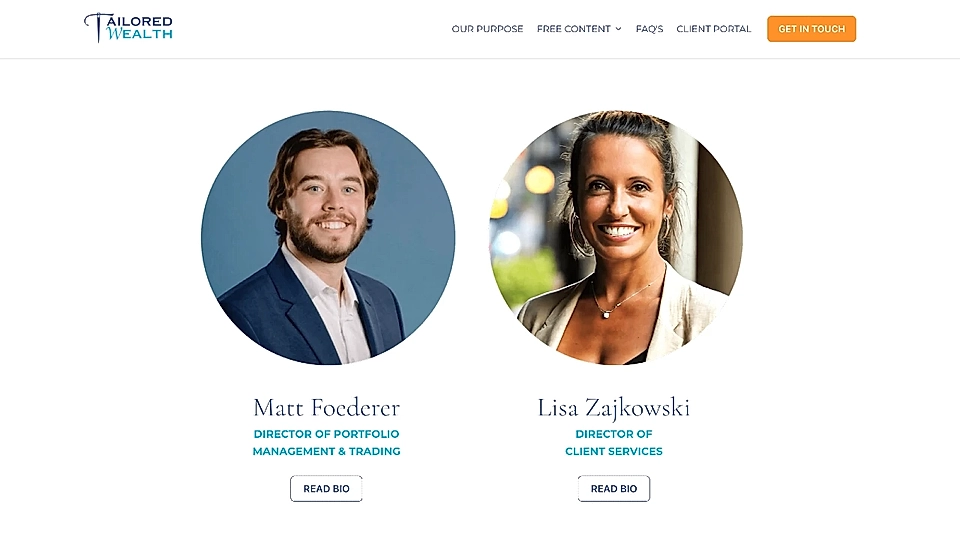
This lets you design the page exactly how you want it, while still keeping the collection structure for individual team member pages.
How to change from the default collection page view to a custom page
When you create a new collection or edit an existing one, there's a setting at the start to choose the default collection view or a custom page.
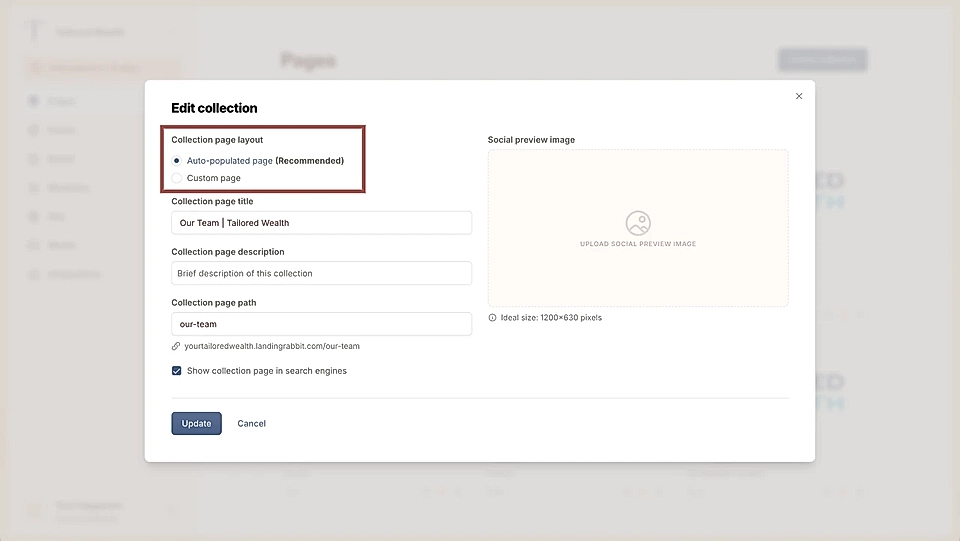
If you choose the custom page, you can search for any published landing pages on your workspace.
You can choose from landing pages that are the top level pages like your domain.com/our-team. They are pages that do not belong to a collection (e.g., individual blog posts) yet.
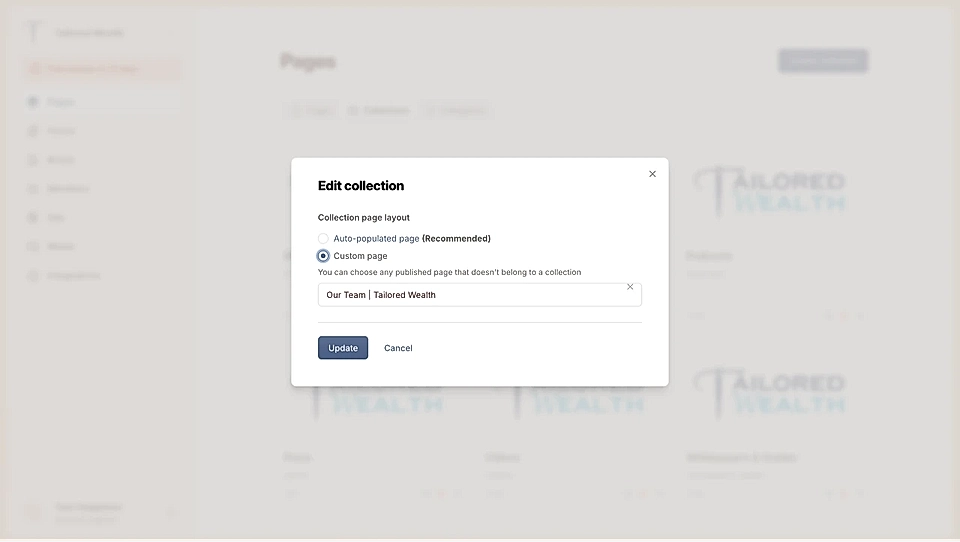
Simply choose one of the pages and save.
How URLs work with custom collection pages
Once you've selected the custom page, you can then edit it as you like.
All pages you attach to that collection share the same URL structure.
For example, if you have a landing page with the URL /our-team as the custom Collection page, then any page you attach to that collection will have our-team/page-path.
Using a custom page as your collection view gives you more flexibility in how you present your content.
You can design the page to match your needs while keeping the collection structure for individual pages.