"LandingRabbit can actually take a Google Doc and turn it into a page you can comment on. Surely I can’t be the only one needing a tool like this?"
Can I create a carousel for my website?
Yes, you can.
There are two ways to create a carousel in LandingRabbit: a testimonial carousel and a boxes carousel.
Testimonial carousel
In the Testimonials section, hover over the page preview on the right to find the layout options. You can switch between a Grid and a Carousel layout.
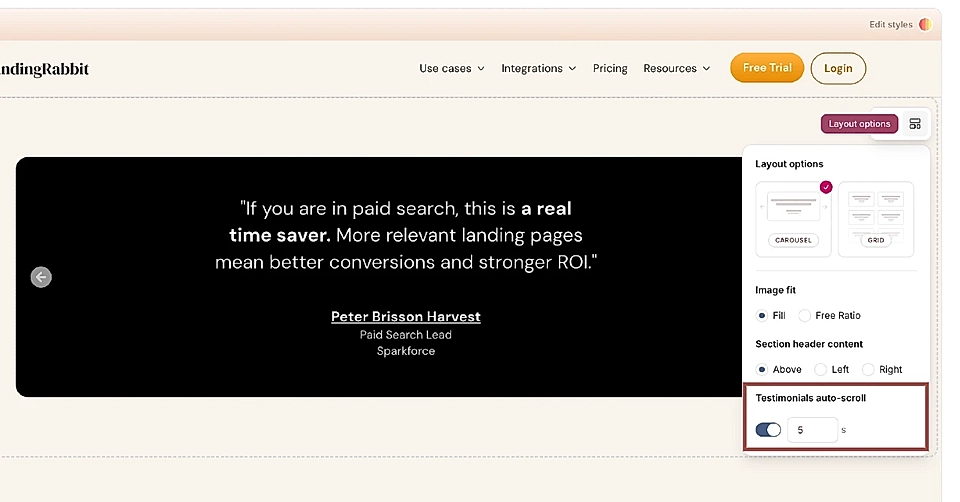
The testimonial carousel includes left and right arrows. You can also turn on auto-scroll and choose how many seconds each testimonial is visible before moving to the next.
Testimonials can include images, logos, the quote text, the person's name, job title, and organisation. You can use the text fields for other purposes, too.
Below is an example testimonial carousel 👇
Boxes carousel
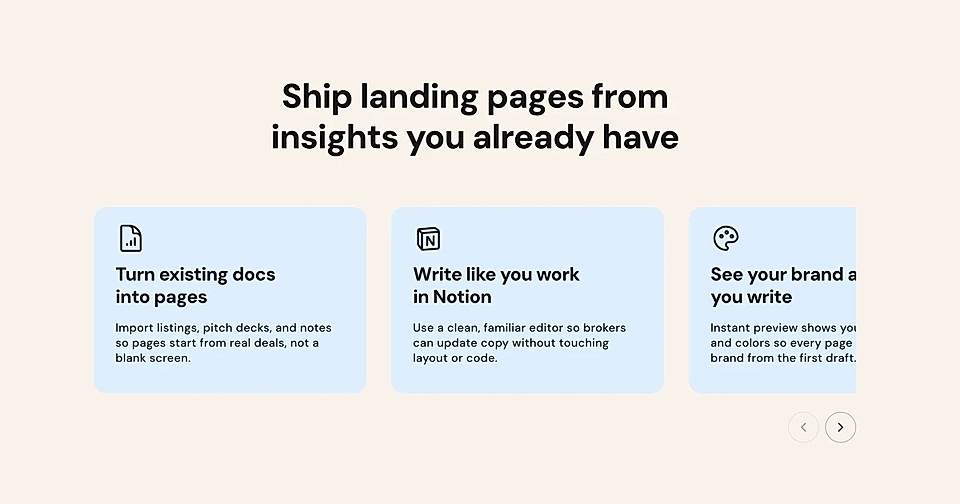
In the Boxes section, you can create boxes with three different layouts:
- With an image
- Text only
- With icons
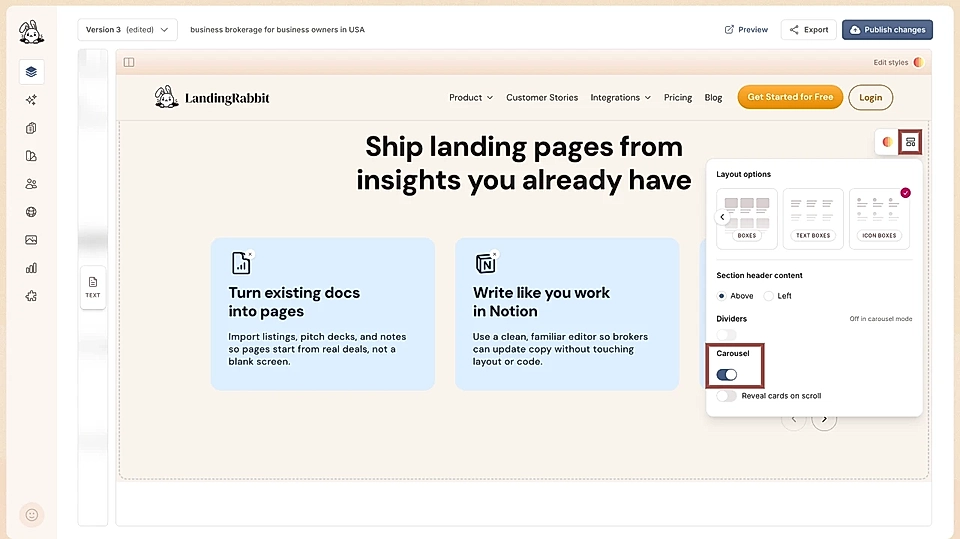
To turn a Boxes section into a carousel, click the display layout option button and toggle on the Carousel.
You can also turn on the Reveal cards on scroll feature.
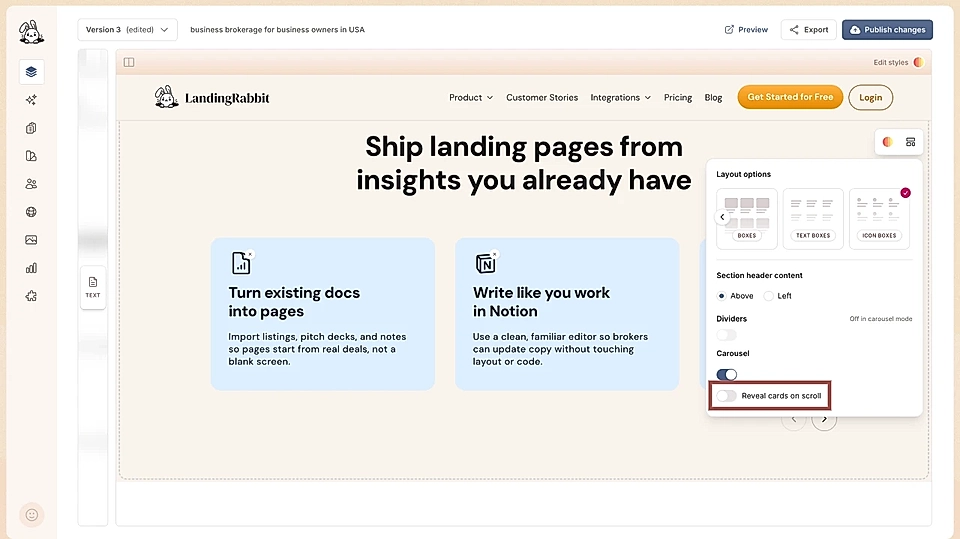
When a visitor scrolls down to the boxes carousel, the page scroll pauses and the cards move from right to left until all cards have been shown. After that, the scroll continues normally.
On mobile, the scroll won't stop and users see the carousel with arrows.
Below is an example of a Boxes carousel layout 👇
Full site, landing pages, and blog posts with super fast edits
Any page your B2B site needs, all wired up to a Notion-style editor. Write a blog, build a sales page or your entire site with collections, categories, tags, etc. supported.
Create pages from things you already have
Page ideas, meeting notes, slide decks, product specs, YouTube transcripts. Based on your input, LandingRabbit picks the right structure for the page, and writes the first draft.
Built-in forms for every lead magnet
Capture emails, gate content, or qualify prospects without a separate form builder. Embed forms anywhere on the page and start collecting leads today.
Edit design in plain English
LandingRabbit stores your brand and uses the same components in the future, so every new page is predictable and on-brand. Need a tweak? Ask in chat.
Search engines and AI bots recommend you
LandingRabbit doesn't vibe code the page structure. Every page ships with clean structure, full metadata, and SEO-optimization guaranteed.
Pages that load instantly, anywhere in the world
Your prospects get the page in milliseconds, whether they land from an ad, a sales email, or an AI assistant.
Customise the boxes carousel
You can make changes to the boxes carousel just like any other Boxes section. In the text editor, you add more content items. Click the Edit styles on page preview to change colours, sizes, and fonts.
You can also customise the carousel arrows:
Change their colour
Change their shape (for example, from circle to square)
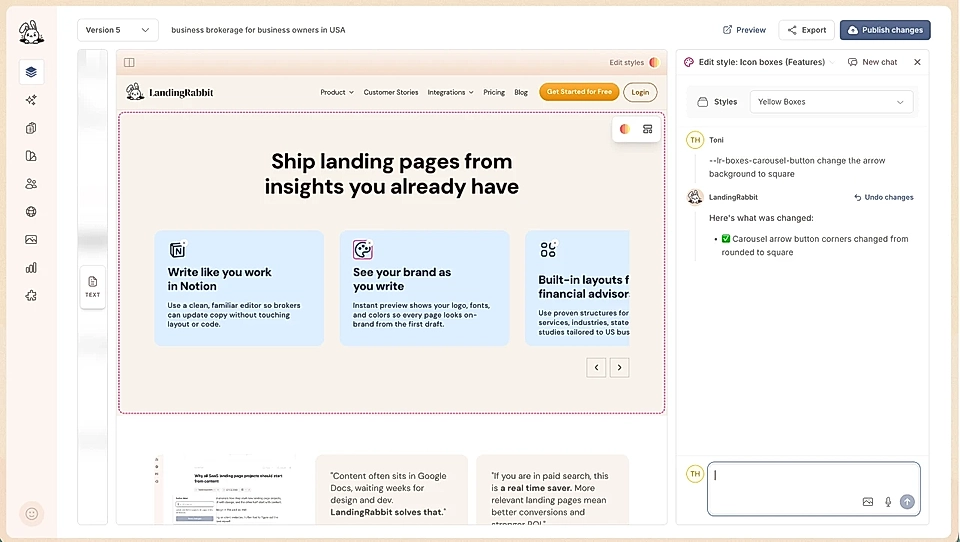
Move their position (for example, from the bottom right to the top left)
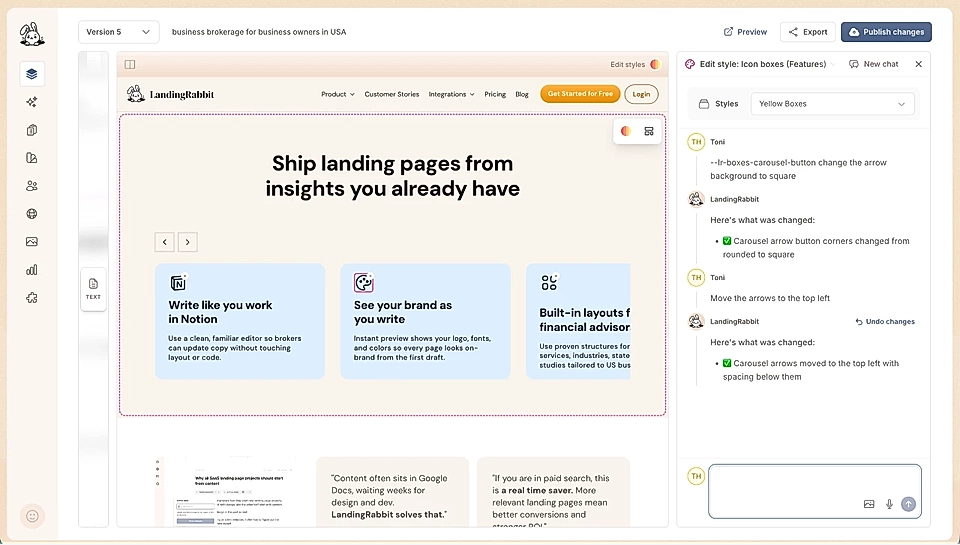
Both carousel types give you a way to present multiple items in a compact and interactive layout, whether you are showing customer testimonials or feature highlights.