Can I edit the look and feel of the Boxes section?
Yes, you can.
You can choose a layout from three options: boxes, text boxes, and boxes with icons.
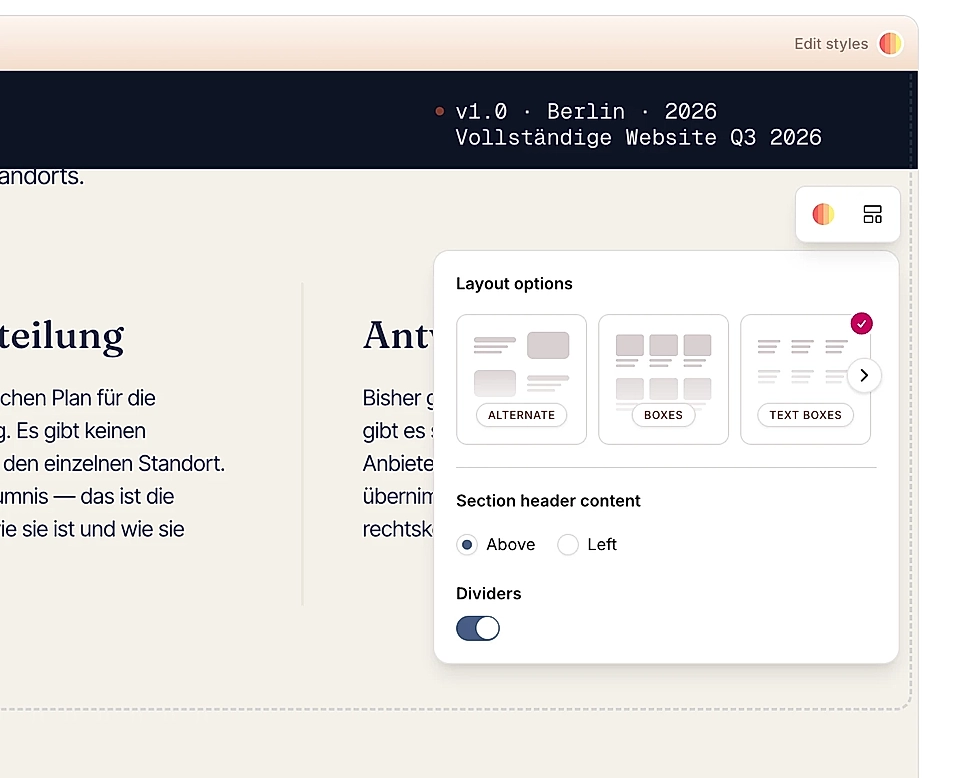
You can change colors, adjust spacing, control how many boxes appear per row/column, and even move text around.
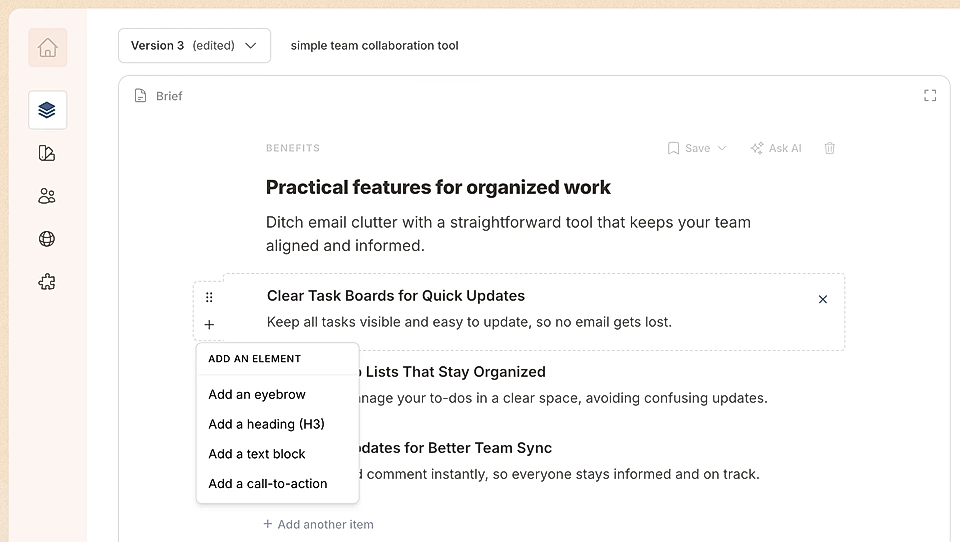
In the text editor, you can add eyebrows, headings (H3), text blocks, and CTA buttons to every box. You can also change their order to match your content needs.
For colour and layout changes, hover over the Boxes section in the page preview and click 'Edit Styles' to get started. 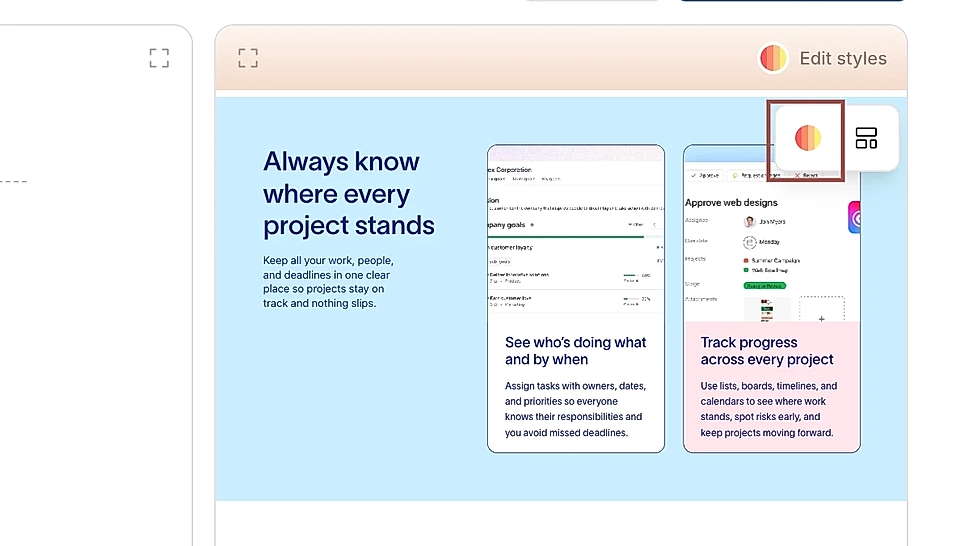
Let's have a closer look 👇
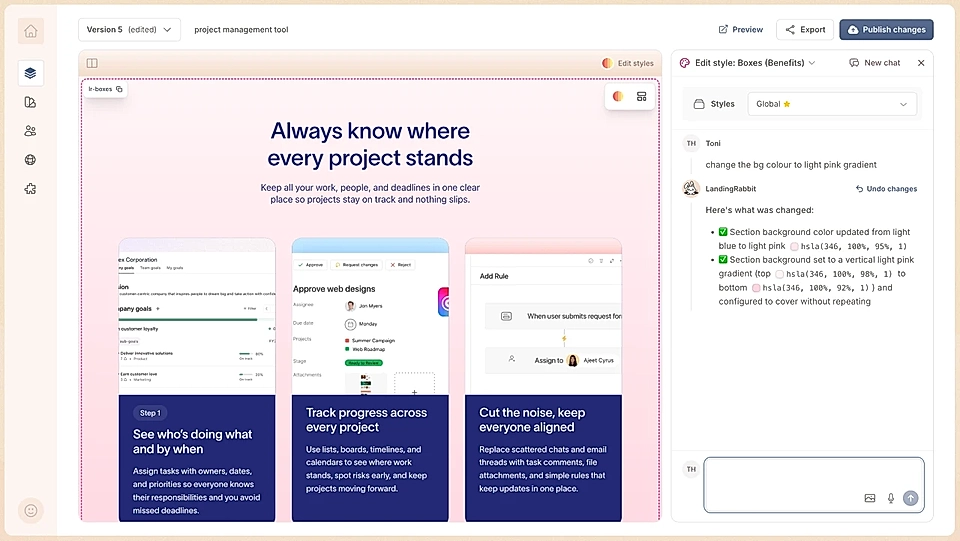
Change background colors
You can change the background color of the entire section to a flat color or gradient.
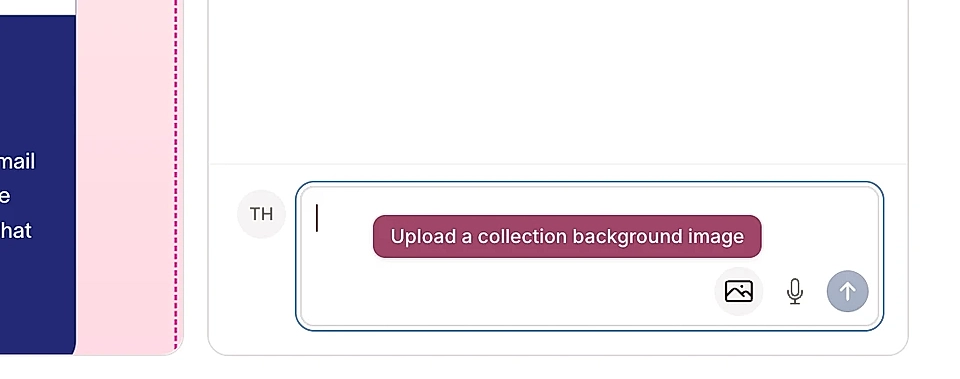
Or upload a background image.
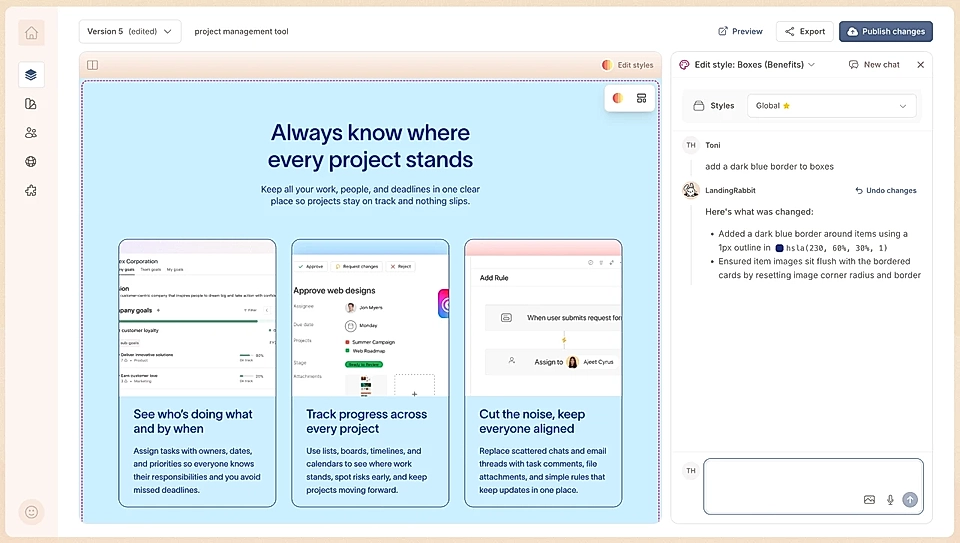
You can add a border to boxes if you want to make them stand out more.
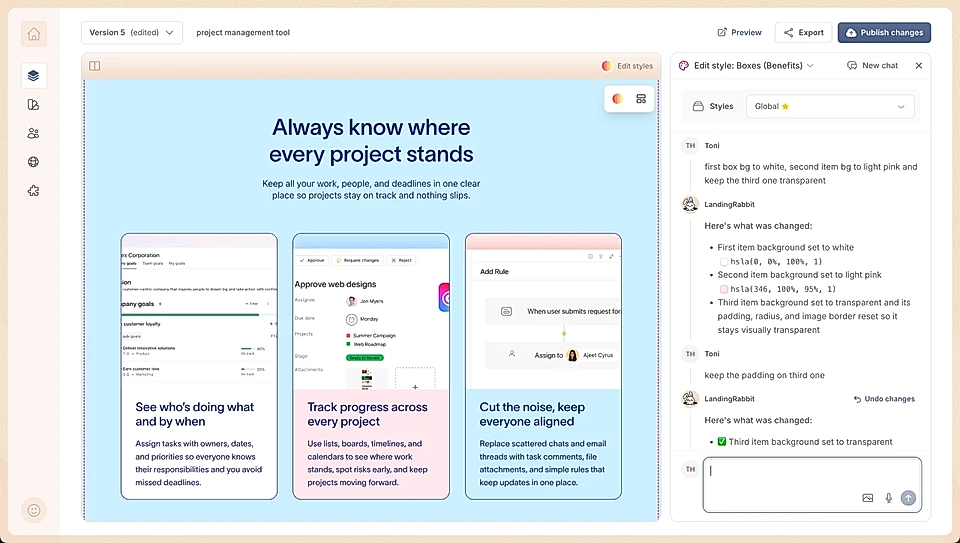
You can also change the background color of boxes.
Set one color for all boxes, or define specific colors for each box. For example, make the first box white, the second pink, and the third blue.
Adjust box layout and spacing
You can control:
- How many boxes appear per column (by default, three to four boxes are visible)
- The width of each box
- The spacing between boxes
- The width of the whole section
Just describe what you want in natural language, and LandingRabbit will adjust the layout for you.
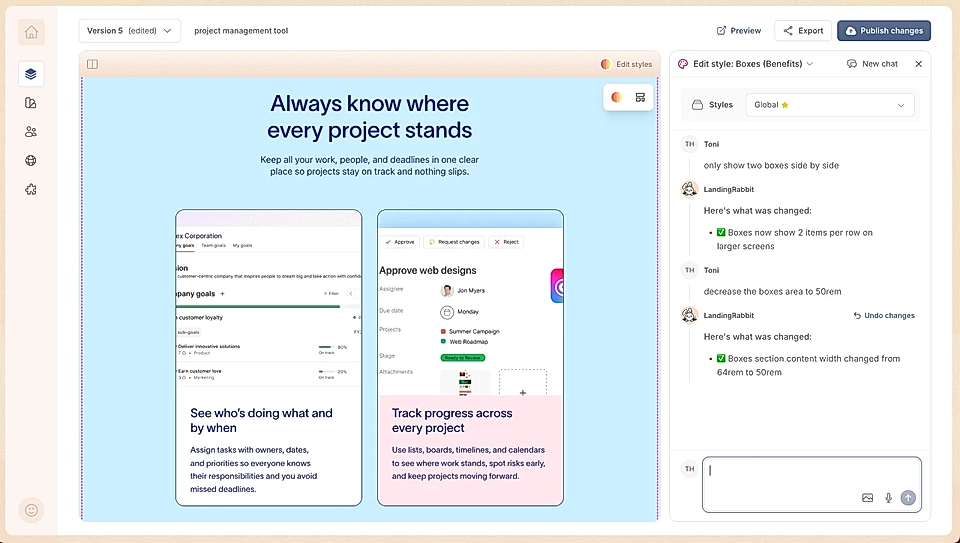
In this example, we asked to make the section two columns and decrease the space allowed for each box.
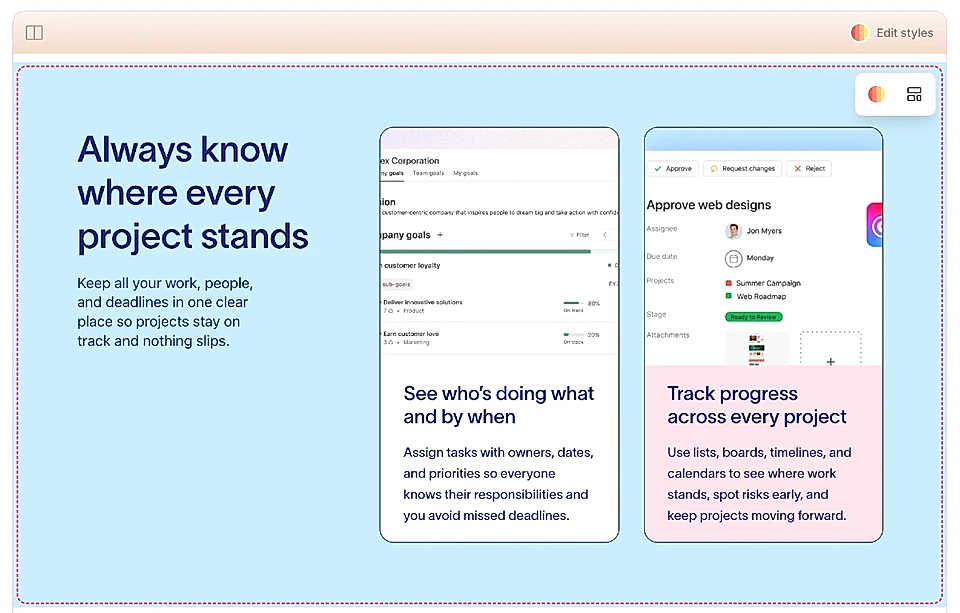
Move header text to the left
By default, the section title and subtitle sit at the top.
If you hover over the section and click Layout options, you can move the text to the left-hand side instead.
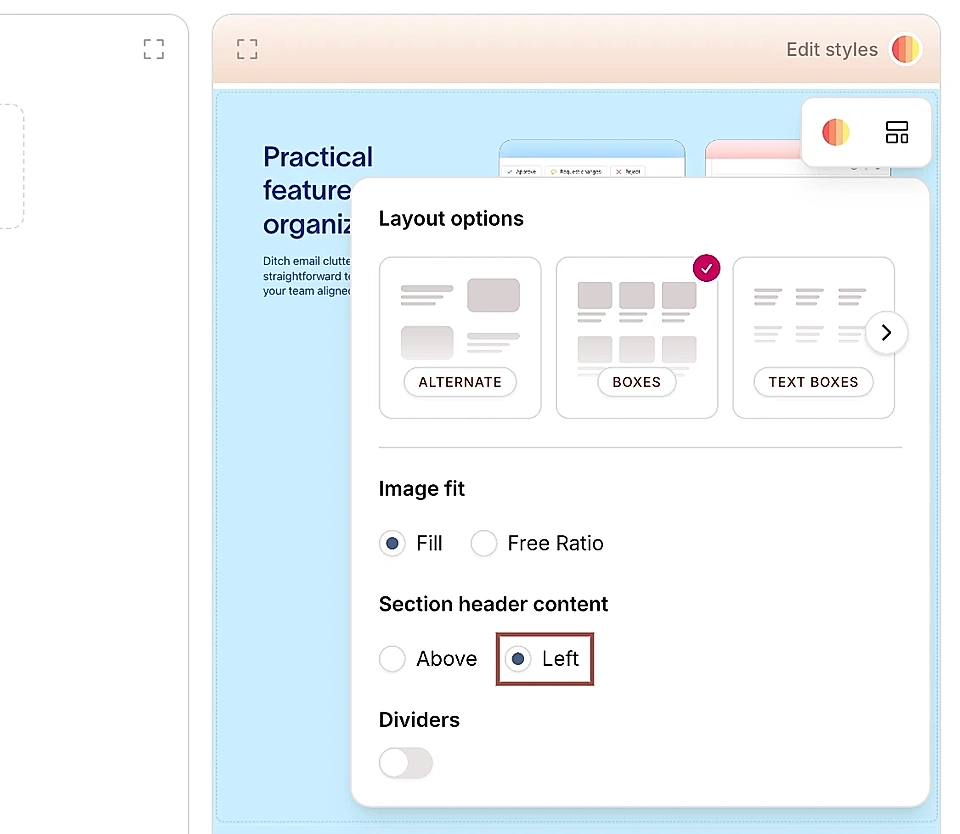
This gives you more flexibility in how you structure the section.
Change the content alignment from left to centre
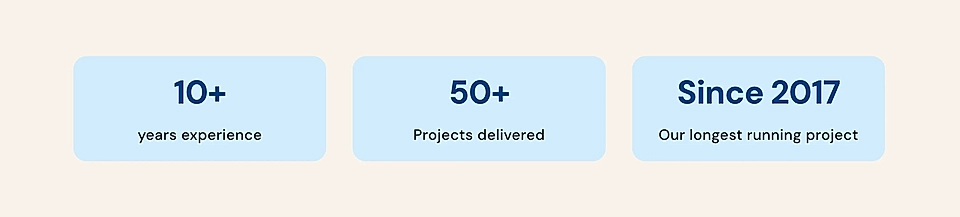
Sometimes, you might want to create a layout with a short statement, and that's when a box with text aligned centre becomes useful.
In the Edit Styles chat, simply ask AI to move the content of the box to the centre, and the content moves accordingly. Here's an example of how it can look 👇
Move the CTA buttons to the bottom of the item
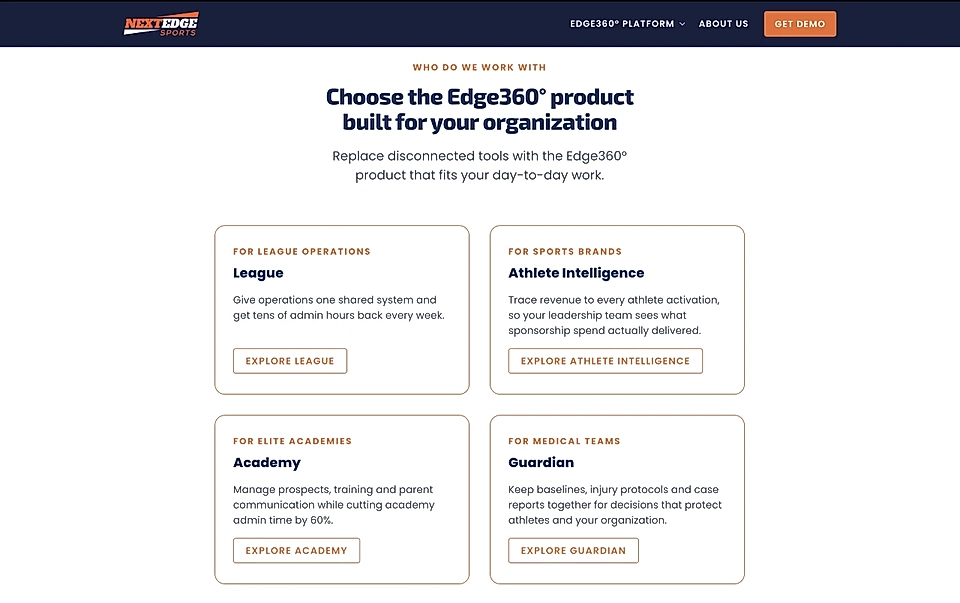
Sometimes you’ve got different text lengths in Boxes and the CTA button inside the box moves up and down on the page. You can now change that by saying “move CTA buttons to the bottom in every box item.”
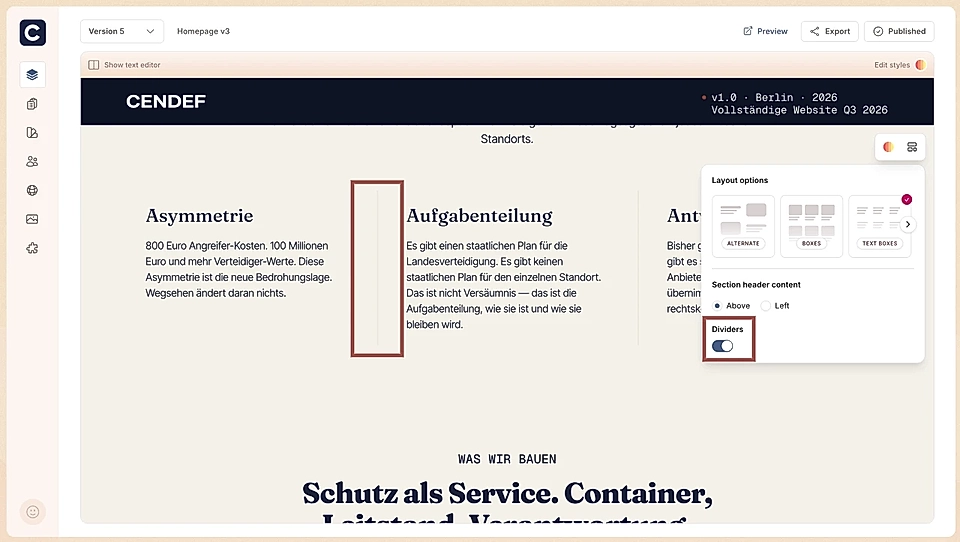
Add horizontal dividers between boxes
You can add horizontal dividers between items. They make the box texts slightly easier to read if you don't have a background colour or box border to make them stand out. You can, of course, change the colour and width of the divider via Edit styles chat.
Add content items
In addition to the styles changes, you can change the look & feel by adding content items.
In the Boxes section heading, you can click the plus icon to add an eyebrow and CTA buttons.
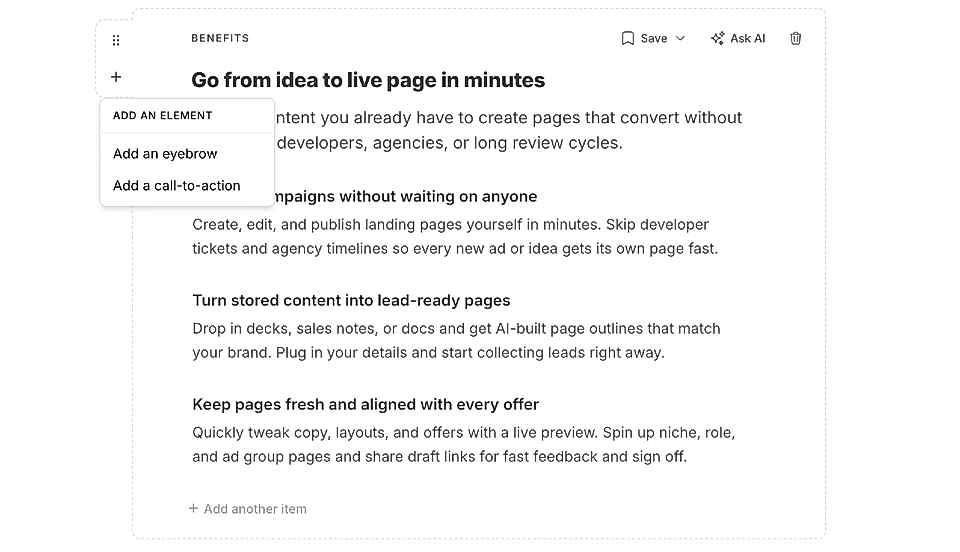
To each Boxes section item, you can add:
Eyebrows
Heading (H3)
Text block
Boxes
Testimonial
Embed
CTA buttons
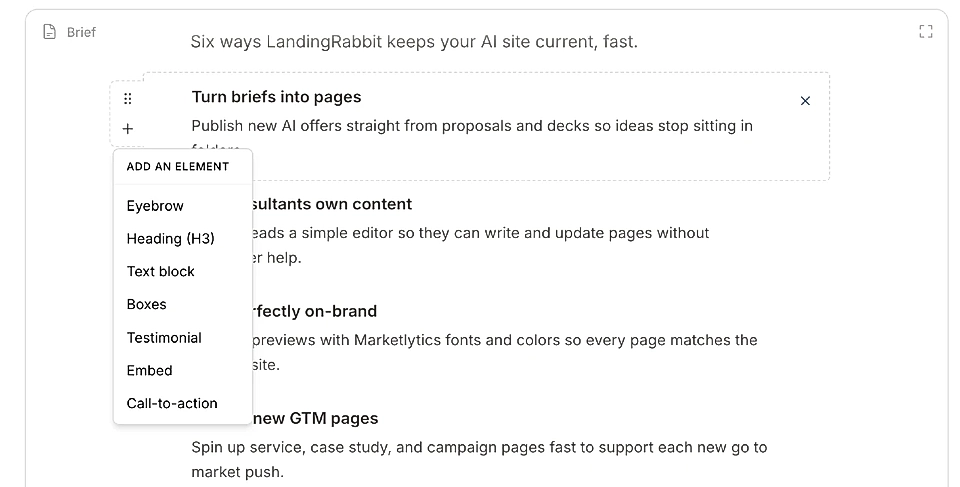
You can add as many as you like and change their order, too.
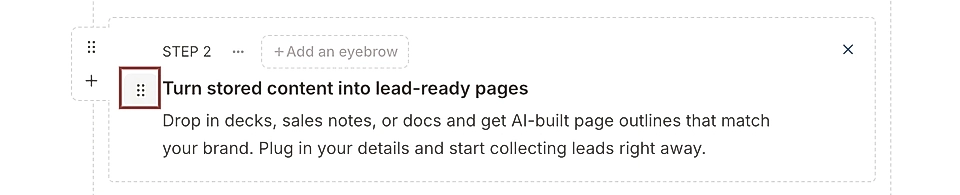
Also, you can add multiple eyebrows next to each other. This can be useful if you are looking to show, for example, what industries or job roles you already serve.

This article is only a snapshot of what you can customize. If you need any help, don‘t hesitate to send us a message via [email protected]