How I use AI to write pages that don't sound like it
Too many sections. Too much copy. No clear story from hero to CTA.
After building hundreds of pages with AI, I've learned a trick or two. Here are five tactics I use to make sure the pages I create don't sound like AI.
1. Start with a voice note or AI interview about the page idea
Before thinking about the structure and layout, talk about the page in your own words. Focus on what the customer gets and what changes for them when using your service. Not page sections, not layout. Just the content idea.
This gives AI something real and raw to work with, rather than defaulting to generic knowledge.
In LandingRabbit, you can paste any text you already have, upload files like pdfs and slide decks, click to record a voice note, or even ask the app to interview you.
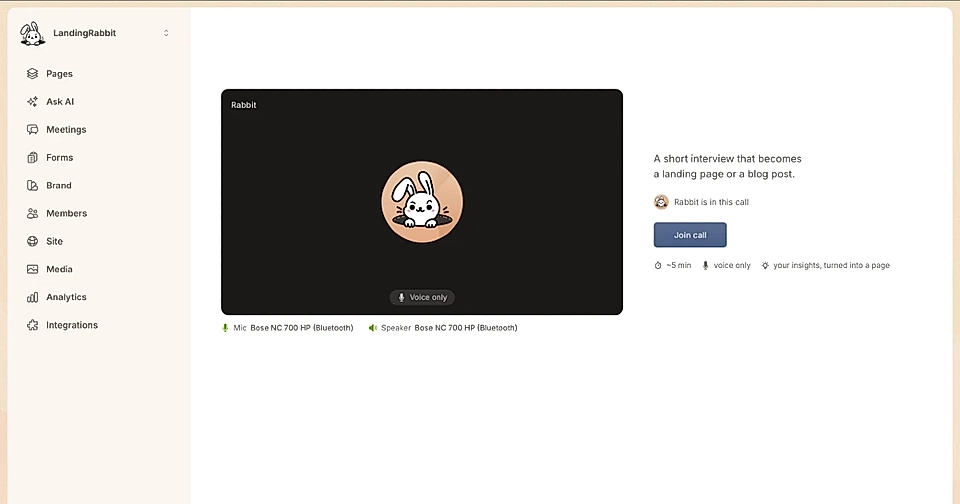
Not sure what to build yet? Just ask. LandingRabbit looks through your pages, checks what competitors rank for, and reviews questions from your sales meetings and the ones your site assistant couldn't answer. Then it suggests pages and blog posts that fill the gaps.
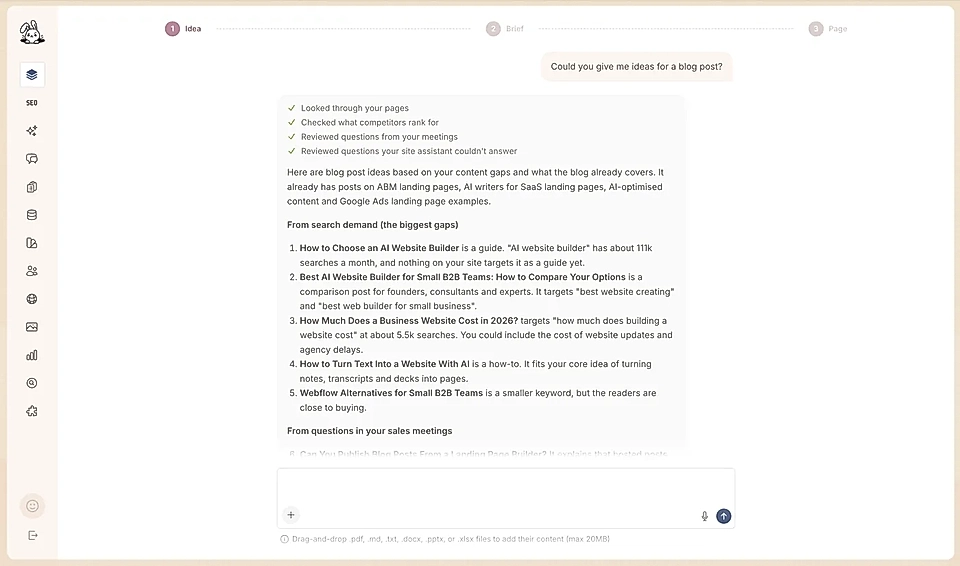
2. Plan the page story and structure before writing a word
A homepage needs to have the right story. Hero to problem to solution to CTA. Each section has to earn its place.
This is the step where most AI tools struggle the most. Ask them to write a full page and they jump straight to coding, design, and content with no proper storyline.
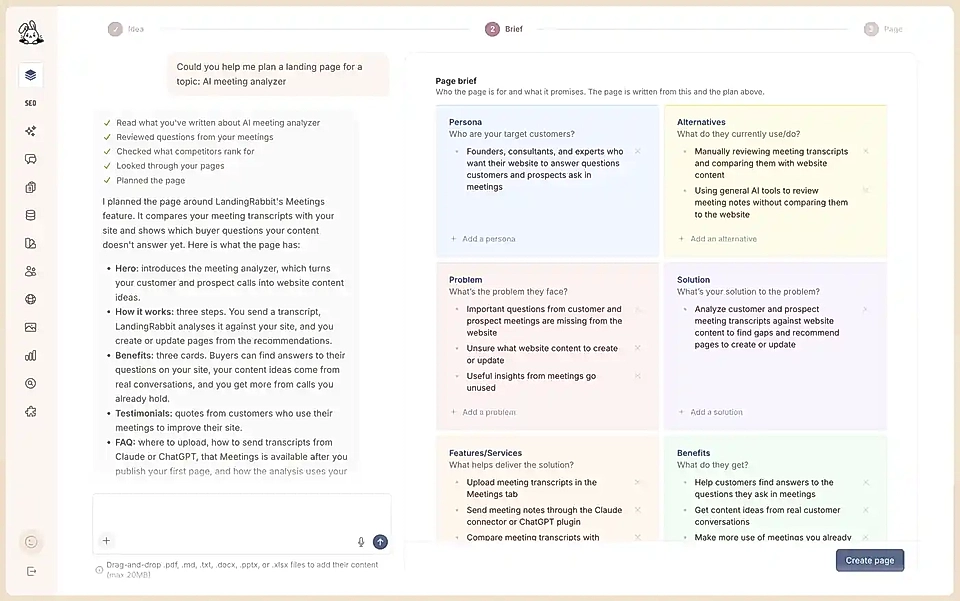
In LandingRabbit, you get a page plan before any copy is written. Before planning, it reads what you've already written about the topic, reviews questions from your meetings, checks what competitors rank for, and looks through your pages.
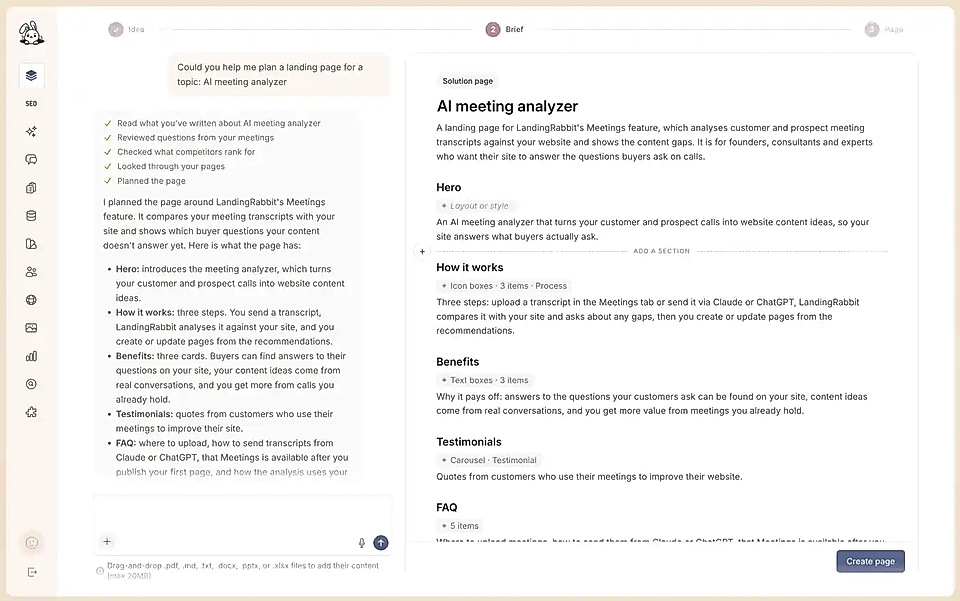
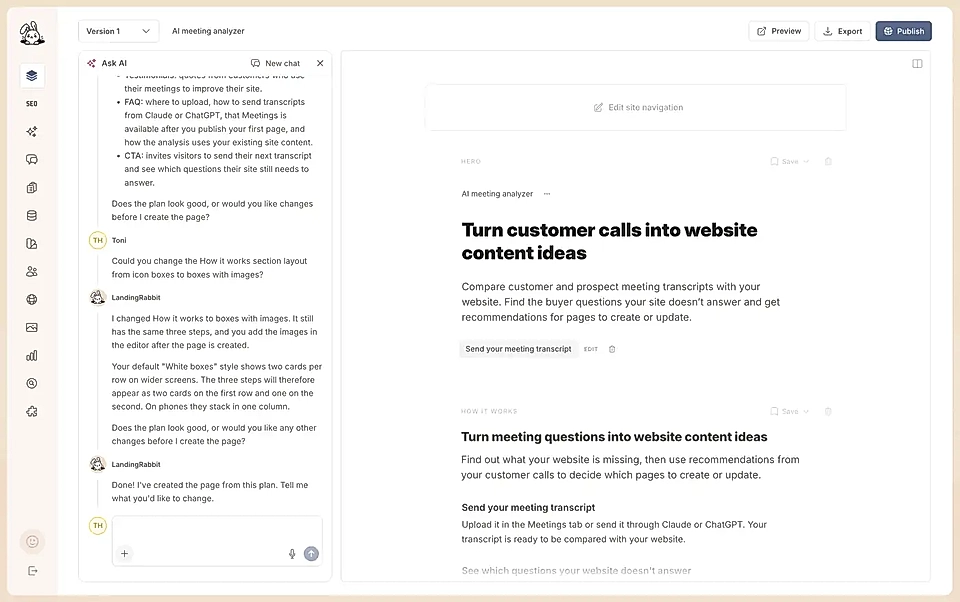
You can edit the plan by typing straight into it, or add a new section anywhere. Or ask the agent to make the change for you. It can switch a section's layout, say from icon boxes to boxes with images, change its style, or change how many items it has.
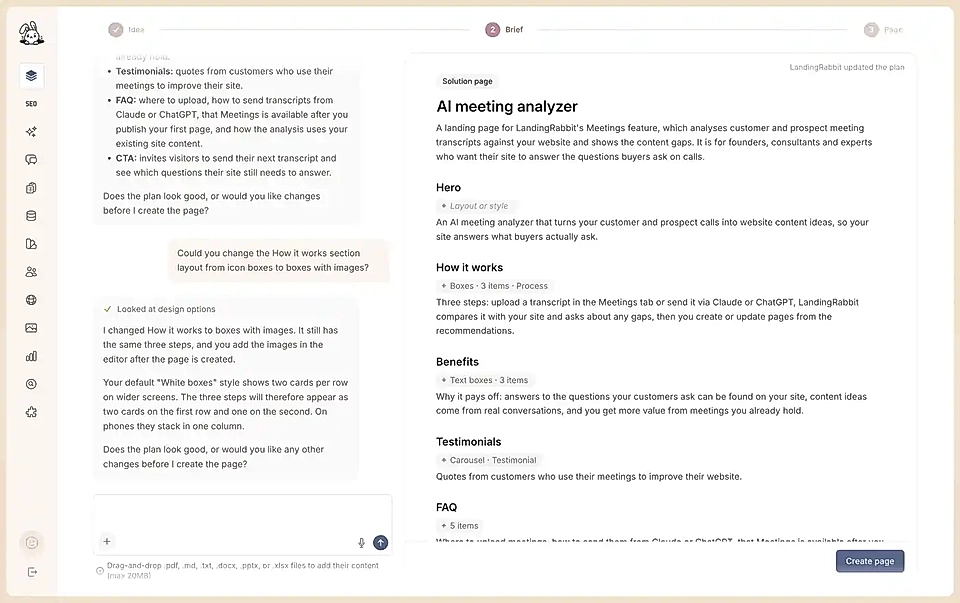
3. Build a content plan from what you said and what already exists
The best pages are written in your tone of voice, grounded in real facts about your product or service.
Combining the opinionated voice note from step one with content already on your website keeps the output authentic and reduces the generic copy that AI defaults to when it has nothing specific to go on.
In LandingRabbit, the page brief sits right below the page plan, so you check both in one place. It covers who the page is for, what they use today, the problem, your solution, features and benefits, all pulled from your input and your existing content. It's like a checkpoint for you to make sure AI understood your goal precisely. Edit any line or add your own, then click Create page.
4. Write every section separately
Asking AI to write, design, and code a full page in one go is the way to get slop. It has too little understanding of how each section contributes to the overall story, and too much content to hold together at once.
Writing section by section allows us to use prompts that are tailored to each section.
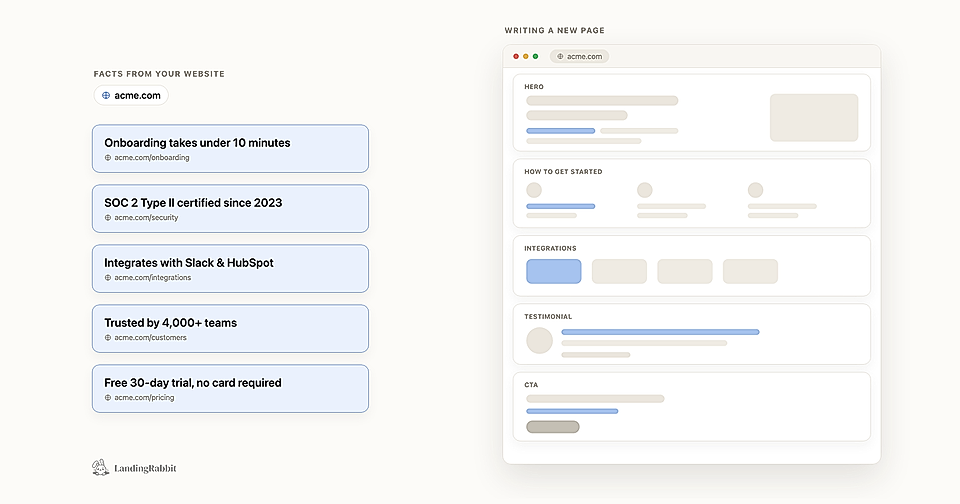
In LandingRabbit, each section is generated individually, with the full page story and your existing content in mind. At the end of the process, an agent goes through the full page and removes overlap and repetition.
When the page is ready, you can open the chat next to the editor. Just keep typing to change anything.
5. Use ready-made page components instead of asking AI to design from scratch
If you ask AI to write, design, and code a page at the same time, the output will almost always be a mess. It is trying to do too many things at once.
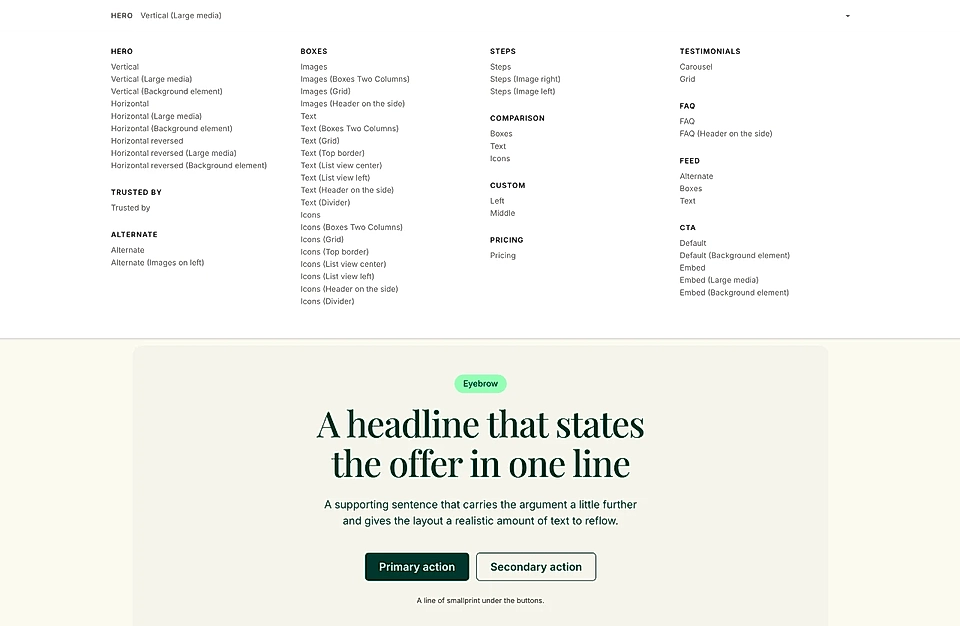
Having a library of proven components means AI can focus on the content, not on inventing a layout.
In LandingRabbit, there are 50+ page components ready to go. When a page is generated, it picks the right components for your content automatically. Brand colours, fonts, and styles are applied without any extra work on your end, but you can, of course, edit page styles at any time.
These five tactics make a real difference when you are working with AI on your next page.
If you'd like to learn how to build pages that don't sound like AI, I run 60-minute one-to-one website workshops. You walk away with a homepage draft and a plan for which other pages to build next.