Can I set default CTA button texts and links in LandingRabbit?
Yes, you can set default CTA button texts and links to your workspace.
By setting default CTA button texts and links, you save time when creating new pages or adding sections to existing ones.
How to set default CTA button texts and links
First, open your LandingRabbit workspace and click Brand on the left.
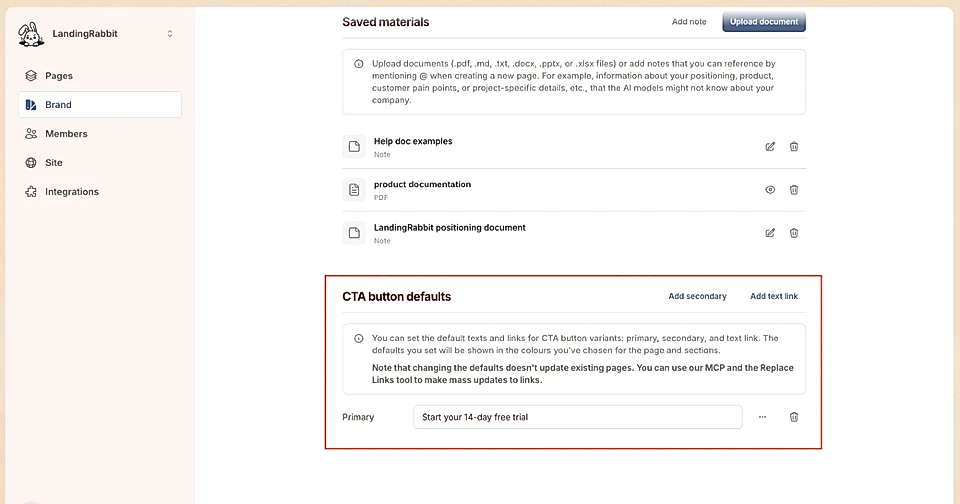
Then, scroll down to the bottom of the editor and click to add default CTA button texts and links for primary, secondary, and text link buttons.
When you create a new page or add a section to any of your existing LandingRabbit pages, the CTA buttons will use your defaults.
In addition to internal and external links, all buttons can be replaced by an embed code (e.g., email input field and submit button) or point to a downloadable file.