Can I open a pop-up window from a CTA button?
Yes, you can.
Any CTA button in LandingRabbit can open a pop-up/modal window instead of navigating to another page.
How to set up a pop-up modal on a CTA button
Select the CTA button you want to edit.
In the editing panel, click the Embed tab.
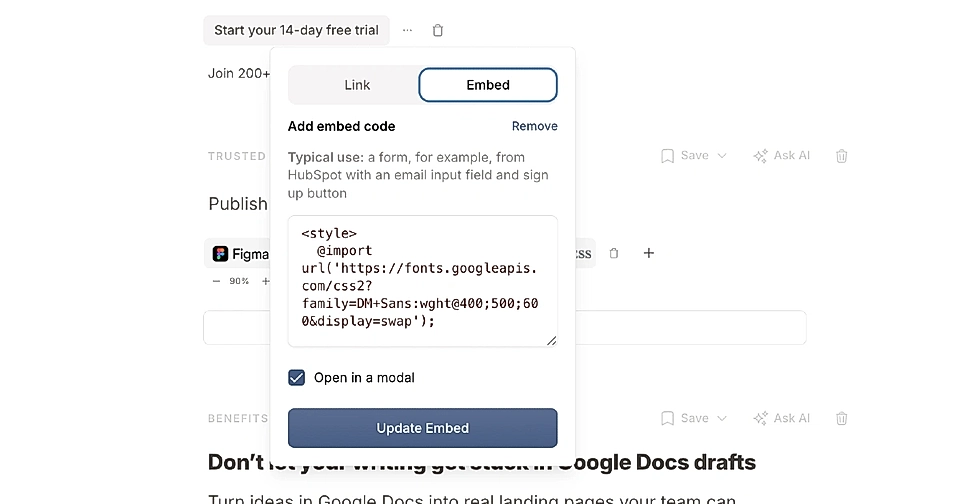
Add the content you want to display in the modal. This could be a HubSpot form, a Calendly calendar, YouTube video, or any other embed code.
Tick the checkbox to Open in a modal.
What happens when someone clicks the button
When a page visitor clicks your button, the pop-up opens in the center of the screen.
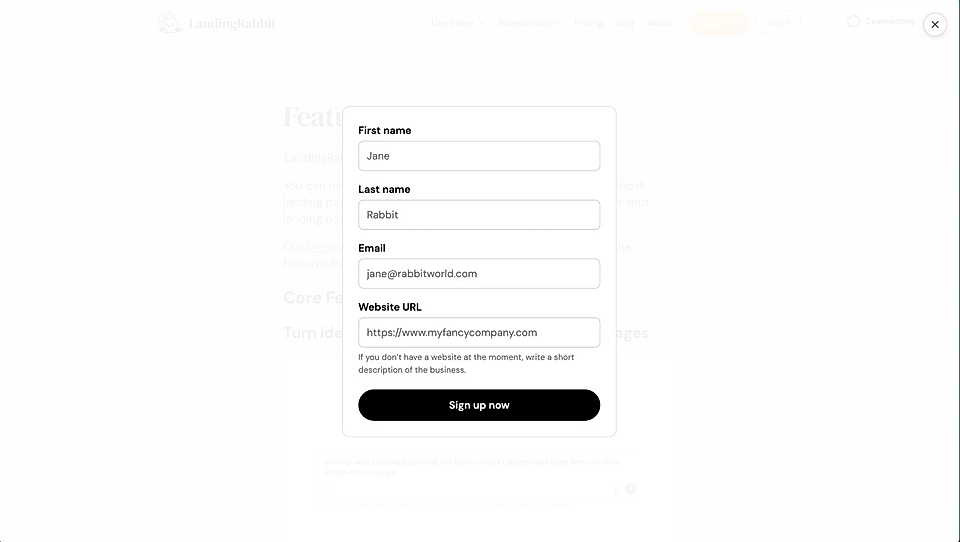
The embedded content, whether it's a form, calendar, video, or anything else, displays inside the modal.
Visitors can close the modal by clicking anywhere on the background or the X button in the top right corner.
Modals are useful when you want to capture leads or show additional content without sending visitors to a different page.
In addition to CTA buttons, every image, video, and embed on your page can open a pop-up window.