Can I open images and videos in a pop-up?
Yes, you can.
Every image, video, and embed code you've added to a page can open in a pop-up window. This can be helpful if your assets include details that are not clearly visible in a smaller size.
How to enable pop-up window for images, videos, and embeds.
Expand the page preview on the right side.
Hover over any image, video, or embed code you've added to the page. At the top, you'll see a button that allows you to enable the pop-up modal and window.
Click that button. It turns magenta when active.
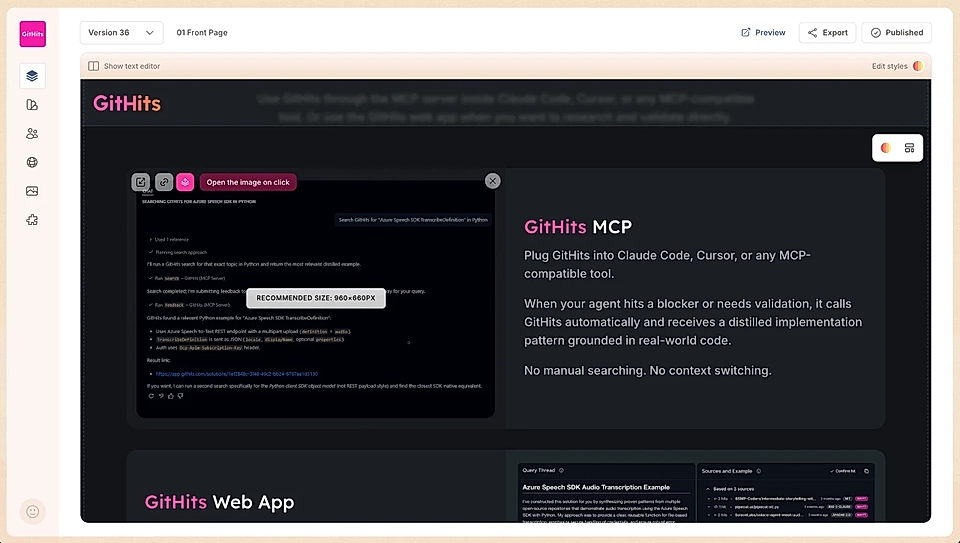
Then, publish your page.
Now, when visitors view your page, they'll see an expand icon on top of the image, video, or embed. By default, the icon is white, but in this example, the customer has changed to their brand colour.
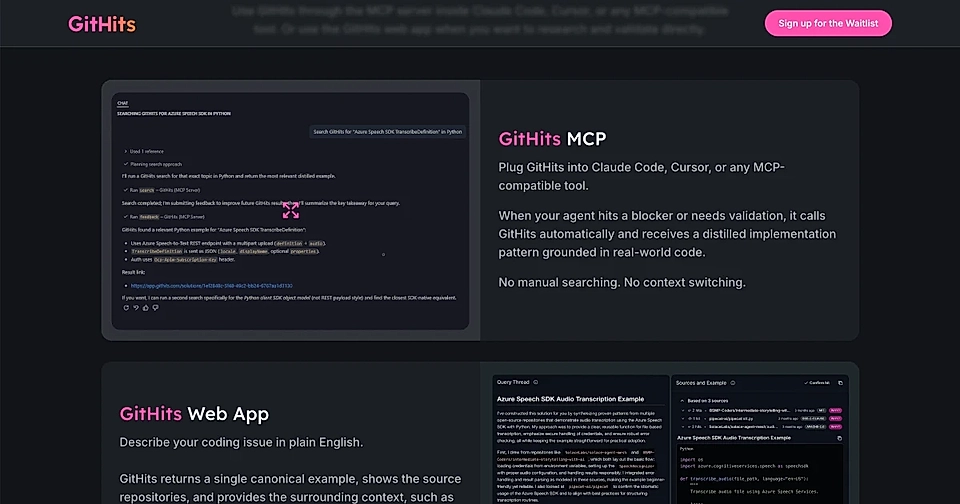
Clicking it opens the content in a pop-up modal.
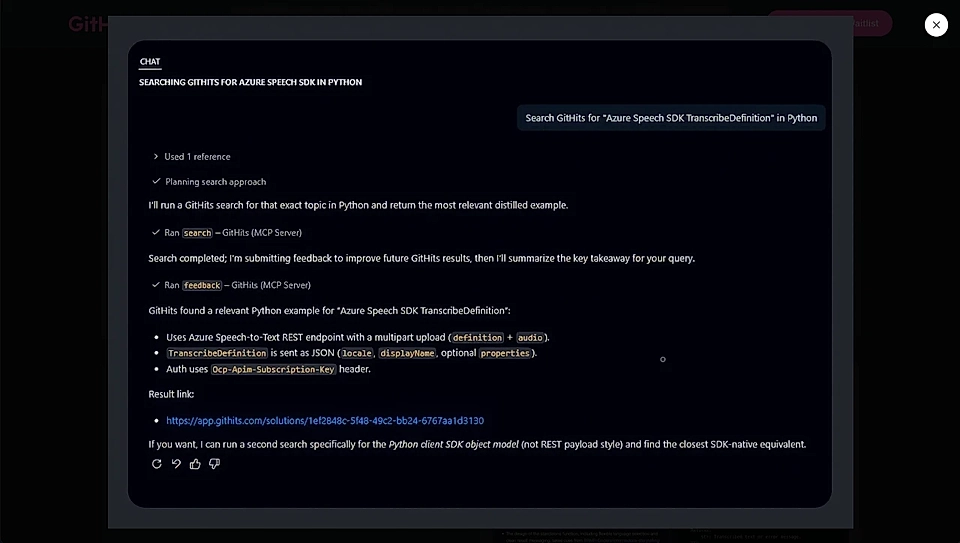
You can hover and click the above image to see an example.
Customize popup styles
Click 'Edit styles' at the top right corner of the page preview.
You can customize:
Hover color
Expand icon color and size
Pop-up layer background color
Close button colors
Just ask the chat to change any of these styles, and LandingRabbit will update them for you. The pop-up styles are site-wide.
In addition to pop-ups from media assets, you can also set any CTA button to open a pop-up.