Can I edit the Pricing section look and feel?
Yes, you can.
In the page editor, you can add title, subtitle, eyebrow, and CTA button(s) to your Pricing section header.
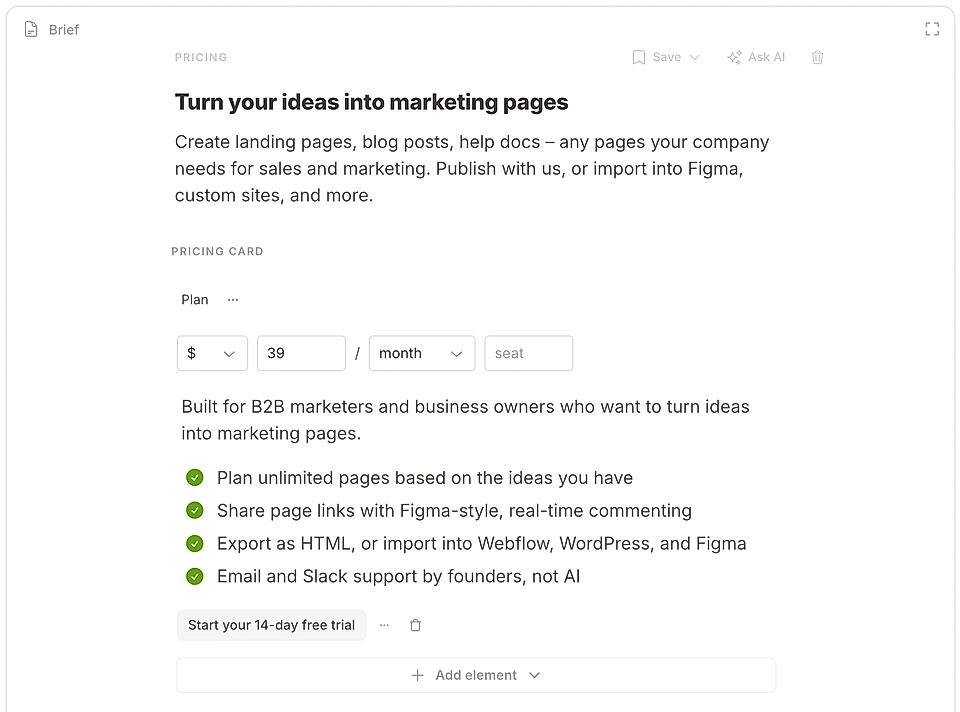
Below the header, you can create a pricing table with pricing cards.
Add content to each pricing card
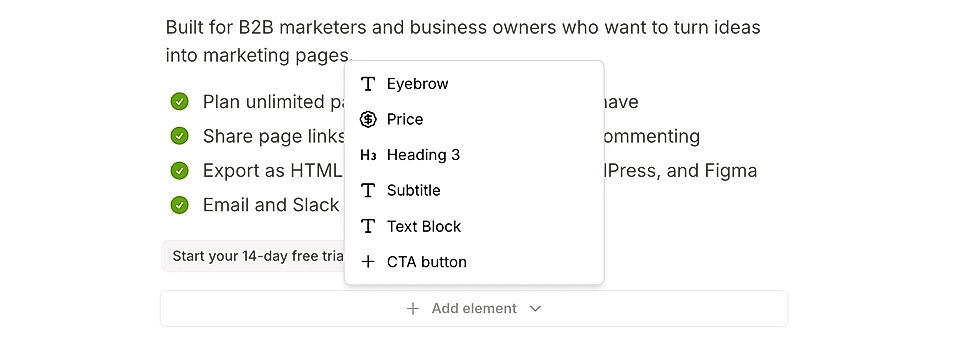
To each pricing table item and card, you can add:
Eyebrow
Heading (H3)
Price, including the fee, currency, period and any custom information you'd like to add
Subtitle
Text block, including bullet point lists with custom icons like checkmark
CTA button(s)
You can move the order of items in each pricing card.
If you keep the same elements and order in each pricing card, the content will be vertically aligned.
Add period and currency tabs
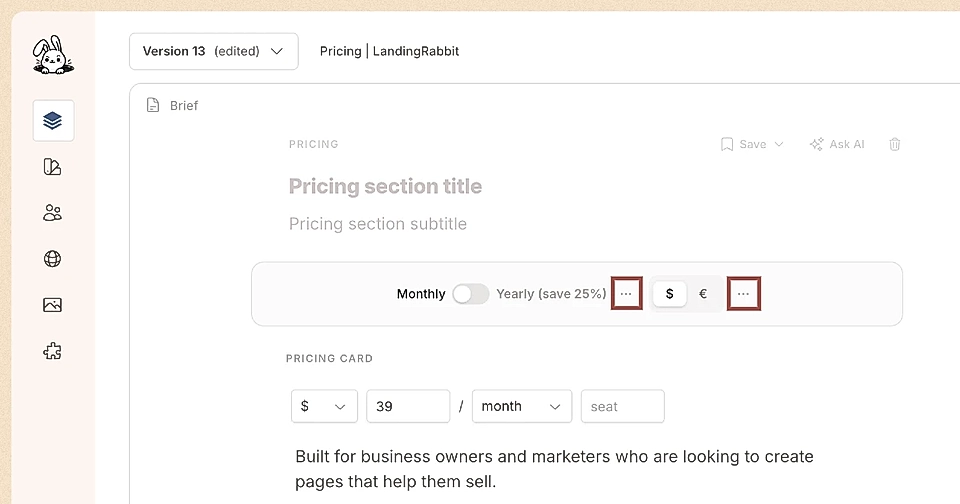
You can add period (e.g., monthly/yearly) and currency tabs by clicking + Add period tabs or + Add currency tabs in the grey bar above the pricing cards.
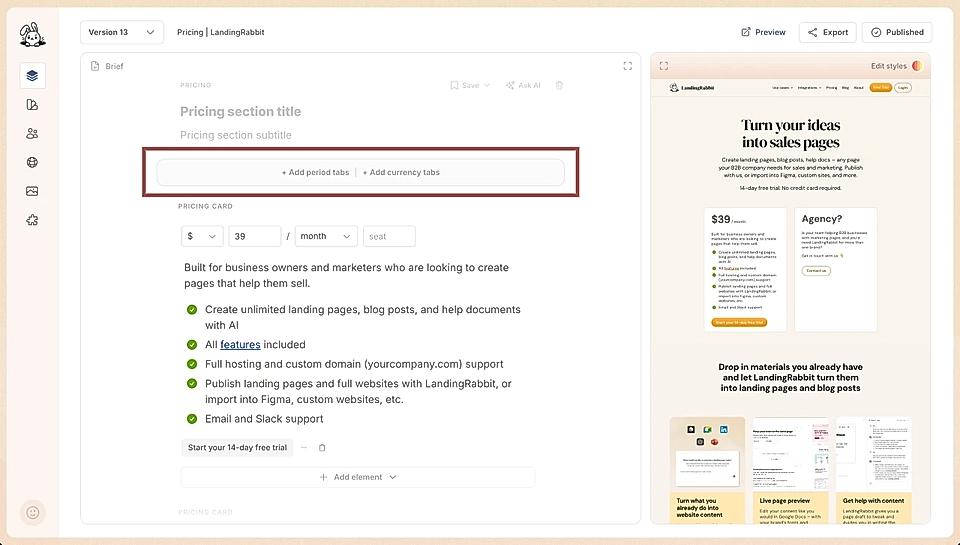
Use the tabs in the grey bar to edit the pricing cards content for periods and currencies.
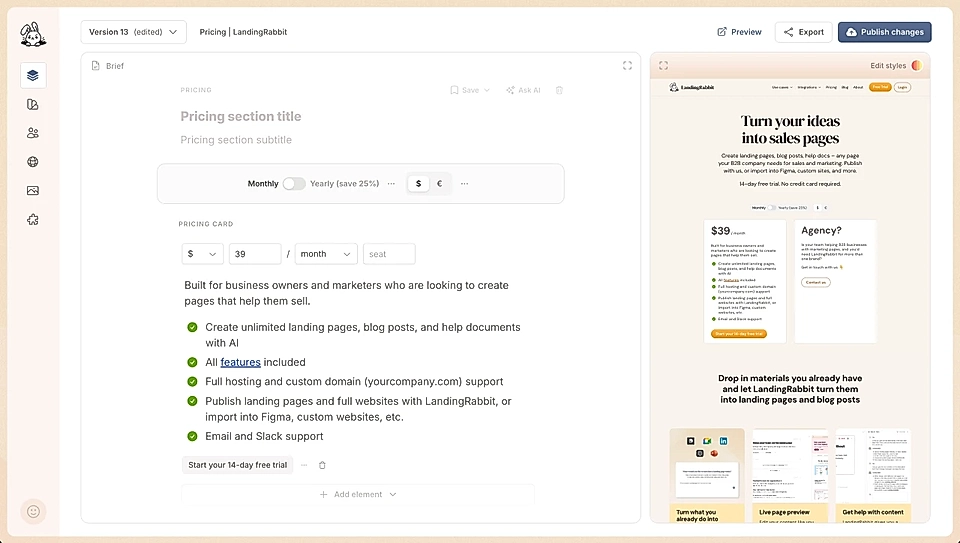
If you click the three dots next to tabs, you can edit their settings.
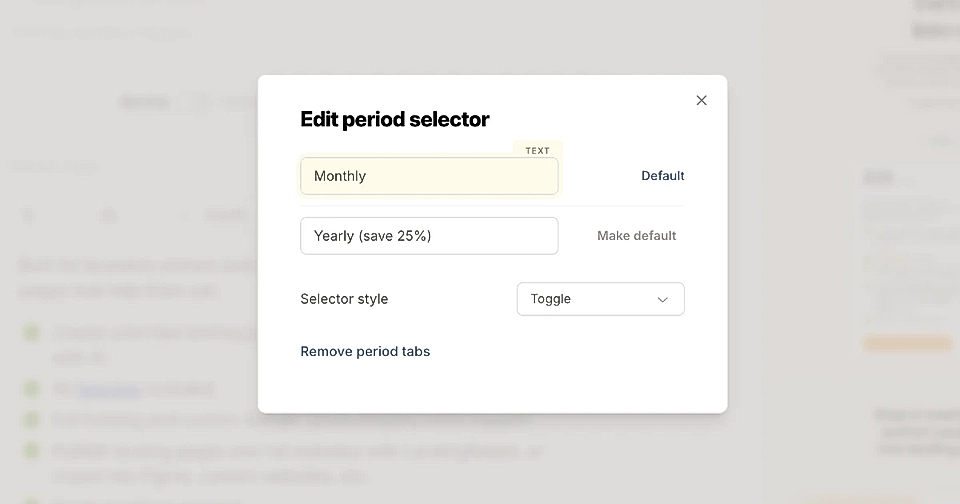
For the period tabs, you can edit the label texts, choose between tabs and toggle look & feel, and choose what option is the default.
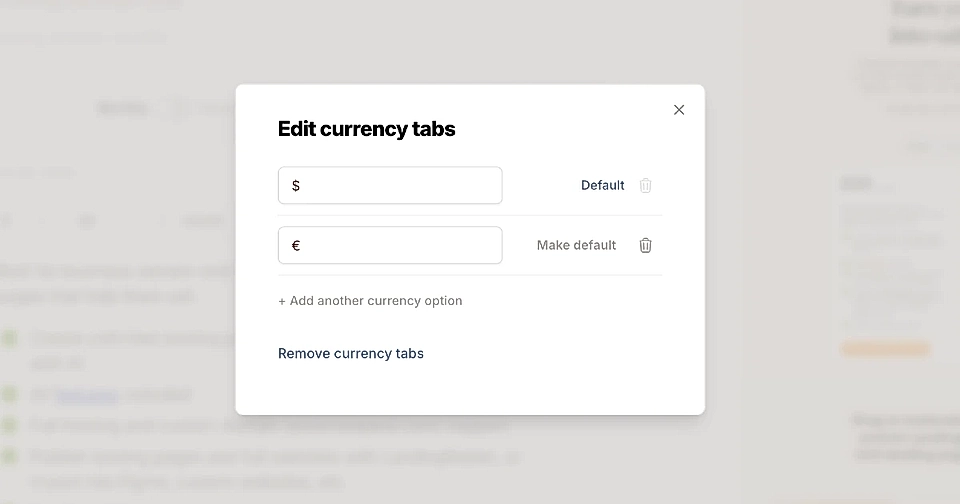
For the currency tabs, you can edit the currencies and add as many as you like. You choose what currency is the default.
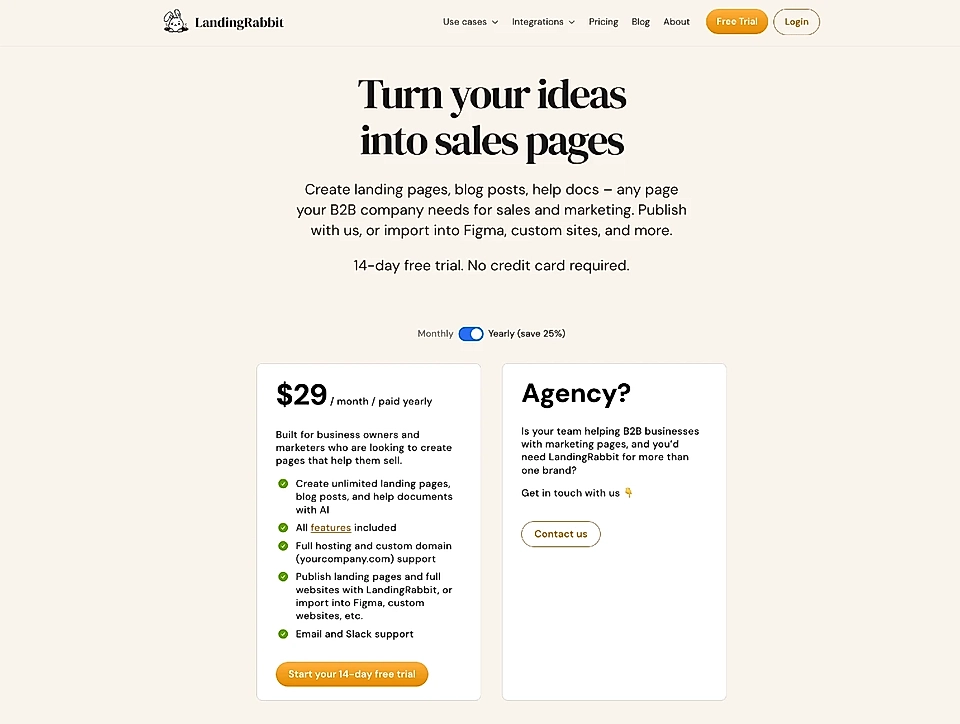
Here's an example of a monthly/yearly tab from LandingRabbit's pricing page:
Edit pricing section styles with AI
Click the Edit styles button to ask LandingRabbit to make changes to colours and styles.
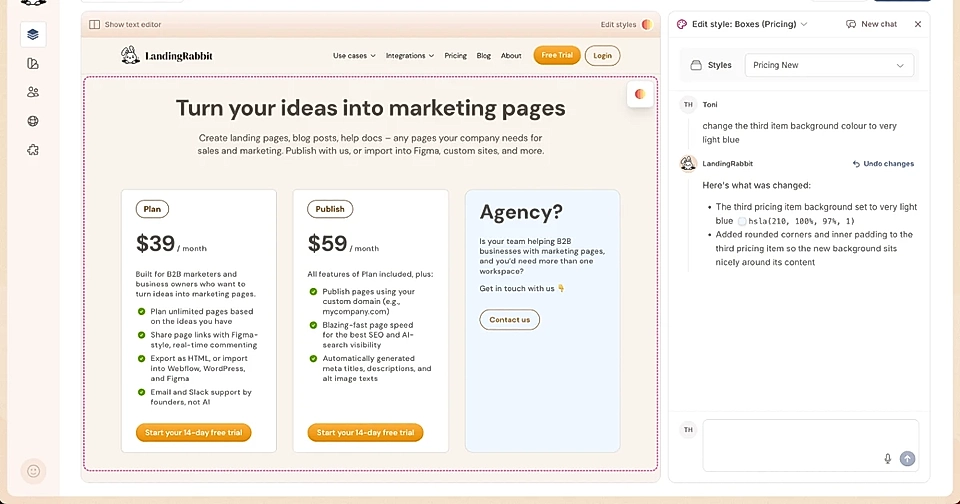
You can ask LandingRabbit to change:
The section background colour and padding above and below
The font type to any Google Font
The font sizes and colours
The vertical spacing between header and cards and each content item
The width of the whole section and elements like the header and the pricing cards
The number of columns in the pricing table
The background colour and styles of the pricing cards. Each pricing cards can, for example, have a different background colour
The look & feel of the period and currency tabs (if added) and move their position from center to left or right
Creating a fairly complex pricing section could not be easier than this When your plans and offer evolves over time, you don't need help from developers to adjust the pricing cards.