Can I use any Google Font with LandingRabbit?
Absolutely.
LandingRabbit supports all Google Fonts, so you can change the font for titles, subtitles, body text, or any other content on your page.
How to change fonts in LandingRabbit
To change a font:
Click 'Edit styles' on the page preview in the page editor
Ask for changes in the chat
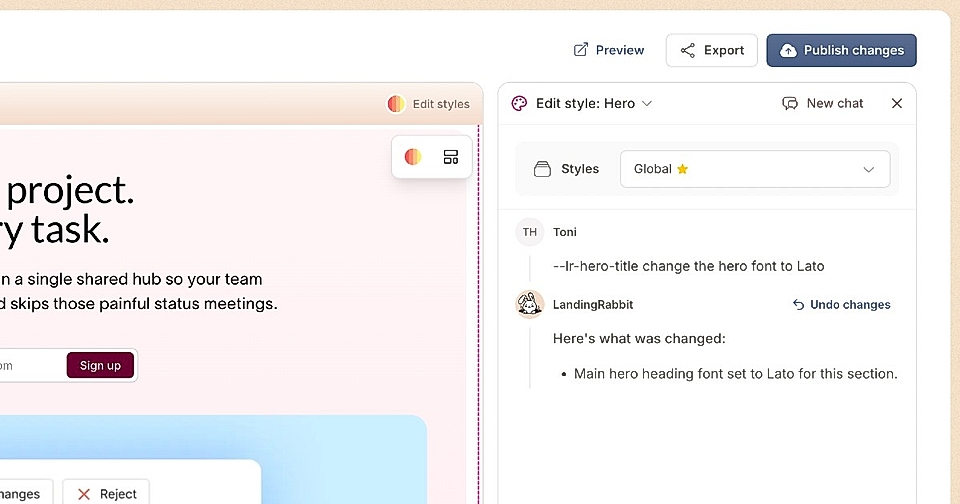
You can change fonts for individual sections or for the whole page at once.
For example, say: "change the hero title font to Lato" or "use Open Sans for all body text."
Choose from all Google Fonts
Lato, Open Sans, Roboto, Montserrat – any font from Google Fonts works with LandingRabbit.
Just use the font name in your request, and LandingRabbit will apply it to your page.
Need a custom font?
If you'd like to use a custom font that isn't in Google Fonts, send us a message at [email protected] and we'll help you out.