LandingRabbit vs Squarespace: which to choose for a B2B website?
Squarespace is a solid website builder.
The templates look great, the editing experience is intuitive, and you can get a clean-looking site live without any design or development skills.
But if you are a B2B founder or marketer who needs to publish new pages regularly, Squarespace can start to slow you down.
In this post, I will walk you through when Squarespace is a great choice and when LandingRabbit is the better fit.
When Squarespace is a great choice
Squarespace works well when your needs are simple and your site is relatively small.
If you want to get a few key pages live and you are not planning to update them often, Squarespace is hard to beat. You pick a template, click around to change colours and fonts, add sections like you would in a slide deck, and you are done.
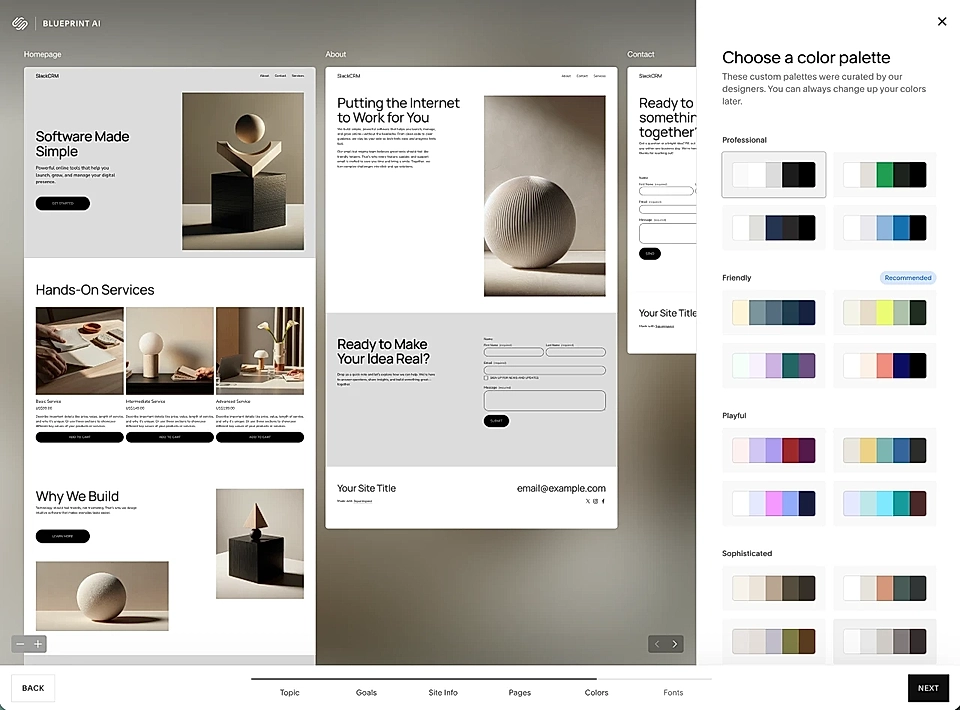
It is also a good fit when design is a priority and you have time to tweak individual pages. The visual editing experience feels familiar, and hundreds of templates give you a strong starting point.
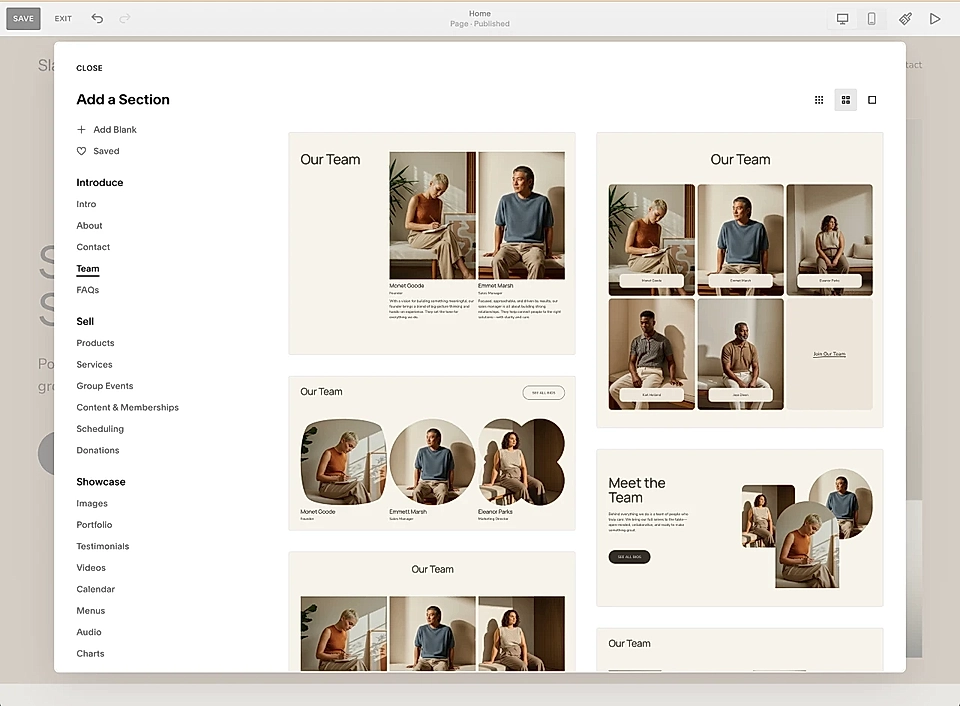
If you run a small business, a portfolio, or a simple service site with a homepage and a handful of pages, Squarespace does the job well.
Where Squarespace gets painful for B2B teams
The trouble starts when you need more pages, and you need them regularly.
For a slightly more complex B2B products and services, websites are not simple brochure sites. You need landing pages for different industries, job roles, use cases, and Google Ads campaigns.
Feature pages. Competitor comparisons.
Pages that reflect what you are selling right now, not what you were selling six months ago.
In Squarespace, there are really only two options when you need a new page:
Start from scratch, adding blocks and pasting in content from a doc, ChatGPT, or Claude.
Copy an old page and try to edit every part of it to fit the new content
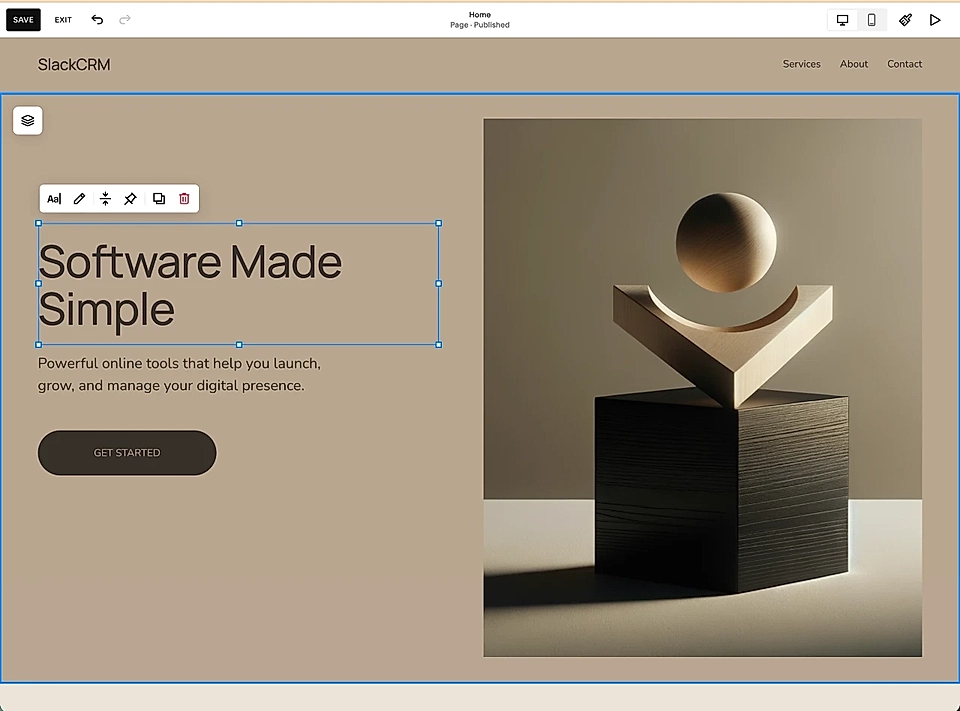
Both options are slow.
And the more pages you manage, the more painful it gets.
There is no easy way to reuse content blocks across pages. No way to update a repeated section in one place. No AI to help you plan the page or write the copy when you need a new page or update an old one.
Slowly, your pages drift out of date.
They stop reflecting what you actually do.
Leads come to the site and do not convert.
And when AI search tools are trying to recommend you to the right audience, they work from outdated information.
The website content compared to what we sell today is the gap I've struggled with all my B2B career, and the reason why I'm building LandingRabbit.
How LandingRabbit is different from Squarespace
LandingRabbit is a content-first website builder for B2B teams who need to keep their site current and publish new pages that help them sell.
Especially now that AI is speeding up service development, the website content is tough to keep relevant and accurate.
Here are the five key differences between LandingRabbit and Squarespace:
1. Your brand is set up from the start
When you create a LandingRabbit site, you give your existing URL, brand guidelines, or design.md file. LandingRabbit pulls in your colours, fonts, and styles automatically.
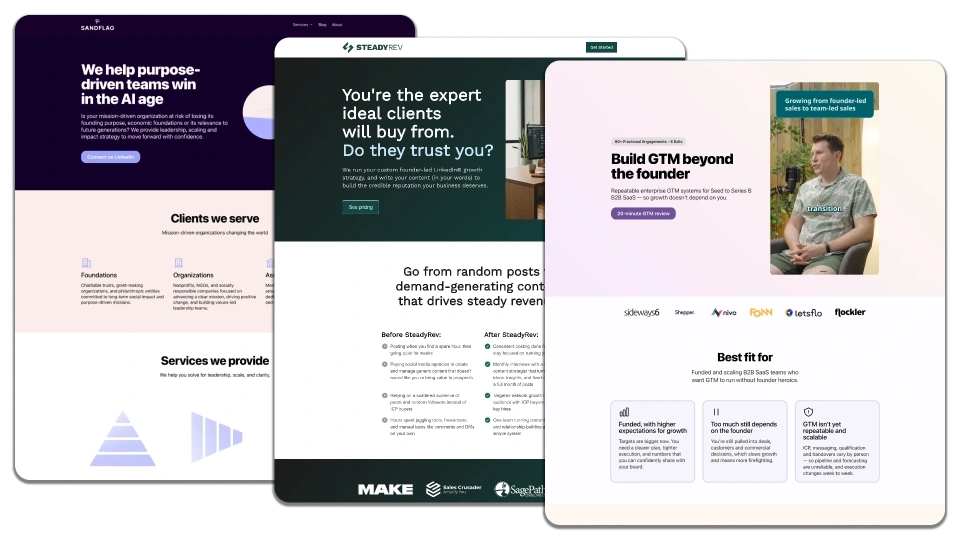
Every page you create from that point is already on-brand. No starting from a blank template and manually applying your look.
2. LandingRabbit learns about your business
LandingRabbit stores what you do, who your customers are, what problems you solve, and what makes you different.
That knowledge is used every time you generate a new page, both to plan the structure and to write the copy.
3. Pages are generated from content and know-how you already have
You can give LandingRabbit a keyword, a slide deck, a voice note, a sales call transcript, or just a rough idea.
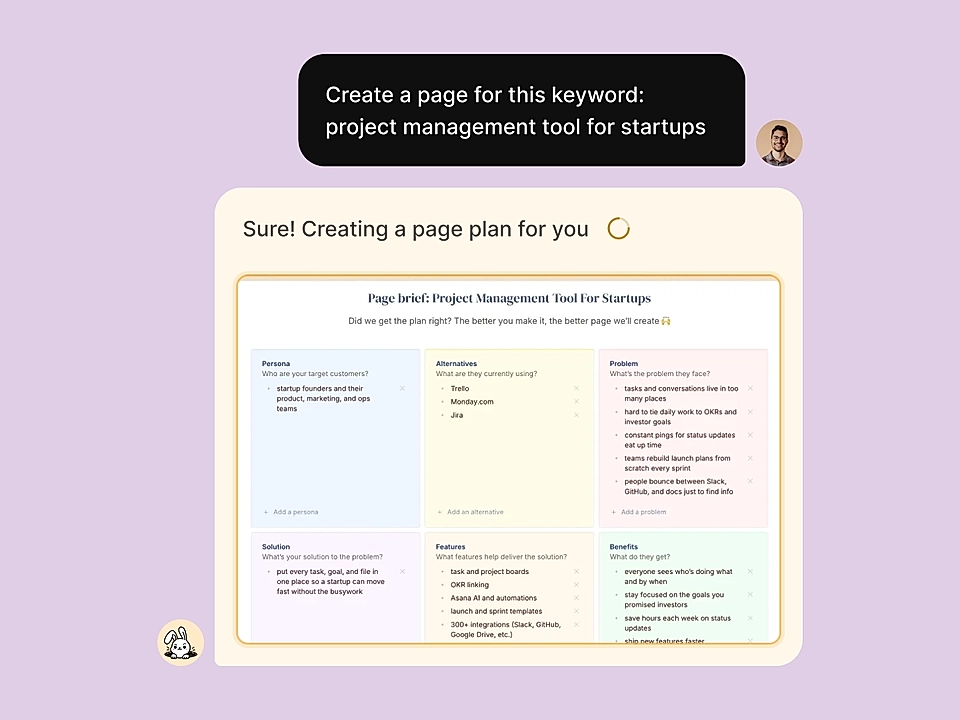
LandingRabbit combines that with what it knows about your business and builds a full page draft for you, copy and layout together, matched to the intent of the page. You will typically edit around 10 to 20 percent of the output before publishing.
4. Editing is fast and AI-assisted throughout
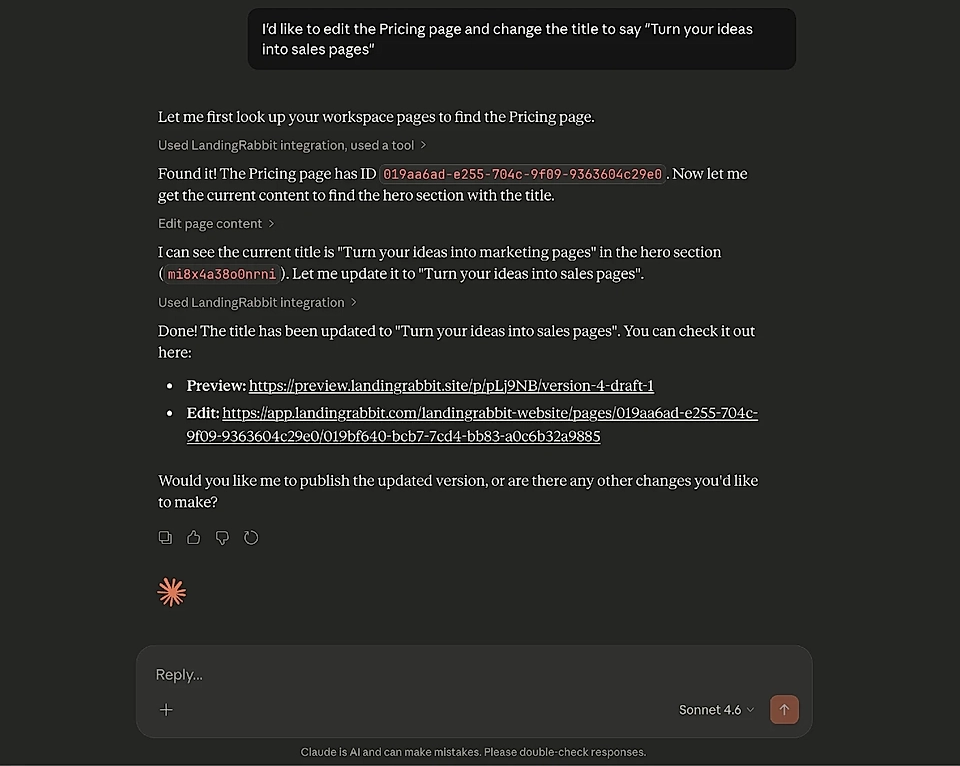
Once a page is generated, you edit in a Notion-style text editor with a live page preview on the right.
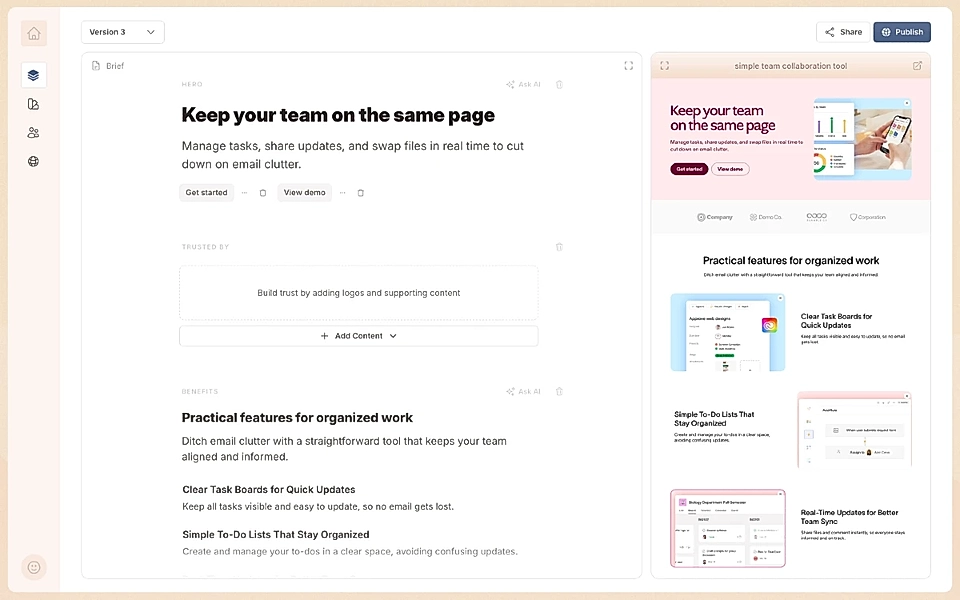
You can ask AI to make changes in plain English.
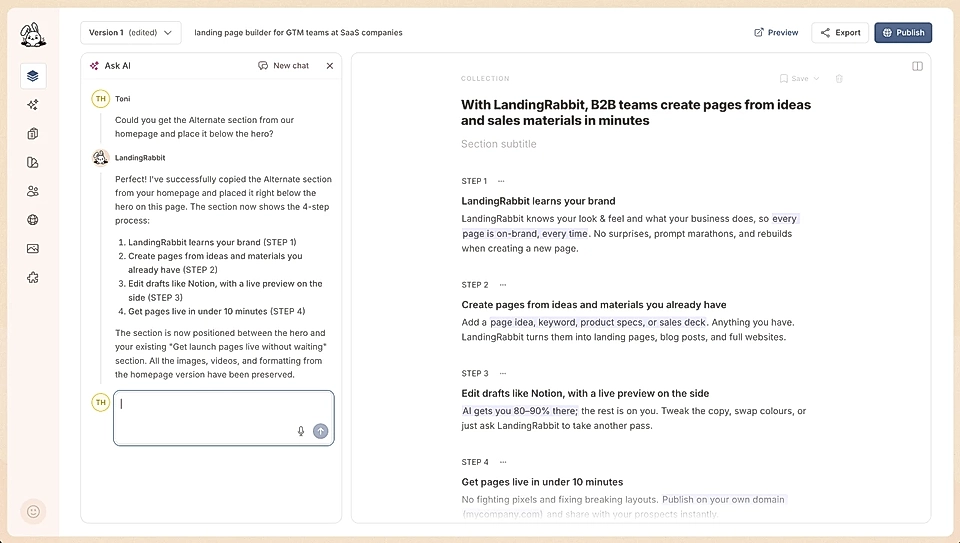
5. SEO-friendly structure by default
LandingRabbit automatically generates meta titles, meta descriptions, and correct heading structure on every page.
Pages are served via CDN for fast load times and strong PageSpeed scores.
Because LandingRabbit page editor protects the underlying structure, you do not risk breaking your SEO by moving things around the way you would in a visual builder like Squarespace.
So, LandingRabbit or Squarespace?
Both tools have their place. They just solve different problems.
If you need a clean site with a handful of pages and you are not planning to update them often, Squarespace is a great option. The templates are polished and the editing experience is simple.
But if you are a B2B team that needs to publish new pages consistently, keep your site in sync with a product that is moving fast, and make sure AI search tools are recommending you to the right people, Squarespace will slow you down.
LandingRabbit gives you:
Content-first page generation powered by AI, matched to the customer intent and what they expect to see on the page
Brand styles and SEO applied automatically on every page
Fast editing with a live preview and AI writing built in
Integrations with Claude and ChatGPT for bulk updates
With LandingRabbit, you spend your time writing better pages and better offers, not copying old templates and fixing layouts.
The best B2B websites are content machines. They keep up with the product, speak to the right audience, and give AI search tools accurate information to recommend you to your best leads.
I'm building LandingRabbit for that.
Want to see the difference yourself? Sign up for our 14-day free trial and turn your existing notes, decks, and ideas into live, on-brand pages in minutes.