AI landing page builders: 5 things to consider before choosing one
AI landing page builders are everywhere right now.
Some promise full sites in minutes. Others focus on “vibe coding” your way to something that looks good enough.
And to be fair, a lot of them are impressive. Just one prompt and you get a page draft.
But if you’re working on landing pages inside a marketing team, not just hacking together a side project, quite a few practical questions matter more than shiny demos.
In this post, I want to walk through five things worth thinking about before you commit to an AI landing page builder.
1. How many pages are you actually going to create?
Vibe-coding tools are great when you’re creating one page.
Or maybe two.
But that’s rarely how SaaS marketing plays out.
As soon as you start selling, you realise you need Google Ads pages, feature pages, comparison pages, use-case pages, SEO pages, and more.
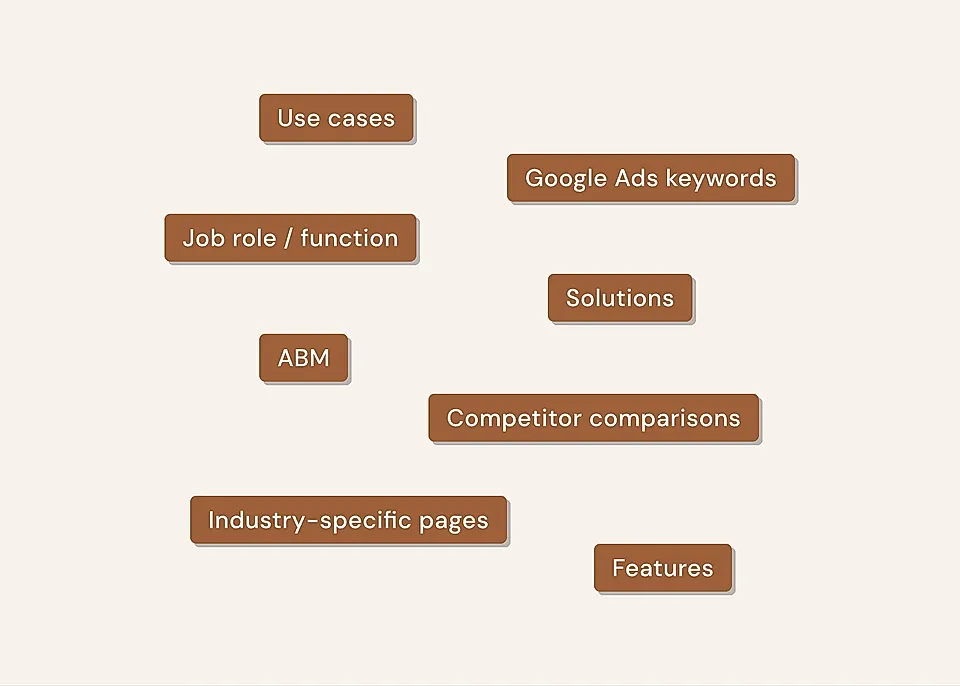
If every page is generated and coded from scratch, creating and updating pages starts to get slow.
Every change means regenerating and coding pages with AI.
Small edits turn into “let me double-check everything” moments, because you can’t trust AI to keep everything else the same, but tweak this one thing.
If landing pages are a core part of how you grow, you’ll want a setup where creating the 10th page is easier than the first, not harder.
In LandingRabbit's AI landing page builder, we’ve decided to solve this in a slightly different way.
AI generates the content, but the layout is predictable and uses your brand styles every time. You can make edits in a Notion-style editor and publish them without "recoding" the whole page.
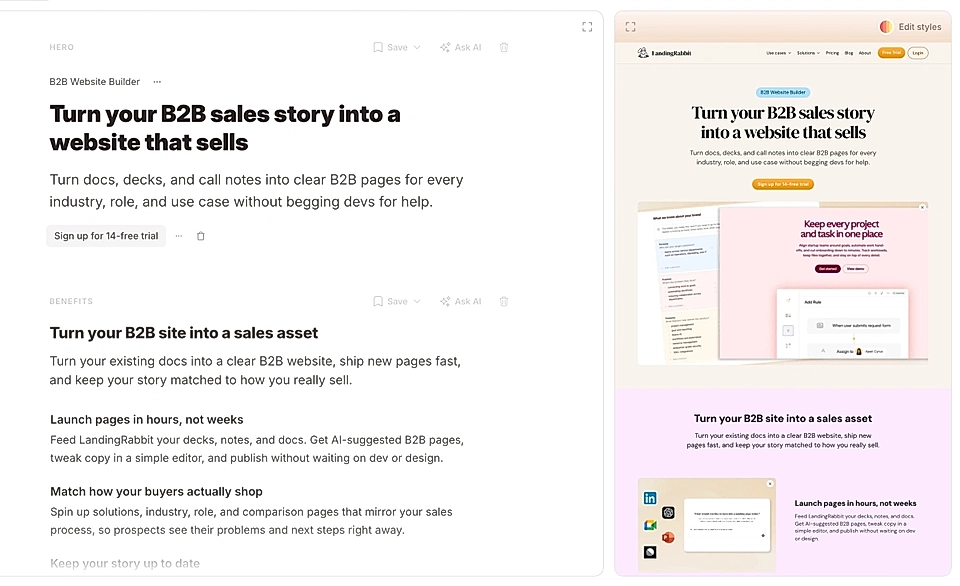
Instead of always generating something new, marketers can trust that their pages look on-brand and are quick to edit.
2. What does your team actually look like?
When I’m working solo, I can get away with a lot.
Quick solutions. Rough edges. Tools that assume I’m comfortable with a bit of coding.
That changes the moment you’re not the only one touching the site.
Most marketers don’t want to vibe code. They want to open something, change text, and move on.
And when more people get involved (think, founders, PMs, designers, etc.), text changes start coming in constantly.
“Can we tweak this headline?”
“Can we adjust this sentence?”
“Can we try a different CTA?”
If every small request requires vibe coding from “Joe, who knows these tools inside out”, the tool becomes a bottleneck instead of a helper.
In LandingRabbit, we’ve decided to give marketers two powerful tools:
- Notion-like editor for quick fixes
- Versions and drafts to compare before and after changes
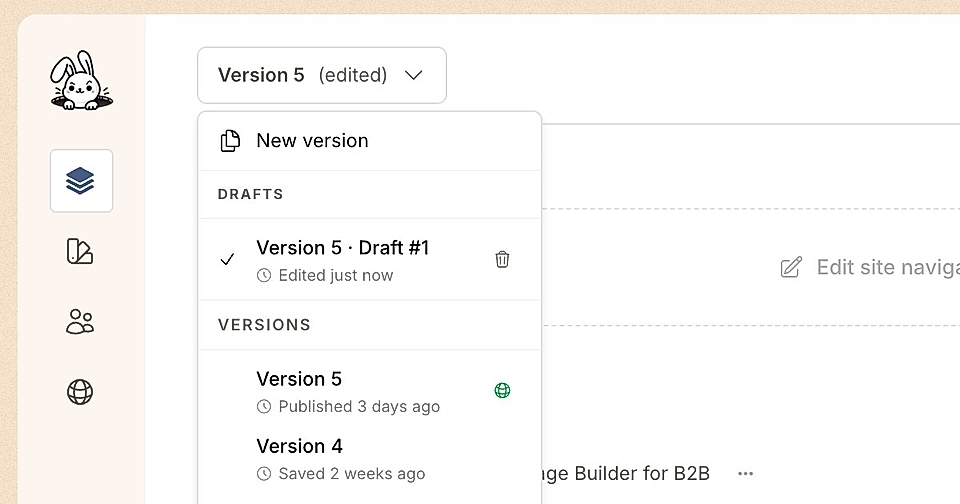
Those small requests are now super easy to test and compare.
3. Are you taking SEO and AI search visibility seriously?
If you care about SEO and, increasingly, AI-driven search visibility, landing pages stop being “just pages.”
They become long-term assets.
When you are comparing landing page builders, you probably want something that:
Comes with sane defaults for SEO (headings, titles, meta descriptions, internal links)
Helps you create content for focused pages for specific keywords and intents, not just beautiful layouts
Keeps improving the underlying page output as search behavior changes
When you’re responsible for everything – structure, performance, semantics, future changes – it’s easy to fall behind.
For many teams, it makes more sense to use a tool that keeps improving under the hood as search behaviour changes, instead of rebuilding things themselves every time something shifts.
Especially when search is no longer just about Google rankings.
That’s why everything in LandingRabbit starts from a page idea and content. AI generates the content for you to edit, but the layout is using components you can trust.
On top, LandingRabbit takes care of SEO optimisations like automated meta titles and descriptions, alt image descriptions, sitemaps, and many other things you’ll need to build and maintain when creating a custom site from scratch.
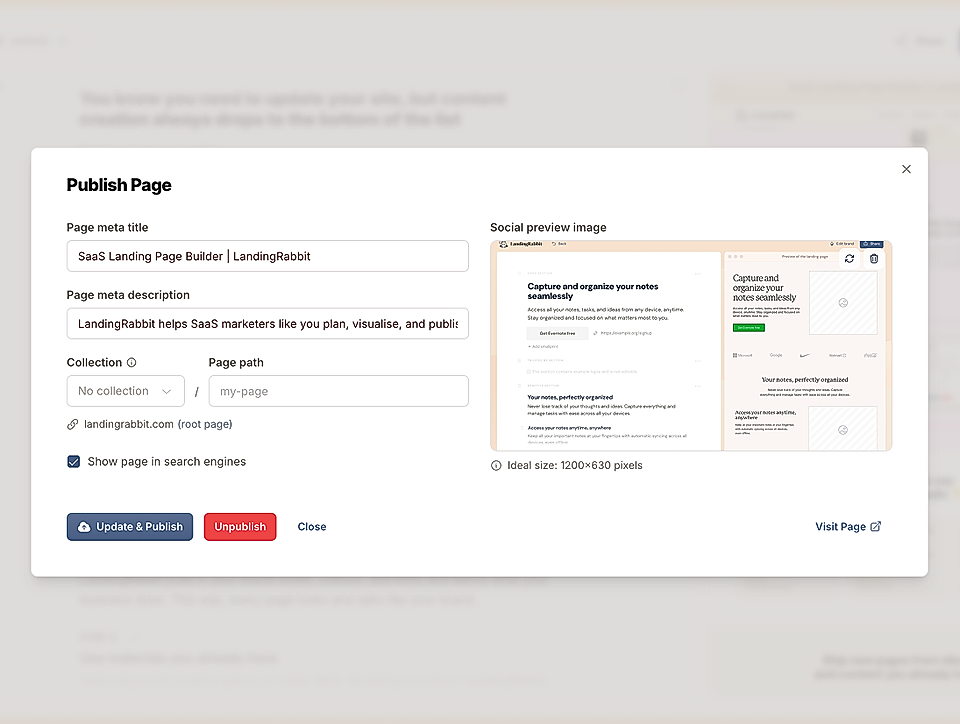
If you team is looking for a content-first solution for the AI era, sign up for our 14-day free trial to create landing pages, blog posts, and even full websites.
4. Do changes feel risky?
You might have experienced this with WordPress or another website builder.
When every change feels risky, people slow down.
Instead of editing one line, you end up re-reading the entire page. Instead of testing an idea, you postpone it.
Not because the idea is bad, but because touching the page means testing on all devices.
That hesitation quietly kills speed. And motivation.
The best landing page tools make small changes feel small.
Bad ones turn every edit into a mini deployment.
In AI landing page builders like LandingRabbit, every text change adjusts the layout automatically and on all devices.
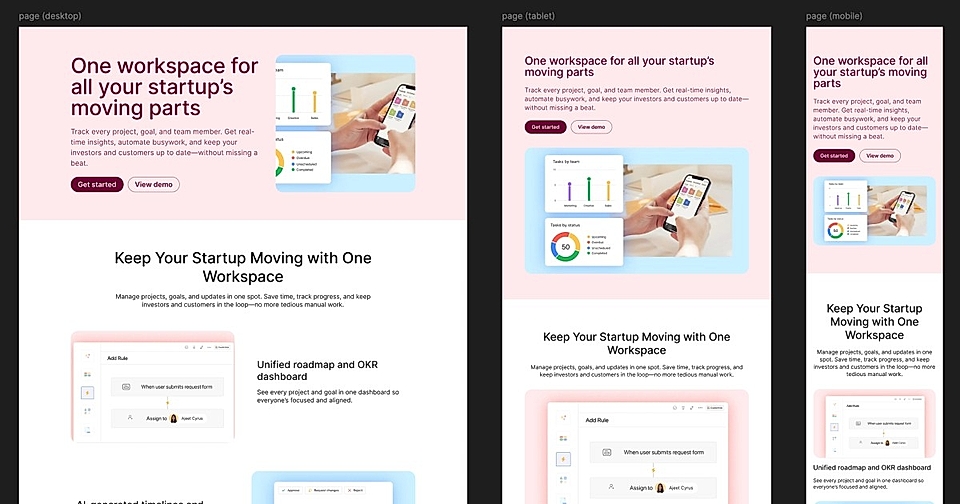
No need to deploy a new version or tweak the layout every time you make a small change.
5. Text components and style components should be separate
A common issue with vibe-coding tools is that content and layout are tightly blended.
It makes it almost impossible to make quick site-wide changes and trust that everything works across pages.
The best tools separate concerns:
- Text can change without touching design on multiple pages at a time
- Design can evolve even if the content is different on multiple pages
Here’s a practical example.
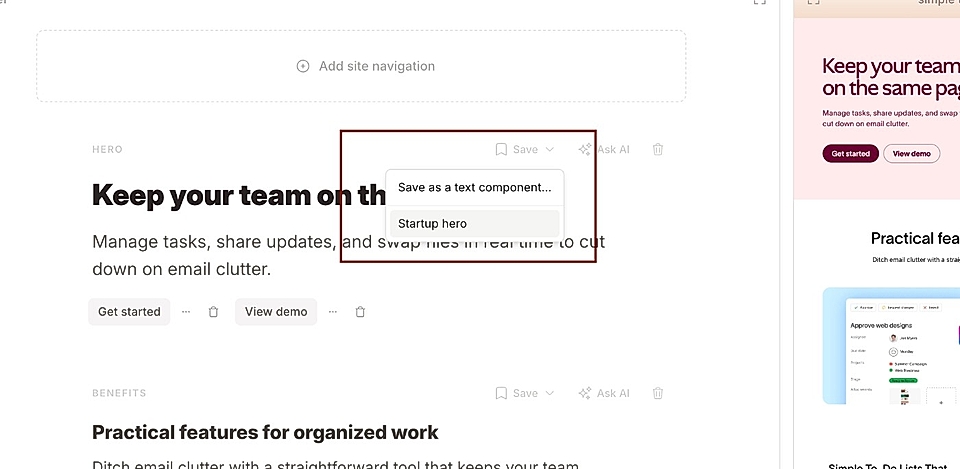
In LandingRabbit, you can save text components. Those components only hold the text, and you can use them on various pages regardless of the layout and colours.
When you make changes to the saved text component, the update runs on all pages that share it.
A massive timesaver.
Similarly, you have saved layout styles. Again, you can make changes to the style regardless of the content displayed. The layout colours update on all pages, and texts remain intact.
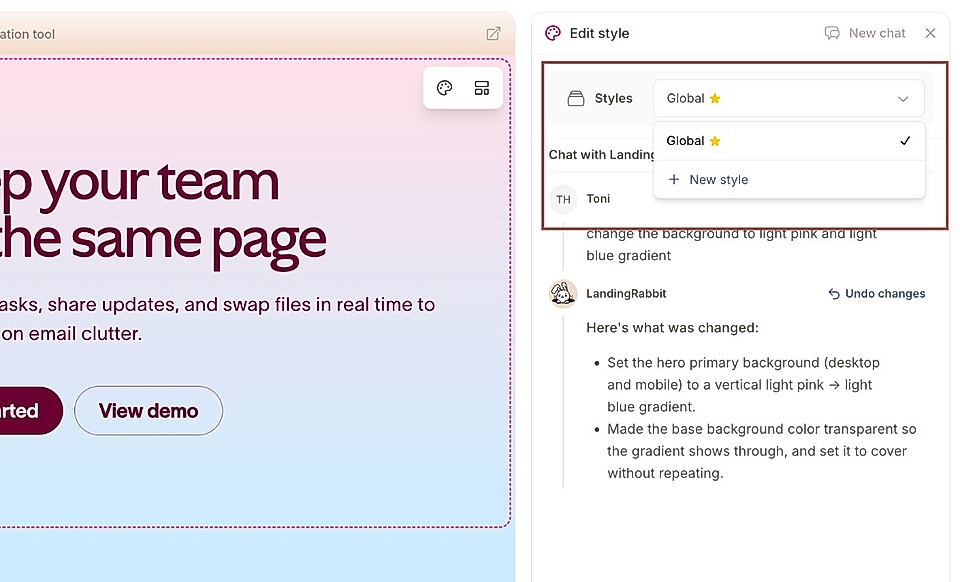
No need to review all pages when the system is not vibe coding every page change.
Final thought
AI landing page builders are powerful.
But the right one isn’t the one that creates a page the fastest on day one.
It’s the one that still feels easy when:
You have 20 pages, 100 page, 500 pages
More people are involved
Changes are needed frequently when product evolves and sales is approaching new clients
You want to optimise SEO and AI search visibility
If a tool helps you move faster without making things fragile, that’s usually a good sign you’re on the right track.
If you’d like to try how LandingRabbit’s AI landing page builder solves these questions, sign up for our 14-day free trial. We are there for you, helping you build the best possible landing pages that still feel the right choice six months later.