Can I increase the hero image size in LandingRabbit?
Certainly 👍
You have a few different options to give your hero image or video more space on the page.
Option 1: Use the edit styles chat to make the image/video bigger
Hover the page preview and the hero section, and click the edit styles icon.
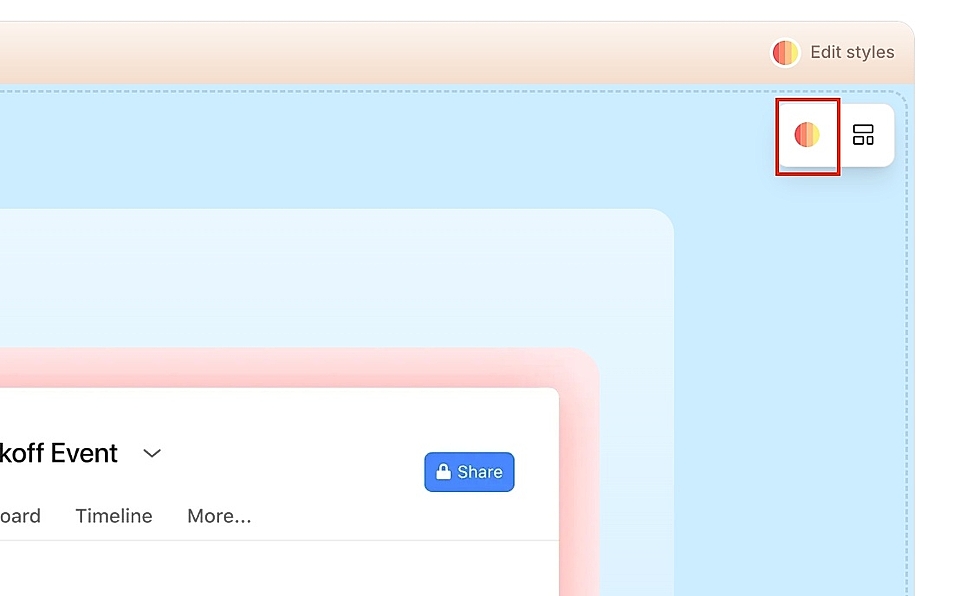
Ask LandingRabbit, for example, to make the image or video bigger.
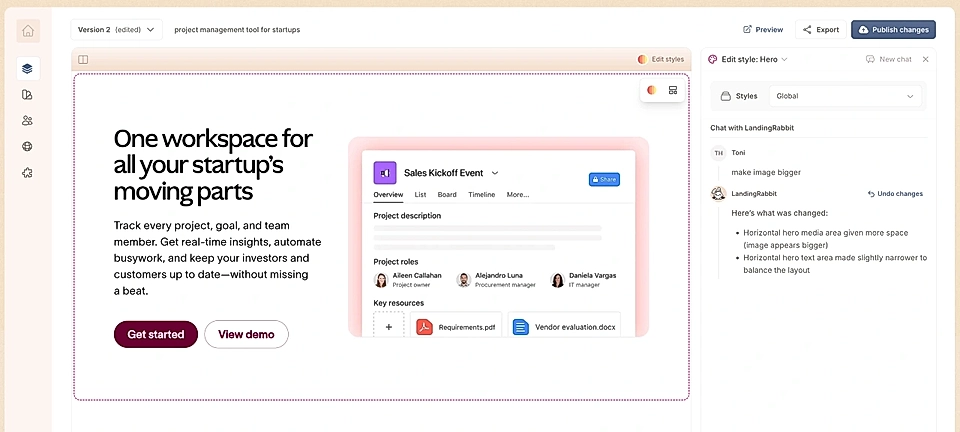
When you make that request, the app will increase the width of the image or video and decrease the width of the text next to it.
You can also ask to increase the width of the whole hero element. If you want to make the text area stand out more, you can add a background color for the element wrapping the text and the media.
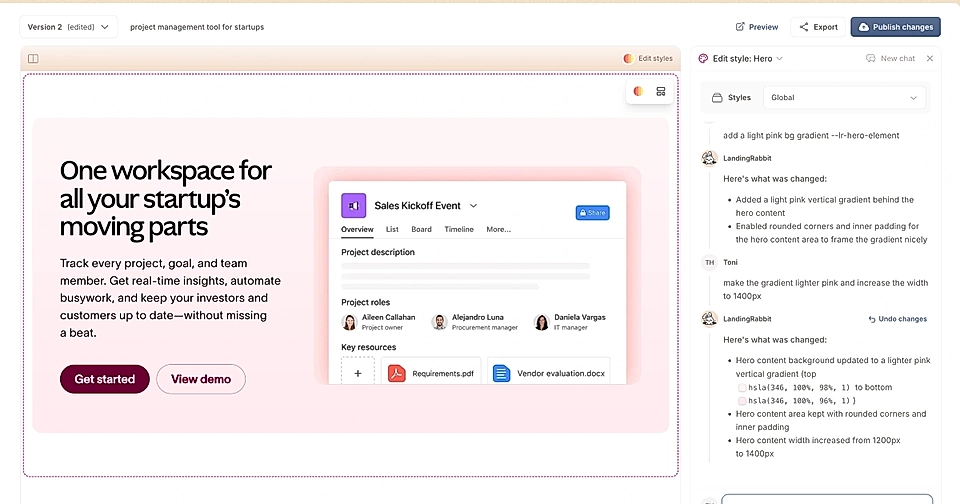
Option 2: Move the image to the bottom
Another great way to give the image or video more space is to move it below the text.
To do that:
- Hover over the hero section
- Click the layout options icon
- Choose the layout with the image at the bottom
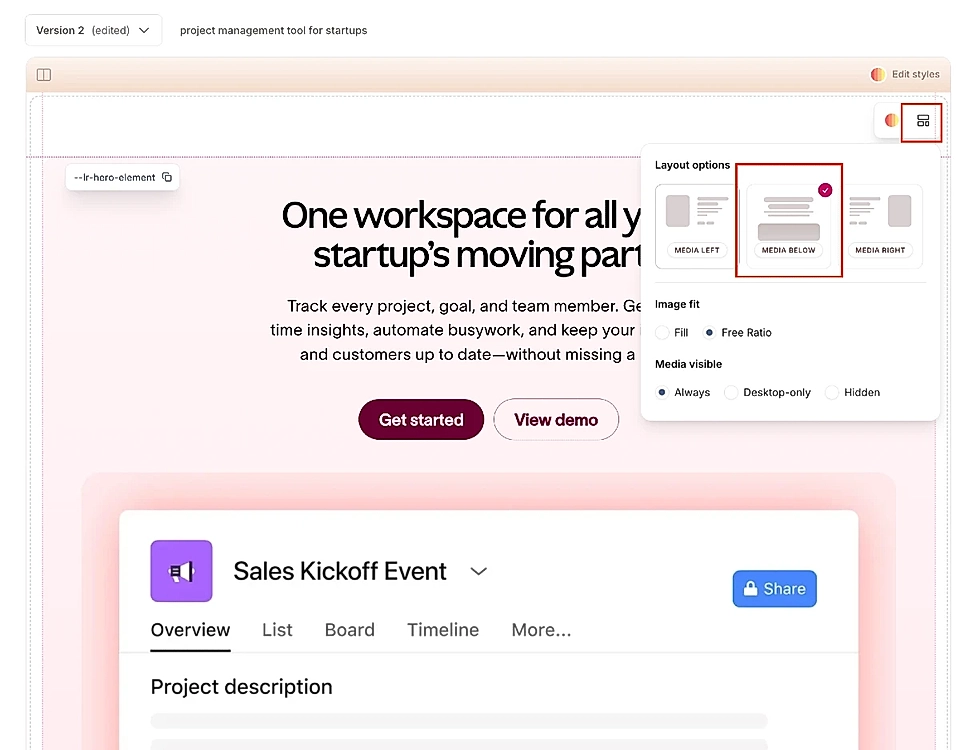
This gives the image full width and lets it breathe without competing with the text for horizontal space.
Both options work well depending on the look you're going for.
If you want the image side-by-side with text but more visible, use the edit styles chat. If you want maximum impact and full width for the image, move it to the bottom.