How to change your LandingRabbit account password
To change your password, follow these steps:
Click the home icon at the top left corner.
Then click Account settings at the bottom left of the page.
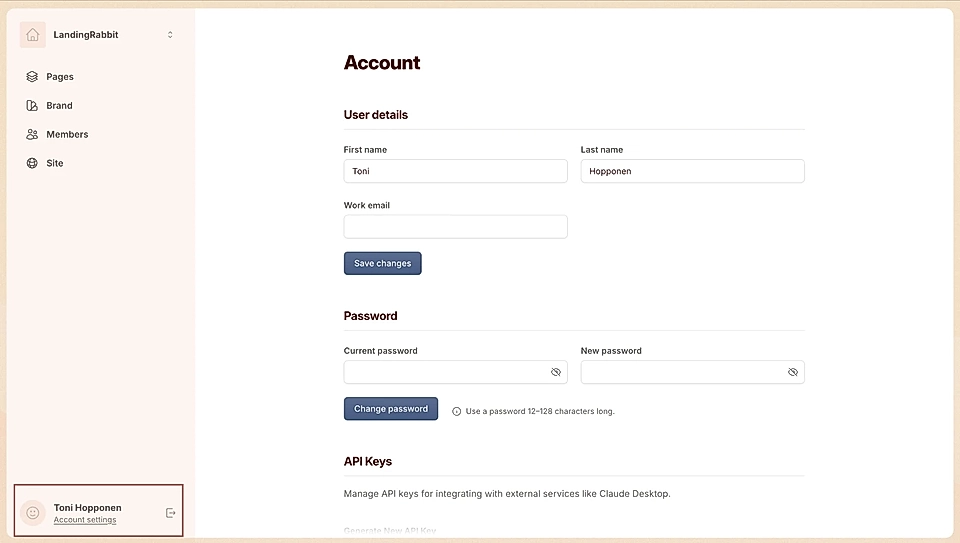
Enter your current password and your new password.
Click Change password.
If you’re not logged in, go to app.landingrabbit.com/login, then click Forgot password. From there, you can request a password reset link.