Can I create URL redirects in LandingRabbit?
Yes, you can.
Redirects let you send visitors from one URL to another. That's useful if you've changed a URL that you previously used in marketing, want to A/B test a different page for the time being, or want to direct traffic to a different page due to SEO.
How to set up a redirect
After logging in, click the Site link on the left.
Scroll to the bottom of the screen. You'll find the redirects section there.
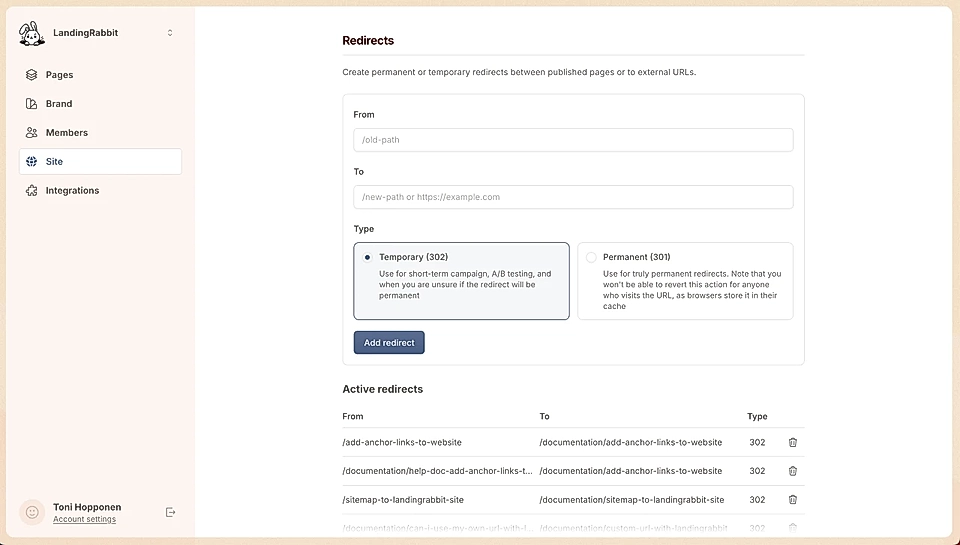
Enter the from URL (the old link) and the to URL (where you want visitors to land).
When setting up a redirect, you'll choose between two types:
Temporary redirect (302): Great for short-term campaigns or A/B testing when you're not sure if the change will stick.
Permanent redirect #01: Use this when you're certain the change is final.
Be careful with permanent redirects. Once someone visits the redirected URL, their browser caches it. Even if you change the redirect later, those visitors won't see the update until they clear their cache.