Get content recommendations based on your client meetings
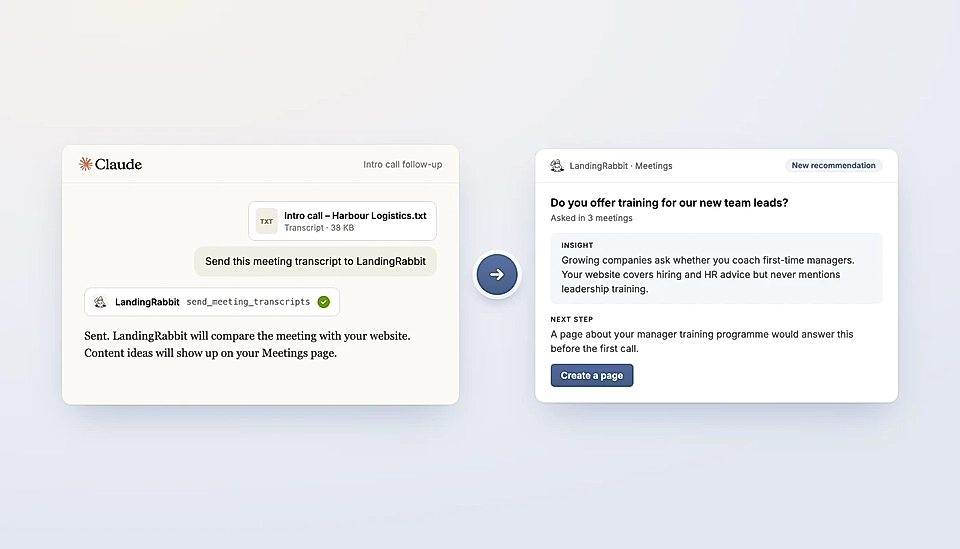
The best websites answer the questions prospects ask.
LandingRabbit analyses your meeting transcripts against the content on your website and gives you content ideas based on the gaps we find.
You can upload a meeting in the Meetings tab, or send your customer and prospect meeting notes to us via Claude Connector and ChatGPT plugin.
Note: the Meetings feature is only available after you publish your first page.
Here's how it works:
1. Send your meeting transcript
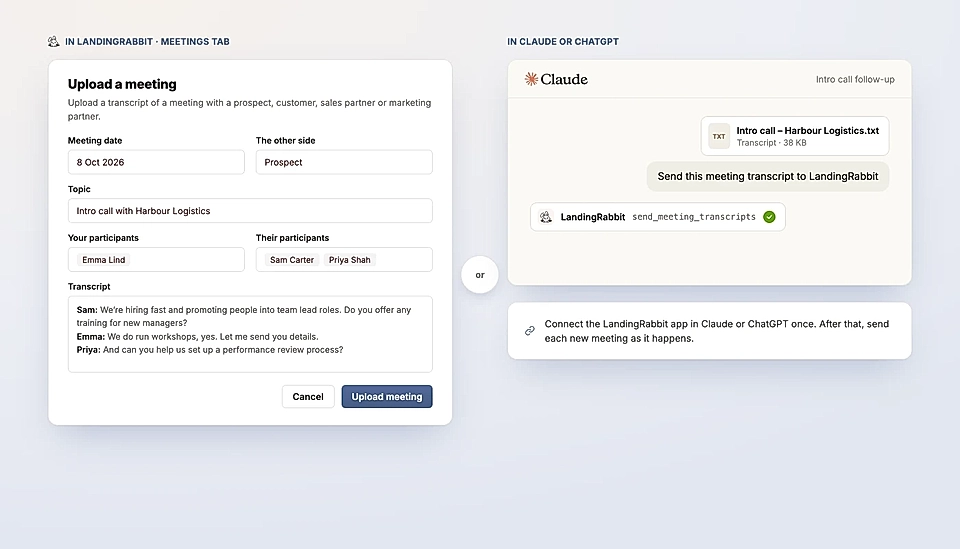
Go to Meetings tab or use Claude or ChatGPT and send_meeting_transcripts tool to upload transcript.
2. LandingRabbit analyses the meeting
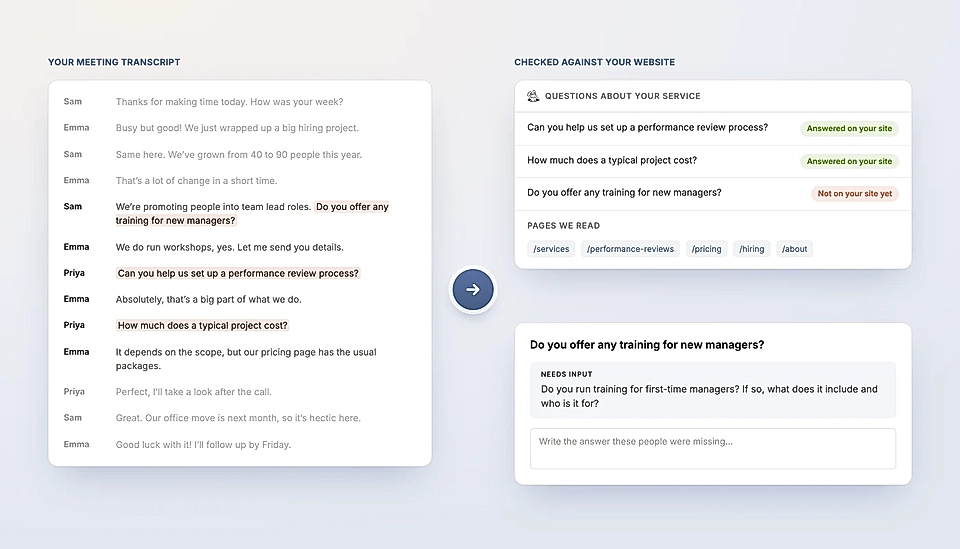
LandingRabbit will analyse the meeting transcript against your site content. If we identify any gaps, we will share what we found and ask you to answer.
3. Find insights in the Meetings tab
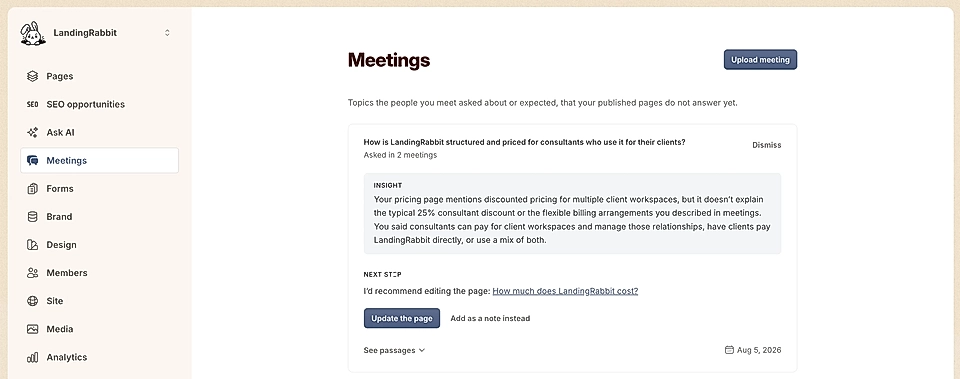
Go to the Meeting tab in LandingRabbit to find insights and create/update pages based on the recommendations.
Using the Meetings feature is a great way to make sure that answers to questions asked and statements made by your customers can be found from your site.