How B2B teams create landing pages in Slack in minutes
Most SaaS teams live in Slack.
Yet every time you want a new landing page or blog post, you have to break the flow and ask people to log in elsewhere to follow what you are working on and leave comments.
With the LandingRabbit Slack app, you can skip all of that.
In this post, I'll show you how to create landing pages and blog posts straight from Slack using a simple slash command, so your whole team can go from idea to live page without leaving the place where you already work.
Why create landing pages from Slack
You've probably heard someone say "we should have a page for this".
A million times.
A great idea. But nothing happens, because creating that page means juggling between multiple tools.
Your best ideas stay in Slack threads and meetings instead of turning into marketing assets.
Creating pages from Slack fixes that. With the LandingRabbit Slack app you can:
Turn any idea, keyword, or content snippet into a full landing page or blog post in a couple of minutes
Let founders, marketers, designers, developers, and sales add ideas and comments in the same thread
Keep the discussion, feedback, and page previews in one place, without hunting for links or logins
Instead of waiting for a quiet afternoon to "work on the website", you capture ideas while they are fresh and turn them into real pages instantly.
How the LandingRabbit Slack app works
Here's how you can get started with the LandingRabbit Slack app in four simple steps:
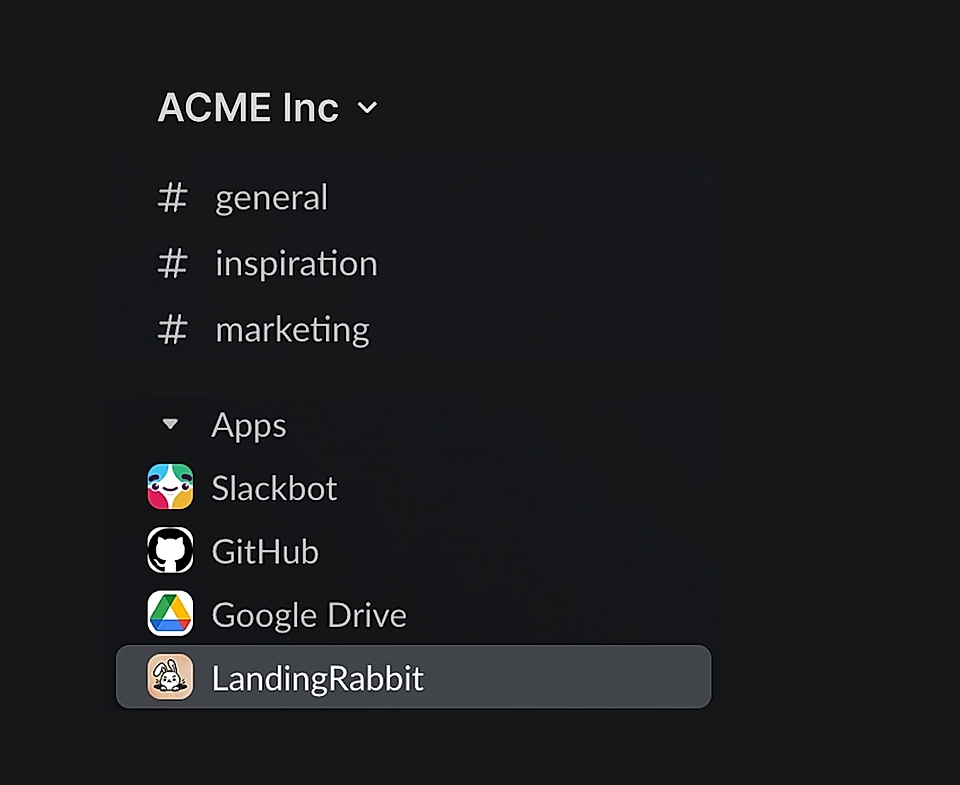
Step 1: Install the LandingRabbit Slack app
First, install the LandingRabbit Slack app. If you are not an admin, send the install link to whoever manages apps in Slack.

Step 2: Connect Slack to LandingRabbit with an API key
Next, connect your Slack workspace to your LandingRabbit account.
Open LandingRabbit in your browser
Go to the 'Integrations' tab
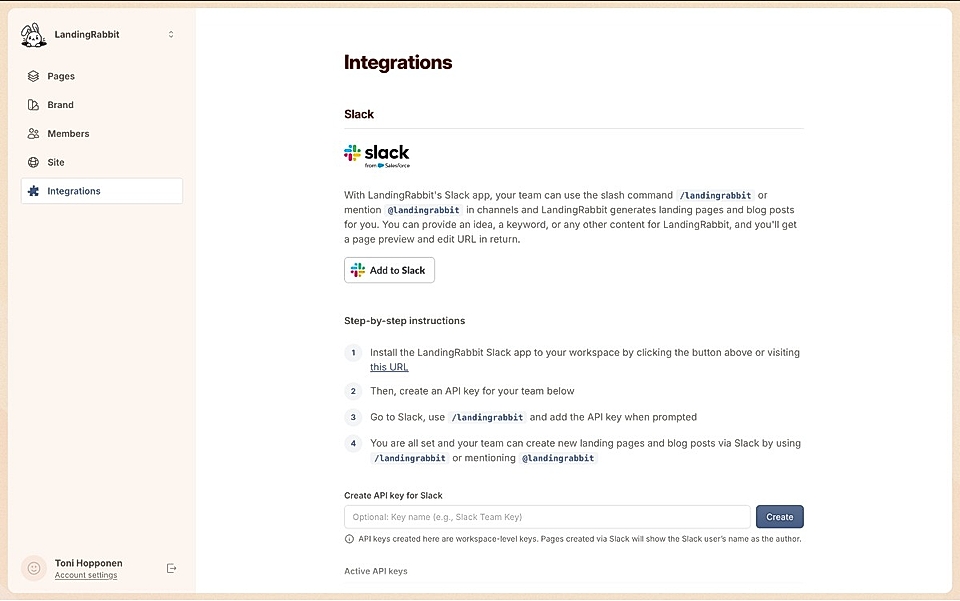
Create your API key
Then, head back to Slack.
In any channel, type /landingrabbit and say Hello
Slack will prompt you to provide your API key
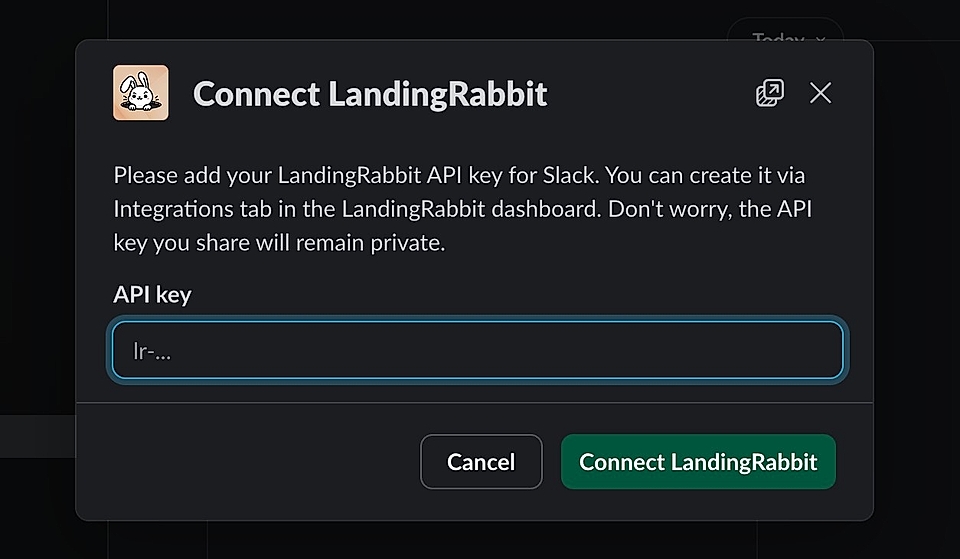
Paste the key from LandingRabbit and click 'Connect LandingRabbit'
You only need to do this once per workspace. After that, everyone in your team can create pages from any channel that has access to the app.
Step 3: Send page ideas to LandingRabbit from Slack
You have three simple options:
Type /landingrabbit in a channel
Mention @LandingRabbit
Send a DM to the LandingRabbit Slack app
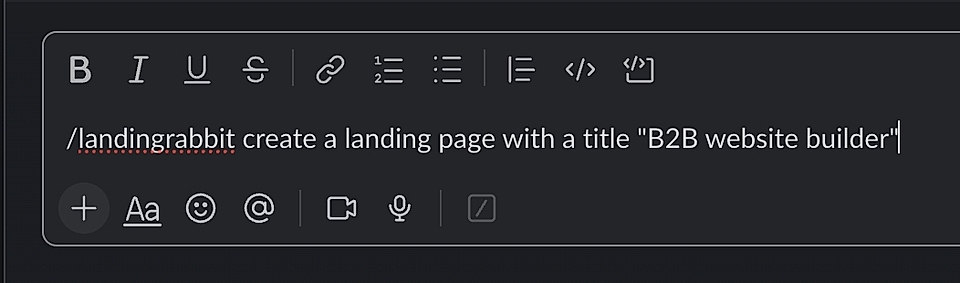
Then, share:
A page idea: "Landing page for our new SOC 2 feature for startups who desperately need a tool like ours to stay compliant and win clients"
A keyword: "customer success playbook for PLG SaaS"
Raw content: notes from a sales call, product update bullet points, or a short outline
LandingRabbit takes whatever you send, figures out what you are trying to build, and turns it into a structured page for your B2B website.
Step 4: Review, edit, and publish pages
After a couple of minutes, the Slack app replies in the same channel with a preview and edit URL.
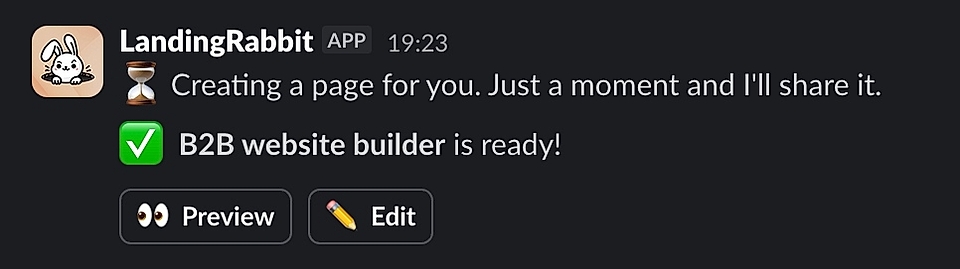
From there, your workflow is simple:
Teammates react or comment in Slack with what they like or want to change
LandingRabbit users can click the edit link and tweak the copy in a Google Docs style editor
Layout, fonts, and brand colours are already applied, so you focus on content instead of templates
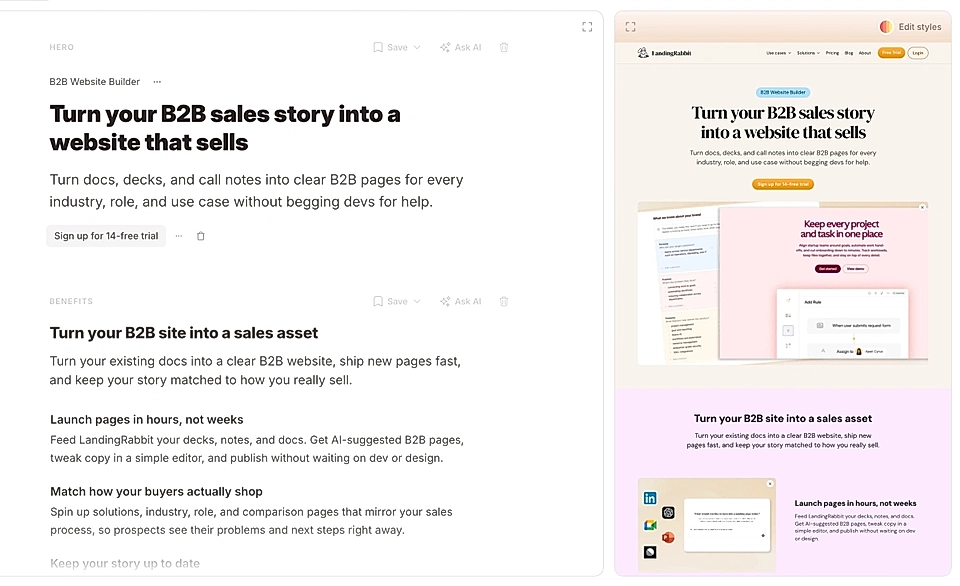
When the page feels right, you publish it with LandingRabbit like any other page (or export it to publish elsewhere).
Use Slack to create pages together
The biggest advantage of creating landing pages from Slack is collaboration.
Everyone is already in Slack: product, sales, support, founders. They see customer problems first, long before a traditional "brief" for marketing is written.
With the LandingRabbit Slack app:
- Sales can drop in a snippet from a call and ask for a page aimed at a specific industry or persona
- Product can paste release notes and ask for a feature launch page
- Founders can share positioning thoughts and turn them into a blog post
LandingRabbit then handles the heavy lifting: page structure, copy draft, layout, and brand styling.
With LandingRabbit, everyday work turns into real, branded pages in minutes, without logging into another tool or wrestling with templates.
Want to create landing pages straight from Slack? If you don't have a LandingRabbit account just yet, sign up for our 14-day free trial and install the LandingRabbit app in your Slack.