Use this simple tool to replace out-of-date website images with a few clicks
You lose mentions. The right people don't visit your site.
One of my pain points for the 15+ year career has been images and videos that go out-of-date.
Sometimes, I've even avoided adding images to help docs and blog posts, because it's so hard to find where they are published and then replace them one by one.
So, I built a quick tool to get rid of the pain and replace out-of-date images with a few clicks.
In this blog post, I'll show you how this quick tool saves me hours every month and helps me keep my website accurate for AI bots and for you.
How to update out-of-date images and videos in three simple steps
STEP 1: Find what images and videos are published at the moment
In LandingRabbit, the Media tab shows every image and video you've published. Right there, you can spot which ones are out of date.
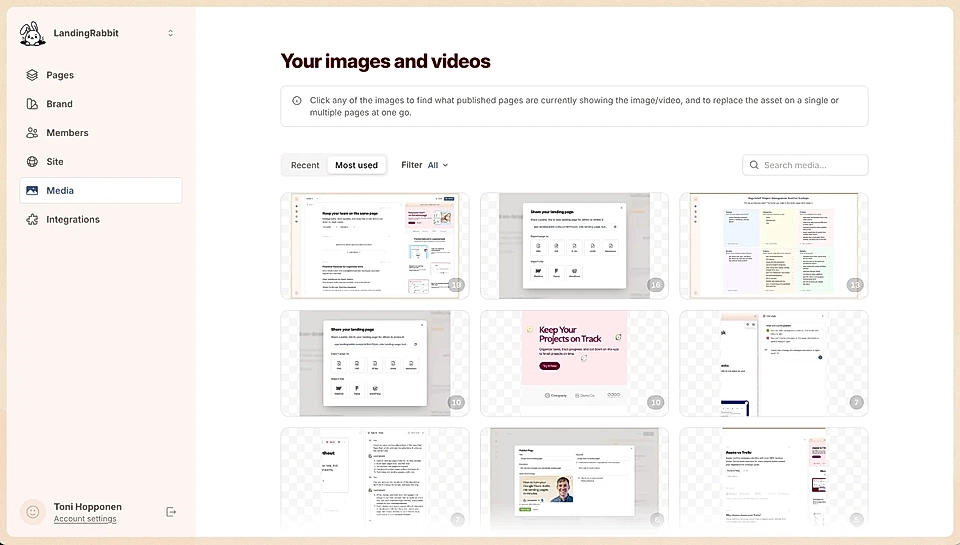
For example, I found an image used on six pages. In the current product, the publish modal looks completely different now. The structure had changed.
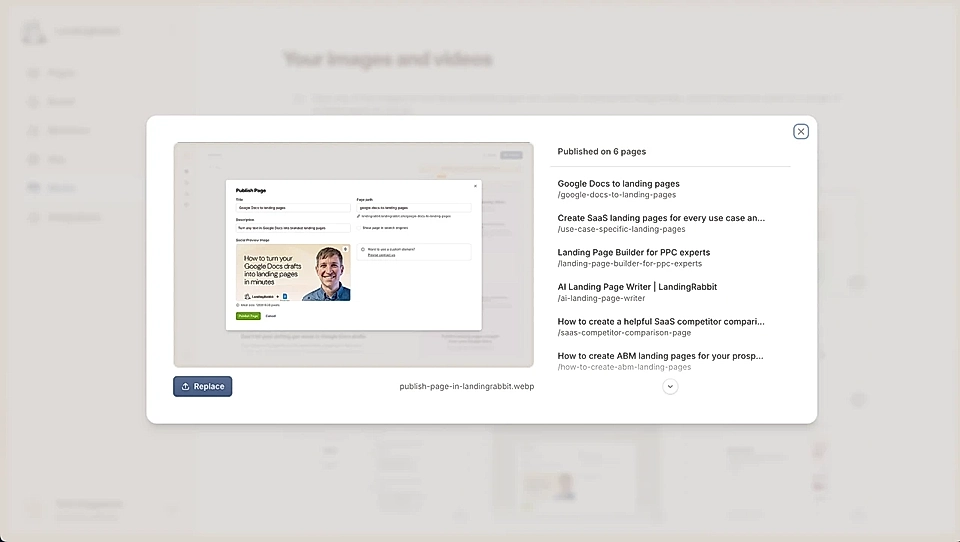
When I clicked to open the image, I could see exactly which pages were using that outdated image. A couple of landing pages, some help docs. All in one view.
STEP 2: Upload a new image or video to replace the old one
Click 'Replace' next to the outdated image.
Upload the new image/video version from your computer.
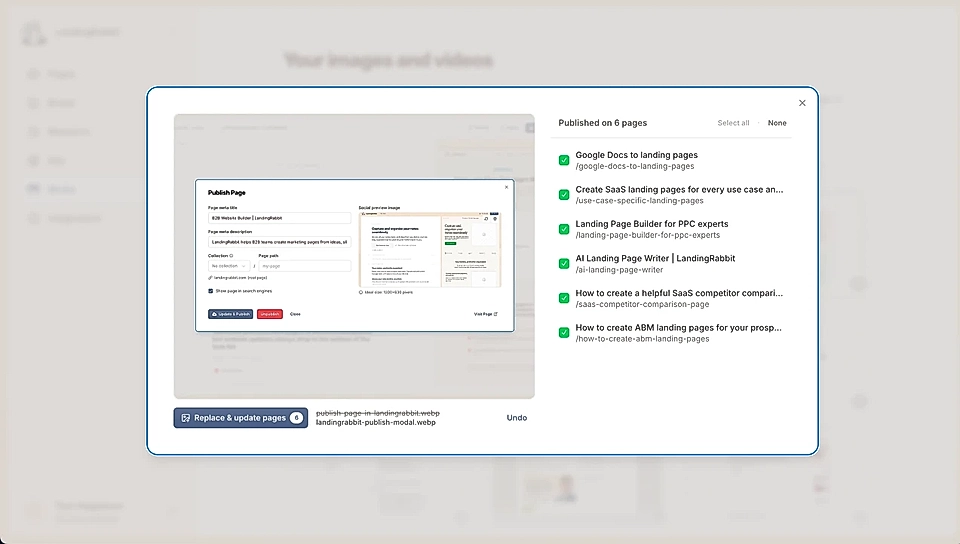
On the right, you can see that the pages to update got selected with a green checkmark. You can uncheck specific pages if needed, but most of the time, you want them all updated.
STEP 3: Publish the new visuals on all pages at one go
Hit 'Replace and update pages.'
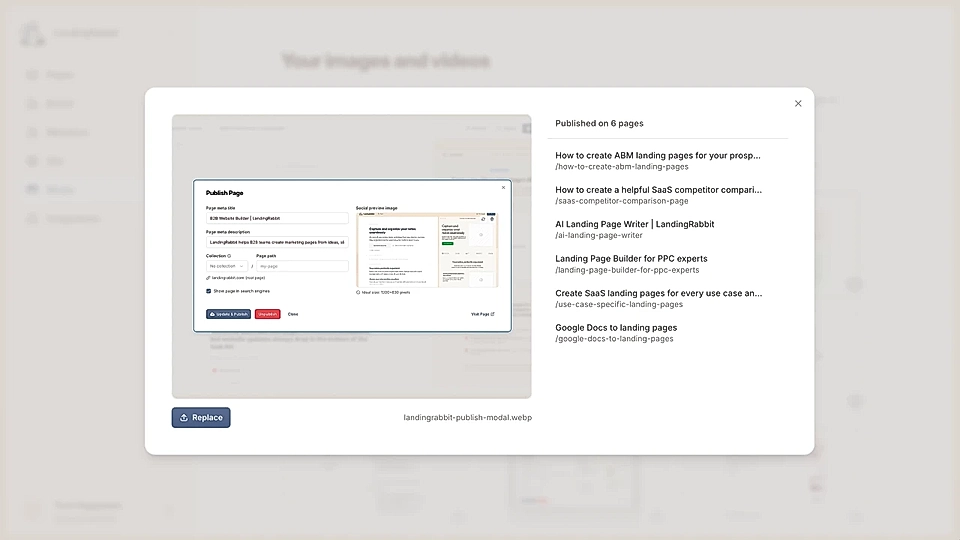
Done. All six pages now show the current version. One minute, not half a day.
Keep your site accurate for AI bots and visitors
With this tool, I'm confident in creating detailed documentation. I know I can replace images across the site in seconds.
Our UX develops over time. No problem. I update once, and every blog post, help doc, and landing page stays current.
When your site is up-to-date, AI bots will share accurate information and you reach the right people.
If you are looking for a tool that helps you keep your product documentation, blogs, and landing pages up-to-date, sign up for LandingRabbit's 14-day free trial. No credit card required, and we'll help you get started.