Yes, you can.
In the page editor, you’ll see a preview of your landing page on the right side. When you hover over any section, such as the hero, benefits, features, or CTA, you’ll see an art icon at the top of the layout.
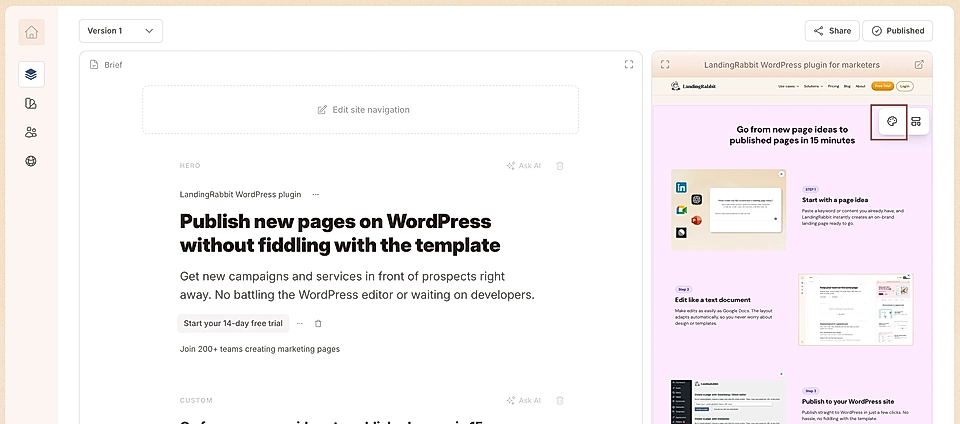
Click the icon to ask for design changes. You can ask LandingRabbit to:
Change the background color
Adjust title size or color
Add or update background images
And more
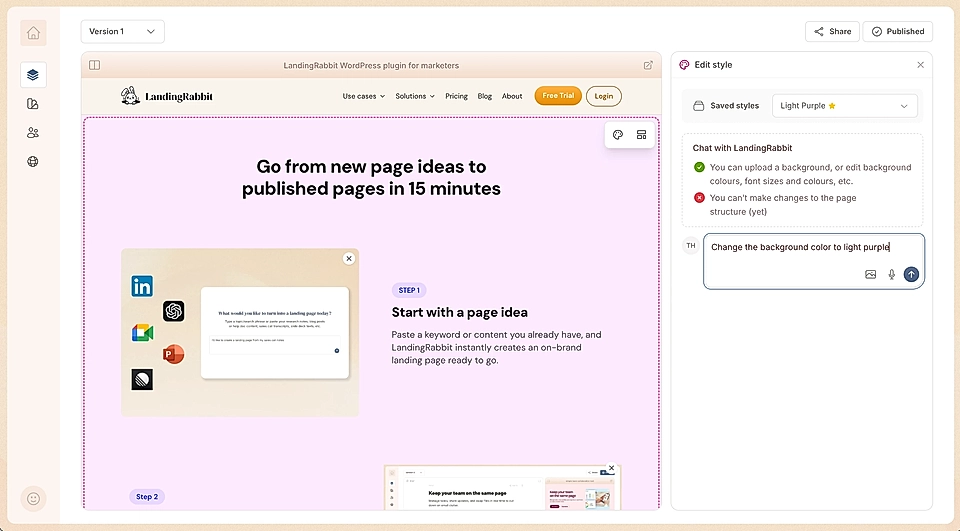
LandingRabbit will do its best to apply the changes you request.
Once you’re happy with the results, you can save the style to use as a template for future pages. You can set it as the default style for the next generated page or keep it for a single page.
If you have questions about styling options or what can be customized, contact us at [email protected]. We’re happy to help.