LandingRabbit vs Wix: Which is better for your B2B business?
Wix is a solid website builder.
For small businesses that need a clean site with a handful of pages, it does the job well. Easy to set up, plenty of templates, and everything in one place.
But if you run a B2B company where the offer keeps changing and you need new pages all the time, the PowerPoint-like editing in Wix starts to slow you down fast.
That is why we built LandingRabbit: a content-first website builder for B2B teams who need to keep their site in sync with what they are actually selling.
In this post, I will walk you through when Wix is the right pick and when LandingRabbit is the better fit.
When Wix is a great choice
You need a simple site with a few key pages
Wix works really well when you need a homepage, a few service pages, and maybe a contact form.
The PowerPoint-style drag-and-drop editor is intuitive. You pick a template, drop in your content, and you are live. No technical skills needed.
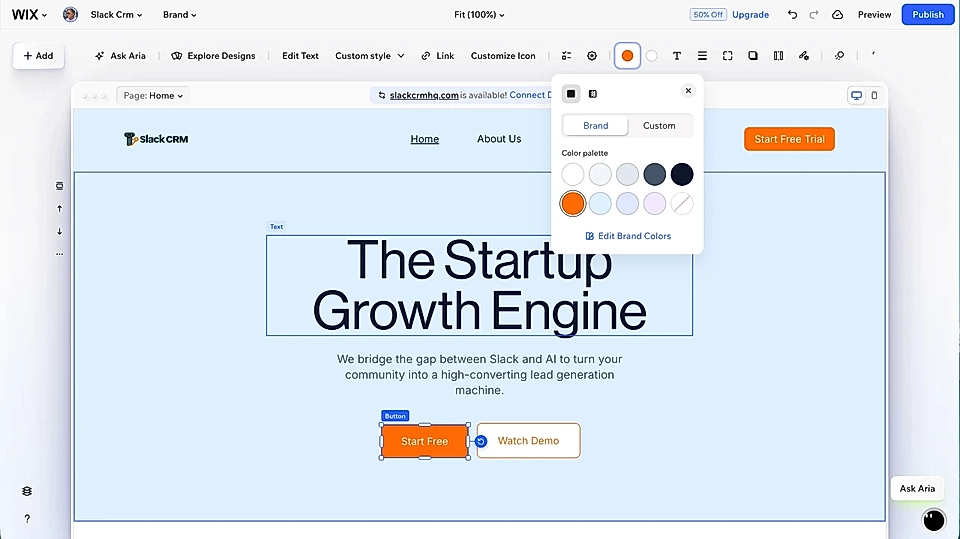
If you are a local business or a small service provider and you are looking to create a page once and rarely touch it again, Wix is a perfectly good choice.
You want payments, CRM, and email marketing in one place
Wix has built a broad platform over the years. You can sell products, collect payments, run email campaigns, and manage contacts without stitching together multiple tools.
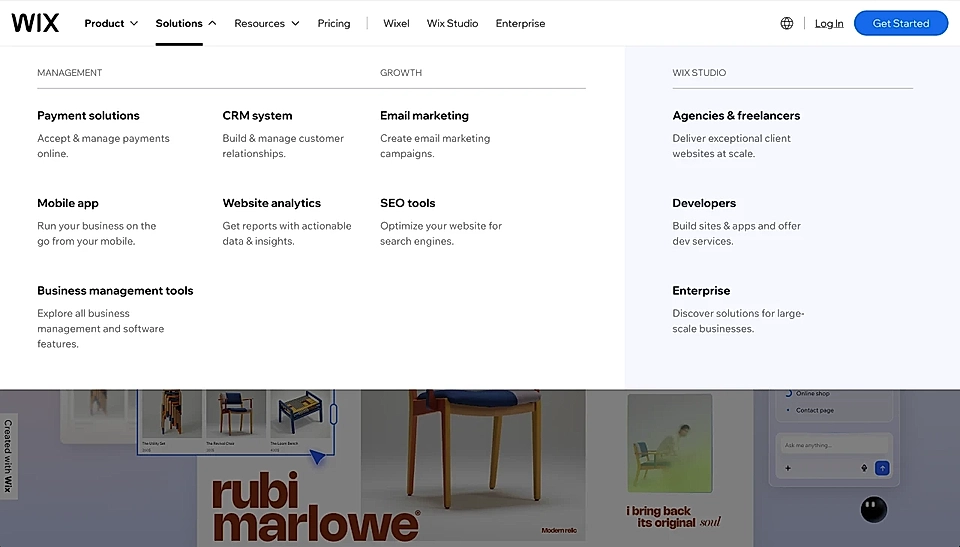
For small businesses that want everything under one roof, that is a real advantage.
Where Wix gets painful for B2B teams
Page creation is lot of manual work and tweaking, just like PowerPoint
Wix lets you drag and drop elements anywhere on the canvas. Move a button here, resize a block there, adjust font sizes manually on each section.
That flexibility feels great when you are building your first page.
But it is the same reason Wix becomes slow when you need to publish pages regularly. Every new page is a manual design job. You are always starting from a template and trying to squeeze your content into it, adjusting things until it looks right.
And honestly, with the PowerPoint-like editing, the mobile version is really hard to keep in shape.
Duplicating old pages and editing them is the standard (but slow) workflow
When you want a page that is slightly similar to an existing one, the usual approach is to copy the whole page and start tweaking.
For a B2B company with a fast-moving product or service, that process adds up. Each new campaign, feature update, or vertical page becomes a project in itself.
You can, of course, create new pages from scratch, but Wix only has a placeholder copy and it doesn't help you with the page structure, so creating new pages takes so much time.
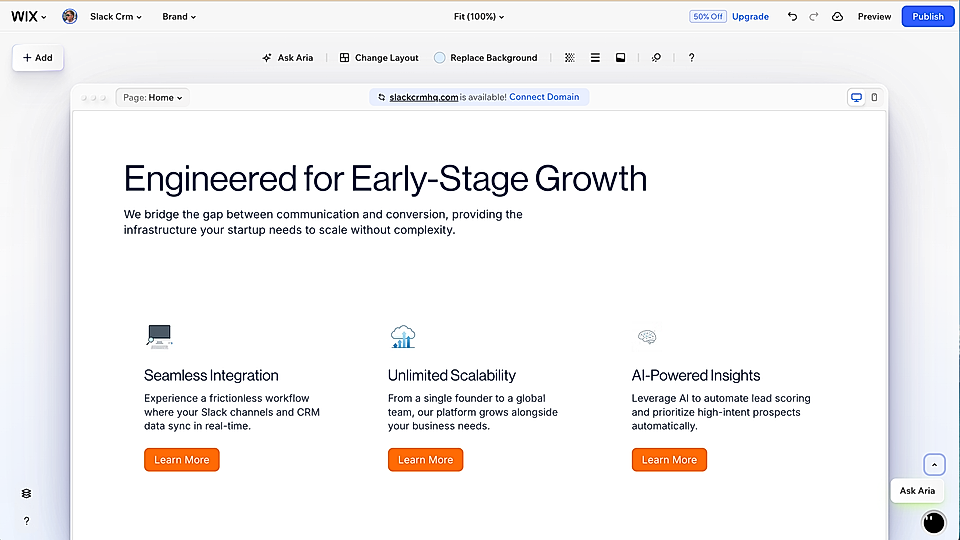
The site easily falls behind what you are actually selling
B2B products and services change fast. New features, new use cases, different customer focus.
But going back into Wix to update ten pages feels like a big task, so it gets pushed to later. The site quietly starts to describe something you used to offer, not what you sell today.
That gap costs you leads every day.
Are you currently using Wix and considering a switch? Learn why elelem AI moved from Wix to LandingRabbit.
How LandingRabbit is different from Wix
LandingRabbit is built for a different workflow.
Wix asks you to design a page and then fill it with content.
LandingRabbit starts from the content and builds the page around it.
You start with what you know, not a blank canvas
Instead of picking a template and trying to fill it in, you give LandingRabbit a keyword, a sales call transcript, a blog post draft, or product notes.
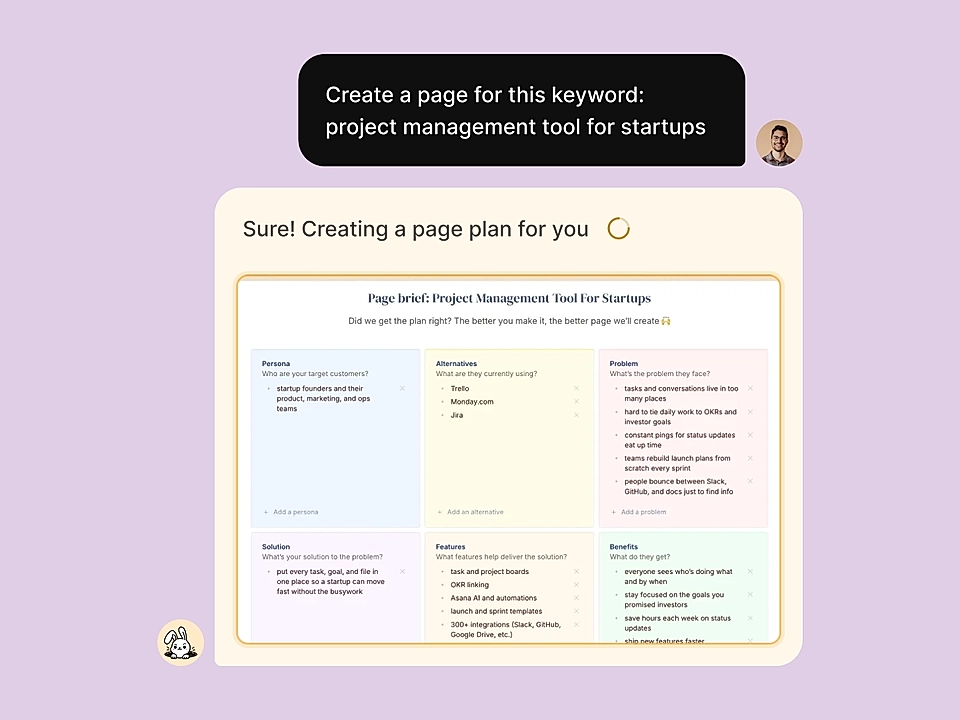
LandingRabbit reads what you have and generates a full page: the structure, the copy, and the layout, all based on your brand and the goal of that specific page.
A page meant to convert ad traffic looks different from a feature overview page. LandingRabbit handles that automatically.
You can tweak everything in simple text editor.
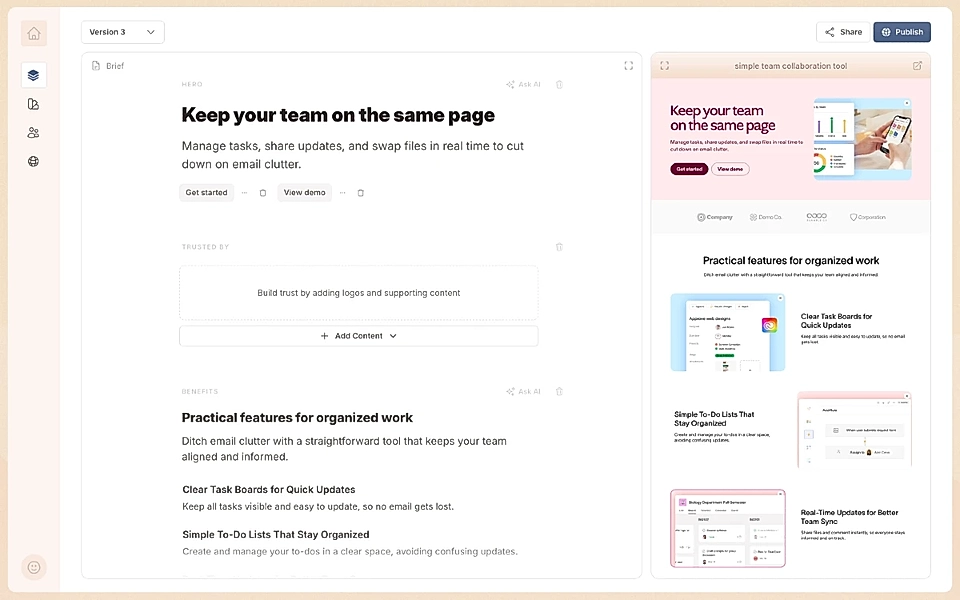
Your brand stays consistent without any extra work
Every page LandingRabbit creates uses your brand colours, fonts, and styles by default. You do not need to check spacing or fix mobile views after every edit.
Pages are mobile-optimised and hit a 100 score for SEO in Google PageSpeed out of the box. It just works.
If needed, you can ask changes to styles in natural language.

Keeping up with a fast-moving product becomes manageable
When your offer changes, you do not have to redesign pages from scratch. You start from what you already know about your customer and let LandingRabbit suggest changes or build new pages.
For SaaS teams shipping new features regularly, or B2B service companies adding new verticals, that means your site can actually keep up with what you are selling.
So, LandingRabbit or Wix?
Both tools are good. They serve different needs.
Wix is a great fit if you:
- Need a clean site with a small number of pages
- Want payments, CRM, and email marketing in one place
- Are not planning to publish or update pages regularly
LandingRabbit is the better fit if you:
Want a tool that helps you choose the right page structure and write content that fits your brand
Need to create new pages often because your product or service keeps evolving
Run ad campaigns and need targeted landing pages quickly
Want your site to reflect what you are actually selling, without a PowerPoint-like design project every time
Our own site has hundreds of pages. Almost all our signups come from content. We built LandingRabbit for exactly that reality.
If your offer moves faster than your website can keep up, LandingRabbit gives you a way to fix that.
Want to see it for yourself? Sign up for our 14-day free trial and turn what you already know into live, on-brand pages in minutes.